 Connexion


Multiplexing will boost your SSH connectivity or speed by reusing existing TCP connections to a remote host. This is useful when you frequently connect to the same server using SSH protocol for remote login, server management, using IT automation tools over SSH or even running hourly backups. However, sometimes your SSH command (client) will not respond or get hung up on the session when using multiplexing. Typically, this happens when your public IP changes (IPv4 to IPv6 changes when using DNS names), VPN issues, or firewall cuts connections. Hence, knowing SSH client control commands can save you time and boost your productivity when such gotchas occur.
Love this? sudo share_on: Twitter - Facebook - LinkedIn - Whatsapp - Reddit
The post How to control the SSH multiplexing with the control commands appeared first on nixCraft.

Summarizing lengthy text can be tedious, especially on platforms like PyBazaar, where concise summaries improve user experience. In this post, I'll share how I used Simplemind and Gemini to automate this process in my Django-based project.
Recently, I launched PyBazaar.com, a website for Python developers to show their skills, find job offers, and post and find development resources. Its purpose is to have a central place where Python developers can market their services, products, or projects.
PyBazaar shows lengthy descriptions of career opportunities and resources in the detail views and short summaries in the list views. Summaries help users quickly grasp the content of resources and career opportunities without opening each detailed view, enhancing the overall browsing experience on PyBazaar. To make the editing smoother, I introduced automatic summarization based on AI.

Kenneth Reitz, the author of the famous package requests, recently published his newest creation—Simplemind—which improves the developer experience with the APIs of large language models (LLMs). I thought it would be a good opportunity to try integrating his package into PyBazaar.
While I chose Google Gemini for its free tier, Simplemind's support for providers like OpenAI or Claude means developers can scale up for more advanced features or more precise results if needed.
At first, I had to get an API Key at Google AI Studio.
Then I installed Simplemind:
(venv)$ pip install 'simplemind[full]'However, while waiting for one of the dependencies (grpcio) to compile on my Mac, I had time for an energy drink and enough time to scroll through half my social media feed.
Simplemind expects the LLM API keys to be defined in the environment variables. In my Django projects, I store the secrets in JSON files, which Git ignores, and I read those values with a utility function I wrote, get_secret().
So, I added these lines in the Django settings:
import os
os.environ["GEMINI_API_KEY"] = get_secret("GEMINI_API_KEY")
DEFAULT_LLM_PROVIDER = "gemini"I created a straightforward view that takes posted HTML content, asks LLM to summarize it, and returns the summary to the user:
import json
import simplemind
from django.contrib.auth.decorators import login_required
from django.conf import settings
from django.http import JsonResponse
from django.utils.html import strip_tags


@login_required
def summarize(request):
    summary = ""
    try:
        if (
            request.method == "POST"
            and (data := json.loads(request.body))
            and (content := data.get("content"))
            and (text := strip_tags(content).strip())
        ):
            summary = simplemind.generate_text(
                prompt=f"Condense the following information in 2 sentences:\n\n{text}",
                llm_provider=settings.DEFAULT_LLM_PROVIDER,
            ).strip()
    except json.JSONDecodeError:
        pass
    data = {"summary": summary}
    return JsonResponse(data)
As you can see, Simplemind is as elegant as the requests app. I could easily switch to OpenAI or Claude if I needed more advanced results or smarter queries.
I used strip_tags() to reduce the token count and strip() to remove leading and trailing whitespaces.
To improve the view's performance, I could also use ASGI or a background task, but that's something to consider when there are more users at PyBazaar.
The summarization button had its template, which I included in my Django Crispy Forms layout with layout.HTML("""{% include "summarizer/includes/summarize_button.html" %}"""):
{% load i18n static %}
<button type="button" class="summarize btn btn-secondary mb-3" data-url="{% url 'summarize' %}">
    {% translate "Summarize by AI" %}
</button>
<script src="{% static 'site/js/summarize.js' %}"></script>And finally, the summarize.js looked like this:
document.addEventListener('DOMContentLoaded', function() {
    const summarizeButtons = document.querySelectorAll('.summarize');

    summarizeButtons.forEach(button => {
        button.addEventListener('click', async function(e) {
            const btn = e.currentTarget;
            const url = btn.dataset.url;
            const originalText = btn.textContent;

            try {
                // Disable button and show loading state
                btn.disabled = true;
                btn.textContent = 'Summarizing...';

                // Get HTML content from Quill
                const contentField = document.getElementById('quill-input-id_description');
                const quillData = JSON.parse(contentField.value);
                const contentHtml = quillData.html;

                const csrfToken = document.querySelector('[name="csrfmiddlewaretoken"]').value;

                const response = await fetch(url, {
                    method: 'POST',
                    headers: {
                        'Content-Type': 'application/json',
                        'X-CSRFToken': csrfToken,
                    },
                    body: JSON.stringify({
                        content: contentHtml
                    })
                });

                if (!response.ok) {
                    throw new Error(`HTTP error! status: ${response.status}`);
                }

                const data = await response.json();

                // Get the summary field and update its value
                const summaryField = document.getElementById('id_summary');
                summaryField.value = data.summary;
                // Trigger change event in case there are any listeners
                summaryField.dispatchEvent(new Event('change'));

            } catch (error) {
                console.error('Summarization failed:', error);
                alert('Failed to generate summary. Please try again.');
            } finally {
                // Reset button state
                btn.disabled = false;
                btn.textContent = originalText;
            }
        });
    });
});
When a user clicks on the "Summarize by AI" button, the Javascript temporarily disables the button, changes its text to "Summarizing...", reads the HTML value from the QuillJS field, and posts it as {"content": "..."} to the summarize view. After receiving the summary as {"summary": "..."}, the Javascript fills in the summary textarea and makes the button clickable again.
Simplemind makes working with LLMs easier using smart defaults, so developers don't have to adjust complicated settings like temperature or max_tokens.
Gemini LLM can be used for free, and that seems good enough for simple features like this with a moderate number of active users.
I implemented this summarization feature at PyBazaar in just half a day, and I could easily adapt this integration to generate meta descriptions, email drafts, or personalized recommendations.
If you're a Python developer looking to showcase your skills, share resources, or find opportunities, visit PyBazaar.com today!
Cover photo by Caio

At DigitalOcean, when you need large amounts of static data (images, documents, or videos), you have two options: Volumes Block Storage and Spaces Object Storage. In case of Volumes, you mount an extra hard drive to your server and use the file system to manage your files. Whereas with Spaces, you store files in the cloud and use a special API to create, read and delete files there.
Spaces Object Storage is comparable with AWS S3 Cloud Object Storage. It even supports the same API for dealing with data there.
Here are some benefits of using Spaces:
I will walk you through setting up Spaces for your media files.
When creating Spaces Object Storage at DigitalOcean, you will be asked for these values:
For the created Spaces instance, I keep the settings unchanged:
This will create an instance, which resources, aka media files, can be accessed under
https://pybazaar.fra1.digitaloceanspaces.com
and
https://pybazaar.fra1.cdn.digitaloceanspaces.com
Now go to API ➔ Spaces Keys and choose Generate New Key.
There you'll generate an Access Key and Secret Key. You'll need those in the Django settings and for example Transit app for easy mass file management.
Install django-storages and boto3 to your Django project.
(venv)$ pip install boto3
(venv)$ pip install django-storages[s3]
Add the STORAGES setting:
STORAGES = {
    "default": {
        "BACKEND": "storages.backends.s3.S3Storage",
        "OPTIONS": {
            "bucket_name": "pybazaar",
            "access_key": get_secret("SPACES_ACCESS_KEY"),
            "secret_key": get_secret("SPACES_SECRET_KEY"),
            "region_name": "fra1",
            "endpoint_url": "https://pybazaar.fra1.digitaloceanspaces.com",
            "default_acl": "public-read",
            "location": "media",
            # required for the correct storage.exists() functioning
            "file_overwrite": False,
            # don't append any authentication parameters to the files.
            "querystring_auth": False,
        },
    },
    "staticfiles": {
        # For static files, use file-system storage
        "BACKEND": "django.contrib.staticfiles.storage.StaticFilesStorage",
        # Or Whitenoise storage
        # "BACKEND": "whitenoise.storage.CompressedStaticFilesStorage",
    },
}
MEDIA_URL = "https://pybazaar.fra1.cdn.digitaloceanspaces.com/pybazaar/media/"
The implementation of get_secrets() depends on your needs. You can import values from environment variables or from a JSON or INI file. Here's a version I am using in my projects. Just make sure not to include your secrets in the Git repository.
MEDIA_ROOT is not participating in the game of django-storages.
For static files, I recommend using File System or Whitenoise, althought theoretically you could also use django-storages for them too.
Try connecting your local environment to spaces at first, then check it remotely.
If you use a rich-text editor supporting images or links to documents, you should ensure that the media paths don't change when you dump your pages from production to development. Otherwise, the images and links will be broken. To ensure that, set MEDIA_URL to "/pybazaar/media/" locally when you use the file system storage locally again.
Use the Django Storage operations instead of file-system operations for all your media file operations: listing directory contents, creating a file, reading a file, updating file content, deleting a file, or checking the existence of a file.
For example, instead of this code:
import os
from django.conf import settings

with open(os.path.join(settings.MEDIA_ROOT, "README.txt"), "w") as f:
    f.write("Hello, World!")
use this one:
from django.core.files.storage import default_storage
from django.core.files.base import ContentFile

default_storage.save("README.txt", ContentFile("Hello, World!"))If you are using django-imagekit or another image manipulation library, make sure that you use the latest version that supports the STORAGES setting.
For older Django versions (< 4.2), you might need to set AWS_* settings instead of the STORAGES dictionary. See the django-packages docs here.
You can upload files for Spaces one-by-one at DigitalOcean console. Or better, use Transit v5 on MacOS.
Add new connection and choose Amazon S3
Upload some files there. Check if they are accessible from the CDN endpoint URL.
To have a dedicated subdomain of yours pointing to the spaces, e.g. https://media.pybazaar.com, you can follow the instructions in this article.
If you manage your DNS settings on DigitalOcean, it's not a big deal: you just click a few buttons to set the CNAME record and enable Let's encrypt certificates.
But if you manage your DNS elsewhere, you will have to manually set and regularly update your SSL settings, and set a CNAME record to point your subdomain (e.g. media.pybazaar.com) to their CDN endpoint (e.g. pybazaar.fra1.cdn.digitaloceanspaces.com).
Using django-storages you can relatively simply replace your file system with cloud-based storage such as Spaces Object Storage at DigitalOcean.
DigitalOcean gives $200 in credit over 60 days for everyone who will use my affiliate link to signup. If you are planning a website with lots of media files, it's worthy to have a try.
Cover photo by gdtography

Incus is a free and open-source project for the next-gen container management platform. It is a fork of LXD (the container hypervisor). It can manage both Linux containers and virtual machines. Let us see how to install the stable version of the Incus server on Debian 11 or 12 and deploy both containers and VMs for fun and profit.
Love this? sudo share_on: Twitter - Facebook - LinkedIn - Whatsapp - Reddit
The post How to install incus server on Debian 12/11 appeared first on nixCraft.

I am using Alpine Linux v3.18 or v3.19 with my LXD/Incus server. How do I upgrade Alpine Linux v3.19 to Alpine Linux v3.20? How can I upgrade Alpine Linux v3.18 to Alpine Linux v3.20?
Love this? sudo share_on: Twitter - Facebook - LinkedIn - Whatsapp - Reddit
The post How to upgrade Alpine Linux 3.19 to 3.20 appeared first on nixCraft.
DNSCrypt-proxy is an open-source and free software designed to encrypt DNS traffic, thus protecting it from eavesdropping and manipulation. This is also useful to evade DNS censorship when DNSCrypt-proxy is configured correctly with Wireguard or OpenVPN. Further, DNSCrypt-proxy can configured to block malware, trackers, and internet ads. In Debian 11 and 12, using DNSCrypt-proxy can enhance privacy and security by preventing DNS spoofing attacks, DNS hijacking, and surveillance of DNS traffic. It ensures that DNS queries are encrypted, authenticated, and secure, thereby safeguarding users' browsing activities and sensitive information. Let us see how to install dnscrypt-proxy on Debian Linux 11 and 12.
Love this? sudo share_on: Twitter - Facebook - LinkedIn - Whatsapp - Reddit
The post How to install dnscrypt-proxy on Debian Linux 11/12 appeared first on nixCraft.

Ubuntu 24.04 LTS (Noble Numbat) was launched on April 25th, 2024. This new version will be supported for five years until June 2029. The armhf architecture now provides support for the Year 2038 problem. The upgrades include significant updates to core packages like Linux kernel, systemd, Netplan, toolchain upgrades for better development support, enhanced security measures, and performance optimizations. It also has an updated GNOME desktop environment and other default applications. Let us see how to upgrade Ubuntu 22.04 LTS to Ubuntu 24.04 LTS using the CLI over ssh-based session.
Love this? sudo share_on: Twitter - Facebook - LinkedIn - Whatsapp - Reddit
The post How to Upgrade Ubuntu 22.04 to 24.04 LTS: A Complete Guide appeared first on nixCraft.

AWS SES (Amazon Simple Email Service) is a cloud-based email-sending service that is both reliable and cost-effective. This service is offered by Amazon Web Services. Postfix is a popular email server for Debian and Unix-like systems. It is an open-source Mail Transfer Agent (MTA) responsible for routing and delivering emails. Debian Linux is a widely used Linux distribution known for its stability and user-friendliness for server usage. Let us see how to integrate AWS SES with the Postfix MTA on Debian Linux version 11/12.
Love this? sudo share_on: Twitter - Facebook - LinkedIn - Whatsapp - Reddit
The post How to configure AWS SES with Postfix MTA on Debian Linux appeared first on nixCraft.

You can install LXD pure-container hypervisor on Debian 11 Linux to run an unmodified version of Debian, Ubuntu, CentOS, Fedora, Alpine, Arch and many other Linux distro. You can mimic AWS or different cloud instance types with LXD for testing and deployment purposes on your development machine. You can also run a GUI app such as Firefox completely isolated using LXD for security or privacy reasons. Let us see how to set up and use LXD on the Debian Linux 11 server or desktop.
Love this? sudo share_on: Twitter - Facebook - LinkedIn - Whatsapp - Reddit
The post How To Install LXD on Debian 11 Linux appeared first on nixCraft.
Ubuntu 22.04 LTS comes with LXD pure-container hypervisor to run an unmodified version of Debian, Ubuntu, CentOS, Fedora, Alpine, Arch and many other Linux distro. You can mimic AWS or different cloud instance types with LXD for testing and deployment purposes on your development machine. You can also run a GUI app such as Firefox completely isolated using LXD for security or privacy reasons. Let us see how to set up and use LXD on the Ubuntu Linux 22.04 LTS using APT or snap command.
Love this? sudo share_on: Twitter - Facebook - LinkedIn - Whatsapp - Reddit
The post How To Install LXD on Ubuntu 22.04 LTS using apt/snap appeared first on nixCraft.
IP aliasing is nothing but associating more than one IP address to a network interface such as eth0. For example, using the following methods, you can add an IP alias on Amazon Linux 2.
Love this? sudo share_on: Twitter - Facebook - LinkedIn - Whatsapp - Reddit
The post How to add an IP alias on Amazon Linux 2 appeared first on nixCraft.

I like django-crispy-forms. You can use it for stylish uniform HTML forms with Bootstrap, TailwindCSS, or even your custom template pack. But when it comes to custom widgets and dynamic form handling, it was always a challenge. Recently I discovered htmx. It's a JavaScript framework that handles Ajax communication based on custom HTML attributes. In this article, I will explore how you can use django-crispy-forms with htmx to provide a form with server-side validation in a modal dialog.
For this experiment, I will be using these PyPI packages:
Also, I will use the CDN versions of Bootstrap5 and htmx.
I decided to add some crispy style to the login form by extending Django's authentication form and attaching a crispy helper to it.
from django.contrib.auth.forms import AuthenticationForm
from crispy_forms.helper import FormHelper
from crispy_forms.layout import Layout
from crispy_bootstrap5 import bootstrap5


class LoginForm(AuthenticationForm):
    def __init__(self, *args, **kwargs):
        super().__init__(*args, **kwargs)

        self.helper = FormHelper()
        self.helper.form_tag = False
        self.helper.include_media = False
        self.helper.layout = Layout(
            bootstrap5.FloatingField("username", autocomplete="username"),
            bootstrap5.FloatingField("password", autocomplete="current-password"),
        )
Here I set form_tag to False to skip the <form> tag from the rendered form elements because I want to customize it in the templates. And I set include_media to False because I want to manually handle the media inclusion, as you will see later, instead of automatically including them in the form.
I will have two views:
from django.shortcuts import render, redirect
from django.contrib.auth import login as auth_login, logout as auth_logout
from django_htmx.http import HttpResponseClientRefresh
from .forms import LoginForm


def home(request):
    if request.user.is_authenticated:
        return render(request, "dashboard.html")
    return render(request, "home.html", context)


def login(request):
    if request.method == "POST":
        form = LoginForm(request=request, data=request.POST, prefix="login")
        template_name = "login_form.html"
        if form.is_valid():
            user = form.get_user()
            auth_login(request, user)
            return HttpResponseClientRefresh()
    else:
        form = LoginForm(request=request, prefix="login")
        template_name = "login_dialog.html"
    context = {"form": form}
    return render(request, template_name, context)
The home view just returns different templates based on whether the user is logged in or not.
The login view handles a login form and renders different templates based on whether the view was accessed by GET or POST method. If the login succeeds, a special HttpResponseClientRefresh response is returned, which tells htmx to refresh the page from where the login form was loaded and submitted. It's an empty response with the HX-Refresh: true header.
Then I plug those two views into my urls.py rules.
At the end of the base.html template, I include htmx from CDN and my custom dialog.js:
<script src="https://unpkg.com/htmx.org@1.8.2" integrity="sha384-+8ISc/waZcRdXCLxVgbsLzay31nCdyZXQxnsUy++HJzJliTzxKWr0m1cIEMyUzQu" crossorigin="anonymous"></script>
<script src="{% static 'js/dialog.js' %}"></script>
In the home.html template, I add a button which will open the dialog:
<button
    data-hx-get="{% url 'login' %}"
    data-hx-target="main"
    data-hx-swap="beforeend"
    type="button"
    class="btn btn-primary"
>Log in</button>
Note that htmx allows either hx-* syntax or data-hx-* for its HTML attributes and I prefer the latter because data-* attributes make a valid HTML document.
In the snippet above, I tell htmx to load the login page on the button click and insert it before the end of the <main> HTML tag.
Let's have a look at my dialog.js file:
function init_widgets_for_htmx_element(target) {
    // init other widgets

    // init modal dialogs
    if (target.tagName === 'DIALOG') {
        target.showModal();
        htmx.on('.close-dialog', 'click', function(event) {
            var dialog = htmx.find('dialog[open]');
            dialog.close();
            htmx.remove(dialog);
        });
    }
}

htmx.onLoad(init_widgets_for_htmx_element);
Here, when a page loads or a htmx inserts a snippet, the init_widgets_for_htmx_element function will be called with the <body> or the inserted element as the target. One can use this function to initialize widgets, such as rich text fields, autocompletes, tabs, custom frontend validators, etc. Also, I use this function to open the loaded modal dialogs and add event handlers to close them.
Now the login_dialog.html template looks like this (I just stripped the styling markup):
<dialog id="htmx-dialog">
    <h1>Login</h1>
    <button type="button" class="close-dialog btn-close" aria-label="Close"></button>
    {% include "login_form.html" %}
    <button type="submit" form="htmx-dialog-form">Log in</button>
</dialog>
And the login_form.html looks like this:
<form
    id="htmx-dialog-form"
    novalidate
    data-hx-post="{% url 'login' %}"
    data-hx-swap="outerHTML"
>
    {% load crispy_forms_tags %}
    {% crispy form %}
</form>
The htmx attributes tell htmx to submit the form data to the login view by Ajax and replace the <form> HTML tag with the response received. That is used for form validation. If the response has the HX-Refresh: true header, as mentioned before, then the home page is refreshed.
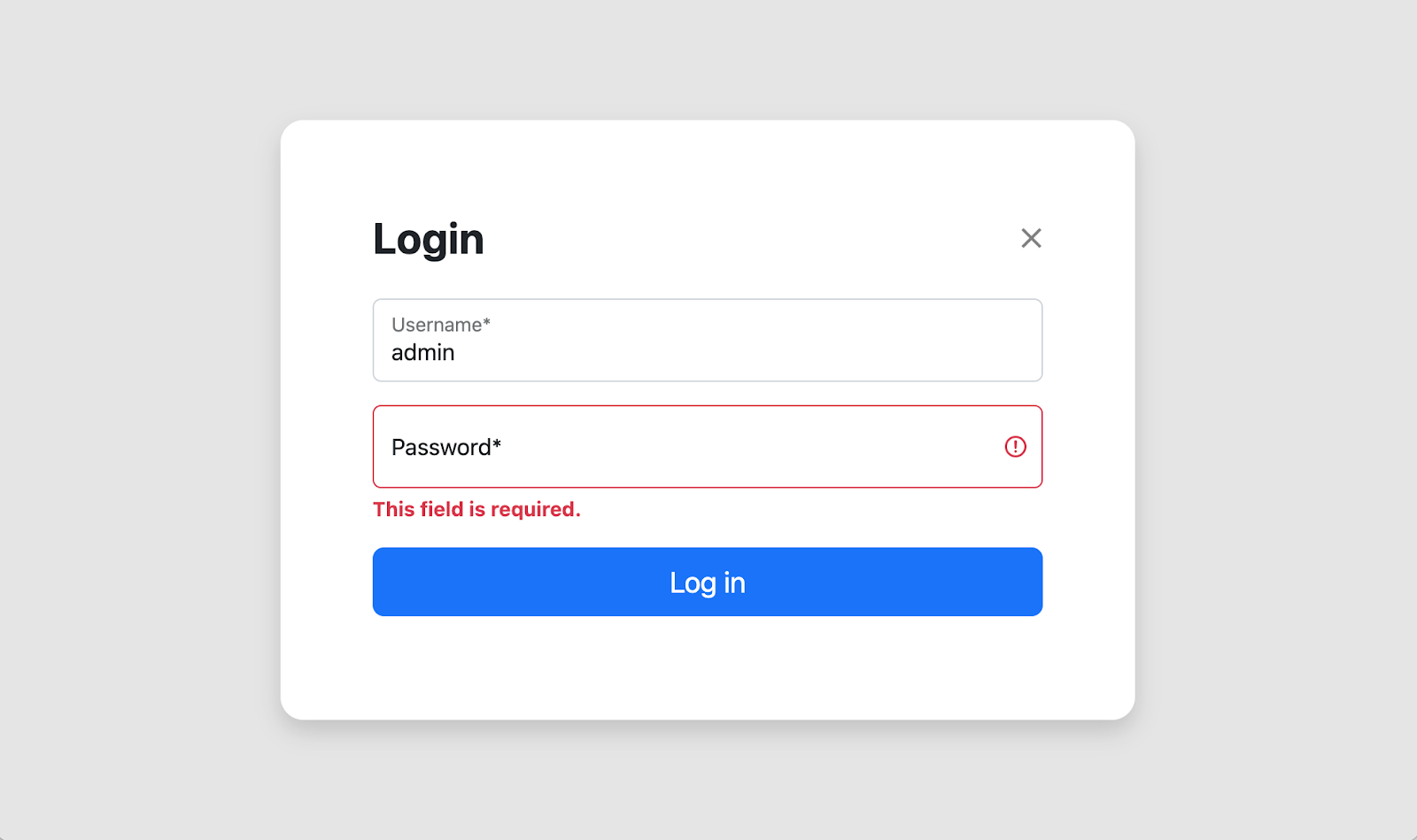
Here is what the result looks like:
If you noticed before, we excluded the media from the form. Otherwise, the home page would load the media of its own forms (for example, a search form) and the media of the dialog forms. And that would cause double executions of shared scripts, for example, the ones for autocompletes and rich text fields.
You can nicely combine media from different forms by concatenating the media instances. This way, each CSS and Javascript file is included just once.
As the login form isn't part of the home page but instead included on demand, I need to have its media in the home view or any other view where the login button is shown.
Here comes this custom context processor for help:
def login_dialog(request):
    from .forms import LoginForm

    if not request.user.is_authenticated:
        form = LoginForm(request=request)
        if hasattr(request, "combined_media"):
            request.combined_media += form.media
        else:
            request.combined_media = form.media
    return {}
It checks for any request.combined_media and attaches the form media from the login form.
Lastly, I attach this context processor to the template settings and render the value of combined media before </body>:
{{ request.combined_media }}Get the code to play with from Github. As you can see, htmx makes Ajax communications pretty straightforward, even when it's about dynamically loading and reloading parts of the content or initializing custom widgets.
Cover photo by Pixabay

When I initially created my MVP (minimal viable product) for 1st things 1st, I considered the whole Django project to be about prioritization. After a few years, I realized that the Django project is about SaaS (software as a service), and prioritization is just a part of all functionalities necessary for a SaaS to function. I ended up needing to rename apps to have clean and better-organized code. Here is how I did that.
Ensure you have the latest git pull and execute all database migrations.
Put django-rename-app into pip requirements and install them or just run:
(venv)$ pip install django-rename-appPut the app into INSTALLED_APPS in your settings:
INSTALLED_APPS = [
    # …
    "django_rename_app",
]Rename the oldapp as newapp in your apps and templates.
Rename the app in all your imports, relations, migrations, and template paths.
You can do a global search for oldapp and then check case by case where you need to rename that term to newapp, and where not.
Run the management command rename_app:
(env)$ python manage.py rename_app oldapp newappThis command renames the app prefix the app tables and the records in django_content_type and django_migrations tables.
If you plan to update staging or production servers, add the rename_app command before running migrations in your deployment scripts (Ansible, Docker, etc.)
Lastly, create an empty database migration for the app with custom code to update indexes and foreign-key constraints.
(env)$ python manage.py makemigrations newapp --empty --name rename_indexesFill the migration with the following code:
# newapp/migrations/0002_rename_indexes.py
from django.db import migrations


def named_tuple_fetch_all(cursor):
    "Return all rows from a cursor as a namedtuple"
    from collections import namedtuple

    desc = cursor.description
    Result = namedtuple("Result", [col[0] for col in desc])
    return [Result(*row) for row in cursor.fetchall()]


def rename_indexes(apps, schema_editor):
    from django.db import connection

    with connection.cursor() as cursor:
        cursor.execute(
            """SELECT indexname FROM pg_indexes
            WHERE tablename LIKE 'newapp%'"""
        )
        for result in named_tuple_fetch_all(cursor):
            old_index_name = result.indexname
            new_index_name = old_index_name.replace(
                "oldapp_", "newapp_", 1
            )
            cursor.execute(
                f"""ALTER INDEX IF EXISTS {old_index_name}
                RENAME TO {new_index_name}"""
            )


def rename_foreignkeys(apps, schema_editor):
    from django.db import connection

    with connection.cursor() as cursor:
        cursor.execute(
            """SELECT table_name, constraint_name
            FROM information_schema.key_column_usage
            WHERE constraint_catalog=CURRENT_CATALOG
            AND table_name LIKE 'newapp%'
            AND position_in_unique_constraint notnull"""
        )
        for result in named_tuple_fetch_all(cursor):
            table_name = result.table_name
            old_foreignkey_name = result.constraint_name
            new_foreignkey_name = old_foreignkey_name.replace(
                "oldapp_", "newapp_", 1
            )
            cursor.execute(
                f"""ALTER TABLE {table_name}
                RENAME CONSTRAINT {old_foreignkey_name}
                TO {new_foreignkey_name}"""
            )


class Migration(migrations.Migration):

    dependencies = [
        ("newapp", "0001_initial"),
    ]

    operations = [
        migrations.RunPython(rename_indexes, migrations.RunPython.noop),
        migrations.RunPython(rename_foreignkeys, migrations.RunPython.noop),
    ]
Run the migrations:
(env)$ python manage.py migrateIf something doesn't work as wanted, migrate back, fix the code, and migrate again. You can unmigrate by migrating to one step before the last migration, for example:
(env)$ python manage.py migrate 0001After applying the migration in all necessary environments, you can clean them up by removing django-rename-app from your pip requirements and deployment scripts.
It's rarely possible to build a system that meets all your needs from the beginning. Proper systems always require continuous improvement and refactoring. Using a combination of Django migrations and django-rename-app, you can work on your websites in an Agile, clean, and flexible way.
Happy coding!
Cover photo by freestocks.

I am a new Ubuntu Linux 22.04 LTS server user. How do I set up an OpenVPN Server on Ubuntu Linux version 22.04 server to shield my browsing activity from bad guys on public Wi-Fi, set protective parameter vpn for developers and more?
Love this? sudo share_on: Twitter - Facebook - LinkedIn - Whatsapp - Reddit
The post Ubuntu 22.04 LTS Set Up OpenVPN Server In 5 Minutes appeared first on nixCraft.

When you have some generic functionality like anything commentable, likable, or upvotable, it’s common to use Generic Relations in Django. The problem with Generic Relations is that they create the relationships at the application level instead of the database level, and that requires a lot of database queries if you want to aggregate content that shares the generic functionality. There is another way that I will show you in this article.
I learned this technique at my first job in 2002 and then rediscovered it again with Django a few years ago. The trick is to have a generic Item model where every other autonomous model has a one-to-one relation to the Item. Moreover, the Item model has an item_type field, allowing you to recognize the backward one-to-one relationship.
Then whenever you need to have some generic categories, you link them to the Item. Whenever you create generic functionality like media gallery, comments, likes, or upvotes, you attach them to the Item. Whenever you need to work with permissions, publishing status, or workflows, you deal with the Item. Whenever you need to create a global search or trash bin, you work with the Item instances.
Let’s have a look at some code.
First, I'll create the items app with two models: the previously mentioned Item and the abstract model ItemBase with the one-to-one relation for various models to inherit:
# items/models.py
import sys

from django.db import models
from django.apps import apps

if "makemigrations" in sys.argv:
    from django.utils.translation import gettext_noop as _
else:
    from django.utils.translation import gettext_lazy as _


class Item(models.Model):
    """
    A generic model for all autonomous models to link to.

    Currently these autonomous models are available:
    - content.Post
    - companies.Company
    - accounts.User
    """
    ITEM_TYPE_CHOICES = (
        ("content.Post", _("Post")),
        ("companies.Company", _("Company")),
        ("accounts.User", _("User")),
    )
    item_type = models.CharField(
        max_length=200, choices=ITEM_TYPE_CHOICES, editable=False, db_index=True
    )

    class Meta:
        verbose_name = _("Item")
        verbose_name_plural = _("Items")

    def __str__(self):
        content_object_title = (
            str(self.content_object) if self.content_object else "BROKEN REFERENCE"
        )
        return (
            f"{content_object_title} ({self.get_item_type_display()})"
        )

    @property
    def content_object(self):
        app_label, model_name = self.item_type.split(".")
        model = apps.get_model(app_label, model_name)
        return model.objects.filter(item=self).first()


class ItemBase(models.Model):
    """
    An abstract model for the autonomous models that will link to the Item.
    """
    item = models.OneToOneField(
        Item,
        verbose_name=_("Item"),
        editable=False,
        blank=True,
        null=True,
        on_delete=models.CASCADE,
        related_name="%(app_label)s_%(class)s",
    )

    class Meta:
        abstract = True

    def save(self, *args, **kwargs):
        if not self.item:
            model = type(self)
            item = Item.objects.create(
                item_type=f"{model._meta.app_label}.{model.__name__}"
            )
            self.item = item
        super().save()

    def delete(self, *args, **kwargs):
        if self.item:
            self.item.delete()
        super().delete(*args, **kwargs)
Then let's create some autonomous models that will have one-to-one relations with the Item. By "autonomous models," I mean those which are enough by themselves, such as posts, companies, or accounts. Models like types, categories, tags, or likes, wouldn't be autonomous.
Second, I create the content app with the Post model. This model extends ItemBase which will create the one-to-one relation on save, and will define the item_type as content.Post:
# content/models.py
import sys

from django.contrib.auth.base_user import BaseUserManager
from django.db import models
from django.contrib.auth.models import AbstractUser

if "makemigrations" in sys.argv:
    from django.utils.translation import gettext_noop as _
else:
    from django.utils.translation import gettext_lazy as _

from items.models import ItemBase


class Post(ItemBase):
    title = models.CharField(_("Title"), max_length=255)
    slug = models.SlugField(_("Slug"), max_length=255)
    content = models.TextField(_("Content"))

    class Meta:
        verbose_name = _("Post")
        verbose_name_plural = _("Posts")
Third, I create the companies app with the Company model. This model also extends ItemBase which will create the one-to-one relation on save, and will define the item_type as companies.Company:
# companies/models.py
import sys

from django.contrib.auth.base_user import BaseUserManager
from django.db import models
from django.contrib.auth.models import AbstractUser

if "makemigrations" in sys.argv:
    from django.utils.translation import gettext_noop as _
else:
    from django.utils.translation import gettext_lazy as _

from items.models import ItemBase


class Company(ItemBase):
    name = models.CharField(_("Name"), max_length=255)
    slug = models.SlugField(_("Slug"), max_length=255)
    description = models.TextField(_("Description"))

    class Meta:
        verbose_name = _("Company")
        verbose_name_plural = _("Companies")
Fourth, I'll have a more extensive example with the accounts app containing the User model. This model extends AbstractUser from django.contrib.auth as well as ItemBase for the one-to-one relation. The item_type set at the Item model will be accounts.User:
# accounts/models.py
import sys

from django.db import models
from django.contrib.auth.base_user import BaseUserManager
from django.contrib.auth.models import AbstractUser

if "makemigrations" in sys.argv:
    from django.utils.translation import gettext_noop as _
else:
    from django.utils.translation import gettext_lazy as _

from items.models import ItemBase


class UserManager(BaseUserManager):
    def create_user(self, username="", email="", password="", **extra_fields):
        if not email:
            raise ValueError("Enter an email address")
        email = self.normalize_email(email)
        user = self.model(username=username, email=email, **extra_fields)
        user.set_password(password)
        user.save(using=self._db)
        return user

    def create_superuser(self, username="", email="", password=""):
        user = self.create_user(email=email, password=password, username=username)
        user.is_superuser = True
        user.is_staff = True
        user.save(using=self._db)
        return user


class User(AbstractUser, ItemBase):
    # change username to non-editable non-required field
    username = models.CharField(
        _("Username"), max_length=150, editable=False, blank=True
    )
    # change email to unique and required field
    email = models.EmailField(_("Email address"), unique=True)
    bio = models.TextField(_("Bio"))

    USERNAME_FIELD = "email"
    REQUIRED_FIELDS = []

    objects = UserManager()
I will use the Django shell to create several autonomous model instances and the related Items too:
>>> from content.models import Post
>>> from companies.models import Company
>>> from accounts.models import User
>>> from items.models import Item
>>> post = Post.objects.create(
...     title="Hello, World!",
...     slug="hello-world",
...     content="Lorem ipsum…",
... )
>>> company = Company.objects.create(
...     name="Aidas & Co",
...     slug="aidas-co",
...     description="Lorem ipsum…",
... )
>>> user = User.objects.create_user(
...     username="aidas",
...     email="aidas@example.com",
...     password="jdf234oha&6sfhasdfh",
... )
>>> Item.objects.count()
3Lastly, here is an example of having posts, companies, and users in a single view. For that, we will use the Item queryset with annotations:
from django import forms
from django.db import models
from django.shortcuts import render
from django.utils.translation import gettext, gettext_lazy as _

from .models import Item


class SearchForm(forms.Form):
    q = forms.CharField(label=_("Search"), required=False)


def all_items(request):
    qs = Item.objects.annotate(
        title=models.Case(
            models.When(
                item_type="content.Post",
                then="content_post__title",
            ),
            models.When(
                item_type="companies.Company",
                then="companies_company__name",
            ),
            models.When(
                item_type="accounts.User",
                then="accounts_user__email",
            ),
            default=models.Value(gettext("<Untitled>")),
        ),
        description=models.Case(
            models.When(
                item_type="content.Post",
                then="content_post__content",
            ),
            models.When(
                item_type="companies.Company",
                then="companies_company__description",
            ),
            models.When(
                item_type="accounts.User",
                then="accounts_user__bio",
                ),
            default=models.Value(""),
        ),
    )

    form = SearchForm(data=request.GET, prefix="search")
    if form.is_valid():
        query = form.cleaned_data["q"]
        if query:
            qs = qs.annotate(
                search=SearchVector(
                    "title",
                    "description",
                )
            ).filter(search=query)

    context = {
        "queryset": qs,
        "search_form": form,
    }
    return render(request, "items/all_items.html", context)
You can have generic functionality and still avoid multiple hits to the database by using the Item one-to-one approach instead of generic relations.
The name of the Item model can be different, and you can even have multiple such models for various purposes, for example, TaggedItem for tags only.
Do you use anything similar in your projects?
Do you see how this approach could be improved?
Let me know in the comments!
Cover picture by Pixabay
I am a new Debian Linux 11 server user. How do I set up an OpenVPN Server on Debian Linux version 11 server to shield my browsing activity from bad guys on public Wi-Fi, and more?
Love this? sudo share_on: Twitter - Facebook - LinkedIn - Whatsapp - Reddit
The post Debian 11 Set Up OpenVPN Server In 5 Minutes appeared first on nixCraft.
One can use a hardware security key such as YubiKey for OTP or FIDO2 for additional security on Linux to protect disks, ssh keys, password manager, web applications and more. Since I am a full-time Linux desktop user, I thought today I would document how to install the YubiKey GUI Manager to configure functionality on […]
Love this? sudo share_on: Twitter - Facebook - LinkedIn - Whatsapp - Reddit
The post How to install YubiKey Manager GUI on Linux appeared first on nixCraft.

Another day I wrote about setting up ssh public key password-less authentication for FreeBSD server version 12/13 with an optional 2FA hardware USB key (FIDO 2) for additional protection. However, FIDO2 and key type ecdsa-sk and ed25519-sk are not supported by the OpenSSH client and server version shipped with FreeBSD 12 or 13. But, fear not, we can safely upgrade the OpenSSH version using ports collection. This page explains how to install and configure the latest portable version of the OpenSSH client and server on FreeBSD 13.
Love this? sudo share_on: Twitter - Facebook - LinkedIn - Whatsapp - Reddit
The post How to install and upgrade OpenSSH server on FreeBSD appeared first on nixCraft.

This page explains setting up a static IP address on the FreeBSD Unix system using the command-line options.
Love this? sudo share_on: Twitter - Facebook - LinkedIn - Whatsapp - Reddit
The post How to configure static IP Address on FreeBSD appeared first on nixCraft.

For more than a decade, I was focused only on the technical part of website building with Django. In the process, I have built a bunch of interesting cultural websites. But I always felt that those sleepless nights were not worthy of the impact.
They say, "Don’t work hard, work smart!" I agree with that phrase, and for me it's not about working less hours. For me, it's working as much as necessary, but on things that matter most.
So after years of collecting facts about life, I connected the dots and came up with make-impact.org – a social donation platform, which became one of the most important long-term projects. All my planning goes around this project.
And I believe I am not the only programmer who sometimes feels that they want to make a positive impact with their skills. So I brainstormed 17 Django project ideas. You can choose one and realize it as a hobby project, open-source platform, startup, or non-profit organization; alone, with a team of developers, or collaborating with some non-technical people.
The job market is pretty competitive, and not all people can keep up with the train. You could build a job search website for jobs that don't require high education or lots of working experience. It could be helpful for people with language barriers, harsh living conditions, or those who are very young or very old. You could build it for your city, region, or country.
Get inspired from Too Good To Go and build a progressive web app for your city about discounted restaurant meals and shop products whose expiration date is close to the end, but they are still good to eat.
Build a website for setting your personal health improvement goals and tracking the progress. For example, maybe one wants to start eating more particular vegetables every week, jogging daily, lose or gain weight, or get rid of unhealthy addictions. Let people choose their health goals and check in with each progressive step. Allow using the website anonymously.
Some people don't have access to schools in general or miss some classes because of illnesses. You could build a global and open wiki-based primary and elementary school education website for children and adults. It should be translatable and localizable. It would also be interesting to compare the same subject teachings in different countries side-by-side.
You could build a website with a video chat providing psychological support to discriminated or violently abused women. The help could be given by professionals or emphatic volunteers. The technical part can be implemented using django-channels, WebSockets, and WebRTC.
Rain harvesting is one of the available ways to solve the problem of the lack of drinking water. There could be a platform comparing rain-harvesting companies all around the world. What are the installation prices? What are the countries they are working with? How many people have they saved? This website would allow people to find the most optimal company to build a rain harvesting system for them.
Use the Open Charge Map API and create a progressive web app that shows the nearest electric car charging station and how to get there.
As remote jobs are getting more and more popular, there is still a matter of trust between the employees and employers. "Will the job taker complete their job in a good quality?" "Will the company pay the employee on time?" There are Escrow services to fix this issue. These are third parties that take and hold the money until the job is done. You could build a remote job search website promoting the usage of Escrow.com or another escrow service provider.
You could build a website listing coworking spaces and cafes with free wifi in your city. It should include the map, price ranges, details if registration is required, and other information necessary for remote workers.
There could be a social website listing the most admired companies to work for in your country. Companies could be rated by working conditions, salary equality, growth opportunities, work relations, and other criteria. Anyone could suggest such a company, and they would be rated by their current and former employees anonymously.
The cost of accommodation is a critical problem in many locations of the world. You could develop a website that lists examples of tiny houses and their building schemas and instructions.
You could work on a product catalog with links to online shops, selling things produced from collected plastic. For example, these sunglasses are made of plastic collected from the ocean. Where available, you could use affiliate marketing links.
You could work on a website for climate-change migrants with information about getting registered, housing, education, and jobs in a new city or country with better climate conditions.
Scrape parts of FishBase and create a website about fishes, fishing, and overfishing in your region or the world. Engage people about the marine world and inform them about the damage done by overfishing.
Create an E-commerce shop or Software as a Service and integrate RaaS (Reforestation as a Service). Let a tree be planted for every sale.
Create a progressive web app about positive parenting. For inspiration and information check this article.
Create a forum with topic voting and automatic hate speech detection and flagging. For example, maybe you could use a combination of Sentiment analysis from text-processing.com and usage of profanity words to find negativity in forum posts.
I hope this post inspired you. If you decided to start a startup with one of those ideas, don't forget to do your research at first. What are the competitors in your area? What would be your unique selling point? Etc.
Also, it would be interesting to hear your thoughts. Which of the projects would seem to you the most crucial? Which of them would you like to work on?
Cover photo by Joshua Fuller

When you are building websites with Django, there is no need to track their software versions. You can just have a stable branch in Git repository and update the production environment whenever it makes sense. However, when you create a Django app or package shared among various websites and maybe with multiple people, it is vital to keep track of the package versions.
Versioning allows you to identify a specific state of your package and has these benefits:
The most popular versioning scheme is called semantic versioning. The version consists of three numbers separated by dots. Django framework is using it too. For example, the latest stable version at the time of writing is 3.2.9. In semantic versioning, the first number is the major version, the second is the minor version, and the third is a patch version: MAJOR.MINOR.PATCH.
MAJOR version introduces backward incompatible features.MINOR version adds functionality that is backward compatible.PATCH version is for backward-compatible bug fixes.There can also be some versioning outliers for alpha, beta, release candidates rc1, rc2, etc., but we will not cover them in this post.
By convention, the package's version is saved in its myapp/__init__.py file as __version__ variable, for example:
__version__ = "0.2.4"In addition, it is saved in setup.py, README.md, CHANGELOG.md, and probably some more files.
When you develop a Django app or another Python package that you will share with other developers, it is also recommended to have a changelog. Usually, it's a markdown-based document with the list of features, bugs, and deprecations that were worked on between specific versions of your package.
A good changelog starts with the "Unreleased" section and is followed by sections for each version in reverse order. In each of those sections, there are lists of changes grouped into categories:
This could be the starting template for CHANGELOG.md:
Changelog
=========

All notable changes to this project will be documented in this file.

The format is based on [Keep a Changelog](https://keepachangelog.com/en/1.0.0/),
and this project adheres to [Semantic Versioning](https://semver.org/spec/v2.0.0.html).


[Unreleased]
------------


<!--
### Added
### Changed
### Deprecated
### Removed
### Fixed
### Security
-->
As the new version is released, it will replace the Unreleased section while creating a new Unreleased section above it. For example, this:
[Unreleased]
------------

### Added

- Logging the cookie consent choices in the database because of the legal requirements.

### Fixed

- Disabling the buttons while saving the Cookie Choices so that they are not triggered more than once with slow Internet connections.
would become this:
[Unreleased]
------------

[v0.2.0] - 2021-10-27
------------------

### Added

- Logging the cookie consent choices in the database because of the legal requirements.

### Fixed

- Disabling the buttons while saving the Cookie Choices so that they are not triggered more than once with slow Internet connections.
To keep track of the versions manually would be pretty tedious work, with the likelihood of forgetting one or more files or mismatching the version numbers. Gladly, there is a utility tool to do that for you, which is called bump2version.
Install the bump2version utility to your virtual environment the standard way with pip:
(env)$ pip install bump2versionIn your package's __init__.py file, set the version to 0.0.0:
__version__ = "0.0.0"Set the version to 0.0.0 in all other files, where the version needs to be mentioned, for example, README.md and setup.py.
Then create setup.cfg with the following content:
[bumpversion]
current_version = 0.0.0
commit = True
tag = True

[bumpversion:file:setup.py]
search = version="{current_version}"
replace = version="{new_version}"

[bumpversion:file:myapp/__init__.py]
search = __version__ = "{current_version}"
replace = __version__ = "{new_version}"

[bumpversion:file:README.md]
search = django_myapp-{current_version}-py2.py3-none-any.whl
replace = django_myapp-{new_version}-py2.py3-none-any.whl

[bumpversion:file:CHANGELOG.md]
search =
    [Unreleased]
    ------------
replace =
    [Unreleased]
    ------------

    [v{new_version}] - {utcnow:%%Y-%%m-%%d}
    ------------------

[bdist_wheel]
universal = 1
Replace "django_myapp" and "myapp" with your Django app there. If you have more files, mentioning the package version, make sure to have analogous version replacements in the setup.cfg.
Commit and push your changes to the Git repository.
Every time you want to create a new version, type this in the shell:
$ bump2version patchor
$ bump2version minoror
$ bump2version majorfollowed by the command to build the package:
$ python3 setup.py sdist bdist_wheelAs mentioned before, patch is for the bug fixes, minor is for backward-compatible changes, and major is for backward-incompatible changes.
The bump2version command will use the configuration at setup.cfg and will do these things:
setup.py, myapp/__init__.py, and README.md.CHANGELOG.md.vMAJOR.MINOR.PATCH there.There are two things to note there.
First, in Markdown, there are two ways of setting the headings:
Changelog
=========

[Unreleased]
------------
is identical to
# Changelog

## [Unreleased]
Usually, I would use the second format for Markdown, but the replacement function in setup.cfg treats lines with the # symbol as comments, and escaping doesn't work either.
For example, this wouldn't work:
[bumpversion:file:CHANGELOG.md]
search =
    ## [Unreleased]
replace =
    ## [Unreleased]

    ## [v{new_version}] - {utcnow:%%Y-%%m-%%d}
If anybody knows or finds a simple solution with the shorter Markdown variation, let me know.
Second, instead of using setup.cfg, you can use .bumpversion.cfg, but that file is hidden, so I recommend sticking with setup.cfg.
You can see this type of semantic versioning configuration in the paid Django GDPR Cookie Consent app I recently published on Gumroad.
Happy programming!
Cover photo by Jacob Campbell
The ffmpeg is free and open-source video converter software for Linux and Unix-like systems. However, on Ubuntu/Debian Linux and other distros, NVIDIA hardware-based encoding is disabled at compile time. So, naturally, you need supporting NVIDIA GPU. Apart from that, it would be best if you had CUDA support installed with GNU compilers. Let us see how to install everything one by one on a server or desktop powered by Ubuntu or Debian Linux.
Love this? sudo share_on: Twitter - Facebook - LinkedIn - Whatsapp - Reddit
The post How to install FFmpeg with NVIDIA GPU acceleration on Linux appeared first on nixCraft.

Core dumps created for diagnosing and debugging errors in Linux apps. They are also known as memory dump, crash dump, system dump, or ABEND dump. However, core dumps may contain sensitive info—for example, passwords, user data such as PAN, SSN, or encryption keys. Hence, we must disable them on production Linux servers.
Love this? sudo share_on: Twitter - Facebook - LinkedIn - Whatsapp - Reddit
The post How to disable core dumps in Linux including systemd appeared first on nixCraft.

I need to restrict access to /app/ directory on Nginx. How do I set up password protect a directory with Nginx .htpasswd authentication on Linux or Unix-like systems?
The post How to password protect directory with Nginx .htpasswd authentication appeared first on nixCraft.
How do I install, set up and configure a FreeBSD 12 jail with VNET on ZFS? How can I create FreeBSD 12 VNET jail with /etc/jail.conf to run OpenVPN, Apache, Wireguard and other Internet-facing services securely on my BSD box?
The post How to set up FreeBSD 12 VNET jail with ZFS appeared first on nixCraft.
I have an Intel Corporation Wireless/WiFi 8265 / 8275 (rev 78) card. How do I configure this card? I always get an error, "iwlwifi 0000:01:00.0: firmware: failed to load iwlwifi-8265-36.ucode". How do I load iwlwifi-8265-36 firmware and enable this driver card on Debian Linux version 10/11 and assign an IP address using DHCP?
The post How to configure Intel Wifi on Debian Linux when you get firmware: failed to load iwlwifi-8265-36.ucode error appeared first on nixCraft.

How do I create an admin user in MySQL? How can I set up and create a superuser account in a MySQL server running on Linux or Unix-like systems? Can you provide a quick guide about making a superuser with root-like access to the MySQL or MariaDB databases?
The post How to create MySQL admin user (superuser) account appeared first on nixCraft.
How do I integrate and configure Amazon/AWS SES with Postfix running on my FreeBSD Unix server?
The post FreeBSD configure AWS SES with Postfix MTA appeared first on nixCraft.

Kernel-based Virtual Machine (KVM) is a virtualization module for the Linux kernel that turns it into a hypervisor. How can I install KVM with bridged networking, set up a guest operating system as the back-end virtualization technology for non-graphic Ubuntu Linux 20.04 LTS server over ssh based session?
The post How to install KVM on Ubuntu 20.04 LTS Headless Server appeared first on nixCraft.
I installed/set up a Wireguard VPN server on Debian 10 Linux box. How do I install, configure and set up a Wireguard client in a FreeBSD jail?
The post How to install a Wireguard VPN client in a FreeBSD jail appeared first on nixCraft.

How do I get a wildcard TLS/SSL certificate from Let’s Encrypt using acme.sh and AWS Route53? How can I set up wildcard Let’s Encrypt SSL with AWS Route53 for Nginx or Apache?
The post Route 53 Let’s Encrypt wildcard certificate with acme.sh appeared first on nixCraft.

I read your Let's Encrypt TLS/SSL certificate acme.sh tutorial. But, I need to set up and use Cloudflare DNS with acme.sh. How do I secure my Nginx web server with Let's Encrypt TLS/SSL certificate issue with Cloudflare DNS?
The post How to issue Let’s Encrypt wildcard certificate with acme.sh and Cloudflare DNS appeared first on nixCraft.
For quite some time, I have been building a SaaS product - strategic prioritizer 1st things 1st. It's using Django in the backend and ReactJS in the frontend and communicating between those ends by REST API. Every week I try to make progress with this project, be it a more prominent feature, some content changes, or small styling tweaks. In the past week, I implemented frontend testing with Selenium, and I want to share my journey with you.
1st things 1st allows you to evaluate a list of items by multiple criteria and calculates priorities for you to follow and take action. The service has 4 main steps:
Selenium is a testing tool that mimics user interaction in the browser: you can fill in fields, trigger events, or read out information from the HTML tags. To test the frontend of 1st things 1st with Selenium, I had to
Let's see how I did it.
In 2020, Chrome is the most popular browser, and it's my default browser, so I decided to develop tests using it.
I had to install Selenium with pip into my virtual environment:
(venv)$ pip install seleniumAlso, I needed a binary chromedriver, which makes Selenium talk to your Chrome browser. I downloaded it and placed it under myproject/drivers/chromedriver.
In the Django project configuration, I needed a couple of settings. I usually have separate settings-file for each of the environments, such as:
myproject.settings.local for the local development,myproject.settings.staging for the staging server,myproject.settings.test for testing, andmyproject.settings.production for production.All of them import defaults from a common base, and I have to set only the differences for each environment.
In the myproject.settings.test I added these settings:
WEBSITE_URL = 'http://my.1st-things-1st.127.0.0.1.xip.io:8080'  # no trailing slash

TESTS_SHOW_BROWSER = True
Here for the WEBSITE_URL, I was using the xip.io service. It allows you to create domains dynamically pointing to the localhost or any other IP. The Selenium tests will use this URL.
The TEST_SHOW_BROWSER was my custom setting, telling whether to show a browser while testing the frontend or just to run the tests in the background.
In one of my apps, myproject.apps.evaluations, I created a tests package, and there I placed a test case test_evaluations_frontend.py with the following content:
import os
from time import sleep
from datetime import timedelta

from django.conf import settings
from django.test import LiveServerTestCase
from django.test import override_settings
from django.contrib.auth import get_user_model
from django.utils import timezone

from selenium import webdriver
from selenium.webdriver.chrome.options import Options
from selenium.webdriver.support.ui import WebDriverWait


User = get_user_model()

SHOW_BROWSER = getattr(settings, "TESTS_SHOW_BROWSER", False)


@override_settings(DEBUG=True)
class EvaluationTest(LiveServerTestCase):
    host = settings.WEBSITE_URL.rsplit(":", 1)[0].replace(
        "http://", ""
    )  # domain before port
    port = int(settings.WEBSITE_URL.rsplit(":", 1)[1])  # port
    USER1_USERNAME = "user1"
    USER1_FIRST_NAME = "user1"
    USER1_LAST_NAME = "user1"
    USER1_EMAIL = "user1@example.com"
    USER1_PASSWORD = "change-me"

    @classmethod
    def setUpClass(cls):
        # …

    @classmethod
    def tearDownClass(cls):
        # …

    def wait_until_element_found(self, xpath):
        # …

    def wait_a_little(self, seconds=2):
        # …

    def test_evaluations(self):
        # …
It's a live-server test case, which runs a Django development server under the specified IP and port and then runs the Chrome browser via Selenium and navigates through the DOM and fills in forms.
By default, the LiveServerTestCase runs in non-debug mode, but I want to have the debug mode on so that I could see any causes of server errors. With the @override_settings decorator, I could change the DEBUG setting to True.
The host and port attributes define on which host and port the test server will be running (instead of a 127.0.0.1 and a random port). I extracted those values from the WEBSITE_URL setting.
The test case also had some attributes for the user who will be navigating through the web app.
Let's dig deeper into the code for each method.
Django test cases can have class-level setup and teardown, which run before and after all methods whose names start with test_:
    @classmethod
    def setUpClass(cls):
        super().setUpClass()
        cls.user1 = User.objects.create_user(
            cls.USER1_USERNAME, cls.USER1_EMAIL, cls.USER1_PASSWORD
        )
        # … add subscription for this new user …

        driver_path = os.path.join(settings.BASE_DIR, "drivers", "chromedriver")
        chrome_options = Options()
        if not SHOW_BROWSER:
            chrome_options.add_argument("--headless")
        chrome_options.add_argument("--window-size=1200,800")

        cls.browser = webdriver.Chrome(
            executable_path=driver_path, options=chrome_options
        )
        cls.browser.delete_all_cookies()

    @classmethod
    def tearDownClass(cls):
        super().tearDownClass()
        cls.browser.quit()
        # … delete subscription for the user …
        cls.user1.delete()
In the setup, I created a new user, added a subscription to them, and prepared the Chrome browser to use.
If the TEST_SHOW_BROWSER setting was False, Chrome was running headless, that is, in the background without displaying a browser window.
When the tests were over, the browser closed, and the subscription, as well as the user, were deleted.
I created two utility methods for my Selenium test: wait_until_element_found() and wait_a_little():
    def wait_until_element_found(self, xpath):
        WebDriverWait(self.browser, timeout=10).until(
            lambda x: self.browser.find_element_by_xpath(xpath)
        )

    def wait_a_little(self, seconds=2):
        if SHOW_BROWSER:
            sleep(seconds)
I used the wait_until_element_found(xpath) method to keep the test running while pages switched.
I used the wait_a_little(seconds) method to stop the execution for 2 or more seconds so that I could follow what's on the screen, make some screenshots, or even inspect the DOM in the Web Developer Inspector.
Selenium allows to select DOM elements by ID, name, CSS class, tag name, and other ways, but the most flexible approach, in my opinion, is selecting elements by XPath (XML Path Language).
Contrary to jQuery, ReactJS doesn't use IDs or CSS classes in the markup to update the contents of specific widgets. So the straightforward Selenium's methods for finding elements by IDs or classes won't always work.
XPath is a very flexible and powerful tool. For example, you can:
"//input[@id='id_title']""//div[@aria-label='Blank']""//button[.='Save']""//button[contains(@class,'btn-primary')][.='Save']""(//button[.='yes'])[1]"You can try out XPath syntax and capabilities in Web Developer Console in Chrome and Firefox, using the $x() function, for example:
»  $x("//h1[.='Projects']")
← Array [ h1.display-4.mb-4 ]I started with opening a login page, dismissing cookie consent notification, filling in user credentials into the login form, creating a new project from a blank template, setting title and description, etc.
    def test_evaluations(self):
        self.browser.get(f"{self.live_server_url}/")
        self.wait_until_element_found("//h1[.='Log in or Sign up']")
        # Accept Cookie Consent
        self.wait_until_element_found("//a[.='Got it!']")
        self.browser.find_element_by_xpath("//a[.='Got it!']").click()
        # Log in
        self.browser.find_element_by_id("id_email").send_keys(self.USER1_EMAIL)
        self.browser.find_element_by_id("id_password").send_keys(self.USER1_PASSWORD)
        self.browser.find_element_by_xpath('//button[text()="Log in"]').send_keys(
            "\n"
        )  # submit the form

        self.wait_until_element_found("//h1[.='Projects']")

        # Click on "Add new project"
        self.wait_until_element_found("//a[.='Add new project']")

        self.wait_a_little()
        self.browser.find_element_by_xpath("//a[.='Add new project']").send_keys("\n")

        self.wait_until_element_found("//div[@aria-label='Blank']")

        # Create a project from the project template "Blank"
        self.wait_a_little()
        self.browser.find_element_by_xpath("//div[@aria-label='Blank']").send_keys("\n")

        # Enter project title and description
        self.wait_until_element_found("//input[@id='id_title']")
        self.browser.find_element_by_xpath("//input[@id='id_title']").send_keys(
            "Urgent and Important Activities"
        )
        self.browser.find_element_by_xpath(
            "//textarea[@id='id_description']"
        ).send_keys("I want to find which things to do and which to skip.")
        self.browser.find_element_by_xpath("//button[.='Next']").send_keys("\n")

        # Keep the default verbose names for the criteria and initiatives
        self.wait_until_element_found("//input[@id='id_initiative_verbose_name_plural']")
        self.wait_a_little()
        self.browser.find_element_by_xpath("//button[.='Next']").send_keys("\n")
If TESTS_SHOW_BROWSER was set to True, we would see all this workflow in an opened browser window.
I was creating the test by carefully inspecting the markup in Web Developer Inspector and creating appropriate DOM navigation with XPath. For most of the navigation, I was using send_keys() method, which triggers keyboard events. During the testing, I also noticed that my cookie consent only worked with a mouse click, and I couldn't approve it by the keyboard. That's some room for improving accessibility.
I ran the test with the following command each time I added some more lines:
(venv)$ python manage.py test myproject.apps.evaluations --settings=myproject.settings.test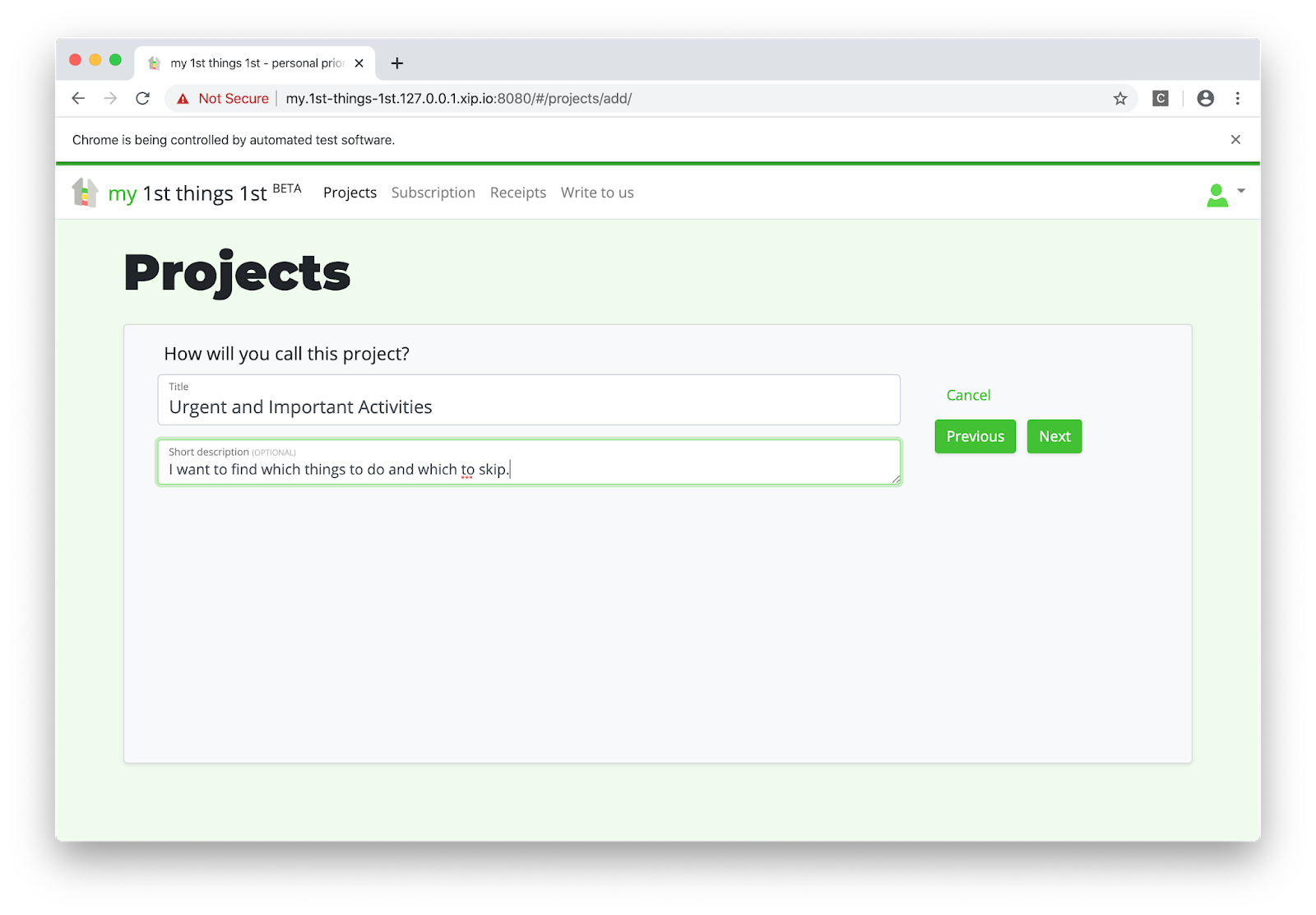
The test case failed if any command in the test failed. I didn't even need asserts.
Now it was time to add some criteria:
        self.wait_until_element_found("//h2[.='Criteria']")

        # Add new criterion "Urgent" with the evaluation type Yes/No/Maybe
        self.wait_until_element_found("//a[.='Add new criterion']")
        self.browser.find_element_by_xpath("//a[.='Add new criterion']").send_keys("\n")
        self.wait_until_element_found("//input[@id='id_title']")
        self.browser.find_element_by_xpath("//input[@id='id_title']").send_keys(
            "Urgent"
        )
        self.browser.find_element_by_xpath("//input[@id='widget_y']").send_keys(" ")
        self.browser.find_element_by_xpath("//button[.='Save']").send_keys("\n")

        # Add new criterion "Important" with the evaluation type Yes/No/Maybe
        self.wait_until_element_found("//a[.='Add new criterion']")
        self.browser.find_element_by_xpath("//a[.='Add new criterion']").send_keys("\n")
        self.wait_until_element_found("//input[@id='id_title']")
        self.browser.find_element_by_xpath("//input[@id='id_title']").send_keys(
            "Important"
        )
        self.browser.find_element_by_xpath("//input[@id='widget_y']").send_keys(" ")
        self.browser.find_element_by_xpath("//button[.='Save']").send_keys("\n")

        # Click on the button "Done"
        self.wait_until_element_found("//a[.='Done']")
        self.browser.find_element_by_xpath("//a[.='Done']").send_keys("\n")
I added two criteria, "Urgent" and "Important", with evaluation type "Yes/No/Maybe".

Then I created some activities to evaluate:
        self.wait_until_element_found("//h2[.='Things']")

        # Add new thing "Write a blog post"
        self.wait_until_element_found("//a[.='Add new thing']")
        self.browser.find_element_by_xpath("//a[.='Add new thing']").send_keys("\n")
        self.wait_until_element_found("//input[@id='id_title']")
        self.browser.find_element_by_xpath("//input[@id='id_title']").send_keys(
            "Write a blog post"
        )
        self.browser.find_element_by_xpath("//textarea[@id='id_description']").send_keys(
            "I have an idea of a blog post that I want to write."
        )
        self.browser.find_element_by_xpath("//button[.='Save']").send_keys("\n")

        # Add new thing "Fix a bug"
        self.wait_until_element_found("//a[.='Add new thing']")
        self.browser.find_element_by_xpath("//a[.='Add new thing']").send_keys("\n")
        self.wait_until_element_found("//input[@id='id_title']")
        self.browser.find_element_by_xpath("//input[@id='id_title']").send_keys(
            "Fix a bug"
        )
        self.browser.find_element_by_xpath("//textarea[@id='id_description']").send_keys(
            "There is a critical bug that bothers our clients."
        )
        self.browser.find_element_by_xpath("//button[.='Save']").send_keys("\n")

        # Add new thing "Binge-watch a series"
        self.wait_until_element_found("//a[.='Add new thing']")
        self.browser.find_element_by_xpath("//a[.='Add new thing']").send_keys("\n")
        self.wait_until_element_found("//input[@id='id_title']")
        self.browser.find_element_by_xpath("//input[@id='id_title']").send_keys(
            "Binge-watch a series"
        )
        self.browser.find_element_by_xpath("//textarea[@id='id_description']").send_keys(
            "There is an exciting series that I would like to watch."
        )
        self.browser.find_element_by_xpath("//button[.='Save']").send_keys("\n")

        # Click on the button "Done"
        self.wait_until_element_found("//a[.='Done']")
        self.browser.find_element_by_xpath("//a[.='Done']").send_keys("\n")
These were three activities: "Write a blog post", "Fix a bug", and "Binge-watch a series" with their descriptions:

In this step, there was a list of widgets to evaluate each thing by each criterion with answers "No", "Maybe", or "Yes". The buttons for those answers had no specific id or CSS class, but I could target them by the text on the button using XPath like "//button[.='maybe']":
        self.wait_until_element_found("//h2[.='Evaluations']")
        self.wait_until_element_found("//button[.='maybe']")

        # Evaluate all things by Urgency
        self.browser.find_element_by_xpath("(//button[.='no'])[1]").send_keys("\n")
        self.wait_until_element_found("//footer[.='Evaluation saved.']")
        self.browser.find_element_by_xpath("(//button[.='yes'])[2]").send_keys("\n")
        self.wait_until_element_found("//footer[.='Evaluation saved.']")
        self.browser.find_element_by_xpath("(//button[.='no'])[3]").send_keys("\n")
        self.wait_until_element_found("//footer[.='Evaluation saved.']")

        # Evaluate all things by Importance
        self.browser.find_element_by_xpath("(//button[.='yes'])[4]").send_keys("\n")
        self.wait_until_element_found("//footer[.='Evaluation saved.']")
        self.browser.find_element_by_xpath("(//button[.='yes'])[5]").send_keys("\n")
        self.wait_until_element_found("//footer[.='Evaluation saved.']")
        self.browser.find_element_by_xpath("(//button[.='maybe'])[6]").send_keys("\n")
        self.wait_until_element_found("//footer[.='Evaluation saved.']")

        # Click on the button "Done"
        self.browser.find_element_by_xpath("//a[.='Done']").send_keys("\n")

These were my evaluations:
So in the last step, I got the calculated priorities:
        self.wait_until_element_found("//h2[.='Priorities']")

        self.wait_until_element_found("//h5[.='1. Fix a bug (100%)']")
        self.wait_until_element_found("//h5[.='2. Write a blog post (50%)']")
        self.wait_until_element_found("//h5[.='3. Binge-watch a series (25%)']")
        self.wait_a_little()
The results looked correct:
LiveServerTestCase.I hope that my journey was useful to you too.
Happy coding!
Thanks a lot to Adam Johnson for the review.
Cover photo by Science in HD.
This is a guest post by Mailtrap.io team. The original post on Sending emails with Django was published at Mailtrap's blog.
Some time ago, we discovered how to send an email with Python using smtplib, a built-in email module. Back then, the focus was made on the delivery of different types of messages via SMTP server. Today, we prepared a similar tutorial but for Django. This popular Python web framework allows you to accelerate email delivery and make it much easier. And these code samples of sending emails with Django are going to prove that.
Let's start our tutorial with a few lines of code that show you how simple it is to send an email in Django.
Import send_mail at the beginning of the file
from django.core.mail import send_mailAnd call the code below in the necessary place.
send_mail(
    "That's your subject",
    "That's your message body",
    "from@yourdjangoapp.com",
    ["to@yourbestuser.com"],
    fail_silently=False,
)
These lines are enclosed in the django.core.mail module that is based on smtplib. The message delivery is carried out via SMTP host, and all the settings are set by default:
EMAIL_HOST: "localhost"EMAIL_PORT: 25EMAIL_HOST_USER: (Empty string)EMAIL_HOST_PASSWORD: (Empty string)EMAIL_USE_TLS: FalseEMAIL_USE_SSL: FalseYou can learn other default values here. Most likely you will need to adjust them. Therefore, let's tweak the settings.py file.
Before actually sending your email, you need to set up for it. So, let's add some lines to the settings.py file of your Django app.
EMAIL_BACKEND = "django.core.mail.backends.smtp.EmailBackend"
EMAIL_HOST = "smtp.yourserver.com"
EMAIL_PORT = "<your-server-port>"
EMAIL_HOST_USER = "your@djangoapp.com"
EMAIL_HOST_PASSWORD = "your-email account-password"
EMAIL_USE_TLS = True
EMAIL_USE_SSL = False
EMAIL_HOST is different for each email provider you use. For example, if you use Gmail SMTP server, you'll have EMAIL_HOST = "smtp.gmail.com". Also, validate other values that are relevant to your email server. Eventually, you need to choose the way to encrypt the mail and protect your user account by setting the variable EMAIL_USE_TLS or EMAIL_USE_SSL. If you have an email provider that explicitly tells you which option to use, then it is clear. Otherwise, you may try different combinations using True and False operators. Mind that only one of these options can be set to True.
EMAIL_BACKEND tells Django which custom or predefined email backend will work with EMAIL_HOST. You can set up this parameter as well.
In the example above, EMAIL_BACKEND is specified as django.core.mail.backends.smtp.EmailBackend. It is the default configuration that uses SMTP server for email delivery. Defined email settings will be passed as matching arguments to EmailBackend.
host: EMAIL_HOSTport: EMAIL_PORTusername: EMAIL_HOST_USERpassword: EMAIL_HOST_PASSWORDuse_tls: EMAIL_USE_TLSuse_ssl: EMAIL_USE_SSLUnspecified arguments default to None.
Besides django.core.mail.backends.smtp.EmailBackend, you can use:
django.core.mail.backends.console.EmailBackend - the console backend that composes the emails that will be sent to the standard output. Not intended for production use.django.core.mail.backends.filebased.EmailBackend - the file backend that creates emails in the form of a new file per each new session opened on the backend. Not intended for production use.django.core.mail.backends.locmem.EmailBackend - the in-memory backend that stores messages in the local memory cache of django.core.mail.outbox. Not intended for production use.django.core.mail.backends.dummy.EmailBackend - the dummy cache backend that implements the cache interface and does nothing with your emails. Not intended for production use.Once you have that configured, all you need to do to send an email is to import the send_mail or send_mass_mail function from django.core.mail. These functions differ in the connection they use for messages. The send_mail uses a separate connection for each message. The send_mass_mail opens a single connection to the mail server and is mostly intended to handle mass emailing.
This is the most basic function for email delivery in Django. It comprises four obligatory parameters to be specified: subject, message, from_email, and recipient_list.
In addition to them, you can adjust the following:
auth_user: If EMAIL_HOST_USER has not been specified, or you want to override it, this username will be used to authenticate to the SMTP server. auth_password: If EMAIL_HOST_PASSWORD has not been specified, this password will be used to authenticate to the SMTP server.connection: The optional email backend you can use without tweaking EMAIL_BACKEND.html_message: Lets you send multipart emails.fail_silently: A boolean that controls how the backend should handle errors. If True - exceptions will be silently ignored. If False - smtplib.SMTPException will be raised. For example, it may look like this:
from django.core.mail import send_mail

send_mail(
    subject="That's your subject",
    message="That's your message body",
    from_email="from@yourdjangoapp.com",
    recipient_list=["to@yourbestuser.com"],
    auth_user="Login",
    auth_password="Password",
    fail_silently=False,
)
Other functions for email delivery include mailadmins and mailmanagers. Both are shortcuts to send emails to the recipients predefined in ADMINS and MANAGERS settings, respectively. For them, you can specify such arguments as subject, message, fail_silently, connection, and html_message. The from_email argument is defined by the SERVER_EMAIL setting.
If the email backend handles the email sending, the EmailMessage class answers for the message creation. You'll need it when some advanced features like BCC or an attachment are desirable. That's how an initialized EmailMessage may look:
from django.core.mail import EmailMessage

email = EmailMessage(
    subject="That's your subject",
    body="That's your message body",
    from_email="from@yourdjangoapp.com",
    to=["to@yourbestuser.com"],
    bcc=["bcc@anotherbestuser.com"],
    reply_to=["whoever@itmaybe.com"],
)
In addition to the EmailMessage objects you can see in the example, there are also other optional parameters:
connection: defines an email backend instance for multiple messages. attachments: specifies the attachment for the message.headers: specifies extra headers like Message-ID or CC for the message. cc: specifies email addresses used in the "CC" header.The methods you can use with the EmailMessage class are the following:
send: get the message sent.message: composes a MIME object (django.core.mail.SafeMIMEText or django.core.mail.SafeMIMEMultipart).recipients: returns a list of the recipients specified in all the attributes including to, cc, and bcc.attach: creates and adds a file attachment. It can be called with a MIMEBase instance or a triple of arguments consisting of filename, content, and mime type.attach_file: creates an attachment using a file from a filesystem. We'll talk about adding attachments a bit later.To deliver a message via SMTP, you need to open a connection and close it afterward. This approach is quite awkward when you need to send multiple transactional emails. Instead, it is better to create one connection and reuse it for all messages. This can be done with the send_messages method. Check out the following example:
from django.core import mail

connection = mail.get_connection()
connection.open()

email1 = mail.EmailMessage(
    "That's your subject",
    "That's your message body",
    "from@yourdjangoapp.com",
    ["to@yourbestuser1.com"],
    connection=connection,
)
email1.send()

email2 = mail.EmailMessage(
    "That's your subject #2",
    "That's your message body #2",
    "from@yourdjangoapp.com",
    ["to@yourbestuser2.com"],
)
email3 = mail.EmailMessage(
    "That's your subject #3",
    "That's your message body #3",
    "from@yourdjangoapp.com",
    ["to@yourbestuser3.com"],
)
connection.send_messages([email2, email3])
connection.close()
What you can see here is that the connection was opened for email1, and send_messages uses it to send emails #2 and #3. After that, you close the connection manually.
send_mass_mail is another option to use only one connection for sending different messages.
message1 = (
    "That's your subject #1",
    "That's your message body #1",
    "from@yourdjangoapp.com",
    ["to@yourbestuser1.com", "to@yourbestuser2.com"]
)

message2 = (
    "That's your subject #2",
    "That's your message body #2",
    "from@yourdjangoapp.com",
    ["to@yourbestuser2.com"],
)

message3 = (
    "That's your subject #3",
    "That's your message body #3",
    "from@yourdjangoapp.com",
    ["to@yourbestuser3.com"],
)

send_mass_mail((message1, message2, message3), fail_silently=False)
Each email message contains a datatuple made of subject, message, from_email, and recipient_list. Optionally, you can add other arguments that are the same as for send_mail.
When the article was published, the latest Django official version was 2.2.4. All versions starting from 1.7 let you send an email with HTML content using send_mail like this:
from django.core.mail import send_mail

subject = "That's your subject"
html_message = render_to_string("mail_template.html", {"context": "values"})
plain_message = strip_tags(html_message)
from_email = "from@yourdjangoapp.com>"
to = "to@yourbestuser.com"

mail.send_mail(subject, plain_message, from_email, [to], html_message=html_message)
Older versions users will have to mess about with EmailMessage and its subclass EmailMultiAlternatives. It lets you include different versions of the message body using the attach_alternative method. For example:
from django.core.mail import EmailMultiAlternatives

subject = "That's your subject"
from_email = "from@yourdjangoapp.com>"
to = "to@yourbestuser.com"
text_content = "That's your plain text."
html_content = """<p>That's <strong>the HTML part</strong></p>"""
message = EmailMultiAlternatives(subject, text_content, from_email, [to])
message.attach_alternative(html_content, "text/html")
message.send()In the EmailMessage section, we've already mentioned sending emails with attachments. This can be implemented using attach or attach_file methods. The first one creates and adds a file attachment through a triple of arguments - filename, content, and mime type. The second method uses a file from a filesystem as an attachment. That's how each method would look like in practice:
message.attach("Attachment.pdf", file_to_be_sent, "file/pdf")or
message.attach_file("/documents/Attachment.pdf")Obviously, you're not limited to the abovementioned email backend options and are able to tailor your own. For this, you can use standard backends as a reference. Let's say you need to create a custom email backend with the SMTP_SSL connection support required to interact with Amazon SES. The default SMTP backend will be the reference. First, add a new email option to settings.py.
AWS_ACCESS_KEY_ID = "your-aws-access-key-id"
AWS_SECRET_ACCESS_KEY = "your-aws-secret-access-key"
AWS_REGION = "your-aws-region"
EMAIL_BACKEND = "your_project_name.email_backend.SesEmailBackend"
Make sure that you are allowed to send emails with Amazon SES using these AWS_ACCESS_KEY_ID and AWS_SECRET_ACCESS_KEY (or an error message will tell you about it :D)
Then create a file your_project_name/email_backend.py with the following content:
import boto3

from django.core.mail.backends.smtp import EmailBackend
from django.conf import settings

class SesEmailBackend(EmailBackend):
    def __init__(
        self,
        fail_silently=False,
        **kwargs
    ):
        super().__init__(fail_silently=fail_silently)
        self.connection = boto3.client(
            "ses",
            aws_access_key_id=settings.AWS_ACCESS_KEY_ID,
            aws_secret_access_key=settings.AWS_SECRET_ACCESS_KEY,
            region_name=settings.AWS_REGION,
        )

    def send_messages(self, email_messages):
        for email_message in email_messages:
            self.connection.send_raw_email(
                Source=email_message.from_email,
                Destinations=email_message.recipients(),
                RawMessage={"Data": email_message.message().as_bytes(linesep="\r\n")}
            )
This is the minimum needed to send an email using SES. Surely you will need to add some error handling, input sanitization, retries, etc. but this is out of our topic.
You might see that we have imported boto3 at the beginning of the file. Don't forget to install it using a command
pip install boto3It's not necessary to reinvent the wheel every time you need a custom email backend. You can find already existing libraries, or just receive SMTP credentials in your Amazon console and use default email backend.
So far, you can benefit from several services that allow you to send transactional emails at ease. If you can't choose one, check out our blogpost about Sendgrid vs. Mandrill vs. Mailgun. It will help a lot. But today, we'll discover how to make your Django app send emails via Amazon SES. It is one of the most popular services so far. Besides, you can take advantage of a ready-to-use Django email backend for this service - django-ses.
You need to execute pip install django-ses to install django-ses. Once it's done, tweak your settings.py with the following line:
EMAIL_BACKEND = "django_ses.SESBackend"Don't forget to set up your AWS account to get the required credentials - AWS access keys that consist of access key ID and secret access key. For this, add a user in Identity and Access Management (IAM) service. Then, choose a user name and Programmatic access type. Attach AmazonSESFullAccess permission and create a user. Once you've done this, you should see AWS access keys. Update your settings.py:
AWS_ACCESS_KEY_ID = "********"
AWS_SECRET_ACCESS_KEY = "********"Now, you can send your emails using django.core.mail.send_mail:
from django.core.mail import send_mail

send_mail(
    "That's your subject",
    "That's your message body",
    "from@yourdjangoapp.com",
    ["to@yourbestuser.com"]
)
django-ses is not the only preset email backend you can leverage. At the end of our article, you'll find more useful libraries to optimize email delivery of your Django app. But first, a step you should never send emails without.
Once you've got everything prepared for sending email messages, it is necessary to do some initial testing of your mail server. In Python, this can be done with one command:
python -m smtpd -n -c DebuggingServer localhost:1025It allows you to send emails to your local SMTP server. The DebuggingServer feature won't actually send the email but will let you see the content of your message in the shell window. That's an option you can use off-hand.
TestCase is a solution to test a few aspects of your email delivery. It uses django.core.mail.backends.locmem.EmailBackend, which, as you remember, stores messages in the local memory cache - django.core.mail.outbox. So, this test runner does not actually send emails. Once you've selected this email backend
EMAIL_BACKEND = "django.core.mail.backends.locmem.EmailBackend"you can use the following unit test sample to test your email sending capability.
from django.core import mail
from django.test import TestCase

class EmailTest(TestCase):
    def test_send_email(self):
        mail.send_mail(
            "That's your subject", "That's your message body",
            "from@yourdjangoapp.com", ["to@yourbestuser.com"],
            fail_silently=False,
        )

        self.assertEqual(len(mail.outbox), 1)
        self.assertEqual(mail.outbox[0].subject, "That's your subject")
        self.assertEqual(mail.outbox[0].body, "That's your message body")
This code will test not only your email sending but also the correctness of the subject and message body.
Mailtrap can be a rich solution for testing. First, it lets you test not only the SMTP server but also the email content and do other essential checks from the email testing checklist. Second, it is a rather easy-to-use tool.
All you need to do is to copy the SMTP credentials from your demo inbox and tweak your settings.py. Or you can just copy/paste these four lines from the Integrations section by choosing Django in the pop-up menu.
EMAIL_HOST = "smtp.mailtrap.io"
EMAIL_HOST_USER = "********"
EMAIL_HOST_PASSWORD = "*******"
EMAIL_PORT = "2525"
After that, feel free to send your HTML email with an attachment to check how it goes.
from django.core.mail import EmailMultiAlternatives
from django.template.loader import render_to_string

subject = "That's your subject"
html_message = render_to_string("mail_template.html", {"context": "values"})
plain_message = strip_tags(html_message)
from_email = "from@yourdjangoapp.com"
to_email = "to@yourbestuser.com"
message = EmailMultiAlternatives(subject, plain_message, from_email, [to_email])
message.attach_alternative(html_message, "text/html")
message.attach_file("/documents/Attachment.pdf")
message.send()
If there is no message in the Mailtrap Demo inbox or there are some issues with HTML content, you need to polish your code.
As a conclusion to this blog post about sending emails with Django, we've included a brief introduction of a few libraries that will facilitate your email workflow.
This is a collection of email backends and webhooks for numerous famous email services, including SendGrid, Mailgun, and others. django-anymail works with django.core.mail module and normalizes the functionality of transactional email service providers.
django-mailer is a Django app you can use to queue the email sending. With it, scheduling your emails is much easier.
With this app, you can send and manage your emails. django-post_office offers many cool features like asynchronous email sending, built-in scheduling, multiprocessing, etc.
This app is about sending templated emails. In addition to its own functionalities, django-templated-email can be used in tow with django-anymail to integrate transactional email service providers.
You might use django-mailbox if you need to import messages from local mailboxes, POP3, IMAP, or directly receive messages from Postfix or Exim4.
We hope that this small list of packages will facilitate your email workflow. You can always find more apps at Django Packages.
Cover Photo by Chris Ried

HTML5 comes with a bunch of new types for the input fields that are rendered as rich native widgets. Browsers even restrict invalid values and validate the input immediately. Let's explore how we could make use of them in Django forms.
We will be using an Exhibition model with models.DateField, models.TimeField, and models.DateTimeField:
# exhibitions/models.py
from django.db import models
from django.utils.translation import gettext_lazy as _

class Exhibition(models.Model):
    title = models.CharField(_("Title"), max_length=200)
    start = models.DateField(_("Start"))
    end = models.DateField(_("End"), blank=True, null=True)
    opening = models.TimeField(_("Opening every day"))
    closing = models.TimeField(_("Closing every day"))
    vernissage = models.DateTimeField(_("Vernissage"), blank=True, null=True)
    finissage = models.DateTimeField(_("Finissage"), blank=True, null=True)

    class Meta:
        verbose_name = _("Exhibition")
        verbose_name_plural = _("Exhibitions")

    def __str__(self):
        return self.title
Here is a quick model form for the Exhibition model:
# exhibitions/forms.py
from django import forms
from .models import Exhibition

class ExhibitionForm(forms.ModelForm):
    class Meta:
        model = Exhibition
        fields = "__all__"
If we now open a Django shell and create an instance of the model form with some initial values, then print the form as HTML to the console, we will notice, that all date and time fields are rendered as <input type="text" /> and the values for the dates are in a local format, not the ISO standard YYYY-MM-DD:
(venv)$ python manage.py shell
>>> from exhibitions.forms import ExhibitionForm
>>> from datetime import datetime, date, time
>>> form = ExhibitionForm(initial={
...     "start": date(2020, 1, 1),
...     "end": date(2020, 3, 31),
...     "opening": time(11, 0),
...     "closing": time(20, 0),
...     "vernissage": datetime(2019, 12, 27, 19, 0),
...     "finissage": datetime(2020, 4, 1, 19, 0),
>>> })
>>> print(form.as_p())
<p><label for="id_title">Title:</label> <input type="text" name="title" maxlength="200" required id="id_title"></p>
<p><label for="id_start">Start:</label> <input type="text" name="start" value="01.01.2020" required id="id_start"></p>
<p><label for="id_end">End:</label> <input type="text" name="end" value="31.03.2020" id="id_end"></p>
<p><label for="id_opening">Opening every day:</label> <input type="text" name="opening" value="11:00:00" required id="id_opening"></p>
<p><label for="id_closing">Closing every day:</label> <input type="text" name="closing" value="20:00:00" required id="id_closing"></p>
<p><label for="id_vernissage">Vernissage:</label> <input type="text" name="vernissage" value="27.12.2019 19:00:00" id="id_vernissage"></p>
<p><label for="id_finissage">Finissage:</label> <input type="text" name="finissage" value="01.04.2020 19:00:00" id="id_finissage"></p>
Let's modify the model form and customize the date and time inputs. We will extend and use forms.DateInput, forms.TimeInput, and forms.DateTimeInput widgets. We want to show date inputs as <input type="date" />, time inputs as <input type="time" />, and date-time inputs as <input type="datetime-local" />. In addition, the format for the dates should be based on ISO standard.
# exhibitions/forms.py
from django import forms
from .models import Exhibition


class DateInput(forms.DateInput):
    input_type = "date"

    def __init__(self, **kwargs):
        kwargs["format"] = "%Y-%m-%d"
        super().__init__(**kwargs)


class TimeInput(forms.TimeInput):
    input_type = "time"


class DateTimeInput(forms.DateTimeInput):
    input_type = "datetime-local"

    def __init__(self, **kwargs):
        kwargs["format"] = "%Y-%m-%dT%H:%M"
        super().__init__(**kwargs)


class ExhibitionForm(forms.ModelForm):
    class Meta:
        model = Exhibition
        fields = "__all__"

    def __init__(self, *args, **kwargs):
        super().__init__(*args, **kwargs)
        self.fields["start"].widget = DateInput()
        self.fields["end"].widget = DateInput()
        self.fields["opening"].widget = TimeInput()
        self.fields["closing"].widget = TimeInput()
        self.fields["vernissage"].widget = DateTimeInput()
        self.fields["vernissage"].input_formats = ["%Y-%m-%dT%H:%M", "%Y-%m-%d %H:%M"]
        self.fields["finissage"].widget = DateTimeInput()
        self.fields["finissage"].input_formats = ["%Y-%m-%dT%H:%M", "%Y-%m-%d %H:%M"]
Let's see now in the Django shell if that worked as expected:
(venv)$ python manage.py shell
>>> from exhibitions.forms import ExhibitionForm
>>> from datetime import datetime, date, time
>>> form = ExhibitionForm(initial={
...     "start": date(2020, 1, 1),
...     "end": date(2020, 3, 31),
...     "opening": time(11, 0),
...     "closing": time(20, 0),
...     "vernissage": datetime(2019, 12, 27, 19, 0),
...     "finissage": datetime(2020, 4, 1, 19, 0),
>>> })
>>> print(form.as_p())
<p><label for="id_title">Title:</label> <input type="text" name="title" maxlength="200" required id="id_title"></p>
<p><label for="id_start">Start:</label> <input type="date" name="start" value="2020-01-01" required id="id_start"></p>
<p><label for="id_end">End:</label> <input type="date" name="end" value="2020-03-31" id="id_end"></p>
<p><label for="id_opening">Opening every day:</label> <input type="time" name="opening" value="11:00:00" required id="id_opening"></p>
<p><label for="id_closing">Closing every day:</label> <input type="time" name="closing" value="20:00:00" required id="id_closing"></p>
<p><label for="id_vernissage">Vernissage:</label> <input type="datetime-local" name="vernissage" value="2019-12-27T19:00" id="id_vernissage"></p>
<p><label for="id_finissage">Finissage:</label> <input type="datetime-local" name="finissage" value="2020-04-01T19:00" id="id_finissage"></p>
The same way you can also create widgets for other HTML5 input types: color, email, month, number, range, tel, url, week, and alike.
Happy coding!
Cover photo by Eric Rothermel.

Summary: you can use django-include-by-ajax to improve the performance and usability of your website by forcing some parts of the Django website page to be loaded and shown before other parts of the page.
Web browsers load and render traditional HTML pages from top to down, from left to right and as a developer you have little control over what will be shown first, second, and last. However, sometimes you need a different loading sequence to improve user experience and usability. Let's examine a couple of cases when it is advantageous to have primary content showing up immediately and secondary content loading in a moment.
People want speed. 47% of visitors expect the website to be loaded in less than 2 seconds. If the website takes more than 3 seconds to show up, it's a big chance, that you will lose 40% of visitors. If you sell something on your website, every one-second delay causes 7% fewer visitors becoming buyers.
One technique to improve the perception of the speed of the website is to display the visible part of the screen as soon as possible, and then load the rest of the website in another go. Usually, the website pages are long vertically scrollable areas. The part of it that fits in the screen is called "above the fold" and the part underneath is called "below the fold".

It is recommended to load the part above the fold in 6 requests, including all your HTML, CSS, JavaScript, images and fonts. It's only 6 requests for a reason - that's the maximal number of requests that most browsers keep to the same HTTP/1.1 server at the same time. With HTTP/2 there is no such limitation.
You can only achieve this minimal load if you bundle and minimize your CSS and JavaScript to single files, and use only a couple of images and fonts. Going one step further you can split your CSS and JavaScript into parts that are used above the fold, and the ones that are used below the fold.
For the users to have best user experience and smooth loading, you could display the content of articles or blog post first, and then load and display the website navigation in the header, sidebars, or footer.

If the visitor navigated to a specific page of your website, they most likely want to see the content of that page rather than navigate out to other pages.
If you have extensive nested navigation, you can also save some milliseconds of its loading at the first request, by skipping it there, but loading it by Ajax at the next go.
Additionally, if visitor disables JavaScript in their browser, they will still be able to read the content.
Wouldn't you agree, websites that show ads before their own content are pretty annoying? One way to improve the user experience is to show the main content at first and show the ads or third-party widgets after several seconds.

The primary content will be correctly indexed by search engines, whereas the included widgets might be skipped, depending on implementation, which we'll examine next.
One way to load the delayed secondary content is to use iframes.
Pros:
Cons:
The page would load with empty placeholders for the secondary content and then some JavaScript function would load content for the missing sections in HTML, JSON, or XML format by Ajax, parse them, and include into the placeholders. This approach has been used by Facebook.
Pros:
Cons:
The page loads with empty placeholders for the secondary content. A JavaScript function uses Ajax to load the HTML of the same page this time containing all rendered primary and secondary content. Then another JavaScript function goes through all placeholders and fills the content from the second load.
Pros:
Cons:
You can implement the third solution in a Django website using my open-source Django app django-include-by-ajax. It is meant to be understandable and simple to use for frontend Django developers, who don't touch Python code but need to work on the layouts and styling.
The idea is that instead of including different sections of a template with the {% include template_name %} template tag, you do the same using {% include_by_ajax template_name %} template tag. This template tag renders as an empty placeholder unless you access the page from a search crawler or if you access the page with a specific query parameter. Otherwise, it works more-or-less the same as the {% include %} template tag.
By adding jQuery and one jQuery-based JavaScript file to your page template, you enable the magic that does all the loading and parsing. Since version 1.0, CSS and JavaScript files can also be included in those delayed sections.
You can see django-include-by-ajax in action at the start page of my personal project 1st things 1st. There I use the above-the-fold case with the visible content coming to the screen almost immediately and the offscreen content loading in several more seconds.
It should be trivial to convert any standard heavy website page to a page loading the secondary content dynamically. There are mainly these steps to follow:
Install the app with your Python package manager:
(venv)$ pip install django-include-by-ajax==1.0.0Put the app into the INSTALLED_APPS in your Django project settings:
# settings.py
INSTALLED_APPS = [
    # ...
    # Third-party apps
    'include_by_ajax',
    # ...
]
Put these in your base.html:
{% load staticfiles %}
<script src="https://code.jquery.com/jquery-3.4.0.min.js" crossorigin="anonymous"></script>
<script src="{% static 'include_by_ajax/js/include_by_ajax.min.js' %}" defer></script>
It should also work with older or newer jQuery versions.
Use the new template tag in any template where you need it:
{% load include_by_ajax_tags %}
{% include_by_ajax "blog/includes/latest_blog_posts.html" %}
You can even define the content for the placeholder that will be shown while the main content is loading:
{% load include_by_ajax_tags %}
{% include_by_ajax "blog/includes/latest_blog_posts.html" placeholder_template_name="utils/loading.html" %}
If you need some JavaScript action to be called after all content is loaded, you can use the custom include_by_ajax_all_loaded event on the document like this:
$(document).on('include_by_ajax_all_loaded', function() {
    console.log('Now all placeholders are loaded and replaced with content. Hurray!');
});
I would be glad if you tried it on some of your projects and see how it improved user experience and loading times. If you use it in production, please mention it in the comments of this blog post.
The app on Github: A Django App Providing the {% include_by_ajax %} Template Tag
The practical usage example: Strategic planner - Prioritizer - 1st things 1st.
An article on performance and usability: 5 Reasons Visitors Leave Your Website
Cover photo by Thomas Tucker.
Thanks to Adam Johnson for reviewing this post.

A while ago I wrote an article about exporting data to different spreadsheet formats. As recently I was reimplementing export to Excel for the 1st things 1st project, I noticed that the API changed a little, so it's time to blog about that again.
For Excel export I am using the XLSX file format which is a zipped XML-based format for spreadsheets with formatting support. XLSX files can be opened with Microsoft Excel, Apache OpenOffice, Apple Numbers, LibreOffice, Google Drive, and a handful of other applications. For building the XLSX file I am using openpyxl library.
You can install openpyxl to your virtual environment the usual way with pip:
(venv) pip install openpyxl==2.6.0To create a function exporting data from a QuerySet to XLSX file, you would need to create a view that returns a response with a special content type and file content as an attachment. Plug that view to URL rules and then link it from an export button in a template.
Probably the simplest view that generates XLSX file out of Django QuerySet would be this:
# movies/views.py
from datetime import datetime
from datetime import timedelta
from openpyxl import Workbook
from django.http import HttpResponse

from .models import MovieCategory, Movie

def export_movies_to_xlsx(request):
    """
    Downloads all movies as Excel file with a single worksheet
    """
    movie_queryset = Movie.objects.all()

    response = HttpResponse(
        content_type='application/vnd.openxmlformats-officedocument.spreadsheetml.sheet',
    )
    response['Content-Disposition'] = 'attachment; filename={date}-movies.xlsx'.format(
        date=datetime.now().strftime('%Y-%m-%d'),
    )
    workbook = Workbook()

    # Get active worksheet/tab
    worksheet = workbook.active
    worksheet.title = 'Movies'

    # Define the titles for columns
    columns = [
        'ID',
        'Title',
        'Description',
        'Length',
        'Rating',
        'Price',
    ]
    row_num = 1

    # Assign the titles for each cell of the header
    for col_num, column_title in enumerate(columns, 1):
        cell = worksheet.cell(row=row_num, column=col_num)
        cell.value = column_title

    # Iterate through all movies
    for movie in movie_queryset:
        row_num += 1

        # Define the data for each cell in the row
        row = [
            movie.pk,
            movie.title,
            movie.description,
            movie.length_in_minutes,
            movie.rating,
            movie.price,
        ]

        # Assign the data for each cell of the row
        for col_num, cell_value in enumerate(row, 1):
            cell = worksheet.cell(row=row_num, column=col_num)
            cell.value = cell_value

    workbook.save(response)

    return response
If you try this, you will notice, that there is no special formatting in it, all columns are of the same width, the value types are barely recognized, the header is displayed the same as the content. This is enough for further data export to CSV or manipulation with pandas. But if you want to present the data for the user in a friendly way, you need to add some magic.
By default, each Excel file has one worksheet represented as a tab. You can access it with:
worksheet = workbook.active
worksheet.title = 'The New Tab Title'
If you want to create tabs dynamically with data from the database of Python structures, you can at first delete the current tab and add the others with:
workbook.remove(workbook.active)

for index, category in enumerate(category_queryset):
    worksheet = workbook.create_sheet(
        title=category.title,
        index=index,
    )
Although not all spreadsheet applications support this, you can set the background color of the worksheet tab with:
worksheet.sheet_properties.tabColor = 'f7f7f9'Each cell can be accessed by its 1-based indexes for the rows and for the columns:
top_left_cell = worksheet.cell(row=1, column=1)
top_left_cell.value = "This is good!"
Styles and formatting are applied to individual cells instead of rows or columns. There are several styling categories with multiple configurations for each of them. You can find some available options from the documentation, but even more by exploring the source code.
from openpyxl.styles import Font, Alignment, Border, Side, PatternFill

top_left_cell.font = Font(name='Calibri', bold=True)
top_left_cell.alignment = Alignment(horizontal='center')
top_left_cell.border = Border(
    bottom=Side(border_style='medium', color='FF000000'),
)
top_left_cell.fill = PatternFill(
    start_color='f7f7f9',
    end_color='f7f7f9',
    fill_type='solid',
)
If you are planning to have multiple styled elements, instantiate the font, alignment, border, fill options upfront and then assign the instances to the cell attributes. Otherwise, you can get into memory issues when you have a lot of data entries.
If you want to have some wider or narrower width for some of your columns, you can do this by modifying column dimensions. They are accessed by column letter which can be retrieved using a utility function:
from openpyxl.utils import get_column_letter

column_letter = get_column_letter(col_num)
column_dimensions = worksheet.column_dimensions[column_letter]
column_dimensions.width = 40
The units here are some relative points depending on the width of the letters in the specified font. I would suggest playing around with the width value until you find what works for you.
When defining column width is not enough, you might want to wrap text into multiple lines so that everything can be read by people without problems. This can be done with the alignment setting for the cell as follows:
from openpyxl.styles import Alignment

wrapped_alignment = Alignment(vertical='top', wrap_text=True)
cell.alignment = wrapped_alignmentExcel automatically detects text or number types and aligns text to the left and numbers to the right. If necessary that can be overwritten.
There are some gotchas on how to format cells when you need a percentage, prices, or time durations.
For percentage, you have to pass the number in float format from 0.0 till 1.0 and style should be 'Percent' as follows:
cell.value = 0.75
cell.style = 'Percent'For currency, you need values of Decimal format, the style should be 'Currency', and you will need a special number format for currency other than American dollars, for example:
from decimal import Decimal
cell.value = Decimal('14.99')
cell.style = 'Currency'
cell.number_format = '#,##0.00 €'For time duration, you have to pass timedelta as the value and define special number format:
from datetime import timedelta

cell.value = timedelta(minutes=90)
cell.number_format = '[h]:mm;@'
This number format ensures that your duration can be greater than '23:59', for example, '140:00'.
In Excel, you can freeze rows and columns so that they stay fixed when you scroll the content vertically or horizontally. That's similar to position: fixed in CSS.
To freeze the rows and columns, locate the top-left cell that is below the row that you want to freeze and is on the right from the column that you want to freeze. For example, if you want to freeze one row and one column, the cell would be 'B2'. Then run this:
worksheet.freeze_panes = worksheet['B2']So having the knowledge of this article now we can build a view that creates separate sheets for each movie category. Each sheet would list movies of the category with titles, descriptions, length in hours and minutes, rating in percent, and price in Euros. The tabs, as well as the headers, can have different background colors for each movie category. Cells would be well formatted. Titles and descriptions would use multiple lines to fully fit into the cells.
# movies/views.py
from datetime import datetime
from datetime import timedelta
from openpyxl import Workbook
from openpyxl.styles import Font, Alignment, Border, Side, PatternFill
from openpyxl.utils import get_column_letter
from django.http import HttpResponse

from .models import MovieCategory, Movie

def export_movies_to_xlsx(request):
    """
    Downloads all movies as Excel file with a worksheet for each movie category
    """
    category_queryset = MovieCategory.objects.all()

    response = HttpResponse(
        content_type='application/vnd.openxmlformats-officedocument.spreadsheetml.sheet',
    )
    response['Content-Disposition'] = 'attachment; filename={date}-movies.xlsx'.format(
        date=datetime.now().strftime('%Y-%m-%d'),
    )
    workbook = Workbook()

    # Delete the default worksheet
    workbook.remove(workbook.active)

    # Define some styles and formatting that will be later used for cells
    header_font = Font(name='Calibri', bold=True)
    centered_alignment = Alignment(horizontal='center')
    border_bottom = Border(
        bottom=Side(border_style='medium', color='FF000000'),
    )
    wrapped_alignment = Alignment(
        vertical='top',
        wrap_text=True
    )

    # Define the column titles and widths
    columns = [
        ('ID', 8),
        ('Title', 40),
        ('Description', 80),
        ('Length', 15),
        ('Rating', 15),
        ('Price', 15),
    ]

    # Iterate through movie categories
    for category_index, category in enumerate(category_queryset):
        # Create a worksheet/tab with the title of the category
        worksheet = workbook.create_sheet(
            title=category.title,
            index=category_index,
        )
        # Define the background color of the header cells
        fill = PatternFill(
            start_color=category.html_color,
            end_color=category.html_color,
            fill_type='solid',
        )
        row_num = 1

        # Assign values, styles, and formatting for each cell in the header
        for col_num, (column_title, column_width) in enumerate(columns, 1):
            cell = worksheet.cell(row=row_num, column=col_num)
            cell.value = column_title
            cell.font = header_font
            cell.border = border_bottom
            cell.alignment = centered_alignment
            cell.fill = fill
            # set column width
            column_letter = get_column_letter(col_num)
            column_dimensions = worksheet.column_dimensions[column_letter]
            column_dimensions.width = column_width

        # Iterate through all movies of a category
        for movie in category.movie_set.all():
            row_num += 1

            # Define data and formats for each cell in the row
            row = [
                (movie.pk, 'Normal'),
                (movie.title, 'Normal'),
                (movie.description, 'Normal'),
                (timedelta(minutes=movie.length_in_minutes), 'Normal'),
                (movie.rating / 100, 'Percent'),
                (movie.price, 'Currency'),
            ]

            # Assign values, styles, and formatting for each cell in the row
            for col_num, (cell_value, cell_format) in enumerate(row, 1):
                cell = worksheet.cell(row=row_num, column=col_num)
                cell.value = cell_value
                cell.style = cell_format
                if cell_format == 'Currency':
                    cell.number_format = '#,##0.00 €'
                if col_num == 4:
                    cell.number_format = '[h]:mm;@'
                cell.alignment = wrapped_alignment

        # freeze the first row
        worksheet.freeze_panes = worksheet['A2']

        # set tab color
        worksheet.sheet_properties.tabColor = category.html_color

    workbook.save(response)

return responseCover photo by Tim Evans.

From time to time I google for the right syntax how to process lists and dictionaries in Python or arrays and objects in JavaScript. So I decided to extend my series of equivalents with those functions. After all, it's me too, who will be using the information I provide here.
Sometimes we need to check from a list of conditions if all of them are true, or from a list of elements if all of them are not empty.
This can be checked with the following in Python:
items = [1, 2, 3]
all_truthy = all(items)
# True
And here is an equivalent in JavaScript:
items = [1, 2, 3];
all_truthy = items.every(Boolean);
// trueSimilarly, we can check if at least one of the conditions is true, or there is at least one non-empty element in a list.
It Python we would do that with:
items = [0, 1, 2, 3]
some_truthy = any(items)
# True
And in JavaScript we would check it like this:
items = [0, 1, 2, 3];
some_truthy = items.some(Boolean);
// trueHere is an example of how to iterate through a list of items and also check their indices in Python. It is useful for verbose console output when creating different command line tools that process data:
items = ['a', 'b', 'c', 'd']
for index, element in enumerate(items):
    print(f'{index}: {element};')
In JavaScript an analogous way to do the same would be using the forEach() method. The usual for loop is also an option, but I find the forEach() more elegant and clear.
items = ['a', 'b', 'c', 'd'];
items.forEach(function(element, index) {
    console.log(`${index}: ${element};`);
});To process all elements of a list, you can either iterate through them with the for loop and create a new list with modifications, or you can do that in one step by mapping the list items to a modification function. In Python this can be done with the map() function:
items = [0, 1, 2, 3]
all_doubled = list(map(lambda x: 2 * x, items))
# [0, 2, 4, 6]
In JavaScript the map() is a method of an array:
items = [0, 1, 2, 3];
all_doubled = items.map(x => 2 * x);
// [0, 2, 4, 6]When you need to search for some elements in a list or array and want to avoid for loops, you can use the filtering functionality. In Python that is doable with the filter() function that accepts the filtering function and the list and returns a new filtered list.
items = [0, 1, 2, 3]
only_even = list(filter(lambda x: x % 2 == 0, items))
# [0, 2]
In JavaScript there is a filter() method of the array for that.
items = [0, 1, 2, 3];
only_even = items.filter(x => x % 2 === 0);
// [0, 2]
In both cases, the filtering function checks each item if it is matching the filter criteria and returns true in that case.
When you want to apply some function to a list of items to get a single result in one go, you can use the reduce function. It works for summing, multiplying, ORing, ANDing, or checking maximums and minimums.
In Python there is a reduce() function for that.
from functools import reduce
items = [1, 2, 3, 4]
total = reduce(lambda total, current: total + current, items)
# 10
In JavaScript there is a reduce() method of the array.
items = [1, 2, 3, 4];
total = items.reduce((total, current) => total + current);
// 10There are multiple ways to merge dictionaries in Python or objects in JavaScript. But these are probably the simplest ones.
In Python it's decomposing dictionaries to tuples of keys and arrays, joining them, and creating a new dictionary.
d1 = {'a': 'A', 'b': 'B'}
d2 = {'a': 'AAA', 'c': 'CCC'}
merged = dict(list(d1.items()) + list(d2.items()))
# {'a': 'AAA', 'b': 'B', 'c': 'CCC'}
Analogously, in JavaScript it's spreading two objects into a new object:
d1 = {a: 'A', b: 'B'}
d2 = {a: 'AAA', c: 'CCC'}
merged = {...d1, ...d2};
// {a: 'AAA', b: 'B', c: 'CCC'}all() / every(), any() / some(), map(), filter(), and reduce() are there to help you.Of course, I also updated the cheat sheet with the full list of equivalents in Python and JavaScript that you saw here described. This cheat sheet helps me with a good overview next to my laptop, so I believe that it would be helpful to you too. The new revision 10 is with syntax highlighting, so it makes it even better to explore and understand.
Get the Ultimate Cheat Sheet of Equivalents in Python and JavaScript
Use it for good!
Cover photo by Darren Chan.

If you've read my Web Development with Django Cookbook, you might remember a recipe for creating PDF documents using Pisa xhtml2pdf. Well, this library does its job, but it supports only a subset of HTML and CSS features. For example, for multi-column layouts, you have to use tables, like it's 1994.
I needed some fresh and flexible option to generate donation receipts for the donation platform www.make-impact.org and reports for the strategic planner 1st things 1st I have been building. After a quick research I found another much more suitable library. It's called WeasyPrint. In this article, I will tell you how to use it with Django and what's valuable in it.
WeasyPrint uses HTML and CSS 2.1 to create pixel-perfect, or let's rather say point-perfect, PDF documents. WeasyPrint doesn't use WebKit or Gecko but has its own rendering engine. As a proof that it works correctly, it passes the famous among web developers Acid2 test which was created back in the days before HTML5 to check how compatible browsers are with CSS 2 standards.
All supported features (and unsupported exceptions) are listed in the documentation. But my absolute favorites are these:
WeasyPrint needs Python 3.4 or newer. That's great for new Django projects, but might be an obstacle if you want to integrate it into an existing website running on Python 2.7. Can it be the main argumentation for you to upgrade your old Django projects to the new Python version?
WeasyPrint is dependent on several OS libraries: Pango, GdkPixbuf, Cairo, and Libffi. In the documentation, there are understandable one-line instructions how to install them on different operating systems. You can have a problem only if you don't have full control of the server where you are going to deploy your project.
If you need some basic headers and footers for all pages, you can use @page CSS selector for that. If you need extended headers and footers for each page, it's best to combine the PDF document out of separate HTML documents for each page. Examples follow below.
The fun fact, Emojis are drawn using some weird raster single-color font. I don't recommend using them in your PDFs unless you replace them with SVG images.
A technical article is always more valuable when it has some quick code snippets to copy and paste. Here you go!
This snippet generates a donation receipt and shows it directly in the browser. Should the PDF be downloadable immediately, change content disposition from inline to attachment.
# -*- coding: UTF-8 -*-
from __future__ import unicode_literals

from django.http import HttpResponse
from django.template.loader import render_to_string
from django.utils.text import slugify
from django.contrib.auth.decorators import login_required

from weasyprint import HTML
from weasyprint.fonts import FontConfiguration

from .models import Donation

@login_required
def donation_receipt(request, donation_id):
    donation = get_object_or_404(Donation, pk=donation_id, user=request.user)
    response = HttpResponse(content_type="application/pdf")
    response['Content-Disposition'] = "inline; filename={date}-{name}-donation-receipt.pdf".format(
        date=donation.created.strftime('%Y-%m-%d'),
        name=slugify(donation.donor_name),
    )
    html = render_to_string("donations/receipt_pdf.html", {
        'donation': donation,
    })

    font_config = FontConfiguration()
    HTML(string=html).write_pdf(response, font_config=font_config)
return responseYour PDF document can have a footer with an image and text on every page, using background-image and content properties:
{% load staticfiles i18n %}
<link href="https://fonts.googleapis.com/css?family=Playfair+Display:400,400i,700,700i,900" rel="stylesheet" />
<style>
@page {
    size: "A4";
    margin: 2.5cm 1.5cm 3.5cm 1.5cm;
    @bottom-center {
        background: url({% static 'site/img/logo-pdf.svg' %}) no-repeat center top;
        background-size: auto 1.5cm;
        padding-top: 1.8cm;
        content: "{% trans "Donation made via www.make-impact.org" %}";
        font: 10pt "Playfair Display";
        text-align: center;
        vertical-align: top;
    }
}
</style>You can show page numbers in the footer using CSS as follows.
@page {
    margin: 3cm 2cm;
    @top-center {
        content: "Documentation";
    }
    @bottom-right {
        content: "Page " counter(page) " of " counter(pages);
    }
}You can rotate the page to horizontal layout with size: landscape.
@page {
    size: landscape;
}Another option to show an image and text in the header or footer on every page is to use an HTML element with position: fixed. This way you have more flexibility about formatting, but the element on all your pages will have the same content.
<style>
footer {
    position: fixed;
    bottom: -2.5cm;
    width: 100%;
    text-align: center;
    font-size: 10pt;
}
footer img {
    height: 1.5cm;
}
</style>
<footer>
{% with website_url="https://www.make-impact.org" %}
<a href="{{ website_url }}">
<img alt="" src="{% static 'site/img/logo-contoured.svg' %}" />
</a><br />
{% blocktrans %}Donation made via <a href="{{ website_url }}">www.make-impact.org</a>{% endblocktrans %}
{% endwith %}
</footer>When you need to have a document with complex unique headers and footers, it is best to render each page as a separate HTML document and then to combine them into one. This is how to do that:
def letter_pdf(request, letter_id):
    letter = get_object_or_404(Letter, pk=letter_id)
    response = HttpResponse(content_type='application/pdf')
    response['Content-Disposition'] = (
        'inline; '
        f'filename={letter.created:%Y-%m-%d}-letter.pdf'
    )
    COMPONENTS = [
        'letters/pdf/cover.html',
        'letters/pdf/page01.html',
        'letters/pdf/page02.html',
        'letters/pdf/page03.html',
    ]
    documents = []
    font_config = FontConfiguration()
    for template_name in COMPONENTS:
        html = render_to_string(template_name, {
            'letter': letter,
        })
        document = HTML(string=html).render(font_config=font_config)
        documents.append(document)

    all_pages = [page for document in documents for page in document.pages]
    documents[0].copy(all_pages).write_pdf(response)

return responseI believe that WeasyPrint could be used not only for invoices, tickets, or booking confirmations but also for online magazines and small booklets. If you want to see PDF rendering with WeasyPrint in action, make a donation to your chosen organization at www.make-impact.org (when it's ready) and download the donation receipt. Or check the demo account at my.1st-things-1st.com and find the button to download the results of a prioritization project as PDF document.
Cover photo by Daniel Korpai.

A couple of months ago the third release of Django Cookbook was published under the title Django 2 Web Development Cookbook - Third Edition. This edition was thoroughly and progressively re-written by Jake Kronika, the guy who had reviewed my second edition and had added a lot of value to it. I was sure that he wouldn't disappoint the readers, so I invited him to write the update. In this article, I will guide you through the main new highlights of over 500 pages of this new book.
Just like William S. Vincent's books, Django 2 Web Development Cookbook - Third Edition is adapted to Django 2.1 and Python 3.6. So you will be dealing with the state of the art technologies building your Django projects. Unicode strings, f-strings, super() without parameters, HTML5 tags, and object-oriented JavaScript to mention a few are used all over the book. The code is carefully generalized and even more adapted to the Don't-Repeat-Yourself (DRY) principle.
Docker is one of the most popular deployment technologies and Jake gives a good compact introduction how to use it with Django.
12-factor app guidelines suggest saving app configuration in environment variables. In the book, there is a practical example of how to use it.
I introduced multilingual fields in previous editions of the book, but there they had a limitation, that region-specific languages like Australian English or Swiss German were not supported. Now they are!
Schema.org Microdata allows you to define the context of the content more specifically so that the content is more machine-readable. This was new to me and I still don't know the exact practical value of it, but I guess it is related to accessibility, new ways of presenting data via plugins, and Artificial Intelligence.
Since Django 1.11 form fields are rendered using templates instead of Python code and those templates can be customized. There is a recipe that shows you how to do that.
HTML5 has the <picture> tag with <source> children that can be used in combination with the sorl-thumbnail Python package to generate different versions of the image based on your viewport size: load small image on the mobile, middle image on the tablet, and big image on the desktop or smart TV.
In my previous editions, I only showed how to upload a file by Ajax and attach it to a Django model. In Jake's update, it is shown how you can also delete the image.
Since Django 1.11 you can define special requirements for the passwords of your users, for example, have a mix of small and big letters or include at least 1 number and 3 special characters, etc. There is a practical recipe how to do that.
When it comes to branding or copyright protection, it is common to add special watermarks, semitransparent images on top of your normal pictures. Jake added an example, how to do that and it was very interesting to me.
In one recipe it is shown how to login to a Django website using Auth0, which seems to be a passwordless authentication system with integrations of popular connection services like OpenID Connect, Facebook, Google, Github, LinkedIn, PayPal, Yahoo!, and others. I haven't tried that myself yet, but it can be an interesting option for a social website.
It is common to cache websites using Memcached service, but a good alternative is caching with Redis and django-redis. Moreover, you can easily save user sessions there.
In the previous editions, I introduced django-mptt for creating hierarchical structures. However, recently many projects are moving towards its alternative - django-treebeard which has more stability and writing speed. In the book, Jake shows you how to work with it.
There was a lot of new things to learn. For example, for me personally Docker usage was new, and I haven't heard of schema.org microdata and Auth0 which were introduced in this book. All in all, I think, Jake Kronika did an enormous job with this update and it's really worth purchasing this book, especially as there is a winter-holidays sale where you can get the EPUB, MOBI, and PDF with the code examples just for ~ 5 €.
Have a nice Christmas time and come back to this blog next year!
Cover photo by chuttersnap.

In the last three parts of the series of articles about analogies in Python and JavaScript, we explored lots of interesting concepts like serializing to JSON, error handling, using regular expressions, string interpolation, generators, lambdas, and many more. This time we will delve into function arguments, creating classes, using class inheritance, and defining getters and setters of class properties.
Python is very flexible with argument handling for functions: you can set default values there, allow a flexible amount of positional or keyword arguments (*args and **kwargs). When you pass values to a function, you can define by name to which argument that value should be assigned. All that in a way is now possible in JavaScript too.
Default values for function arguments in Python can be defined like this:
from pprint import pprint

def report(post_id, reason='not-relevant'):
    pprint({'post_id': post_id, 'reason': reason})

report(42)
report(post_id=24, reason='spam')
In JavaScript that can be achieved similarly:
function report(post_id, reason='not-relevant') {
    console.log({post_id: post_id, reason: reason});
}

report(42);
report(post_id=24, reason='spam');
Positional arguments in Python can be accepted using the * operator like this:
from pprint import pprint

def add_tags(post_id, *tags):
    pprint({'post_id': post_id, 'tags': tags})

add_tags(42, 'python', 'javascript', 'django')
In JavaScript positional arguments can be accepted using the ... operator:
function add_tags(post_id, ...tags) {
    console.log({post_id: post_id, tags: tags});
}

add_tags(42, 'python', 'javascript', 'django');
Keyword arguments are often used in Python when you want to allow a flexible amount of options:
from pprint import pprint

def create_post(**options):
    pprint(options)

create_post(
    title='Hello, World!',
    content='This is our first post.',
    is_published=True,
)
create_post(
    title='Hello again!',
    content='This is our second post.',
)
A common practice to pass multiple optional arguments to a JavaScript function is through a dictionary object, for example, options.
function create_post(options) {
    console.log(options);
}

create_post({
    'title': 'Hello, World!',
    'content': 'This is our first post.',
    'is_published': true
});
create_post({
    'title': 'Hello again!',
    'content': 'This is our second post.'
});
Python is an object-oriented language. Since ECMAScript 6 standard support, it's also possible to write object-oriented code in JavaScript without hacks and weird prototype syntax.
In Python you would create a class with the constructor and a method to represent its instances textually like this:
class Post(object):
    def __init__(self, id, title):
        self.id = id
        self.title = title

    def __str__(self):
        return self.title

post = Post(42, 'Hello, World!')
isinstance(post, Post) == True
print(post)  # Hello, World!
In JavaScript to create a class with the constructor and a method to represent its instances textually, you would write:
class Post {
    constructor (id, title) {
        this.id = id;
        this.title = title;
    }
    toString() {
        return this.title;
    }
}

post = new Post(42, 'Hello, World!');
post instanceof Post === true;
console.log(post.toString());  // Hello, World!
Now we can create two classes Article and Link in Python that will extend the Post class. Here you can also see how we are using super to call methods from the base Post class.
class Article(Post):
    def __init__(self, id, title, content):
        super(Article, self).__init__(id, title)
        self.content = content

class Link(Post):
    def __init__(self, id, title, url):
        super(Link, self).__init__(id, title)
        self.url = url

    def __str__(self):
        return '{} ({})'.format(
            super(Link, self).__str__(),
            self.url,
        )

article = Article(1, 'Hello, World!', 'This is my first article.')
link = Link(2, 'DjangoTricks', 'https://djangotricks.blogspot.com')
isinstance(article, Post) == True
isinstance(link, Post) == True
print(link)
# DjangoTricks (https://djangotricks.blogspot.com)
In JavaScript the same is also doable by the following code:
class Article extends Post {
    constructor (id, title, content) {
        super(id, title);
        this.content = content;
    }
}

class Link extends Post {
    constructor (id, title, url) {
        super(id, title);
        this.url = url;
    }
    toString() {
        return super.toString() + ' (' + this.url + ')';
    }
}

article = new Article(1, 'Hello, World!', 'This is my first article.');
link = new Link(2, 'DjangoTricks', 'https://djangotricks.blogspot.com');
article instanceof Post === true;
link instanceof Post === true;
console.log(link.toString());
// DjangoTricks (https://djangotricks.blogspot.com)In object oriented programming, classes can have attributes, methods, and properties. Properties are a mixture of attributes and methods. You deal with them as attributes, but in the background they call special getter and setter methods to process data somehow before setting or returning to the caller.
The basic wireframe for getters and setters of the slug property in Python would be like this:
class Post(object):
    def __init__(self, id, title):
        self.id = id
        self.title = title
        self._slug = ''

    @property
    def slug(self):
        return self._slug

    @slug.setter
    def slug(self, value):
        self._slug = value

post = new Post(1, 'Hello, World!')
post.slug = 'hello-world'
print(post.slug)
In JavaScript getters and setters for the slug property can be defined as:
class Post {
    constructor (id, title) {
        this.id = id;
        this.title = title;
        this._slug = '';
    }

    set slug(value) {
        this._slug = value;
    }

    get slug() {
        return this._slug;
    }
}

post = new Post(1, 'Hello, World!');
post.slug = 'hello-world';
console.log(post.slug);As you might have noticed, I am offering a cheat sheet with the full list of equivalents in Python and JavaScript that you saw here described. At least for me, it is much more convenient to have some printed sheet of paper with valuable information next to my laptop, rather than switching among windows or tabs and scrolling to get the right piece of snippet. So I encourage you to get this cheat sheet and improve your programming!
Use it for good!
Cover photo by Andre Benz

This is the 3rd part of 4-article series about analogies in Python and JavaScript. In the previous parts we covered a large part of the traditional Python 2.7 and JavaScript based on the ECMAScript 5 standard. This time we will start looking into Python 3.6 and JavaScript based on the ECMAScript 6 standard. ECMAScript 6 standard is pretty new and supported only the newest versions of browsers. For older browsers you will need Babel to compile your next-generation JavaScript code to the cross-browser-compatible equivalents. It opens the door to so many interesting things to explore. We will start from string interpolation, unpacking lists, lambda functions, iterations without indexes, generators, and sets!
The old and inefficient way to build strings with values from variables is this concatenation:
name = 'World'
value = 'Hello, ' + name + '!\nWelcome!'
This can get very sparse and difficult to read. Also it is very easy to miss whitespaces in the sentence around variables.
Since Python version 3.6 and JavaScript based on the ECMAScript 6 standard, you can use so called string interpolation. These are string templates which are filled in with values from variables.
In Python they are also called f-string, because their notation starts with letter "f":
name = 'World'
value = f"""Hello, {name}!
Welcome!"""

price = 14.9
value = f'Price: {price:.2f} €'  # 'Price: 14.90 €'
In JavaScript string templates start and end with backticks:
name = 'World';
value = `Hello, ${name}!
Welcome!`;

price = 14.9;
value = `Price ${price.toFixed(2)} €`;  // 'Price: 14.90 €'
Note that string templates can be of a single line as well as of multiple lines. For f-strings in Python you can pass the format for variables, but you can't call methods of a variable unless they are properties and call getter methods.
Python and now JavaScript has an interesting feature to assign items of sequences into separate variables. For example, we can read the three values of a list into variables a, b, and c with the following syntax:
[a, b, c] = [1, 2, 3]For tuples the parenthesis can be omitted. The following is a very popular way to swap values of two variables in Python:
a = 1
b = 2
a, b = b, a  # swap values
With the next generation JavaScript this can also be achieved:
a = 1;
b = 2;
[a, b] = [b, a];  // swap values
In Python 3.6 if we have an unknown number of items in a list or tuple, we can assign them to a tuple of several values while also unpacking the rest to a list:
first, second, *the_rest = [1, 2, 3, 4]
# first == 1
# second == 2
# the_rest == [3, 4]
This can also be done with JavaScript (ECMAScript 6):
[first, second, ...the_rest] = [1, 2, 3, 4];
// first === 1
// last === 2
// the_rest === [3, 4]Python and JavaScript have a very neat functionality to create functions in a single line. These functions are called lambdas. Lambdas are very simple functions that take one or more arguments and return some calculated value. Usually lambdas are used when you need to pass a function to another function as a callback or as a function to manipulate every separate elements in a sequence.
In Python, you would define a lambda using the lambda keyword, like this:
sum = lambda x, y: x + y
square = lambda x: x ** 2
In JavaScript lambdas use the => notation. If there are more than one arguments, they have to be in parenthesis:
sum = (x, y) => x + y;
square = x => Math.pow(x, 2);Many programming languages allow iterating through a sequence only by using indexes and incrementing their values. Then to get an item at some position, you would read it from an array, for example:
for (i=0; i<items.length; i++) {
    console.log(items[i]);
}
This is not a nice syntax and is very technical - it doesn't read naturally. What we really want is just to grab each value from the list. And Python has a very neat possibility just to iterate through the elements:
for item in ['A', 'B', 'C']:
    print(item)
In the modern JavaScript this is also possible with the for..of operator:
for (let item of ['A', 'B', 'C']) {
    console.log(item);
}
You can also iterate through a string characters in Python:
for character in 'ABC':
    print(character)
And in the modern JavaScript:
for (let character of 'ABC') {
    console.log(character);
}Python and modern JavaScript has a possibility to define special functions through which you can iterate. With each iteration they return the next generated value in a sequence. These functions are called generators. With generators you can get numbers in a range, lines from a file, data from different paginated API calls, fibonacci numbers, and any other dynamicly generated sequences.
Technically generators are like normal functions, but instead of returning a value, they yield a value. This value will be returned for one iteration. And this generation happens as long as the end of the function is reached.
To illustrate that, the following Python code will create a generator countdown() which will return numbers from the given one back to 1, (like 10, 9, 8, ..., 1):
def countdown(counter):
    while counter > 0:
        yield counter
        counter -= 1

for counter in countdown(10):
    print(counter)
Exactly the same can be achieved in modern JavaScript, but notice the asterisk at the function statement. It defines that it's a generator:
function* countdown(counter) {
    while (counter > 0) {
        yield counter;
        counter--;
    }
}
for (let counter of countdown(10)) {
    console.log(counter);
}We already had a look at lists, tuples and arrays. But here is another type of data - sets. Sets are groups of elements that ensure that each element there exists only once. Set theory also specifies set operations like union, intersection, and difference, but we won't cover them here today.
This is how to create a set, add elements to it, check if a value exists, check the total amount of elements in a set, and iterate through its values, and remove a value using Python:
s = set(['A'])
s.add('B'); s.add('C')
'A' in s
len(s) == 3
for elem in s:
    print(elem)
s.remove('C')
Here is how to achieve the same in modern JavaScript:
s = new Set(['A']);
s.add('B').add('C');
s.has('A') === true;
s.size === 3;
for (let elem of s.values()) {
    console.log(elem);
}
s.delete('C')As you know from the previous parts, I am offering a cheat sheet with the whole list of equivalents in Python and JavaScript, both, time honored and future proof. To have something printed in front of your eyes is much more convenient than switching among windows or scrolling up and down until you find what you exactly were searching for. So I suggest you to get the cheat sheet and use it for good!
In the next and last part of the series, we will have a look at function arguments, classes, inheritance, and properties. Stay tuned!
Cover photo by Alex Knight

Last time we started a new series of articles about analogies in Python and JavaScript. We had a look at lists, arrays, dictionaries, objects, and strings, conditional assignments, and parsing integers. This time we will go through more interesting and more complex things like serializing dictionaries and lists to JSON, operations with regular expressions, as well as raising and catching errors.
When working with APIs it is very usual to serialize objects to JSON format and be able to parse JSON strings.
In Python it is done with the json module like this:
import json
json_data = json.dumps(dictionary, indent=4)
dictionary = json.loads(json_data)
Here we'll indent the nested elements in the JSON string by 4 spaces.
In JavaScript there is a JSON object that has methods to create and parse JSON strings:
json_data = JSON.stringify(dictionary, null, 4);
dictionary = JSON.parse(json_data);Regular expressions are multi-tool that once you master, you can accomplish lots of things.
In the last article, we saw how one can join lists of strings into a single string. But how can you split a long string into lists of strings? What if the delimiter can be not a single character as the comma, but a range of possible variations? This can be done with regular expressions and the split() method.
In Python, the split() method belongs to the regular expression pattern object. This is how you could split a text string into sentences by punctuation marks:
import re

# One or more characters of "!?." followed by whitespace
delimiter = re.compile(r'[!?\.]+\s*')

text = "Hello!!! What's new? Follow me."
sentences = delimiter.split(text)
# sentences == ['Hello', "What's new", 'Follow me', '']
In JavaScript the split() method belongs to the string:
// One or more characters of "!?." followed by whitespace
delimiter = /[!?\.]+\s*/;

text = "Hello!!! What's new? Follow me.";
sentences = text.split(delimiter)
// sentences === ["Hello", "What's new", "Follow me", ""]Regular expressions are often used to validate data from the forms.
For example, to validate if the entered email address is correct, you would need to match it against a regular expression pattern. In Python that would look like this:
import re

# name, "@", and domain
pattern = re.compile(r'([\w.+\-]+)@([\w\-]+\.[\w\-.]+)')

match = pattern.match('hi@example.com')
# match.group(0) == 'hi@example.com'
# match.group(1) == 'hi'
# match.group(2) == 'example.com'
If the text matches the pattern, it returns a match object with the group() method to read the whole matched string, or separate captures of the pattern that were defined with the parenthesis. 0 means getting the whole string, 1 means getting the match in the first group, 2 means getting the match in the second group, and so on. If the text doesn't match the pattern, the None value will be returned.
In JavaScript the match() method belongs to the string and it returns either a match object, or null. Pretty similar:
// name, "@", and domain
pattern = /([\w.+\-]+)@([\w\-]+\.[\w\-.]+)/;

match = 'hi@example.com'.match(pattern);
// match[0] === 'hi@example.com'
// match[1] === 'hi'
// match[2] === 'example.com'
The match object in JavaScript acts as an array. Its value at the zeroth position is the whole matched string. The other indexes correspond to the captures of the pattern defined with the parenthesis.
Moreover, sometimes you need to search if a specific value exists in a string and at which letter position it will be found. That can be done with the search() method.
In Python this method belongs to the regular expression pattern and it returns the match object. The match object has the start() method telling at which letter position the match starts:
text = 'Say hi at hi@example.com'
first_match = pattern.search(text)
if first_match:
    start = first_match.start()  # start == 10
In JavaScript the search() method belongs to the string and it returns just an integer telling at which letter position the match starts. If nothing is found, -1 is returned:
text = 'Say hi at hi@example.com';
first_match = text.search(pattern);
if (first_match > -1) {
    start = first_match;  // start === 10
}
Replacing with regular expressions usually happen when cleaning up data, or adding additional features. For example, we could take some text and make all email addresses clickable.
Python developers would use the sub() method of the regular expression pattern:
html = pattern.sub(
    r'<a href="mailto:\g<0>">\g<0></a>',
    'Say hi at hi@example.com',
)
# html == 'Say hi at <a href="mailto:hi@example.com">hi@example.com</a>'
JavaScript developers would use the replace() method of the string:
html = 'Say hi at hi@example.com'.replace(
    pattern,
    '<a href="mailto:$&">$&</a>',
);
// html === 'Say hi at <a href="mailto:hi@example.com">hi@example.com</a>'
In Python the captures, also called as "backreferences", are accessible in the replacement string as \g<0>, \g<1>, \g<2>, etc. In JavaScript the same is accessible as $&, $1, $2, etc. Backreferences are usually used to wrap some strings or to switch places of different pieces of text.
It is also possible to replace a match with a function call. This can be used to do replacements within replacements or to count or collect some features of a text. For example, using replacements with function calls in JavaScript, I once wrote a fully functional HTML syntax highlighter.
Here let's change all email addresses in a text to UPPERCASE.
In Python, the replacement function receives the match object. We can use its group() method to do something with the matched text and return a text as a replacement:
text = pattern.sub(
    lambda match: match.group(0).upper(),
    'Say hi at hi@example.com',
)
# text == 'Say hi at HI@EXAMPLE.COM'
In JavaScript the replacement function receives the whole match string, the first capture, the second capture, etc. We can do what we need with those values and then return some string as a replacement:
text = 'Say hi at hi@example.com'.replace(
    pattern,
    function(match, p1, p2) {
        return match.toUpperCase();
    }
);
// text === 'Say hi at HI@EXAMPLE.COM'Contrary to Python, client-side JavaScript normally isn't used for saving or reading files or connecting to remote databases. So try..catch blocks are quite rare in JavaScript compared to try..except analogy in Python.
Anyway, error handling can be used with custom user errors implemented and raised in JavaScript libraries and caught in the main code.
The following example in Python shows how to define a custom exception class MyException, how to raise it in a function, and how to catch it and handle in a try..except..finally block:
class MyException(Exception):
    def __init__(self, message):
        self.message = message

    def __str__(self):
        return self.message

def proceed():
    raise MyException('Error happened!')

try:
    proceed()
except MyException as err:
    print('Sorry! {}'.format(err))
finally:
    print('Finishing')
The following example in JavaScript does exactly the same: here we define a MyException class, throw it in a function, and catch it and handle in the try..catch..finally block.
function MyException(message) {
   this.message = message;
   this.toString = function() {
       return this.message;
   }
}

function proceed() {
    throw new MyException('Error happened!');
}

try {
    proceed();
} catch (err) {
    if (err instanceof MyException) {
        console.log('Sorry! ' + err);
    }
} finally {
    console.log('Finishing');
}
The MyException class in both languages has a parameter message and a method to represent itself as a string using the value of the message.
Of course, exceptions should be raised/thrown just in the case of errors. And you define what is an error in your module design.
As I mentioned last time, you can grab a side-by-side comparison of Python and JavaScript that I compiled for you (and my future self). Side by side you will see features from traditional list, array, dictionary, object, and string handling to modern string interpolation, lambdas, generators, sets, classes, and everything else. Use it for good.
In the next part of the series, we will have a look at textual templates, list unpacking, lambda functions, iteration without indexes, generators, and sets. Stay tuned!
Cover photo by Benjamin Hung.

Django ORM (Object-relational mapping) makes querying the database so intuitive, that at some point you might forget that SQL is being used in the background.
This year at the DjangoCon Europe Katie McLaughlin was giving a talk and mentioned one thing that affects the SQL query generated by Django ORM, depending on how you call the QuerySet or manager methods. This particularity is especially relevant when you are creating your QuerySets dynamically. Here it is. When you have a many-to-many relationship, and you try to filter objects by the fields of the related model, every new filter() method of a QuerySet creates a new INNER JOIN clause. I won't discuss whether that's a Django bug or a feature, but these are my observations about it.
Let's create an app with books and authors, where each book can be written by multiple authors.
# -*- coding: UTF-8 -*-
from __future__ import unicode_literals

from django.db import models
from django.utils.translation import ugettext_lazy as _
from django.utils.encoding import python_2_unicode_compatible


@python_2_unicode_compatible
class Author(models.Model):
    first_name = models.CharField(_("First name"), max_length=200)
    last_name = models.CharField(_("Last name"), max_length=200)
    author_name = models.CharField(_("Author name"), max_length=200)

    class Meta:
        verbose_name = _("Author")
        verbose_name_plural = _("Authors")
        ordering = ("author_name",)

    def __str__(self):
        return self.author_name


@python_2_unicode_compatible
class Book(models.Model):
    title = models.CharField(_("Title"), max_length=200)
    authors = models.ManyToManyField(Author, verbose_name=_("Authors"))
    publishing_date = models.DateField(_("Publishing date"), blank=True, null=True)

    class Meta:
        verbose_name = _("Book")
        verbose_name_plural = _("Books")
        ordering = ("title",)

    def __str__(self):
        return self.title
The similar app with sample data can be found in this repository.
With the above models, you could define the following QuerySet to select books which author is me, Aidas Bendoraitis.
queryset = Book.objects.filter(
    authors__first_name='Aidas',
).filter(
    authors__last_name='Bendoraitis',
)
We can check what SQL query it would generate with str(queryset.query) (or queryset.query.__str__()).
The output would be something like this:
SELECT `libraryapp_book`.`id`, `libraryapp_book`.`title`, `libraryapp_book`.`publishing_date`
FROM `libraryapp_book`
INNER JOIN `libraryapp_book_authors` ON ( `libraryapp_book`.`id` = `libraryapp_book_authors`.`book_id` )
INNER JOIN `libraryapp_author` ON ( `libraryapp_book_authors`.`author_id` = `libraryapp_author`.`id` )
INNER JOIN `libraryapp_book_authors` T4 ON ( `libraryapp_book`.`id` = T4.`book_id` )
INNER JOIN `libraryapp_author` T5 ON ( T4.`author_id` = T5.`id` )
WHERE (`libraryapp_author`.`first_name` = 'Aidas' AND T5.`last_name` = 'Bendoraitis')
ORDER BY `libraryapp_book`.`title` ASC;
Did you notice, that the database table libraryapp_author was attached through the libraryapp_book_authors table to the libraryapp_book table TWICE where just ONCE would be enough?
On the other hand, if you are defining query expressions in the same filter() method like this:
queryset = Book.objects.filter(
    authors__first_name='Aidas',
    authors__last_name='Bendoraitis',
)
The generated SQL query will be much shorter and (theoretically) would perform faster:
SELECT `libraryapp_book`.`id`, `libraryapp_book`.`title`, `libraryapp_book`.`publishing_date`
FROM `libraryapp_book`
INNER JOIN `libraryapp_book_authors` ON ( `libraryapp_book`.`id` = `libraryapp_book_authors`.`book_id` )
INNER JOIN `libraryapp_author` ON ( `libraryapp_book_authors`.`author_id` = `libraryapp_author`.`id` )
WHERE (`libraryapp_author`.`first_name` = 'Aidas' AND `libraryapp_author`.`last_name` = 'Bendoraitis')
ORDER BY `libraryapp_book`.`title` ASC;
The same SQL query can be achieved using the Q() objects:
queryset = Book.objects.filter(
    models.Q(authors__first_name='Aidas') &
    models.Q(authors__last_name='Bendoraitis')
)
The Q() objects add a lot of flexibility to filters allowing to OR, AND, and negate query expressions.
So to have faster performance, when creating QuerySets dynamically, DON'T use filter() multiple times:
queryset = Book.objects.all()
if first_name:
    queryset = queryset.filter(
        authors__first_name=first_name,
    )
if last_name:
    queryset = queryset.filter(
        authors__last_name=last_name,
    )
DO this instead:
filters = models.Q()
if first_name:
    filters &= models.Q(
        authors__first_name=first_name,
    )
if last_name:
    filters &= models.Q(
        authors__last_name=last_name,
    )
queryset = Book.objects.filter(filters)
Here the empty Q() doesn't have any impact for the generated SQL query, so you don't need the complexity of creating a list of filters and then joining all of them with the bitwise AND operator, like this:
import operator
from django.utils.six.moves import reduce

filters = []
if first_name:
    filters.append(models.Q(
        authors__first_name=first_name,
    ))
if last_name:
    filters.append(models.Q(
        authors__last_name=last_name,
    ))
queryset = Book.objects.filter(reduce(operator.iand, filters))In DEBUG mode, you can check how long the previously executed SQL queries took by checking django.db.connection.queries:
>>> from django.db import connection
>>> connection.queries
[{'sql': 'SELECT …', 'time': '0.001'}, {'sql': 'SELECT …', 'time': '0.004'}]filter() methods, make use of Q() objects instead.str(queryset.query).django.db.connection.queries.Cover photo by Tobias Fischer.

In this article I will guide you through the steps I had to take to migrate Django projects from MySQL to PostgreSQL.
MySQL database has proven to be a good start for small and medium scale projects. It is known and used widely and has good documentation. Also there are great clients for easy management, like phpMyAdmin (web), HeidiSQL (windows), or Sequel Pro (macOS). However, in my professional life there were unfortunate moments, when databases from different projects crashed because of large queries or file system errors. Also I had database integrity errors which appeared in the MySQL databases throughout years because of different bugs at the application level.
When one thinks about scaling a project, they have to choose something more suitable. It should be something that is fast, reliable, and well supports ANSI standards of relational databases. Something that most top Django developers use. And the database of choice for most professionals happens to be PostgreSQL. PostgreSQL enables using several vendor-specific features that were not possible with MySQL, e.g. multidimensional arrays, JSON fields, key-value pair fields, special case-insensitive text fields, range fields, special indexes, full-text search, etc. For a newcomer, the best client that I know - pgAdmin (macOS, linux, windows) - might seem too complex at first, compared with MySQL clients, but as you have Django administration and handy ORM, you probably won't need to inspect the database in raw format too often.
So what does it take to migrate from MySQL to PostgreSQL? We will do that in a few steps and we will be using pgloader to help us with data migration. I learned about this tool from Louise Grandjonc, who was giving a presentation about PostgreSQL query optimization at DjangoCon Europe 2017.
One prerequisite for the migration are passing tests. You need to have functional tests to check if all pages are functioning correctly and unit tests to check at least the most critical or complex classes, methods, and functions.
Make sure that your production MySQL database migration state is up to date:
(env)$ python manage.py migrate --settings=settings.productionThen create a local copy of your production MySQL database. We are going to use it for the migration.
As I mentioned before, for the database migration we will use a tool called pgloader (version 3.4.1 or higher). This tool was programmed by Dimitri Fontaine and is available as an open source project on GitHub. You can compile the required version from the source. Or if you are using macOS, you can install it with Homebrew:
$ brew update
$ brew install pgloader
Note that PostgreSQL will also be installed as a dependency.
Unlike with MySQL, creating new database users and databases with PostgreSQL usually happen in the shell rather than in the database client.
Let's create a user and database with the same name myproject.
$ createuser --createdb --password myproject
$ createdb --username=myproject myproject
The --createdb parameter will enable privilege to create databases. The --password parameter will offer to enter a password. The --username parameter will set the owner of the created database.
Link the project to this new PostgreSQL database in the settings, for example:
DATABASES = {
    'postgresql': {
        'ENGINE': 'django.db.backends.postgresql_psycopg2',
        'NAME': get_secret("DATABASE_NAME"),
        'USER': get_secret("DATABASE_USER"),
        'PASSWORD': get_secret("DATABASE_PASSWORD"),
    },
}
DATABASES['default'] = DATABASES['postgresql']
Here the custom get_secret() function returns sensitive information from environment variables or a text file that is not tracked under version control. Its implementation is up to you.
Run the migrations to create tables and foreign key constraints in the new PostgreSQL database:
(env)$ python manage.py migrate --settings=settings.localThe pgloader uses configuration files with the settings defining how to deal with migrations. Let's create the configuration file myproject.load with the following content:
LOAD DATABASE
    FROM mysql://mysql_username:mysql_password@localhost/mysql_dbname
    INTO postgresql:///myproject
    WITH truncate, data only, disable triggers, preserve index names, include no drop, reset sequences
    ALTER SCHEMA 'mysql_dbname' RENAME TO 'public'
;Now it's time to copy the data:
$ pgloader myproject.loadTypically you will get a bunch of warnings about type conversions. These can probably be ignored, because the script will take its best guess how to convert data when importing. If in addition you get errors about duplicated data or tables with foreign keys to missing entries, you will need to fix the issues at MySQL database and then repeat the process. In that case, clean up the MySQL database, update your local copy, recreate PostgreSQL database with dropdb and createdb commands, run Django migrations to create the database schema, and copy the data again.
When the database is successfully migrated, we should run Django project tests and fix all PostgreSQL-specific problems in the project's code. The code running Django ORM will run smoothly, but very likely there will be issues with raw SQL, QuerySet's extra() method, and type conversions.
Typically, these are the differences that you might have to keep in mind:
String values in PostgreSQL queries are always quoted with 'single quotes'.
PostgreSQL doesn't convert types when comparing values automatically as MySQL does. If you use any raw SQL, you will need to do some casting before comparison like CAST(blog_post.id AS text) = likes_like.object_id or blog_post.id::text = likes_like.object_id. The latter double-colon syntax is not understood by MySQL, so if you want to support both databases, you will need to write vendor-specific cases for each database management system.
PostgreSQL is case-sensitive for string comparisons, so in the QuerySet filters you will need to use *__iexact lookup instead *__exact and *__icontains lookup instead of *__contains.
When ordering, convert the column to lowercase with the Lower() function:
from django.db import models
posts = Post.objects.order_by(models.Lower('title'))
When using *__in lookup, make sure that the type of the listed elements matches the type of the model field. For example, you may have a Like model with generic relation, i.e. content_type and object_id fields that together combine a generic foreign key to any model instance. The object_id field is usually of a string type, but the IDs of related models might be integers, strings, or UUIDs. If you then want to get the liked Posts which primary keys are integers, you would need to convert the object_id values to integers before assigning them to the pk__in lookup in the filter:
liked_ids = map(int, Like.objects.filter(
    user=request.user,
    content_type=ContentType.objects.get_for_model(Post)
).values("object_id", flat=True))

liked_posts = Post.objects.filter(pk__in=liked_ids)When you are sure that the migration process is fluent and all Django tests pass, you can take your production website down, repeat the migration process locally with the latest production data, copy the migrated local database to production server, update the production code, install new dependencies, and take the website back online.
To create a database dump you can use command:
$ pg_dump --format=c --compress=9 --file=myproject.backup myprojectTo restore or create the database from dump use commands:
$ dropdb --username=pgsql myproject
$ createdb --username=myproject myproject
$ pg_restore --dbname=myproject --role=myproject --schema=public myproject.backup
I might probably miss some points and there are some ways to automate the upgrade process for production, but you got the idea.
PostgreSQL is more restrictive than MySQL, but it provides greater performance, more stability, and better compliance with standards. In addition, in PostgreSQL there is a bunch of features that were not available in MySQL. If you are lucky, you can switch your project from MySQL to PostgreSQL in one day.
Cover photo by Casey Allen

Sentences in websites like "You've got 1 messages." or "Messages you've got: 5" sound unnatural and not human-friendly. But the GNU gettext tool used with Django for translations has an option to define different pluralization depending on the number which goes together with the counted noun. Things get even more interesting with certain languages which have not just singular and plural like English, German, French, or Spanish, but more plural forms or just a single one.
Let's talk about grammar. Most languages have two plural forms for counted elements: one for singular, like "1 thing", and one for plural, like "n things". However, certain languages have either just one form for singular and plural, or multiple plural forms depending on the number of elements that go with them.
For example, my mother tongue Lithuanian is a Baltic language coming from Indo-European language family keeping archaic features from ancient Sanskrit. Lithuanian has 3 plural forms. When one counts apples in Lithuanian, they say "1 obuolys", "2-9 obuoliai", "10-20 obuolių", "21 obuolys", "22-29 obuoliai", "30 obuolių", "31 obuolys", "32-39 obuoliai", etc.
The second most widespread language on the web after English is Russian. Russian is an Eastern Slavic language from Indo-European language family officially used as the main language in Russia, Belarus, Kazakhstan, Kyrgyzstan and some smaller countries. Russian is using a special Cyrillic alphabet and it has 3 plural forms too. When one counts apples in Russian, they say "1 яблоко", "2-4 яблока", "5-20 яблок", "21 яблоко", "22-24 яблока", "25-30 яблок", etc.
Arabic is the 5th most spoken language in the world. It is written from right to left and Arabic language is an interesting example having even 6 plural forms. When counting apples, they would say:
"0 تفاحة"، "تفاح واحدة"، "تفاحتين"، "3-10 التفاح"، "11-99 التفاح"، "100-102 التفاح"
OK OK, with apples starting from 3 it's all the same, but theoretically it differs with other words or in different contexts.
On the contrary, Japanese - East Asian language with 125 million speakers - has just one plural form. No matter, whether it's 1 apple or 100 apples, they will be counted using the same words: "りんご1個" or "りんご100個".
By the way, please correct me if there are any translation mistakes in my examples.
If you want to localize your Django website, you will need to do quite a bunch of things:
Add the LANGUAGES setting in your settings:
LANGUAGES = [
    ('ar', _('Arabic')),
    ('en', _('English')),
    ('ja', _('Japanese')),
    ('lt', _('Lithuanian')),
    ('ru', _('Russian')),
]
Add 'django.middleware.locale.LocaleMiddleware' to your MIDDLEWARE list in the settings.
Create a directory locale in your project directory with subdirectories called after each language code for which you need translations, e.g. ar, ja, lt, ru.
Add LOCALE_PATHS in the settings to define where the translations will be localed:
LOCALE_PATHS = [
    os.path.join(BASE_DIR, 'locale'),
]
Use i18n_patterns() for your translatable URLs to prefix all paths with language code:
from django.conf.urls import url
from django.conf.urls.i18n import i18n_patterns

from notifications.views import notification_list

urlpatterns = i18n_patterns(
    url(r'^$', notification_list),
)
Use gettext() and its flavors in Python code and {% trans %} and {% blocktrans %} template tags in Django templates to define translatable strings.
Use ungettext() in Python code to create translatable strings with counted elements:
# using the new-style Python string format:
notification = ungettext(
    "You've got {n} message.",
    "You've got {n} messages.",
    message_count,
).format(n=message_count)

# using the old-style Python string format
notification = ungettext(
    "You've got %(n)d message.",
    "You've got %(n)d messages.",
    message_count,
) % {'n': message_count}
Use {% blocktrans %} with count to create translatable strings with counted elements in Django templates:
{% load i18n %}

{# will create the old-style Python string #}
{% blocktrans trimmed count n=message_count %}
    You've got {{ n }} message.
{% plural %}
    You've got {{ n }} messages.
{% endblocktrans %}
Run makemessages management command to collect translatable strings:
(myenv)$ python manage.py makemessages --allTranslate the English terms into other languages in the locale/*/LC_MESSAGES/django.po files.
Compile translations into django.mo files using the compilemessages management command:
(myenv)$ python manage.py compilemessagesRestart the webserver to reload the translations.
As you might know, the most common translation in the *.po file looks like this:
    #: templates/base.html
    #, fuzzy
    msgid "My Original String"
    msgstr "My Translated String"
Very long strings are broken into multiple lines using the Pythonic concatenation without any joining symbol:
    msgstr ""
    "Very very very very very very ve"
    "ry very very very very very very"
    " very very very very long string."
Just before the msgid you see some comments where the string is being used, in what context, whether it is "fuzzy", i.e. not yet active, or what kind of format it is using for variables: old-style "python-format" like %(variable)s or new-style "python-brace-format" like {variable}.
The first msgid is an empty string which translation has some meta information about the translation file: language, translation timestamps, author information, contacts, version, etc. One piece of the meta information is the plural forms for that language. For example, Lithuanian part looks like this:
"Plural-Forms: nplurals=3; plural=(n%10==1 && n%100!=11 ? 0 : n%10>=2 && (n%100<10 || n%100>=20) ? 1 : 2);\n"as in:
#, fuzzy
msgid ""
msgstr ""
"Project-Id-Version: 1.0.0\n"
"Report-Msgid-Bugs-To: admin@example.com\n"
"POT-Creation-Date: 2017-09-18 01:12+0000\n"
"PO-Revision-Date: 2017-12-12 17:20+0000\n"
"Last-Translator: Vardenis Pavardenis <vardenis@example.com>\n"
"Language-Team: Lithuanian <lt@example.com>\n"
"Language: Lithuanian\n"
"MIME-Version: 1.0\n"
"Content-Type: text/plain; charset=UTF-8\n"
"Content-Transfer-Encoding: 8bit\n"
"Plural-Forms: nplurals=3; plural=(n%10==1 && n%100!=11 ? 0 : n%10>=2 && (n"
"%100<10 || n%100>=20) ? 1 : 2);\n"
It is using JavaScript-like syntax to define how many plural forms the language has, and what conditions define which type of the plural form each count gets.
Then the plurals are defined like this:
#: notifications/templates/notifications/notification_list.html:2
#, python-format
msgid "You've got %(n)s message."
msgid_plural "You've got %(n)s messages."
msgstr[0] "Jūs gavote %(n)s žinutę."
msgstr[1] "Jūs gavote %(n)s žinutes."
msgstr[2] "Jūs gavote %(n)s žinučių."

#: notifications/views.py:11
#, python-brace-format
msgid "You've got {n} message."
msgid_plural "You've got {n} messages."
msgstr[0] "Jūs gavote {n} žinutę."
msgstr[1] "Jūs gavote {n} žinutes."
msgstr[2] "Jūs gavote {n} žinučių."
Let's have a look at the other languages mentioned before. The Russian language would have plural forms defined like this:
"Plural-Forms: nplurals=3; plural=(n%10==1 && n%100!=11 ? 0 : n%10>=2 && n%10<=4 && (n%100<10 || n%100>=20) ? 1 : 2);\n"Then then translations for each of the 3 forms would go like this:
#: notifications/views.py:11
#, python-brace-format
msgid "You've got {n} message."
msgid_plural "You've got {n} messages."
msgstr[0] "У вас есть {n} сообщение."
msgstr[1] "У вас есть {n} сообщения."
msgstr[2] "У вас есть {n} сообщений."
You would define 6 plural forms for the Arabic language:
"Plural-Forms: nplurals=6; plural=(n==0 ? 0 : n==1 ? 1 : n==2 ? 2 : n%100>=3 && n%100<=10 ? 3 : n%100>=11 ? 4 : 5);\n"And the translations for Arabic would look like this:
#: notifications/views.py:11
#, python-brace-format
msgid "You've got {n} message."
msgid_plural "You've got {n} messages."
msgstr[0] "لديك {n} رسائل."
msgstr[1] "لديك رسالة واحدة."
msgstr[2] "لديك رسالتان."
msgstr[3] "لديك {n} رسائل."
msgstr[4] "لديك {n} رسالة."
msgstr[5] "لديك {n} رسالة."
The Japanese language would have just one plural form defined:
"Plural-Forms: nplurals=1; plural=0;\n"And it would have just one translation:
#: notifications/views.py:11
#, python-brace-format
msgid "You've got {n} message."
msgid_plural "You've got {n} messages."
msgstr[0] "あなたはメッセージが{n}つを持っています。"{% blocktrans %} template tag produces the old-style Python format for variables, whereas in Python code you can decide for yourself which format to use.msgstr[0], which usually represents singular form, don't replace the first {n} with 1 in the translation, because in many languages it also means 21, 31, 41, 101, etc. Let the variable be passed.else case.Cover photo by Romain Vignes

Isn't it strange that browsing the web you usually access the websites by domain names, however, while developing a Django website, you usually access it through IP address? Wouldn't it be handy to navigate through your local website by domain name too? Let's have a look what possibilities there are to access the local development server by a domain name.
You probably know the following line by heart since the first day of developing with Django and can type it with closed eyes?
(myenv)$ python manage.py runserverWhen you run a management command runserver, it starts a lightweight Django development server which by default listens to HTTP requests on your local machine's port 8000, whereas by default, HTTP websites are running on the 80 and HTTPS websites are running on 443. Enter http://127.0.0.1:8000 in a browser and you can click through your Django project.
Note that this is a local address and it is not accessible from other devices in the network. Other people accessing the same address from their computers will see what is provided by web servers on their own machines, if any web server is running there at all.
Each device in a local network has its own Internet Protocol (IP) address. There are two versions of IP addresses: IPv4, typically formed from 4 decimal numbers separated by dots (e.g. 197.160.2.1), and IPv6, formed from hexadecimal numbers separated by colons (e.g. [fe80::200:f8ff:fe21:67cf]). The IP address can be set automatically and generated dynamically when you connect to the network, or you can set it manually and make it static. For example, the printer in the network will usually have a static address, whereas a mobile phone or tablet will have a dynamically attached IP addresses.
If you want to access a responsive website on your computer from another device in the network, I recommend you to set the IP address manually in the network settings. It is much more convenient to have an address that doesn't change every time you connect to the same network - you can bookmark it or use in different configuration files. Just don't let it clash with the IP addresses of other devices in the network.
Then run the local development server passing IP address 0.0.0.0 and port 8000:
(myenv)$ python manage.py runserver 0.0.0.0:8000The 0.0.0.0 is a special case. It allows you to access the website through any IP address that is assigned to your computer: 0.0.0.0 or 127.0.0.1, or the one that is set in your network settings. To access the website through any of those addresses, you will have to list those IP addresses in your Django setting ALLOWED_HOSTS.
Moreover, this allows you to check the website you are building through your computer's IP address, e.g. http://197.160.2.7:8000, not only from your computer, but from any smartphone, tablet, or another computer in the same local network. Also through the same IP address you can access the website from a virtual machine. For example, by installing Windows in Parallels Desktop on a Mac, you can test how Django websites behave in Opera, Microsoft Edge, or Internet Explorer.
Sometimes you want to address the website you are developing using a unique host name. This is necessary either when you have subdomains which lead to different parts of the website (e.g. http://aidas.example.com should show my profile), or when you need to test social authentication (e.g. using Python Social Auth).
One of the ways to deal with that is configuring a hosts file, which allows to map host names to IP addresses manually. Unfortunately, the hosts file doesn't support wildcard entries, such as <anything>.example.com, so for any new subdomain, you will need to modify the file as a Super User on Unix-based operating systems or as System Administrator on Windows.
A better way is to use a wildcard domain name that points to the IP of local host: 127.0.0.1. You can either set it up yourself at a domain provider, or use one of the available services.
For example, localtest.me by Scott Forsyth allows you to have unlimited wildcard entries pointing to local host. So all of the following domains would show a website at local host:
http://localtest.me:8000
http://myproject.localtest.me:8000
http://aidas.myproject.localtest.me:8000
Whichever domains you need to make work, don't forget to add them to ALLOWED_HOSTS in the Django project settings.
This enables to use authentication at Facebook or payments by PayPal (except the Instant Payment Notification which we'll cover a little later).
Also you can test subdomain resolution. For example, Django context processor might parse the subdomain and add some context variables, or a middleware might parse the subdomain and rewrite the path or redirect to a specific view.
Unfortunately, you can't test the website from an iPhone or iPad, using such address. And setting up your own domain's Address Record (A record) to the static IP of a computer in a local network is too inconvenient.
There is another service - xip.io provided by Basecamp which allows you to use a wild card domain entries pointing to specific IP address.
Supposing that your computer's IP address is 197.160.2.7, all of the following domains would show a website on your computer's local web server:
http://197.160.2.7.xip.io:8000
http://myproject.197.160.2.7.xip.io:8000
http://aidas.myproject.197.160.2.7.xip.io:8000
Add them to ALLOWED_HOSTS in the project settings and you can check the website from any capable device in the local network.
Unless you are using the standard port 80, you will always have to add the port number. Also your website will be shown unsecured under HTTP, not HTTPS, and in some cases you will need to test the Django website under secure conditions, for example, when creating a Facebook canvas app or working with payments.
Sometimes you want to demonstrate your fresh website to other participants at a hackathon. Or you want to share your website temporarily with the interested colleagues or friends. Or you need to test services that use Webhooks - HTTP callbacks, that post data to your server on specific events, like Instant Payment Notification at PayPal or notifications about sent SMS messages at twilio.
One way to do that is to have a remote staging website and to deploy to it very often to test the development results. For that you need a specific domain and server, and probably some automation for deployment. Also you will need to log all activities and edit log files in Terminal - no ability to make use of handy visual PyCharm debugging with breakpoints.
This is quite inconvenient. Luckily, alternatives to this method exist.
Tunnels are systems making your local host open to the public Internet. Tunnels have a frontend - that's the server by which the website will be accessed, and backend - that's your own development machine. By creating a tunnel, you open access through a firewall from a frontend server to local servers running on specified ports.
The best known open source tunnelling systems are ngrok.com, localtunnel.me, and pagekite.net. Let's have a look at each of them.
Although it is not under active development now - the last commit was more than a year ago - ngrok is the most popular one. At the time of writing, it has 10573 GitHub stars. The tool was coded in the go programming language.
The ngrok is a freemium service giving you one persistent session and one randomly generated subdomain for free, but if you want to customize the setup or even install it on your own servers, you have to pay an annual fee.
To start a tunnel for a local Django project, you would type the following in the Terminal:
$ ngrok http 8000Then anybody on the Internet could access your http://127.0.0.1:8000 entering something like https://92832de0.ngrok.io in their browser's address bar.
The default ngrok configuration would also start a special website running at http://localhost:4040 that would show the details of the traffic to and from your Django website.
If you are a paying customer and want to have a custom subdomain for your website, you can start the tunnel typing this in the Terminal:
$ ngrok http -subdomain=myproject 8000This would create a domain like https://myproject.ngrok.io that would show the content of the Django project on your local host.
Using Canonical Name Records (CNAME records) in DNS configuration, it is also possible to create tunnels within ngrok under custom domain names like https://dev.example.com, and even wildcard entries like https://<anything>.dev.example.com.
To restrict access only to specific users, you can also use the Basic authentication with the following command:
$ ngrok http -auth="username:password" 8000This service was created overnight at a hackathon and then published and maintained as it proved to be a useful tool. Localtunnel.me doesn't require any user account, and it creates a temporary access to your localhost under a randomly generated subdomain like https://nkfmosjsgh.localtunnel.me or a custom subdomain like https://myproject.localtunnel.me if it is available. When you close the tunnel, the address is not saved for you for future usage.
Localtunnel is free and open source. If you want or need, you can install the frontend part on your own server, so called "on premise".
To start a tunnel you would normally type the following in the Terminal:
$ lt --port 8000If you need a custom domain, you can also type this instead:
$ lt --port 8000 --subdomain myprojectLocaltunnel is meant to be relatively simple for quick temporary access. Therefore, CNAME configuration and wildcard subdomains are not possible.
Still this project is under active development. It was programmed in Node JS and by the time of writing it received 4832 GitHub Stars.
Pagekite is open source, python based, pay-what-you-want solution. Comparing to the previous projects, it has only 368 GitHub Stars, but is also worth giving a try.
You can start a tunnel with Pagekite, by entering a command with your private user's domain name in the Terminal:
$ pagekite.py 8000 myuser.pagekite.meThis will open a secure access to your local Django project from https://myuser.pagekite.me.
For each project you can then have a separate project's address, like https://myproject-myuser.pagekite.me which can be created starting the tunnel like this:
$ pagekite.py 8000 myproject-myuser.pagekite.meWith Pagekite you can have custom domains like https://dev.example.com for your tunnel using CNAME setting in the domain configuration. It's possible to expose non-web services, for example SSH or Minecraft server, too.
The Basic authentication is available using a command like this:
$ pagekite.py 8000 myproject-myuser.pagekite.me +password/username=passwordIf you want to use tunnelling with your Django project, you will have to do a couple of modifications here and there:
Change the URL configuration to show static and media files even in non DEBUG mode:
# urls.py
# ...
import re
from django.views.static import serve

if settings.STATIC_URL.startswith("/"):
    urlpatterns += [
        url(
            r'^{STATIC_URL}(?P<path>.*)$'.format(STATIC_URL=re.escape(settings.STATIC_URL.lstrip('/'))),
            serve,
            # {'document_root': settings.STATIC_ROOT},
        ),
    ]
if settings.MEDIA_URL.startswith("/"):
    urlpatterns += [
        url(
            r'^{MEDIA_URL}(?P<path>.*)$'.format(MEDIA_URL=re.escape(settings.MEDIA_URL.lstrip('/'))),
            serve,
            {'document_root': settings.MEDIA_ROOT},
        ),
    ]
If you want the static files to get recognized from various apps automatically, omit the {'document_root': settings.STATIC_ROOT}. Otherwise you will have to run collectstatic management command every time you change a CSS, JavaScript, or styling image file.
Have separate settings for the exposed access.
# settings.local_exposed
from .local import *
DEBUG = False
ALLOWED_HOSTS = [...]  # enter the domains of your tunnel's frontend
SECURE_PROXY_SSL_HEADER = ('HTTP_X_FORWARDED_PROTO', 'https')
To use those settings run the following in your virtual environment:
(myenv)$ python manage.py runserver --settings=settings.local_exposed --insecureHere the --insecure directive forces automatic static file recognition from different places in your project even in non DEBUG mode. Leave it out, if you are serving the static files collected by collectstatic command.
This list of security recommendations is by no means complete. Use tunnelling at your own risk.
Do you see any other security issues about using tunnelling with Django development server? Then please share your thoughts in the comments.
When you are developing a responsive website with Django and need to check how it works on a mobile device, you can run the development server with 0.0.0.0:8000 and access it on your Wifi network through the IP address of your computer, or you can use xip.io to analogically check it by a domain name.
When you need to check subdomain resolution, you can use the hosts file, configure your private subdomain pointing directly to your local IP, or use localtest.me, xip.io, or one of the tunnelling services.
When you want to debug Webhooks in order to get notified about executed payments, received messages, or completed serverless processes, you can use ngrok.com, localtunnel.me, pagekite.net or some other tunnelling service. Or of course you can set a staging website with logging, but that makes a lot of hassle debugging.
Perhaps you know some other interesting solutions how to deal with domains and local development server. If you do, don't hesitate to share your tips in the comments.
Cover photo by Michael D Beckwith

Every Django website needs some automatic background tasks to execute regularly. The outdated sessions need to be cleaned up, search index needs to be updated, some data needs to be imported from RSS feeds or APIs, backups need to be created, you name it. Usually, if not all the time, those regular tasks are being set as cron jobs. However, when some task is run in the background, by default, you don't get any feedback whether it was successfully completed, or whether it crashed on the way. In this post I will show you how I handle the results of cron jobs.
In a Django project, all those tasks are usually implemented as management commands. For each such command I write a short bash script, that will call the management command with specific parameters and will print the verbose output to a log file.
Let's say my project structure is like this on a remote server:
/home/myproject
├── bin
├── include
├── lib
├── public_html
├── backups
├── project
│   └── myproject
├── scripts
└── logs
A virtual environment is created in the home directory of myproject linux user. The Django project itself is kept under project directory. The scripts directory is for my bash scripts. And the logs directory is for the verbose output of the bash scripts.
For example, for the default clearsessions command that removes outdated sessions, I would create scripts/cleanup.sh bash script as follows:
#!/usr/bin/env bash
SECONDS=0
PROJECT_PATH=/home/myproject
CRON_LOG_FILE=${PROJECT_PATH}/logs/cleanup.log

echo "Cleaning up the database" > ${CRON_LOG_FILE}
date >> ${CRON_LOG_FILE}

cd ${PROJECT_PATH}
source bin/activate
cd project/myproject
python manage.py clearsessions --verbosity=2 --traceback >> ${CRON_LOG_FILE}  2>&1

echo "Finished." >> ${CRON_LOG_FILE}
duration=$SECONDS
echo "$(($duration / 60)) minutes and $(($duration % 60)) seconds elapsed." >> ${CRON_LOG_FILE}
To run this command every night at 1 AM, you could create a file myproject_crontab with the following content:
MAILTO=""
00 01 * * * /home/myproject/scripts/cleanup.sh
Then register the cron jobs with:
$ crontab myproject_crontab
By such a bash script, I can track:
In addition, this gives me information whether the crontab was registered and whether the cron service was running at all. As I get the total time of execution in minutes and seconds, I can decide how often I can call the cron job regularly so that it doesn't clash with another cron job.
When you have multiple Django management commands, you can group them thematically into single bash script, or you can wrap them into individual bash scripts. After putting them into the crontab, the only thing left is manually checking the logs from time to time.
If you have any suggestions how I could even improve this setup, I would be glad to hear your opinion in the comments.
Here is the Gist of the scripts in this post. To see some examples of custom Django management commands, you can check Chapter 9, Data Import and Export in my book Web Development with Django Cookbook - Second Edition.
Cover photo by Redd Angelo

The default Django model administration comes with a concept of inlines. If you have a one-to-many relationship, you can edit the parent and its children in the same form. However, you are limited in a way that you cannot have inlines under inlines at nested one-to-many relations. For example, you can't show models Painter, Picture, and Review in the same form if one painter may have drawn multiple pictures and each picture may have several reviews.
In this article I would like to share a workaround allowing you to quickly access the inlines of an inline model. The idea is that for every inline you can provide a HTML link leading to the separate form where you can edit the related model and its own relations. It's as simple as that.
For example, in the form of Painter model, you have the instances of Picture listed with specific links "Edit this Picture separately":

When such a link is clicked, the administrator goes to the form of the Picture model which shows the instances of Review model listed underneath:

Let's have a look, how to implement this.
First of all, I will create a gallery app and define the three models there. Nothing fancy here. The important part there is just that the Picture model has a foreign key to the Painter model and the Review model has a foreign key to the Picture model.
# gallery/models.py
# -*- coding: UTF-8 -*-
from __future__ import unicode_literals

import os

from django.db import models
from django.utils.encoding import python_2_unicode_compatible
from django.utils.translation import ugettext_lazy as _
from django.utils.text import slugify


@python_2_unicode_compatible
class Painter(models.Model):
    name = models.CharField(_("Name"), max_length=255)

    class Meta:
        verbose_name = _("Painter")
        verbose_name_plural = _("Painters")

    def __str__(self):
        return self.name


def upload_to(instance, filename):
    filename_base, filename_ext = os.path.splitext(filename)
    return "painters/{painter}/{filename}{extension}".format(
        painter=slugify(instance.painter.name),
        filename=slugify(filename_base),
        extension=filename_ext.lower(),
    )

@python_2_unicode_compatible
class Picture(models.Model):
    painter = models.ForeignKey(Painter, verbose_name=_("Painter"), on_delete=models.CASCADE)
    title = models.CharField(_("Title"), max_length=255)
    picture = models.ImageField(_("Picture"), upload_to=upload_to)

    class Meta:
        verbose_name = _("Picture")
        verbose_name_plural = _("Pictures")

    def __str__(self):
        return self.title


@python_2_unicode_compatible
class Review(models.Model):
    picture = models.ForeignKey(Picture, verbose_name=_("Picture"), on_delete=models.CASCADE)
    reviewer = models.CharField(_("Reviewer name"), max_length=255)
    comment = models.TextField(_("Comment"))

    class Meta:
        verbose_name = _("Review")
        verbose_name_plural = _("Reviews")

    def __str__(self):
        return self.reviewer
Then I will create the administration definition for the models of the gallery app. Here I will set two types of administration for the Picture model:
admin.StackedInline I will create administration stacked as inline.admin.ModelAdmin I will create administration in a separate form.In Django model administration besides usual form fields, you can also include some computed values. This can be done by your fields (or fieldsets) and readonly_fields attributes referring to a callable or a method name.
You can set a translatable label for those computed values by defining short_description attribute for the callable or method. If you want to render some HTML, you can also set the allow_tags attribute to True (otherwise your HTML string will be escaped).
# gallery/admin.py
# -*- coding: UTF-8 -*-
from django.contrib import admin
from django.core.urlresolvers import reverse
from django.utils.translation import ugettext_lazy as _
from django.utils.text import force_text

from .models import Painter, Picture, Review

def get_picture_preview(obj):
    if obj.pk:  # if object has already been saved and has a primary key, show picture preview
        return """<a href="{src}" target="_blank"><img src="{src}" alt="{title}" style="max-width: 200px; max-height: 200px;" /></a>""".format(
            src=obj.picture.url,
            title=obj.title,
        )
    return _("(choose a picture and save and continue editing to see the preview)")
get_picture_preview.allow_tags = True
get_picture_preview.short_description = _("Picture Preview")


class PictureInline(admin.StackedInline):
    model = Picture
    extra = 0
    fields = ["get_edit_link", "title", "picture", get_picture_preview]
    readonly_fields = ["get_edit_link", get_picture_preview]

    def get_edit_link(self, obj=None):
        if obj.pk:  # if object has already been saved and has a primary key, show link to it
            url = reverse('admin:%s_%s_change' % (obj._meta.app_label, obj._meta.model_name), args=[force_text(obj.pk)])
            return """<a href="{url}">{text}</a>""".format(
                url=url,
                text=_("Edit this %s separately") % obj._meta.verbose_name,
            )
        return _("(save and continue editing to create a link)")
    get_edit_link.short_description = _("Edit link")
    get_edit_link.allow_tags = True


@admin.register(Painter)
class PainterAdmin(admin.ModelAdmin):
    save_on_top = True
    fields = ["name"]
    inlines = [PictureInline]


class ReviewInline(admin.StackedInline):
    model = Review
    extra = 0
    fields = ["reviewer", "comment"]


@admin.register(Picture)
class PictureAdmin(admin.ModelAdmin):
    save_on_top = True
    fields = ["painter", "title", "picture", get_picture_preview]
    readonly_fields = [get_picture_preview]
    inlines = [ReviewInline]
UPDATE! Since Django 2.0, the get_picture_preview() function should use mark_safe() instead of allow_tags=True:
from django.utils.safestring import mark_safe
# ...
    def get_edit_link(self, obj=None):
        if obj.pk:  # if object has already been saved and has a primary key, show link to it
            url = reverse(
                'admin:%s_%s_change' % (obj._meta.app_label, obj._meta.model_name),
                args=[force_text(obj.pk)]
            )
            return mark_safe("""<a href="{url}">{text}</a>""".format(
                url=url,
                text=_("Edit this %s separately") % obj._meta.verbose_name,
            ))
        return _("(save and continue editing to create a link)")
    get_edit_link.short_description = _("Edit link")
In this administration setup, the get_edit_link() method creates a HTML link between the inline and the separate administration form for the Picture model. As you can see, I also added the get_picture_preview() function as a bonus. It is included in both administration definitions for the Picture model and its purpose is to show a preview of the uploaded picture after saving it.
To recap, nested inlines are not supported by Django out of the box. However, you can have your inlines edited in a separate page with the forms linked to each other. For the linking you would use some magic of the readonly_fields attribute.
What if you really need to have inlines under inlines in your project? In that case you might check django-nested-admin and don't hesitate to share your experience with it in the comments.
Cover photo by Denys Nevozhai

My favorite editor for Python projects is PyCharm. Besides editing code, it allows you to inspect the database, work with Git repositories, run management commands, execute bash commands and Python scripts, and debug code just in the same window. In this article, I will show you how to set breakpoints and debug Django management commands visually in PyCharm.
Django management commands are scripts that can be executed on your Django project to do something with the project database, media files, or code. Django itself comes with a bunch of commands like: migrate, runserver, collectstatic, makemessages, and clearsessions. Management commands can be executed like this:
(myproject_env)$ python manage.py clearsessionsIf you want to create a custom management command in your project, you can find how to do that in the official Django documentation. Also you can find some practical examples in the Chapter 9, Data Import and Export of the Web Development with Django Cookbook - Second Edition.
In this example, I won't create any new management command, but will debug the clearsessions command that is coming from Django and is located at django/contrib/sessions/management/commands/clearsessions.py.
First of all, let's click on "Edit Configurations..." in the top toolbar just before the Run button (with the Play icon). In the opened dialog box "Run/Debug Configurations" click on the "Add New Configuration" button (with the Plus icon) and choose "Python".
Let's fill in the configuration with these values:
| Name: | Clear Outdated Sessions |
| Script: | /Users/me/DjangoProjects/myproject_env/project/myproject/manage.py |
| Script paramethers: | clearsessions --traceback --verbosity=2 |
| Python interpreter: | Python 2.7.6 virtualenv at ~/DjangoProjects/myproject_env |
| Working directory: | /Users/me/DjangoProjects/myproject_env/project/myproject/ |
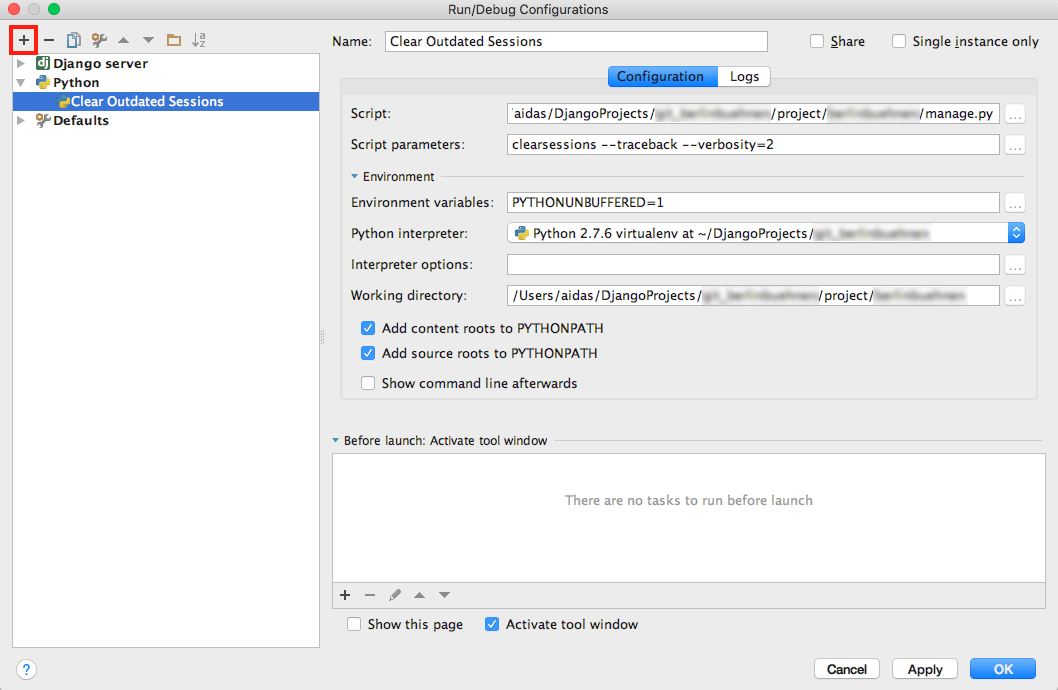
Then open the file with the definition of the management command django/contrib/sessions/management/commands/clearsessions.py. Click on the left padding of the editor to add a breakpoint (marked with a red circle) where the script should stop executing for inspection.
Normally to run this script, you could click on the Run button (with the Play icon). But as we want to debug the script, we will click on the Debug button (with the Bug icon) in the toolbar.
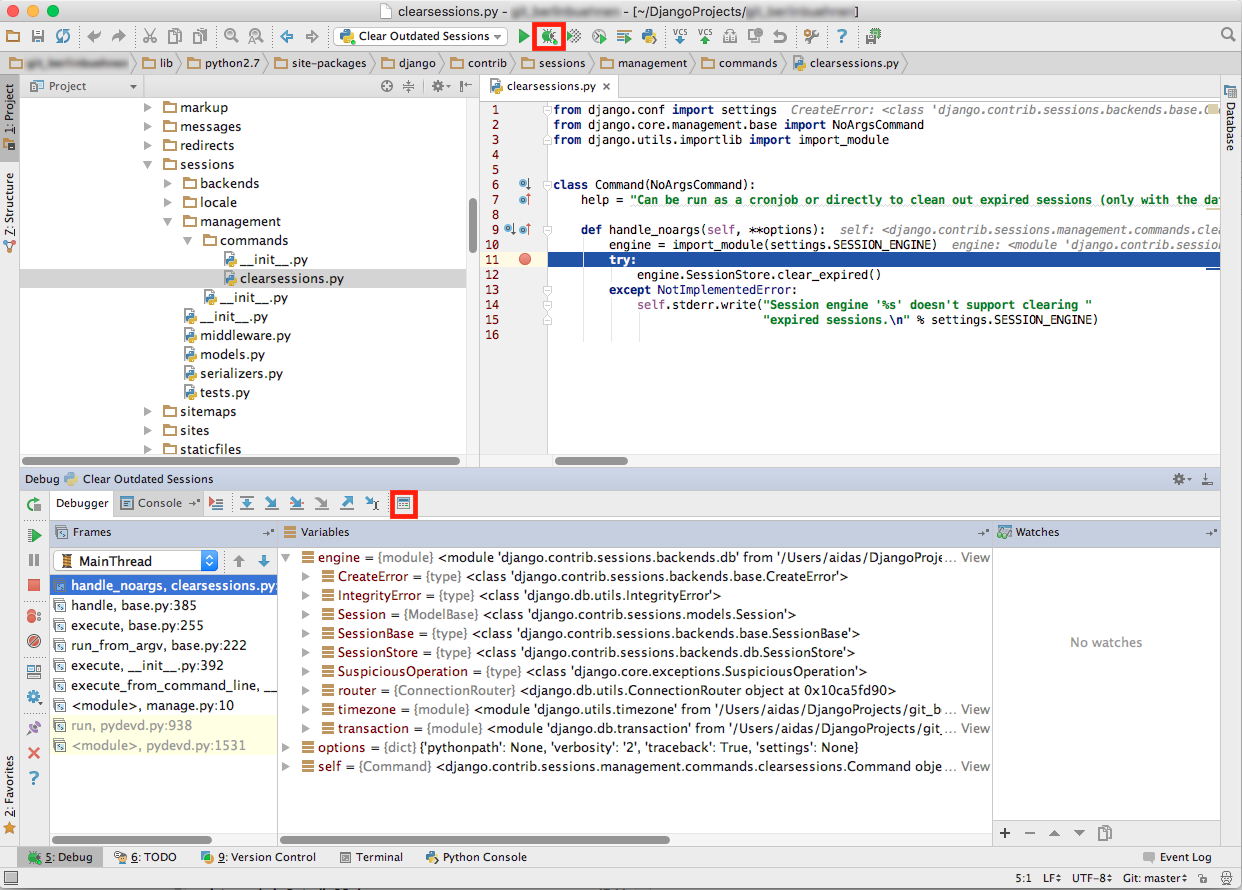
The script will start executing and will stop temporarily at the breakpoint you made. You will be able to inspect all local variables in the debug panel that is opened at the bottom of your window by default.
You can navigate through code execution with the arrow buttons "Step Over", "Step Into", etc. To evaluate local or global variables or values, click on the "Evaluate Expression" button (with the Calculator icon) and enter some Python code.
Click on the "Resume Program" button (with the Fast Play icon) to continue execution of the script, when you are ready.
Analogously, you can debug your models, views, forms, or middlewares by running a development server ("Django server") in debug mode.
Cover photo by Jill Heyer

 Lateo.net - Flux RSS en pagaille (pour en ajouter : @ moi)