 Connexion


eMudhra, the certificate authority that issued eight intermediate TLS credentials so weak that anyone could mint certificates for any website or mail server—one had a private encryption key of just 4—said it’s getting out of the business.
V. Srinivasan, chairman of India-based eMudhra Limited, cited increasing costs and complexities of compliance requirements—paired with the business generating just 1 percent of its revenue. He also said that the emergence of organizations providing TLS certificates free of charge further reduced returns on investment when compared to other products and services the company offers.
“However, the level of social media amplification around this incident has brought scrutiny that is out of proportion to SSL/TLS’s place in our business,” the company continued in a Thursday post. “In view of this, after detailed deliberations our board has concluded that withdrawing from global SSL/TLS is the right decision for eMudhra and its shareholders.”
EncryptPro locks files with AES-256 from File Explorer and shares them over PGP without emailing passwords.
The post Encrypt a 10GB File in Seconds With This $40 Windows App appeared first on TechRepublic.
Cloudflare said Tuesday it plans to issue quantum-proof TLS certificates, making it one of the first authorities to issue such certificates that use a form of cryptography that is widely believed to withstand attacks from quantum computers.
The Internet infrastructure provider said it will use an open source platform that issues both classic TLS certificates and a post-quantum equivalent known as Merkle Tree Certificates. The hybrid certificates will be free to both paying and non-paying users. To help build the massive system and establish ubiquity across the sprawling TLS ecosystem, Cloudflare will be acquiring an already trusted certificate root from CA GlobalSign. Cloudflare said the move will let millions of websites use post-quantum certificates at the flip of a switch and without incurring any increased performance overhead.
Cloudflare’s plans are part of a major overhaul in the web public key infrastructure (WebPKI) required to make website encryption and authentication safe for the coming post-quantum age. A major challenge is using quantum-proof signatures that can be easily transmitted during web requests and recorded in transparency logs to ensure counterfeit certificates aren't assigned to websites. The makeover will take years to complete, because it requires the work of an untold number of engineers who design operating systems, browsers, certificate authorities, and Internet infrastructure.
This secure storage platform uses open source code, zero-knowledge file systems, and end-to-end encryption to keep your online data truly private.
The post Get Secure Cloud Storage on a 2TB Lifetime Plan with Internxt for $100 appeared first on TechRepublic.
AI could accelerate vulnerability discovery, shrinking the pool of exploits governments rely on while speeding up the race between attackers and defenders.
The post AI Could Shrink the Supply of Exploits Governments Rely On appeared first on TechRepublic.
Keep your files organized, secure, and accessible with 500GB of lifetime cloud storage for one low price.
The post Get 500GB of lifetime cloud storage for just $40 appeared first on TechRepublic.
Ring’s new TAKE encryption limits video-key retention while keeping cloud AI features, Ring Verify, and optional end-to-end encryption in play.
The post Ring’s New TAKE Encryption Deletes Video Keys Without Giving Up AI Features appeared first on TechRepublic.
Apple is challenging a UK order reportedly requiring access to encrypted iCloud data, reviving a wider dispute over privacy, security, and lawful access.
The post Apple Challenges UK Demand For Access To Encrypted iCloud Data appeared first on TechRepublic.
Learn how BitLocker, passkeys, Microsoft Defender, and other Windows 11 security features protect your data, accounts, apps, and devices.
The post Windows 11 Security Cheat Sheet: BitLocker, Passkeys, and Defender Explained appeared first on TechRepublic.
Vous vous souvenez de l'époque où stocker ses photos dans le cloud, c'était synonyme de "donner ses données à Google pour qu'il les analyse et essaye de vous faire cliquer sur une pub qui pouvait vous intéresser" ? Hé bien entre le CLOUD Act américain (qui permet au FBI de farfouiller dans vos fichiers, même sur des serveurs européens), les politiques de confidentialité qui changent tous les 6 mois, le fait que Google Photos a décidé que vos souvenirs valaient désormais un abonnement mensuel & co ... y'a de quoi vouloir reprendre le contrôle.
Et la bonne nouvelle, c'est que pCloud vient de sortir une promo pour le 14 juillet qui tombe à pic. Jusqu'à -70% sur les plans Lifetime, avec le chiffrement de bout en bout offert en prime. Un seul paiement, et vos fichiers sont à vous pour la vie. Ou du moins pour les 99 prochaines années, ce qui revient au même.
L'idée est simple : au lieu de vous pomper 10€ par mois à l'infini comme Google One, Dropbox ou iCloud, vous payez une seule fois et c'est réglé. pCloud vous garantit l'accès à votre espace de stockage pour 99 ans (ou la durée de vie du titulaire, mais bon, à ce rythme-là, on sera tous morts avant vu que de toute façon la planète explose probablement dans les 9 prochains mois). C'est un peu comme acheter un appartement plutôt que de louer un studio pourri à vie avec un loyer qui augmente d'année en année.
Le service est basé en Suisse (à Baar pour être précis) avec des datacenters au Luxembourg. Ça veut dire RGPD, lois suisses sur la protection des données parmi les plus strictes au monde, et surtout pas de sous-location chez AWS ou Google Cloud. pCloud possède ses propres serveurs, donc vos fichiers restent en Europe et ne traversent pas l'Atlantique pour finir dans un entrepôt de l'Iowa.

Plus de 24 millions d'utilisateurs leur font déjà confiance. Et perso, quand je compare avec mon ancien Google Drive où je retrouvais des photos de 2018 en vrac entre des captures d'écran de bugs et des logos d'applis, je trouve que le changement de braquet se justifie.
Ce qui change tout dans cette promo du 14 Juillet, c'est que pCloud Encryption est inclus gratuitement avec chaque plan Lifetime. Normalement c'est une option payante en plus, donc là c'est clairement un gros plus.
pCloud Encryption, c'est du chiffrement côté client (zero-knowledge). Vos fichiers sont chiffrés sur votre machine avant même de quitter votre appareil. Vous seul détenez la clé, même pCloud ne peut pas ouvrir vos fichiers. Et donc même si un juge suisse débarque avec une ordonnance ou si un hacker pénètre leurs serveurs, vos données restent illisibles. C'est le niveau de protection qu'Edward Snowden recommanderait si on lui demandait son avis.
Et contrairement à Google qui scanne vos photos pour mieux vous cibler publicitairement, ici personne ne fouille dans vos souvenirs. Vos photos de vacances, vos documents fiscaux, vos projets perso, tout reste entre vous et vous (pour une fois que c'est pratique d'avoir plusieurs personnalités).
pCloud n'est pas juste un disque dur dans le ciel. Le pCloud Drive transforme votre espace cloud en disque virtuel accessible comme un SSD local sur Windows, macOS et Linux. Vous travaillez sur un document, il se synchronise instantanément sur tous vos appareils. Pas besoin de copier-coller des fichiers à la mano comme un cro-magnon.
Les apps mobiles iOS et Android uploadent automatiquement vos photos et vidéos pour libérer de l'espace sur votre téléphone. Plus de message déprimant "Stockage plein" quand vous essayez de filmer le concert de votre ado.

Le pCloud Backup sauvegarde vos fichiers importants en continu en arrière-plan. Vous oubliez, il s'en souvient. Et pour la collaboration, vous partagez des liens sécurisés avec des gens qui n'ont même pas pCloud. Pratique pour envoyer un dossier lourd à un client sans passer par WeTransfer qui stocke vos fichiers on-ne-sait-où.
De son côté, pCloud Photos ( j'en ai parlé un peu ici ) organise automatiquement vos images par date dans une galerie chronologique. Vous tapez sur une année et vous retrouvez instantanément ce selfie gênant de 2019. Vous pouvez exclure certains dossiers pour éviter que vos 400 captures d'écran se mélangent avec vos vraies photos. Et y'a même un éditeur photo intégré avec 8 filtres (Retrofilm, Vintage, Duotone...), réglages de luminosité, contraste, recadrage, rotation, etc. Le tout en temps réel, directement dans votre stockage cloud. Bon c'est pas Lightroom, mais pour de la retouche rapide sans sortir la carte bleue Adobe, ça fait largement le taf.
Le lecteur multimédia intégré vous permet de streamer vos films et musiques directement depuis pCloud sans les télécharger. Et, pour l'instant en version bêta, pDocs vous permet d'éditer et collaborer sur des documents en temps réel avec d'autres utilisateurs pCloud sans passer par Google Docs qui lit vos brouillons en douce.
La promo est valable du 2 au 15 juillet 2026, et voici ce que ça donne :
| Plan | Prix promo | Prix original | Économie |
| 1 To + chiffrement | 199€ | 664€ | -70% |
| 2 To + chiffrement | 299€ | 828€ | -64% |
| 10 To + chiffrement | 890€ | 2119€ | -58% |
Faisons les comptes rapidement. 2 To chez Google One, c'est environ 100€ par an. Avec pCloud, vous payez 299€ une fois. Au bout de 3 ans, vous êtes déjà gagnant. Sur 10 ans, j'en parle même pas c'est 700€ d'économisés. Et là on parle juste de stockage. Avec le chiffrement inclus, la différence se creuse encore plus.
Et avec le pack 2 To, vous avez de quoi stocker l'intégralité de vos photos et vidéos depuis la naissance de votre premier enfant jusqu'à ce qu'il parte de chez vous. Le 10 To à 890€, c'est pour les accros du stockage (les vidéastes, les photographes, les gens qui filment en 4K leur chat qui dort, etc.)

Parce que dans ce monde bizarre où Google, Microsoft et consorts se partagent vos données comme un gâteau d'anniversaire, pCloud arrive avec une approche radicalement différente. Pas d'abonnement, pas de frais récurrents, pas de scanning automatique pour cibler vos pubs. Juste du stockage qui respecte votre vie privée.
Vos fichiers sont en Europe, soumis aux régulations européennes. Pas de vente de metadata à des tiers. Pas de "nous avons mis à jour nos conditions d'utilisation" tous les 4 matins. Et surtout, pas de dépendance à un écosystème qui vous tient en laisse.
Moi qui ai commencé à mettre en avant les alternatives européennes aux GAFAM (oui, je me cite, c'est la règle), je trouve que pCloud incarne parfaitement cette démarche. C'est européen, c'est solide, c'est rentable depuis 2013 et ça ne dépend pas de la volonté d'un actionnaire californien de monétiser vos souvenirs.
Si vous en avez marre de payer tous les mois pour stocker vos propres fichiers sur des serveurs qui vous espionnent, cette promo du 14 Juillet est le moment de passer à l'acte. pCloud Lifetime + chiffrement offert, c'est le combo parfait pour reprendre le contrôle de vos données sans vous ruiner. Un seul paiement, 99 ans de tranquillité. 99 ans c'est long.
Et avec la garantie satisfait ou remboursé, vous n'avez rien à perdre ... sauf votre abonnement Google Drive.
Alors, prêt à dire adieu aux abonnements à vie ?
Offre valable du 2 au 15 juillet 2026 seulement.

The White House is drastically shortening the deadline for government agencies and organizations to adopt new quantum-resistant encryption systems that will withstand attacks that use quantum computers, as the federal government seeks to protect decades’ worth of secrets belonging to militaries, banks, governments, and most individuals on Earth.
The executive order, titled Securing the Nation against Advanced Cryptographic Attacks, requires computing systems for “high-value assets” and “high-impact systems” to transition to post-quantum cryptographic key establishment schemes by December 31, 2030, and to quantum-safe digital signature schemes by December 31, 2031.
The new deadline, which for many organizations is about five years sooner than the previous one, comes on the heels of recent research showing that the resources and cost for building a cryptographically relevant quantum computer are far less than previous consensus estimates. In response, Google, Cloudflare, and other companies recently tightened their timelines for moving off vulnerable systems to 2029.


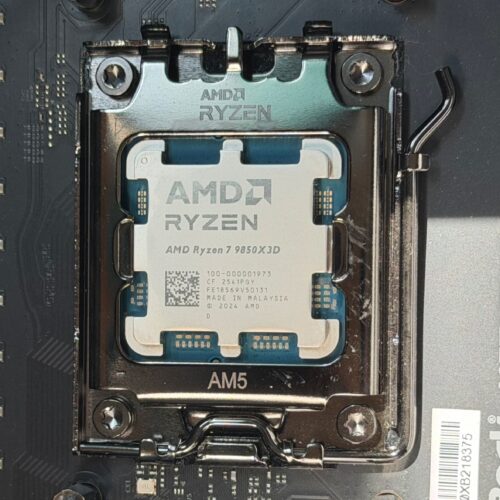
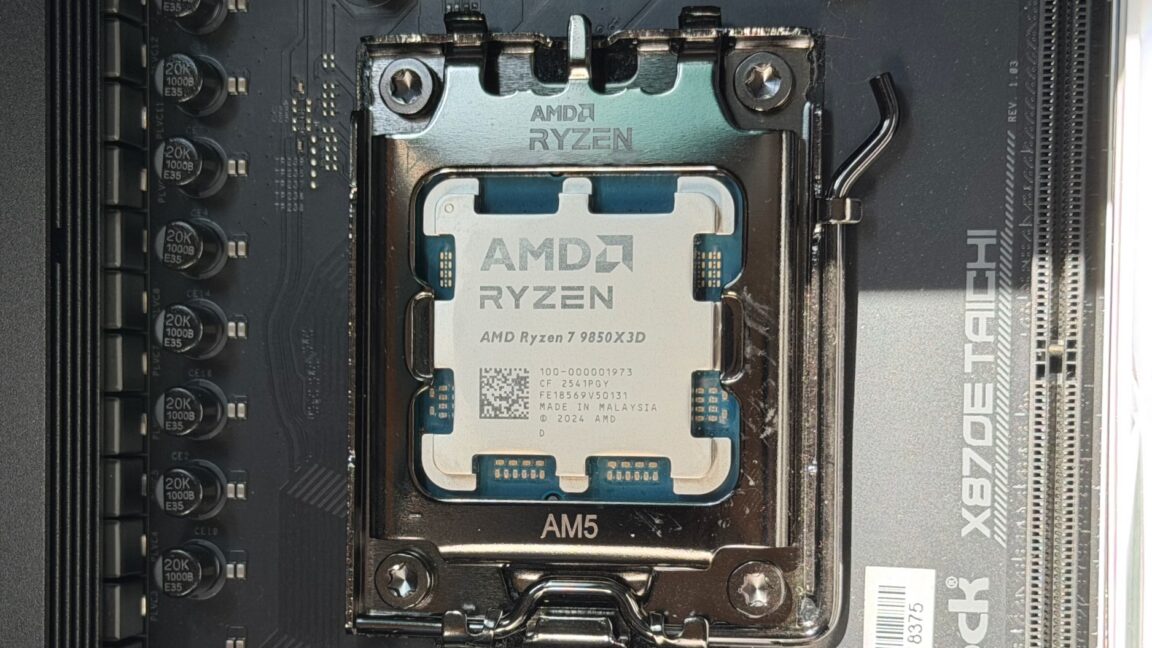
A decade ago, AMD added a protection to its high-end CPUs to protect them against cold boot attacks and other types of physical exploits that siphon sensitive data out of the connected memory chips. Short for Transparent Secure Memory Encryption, TSME encrypts the entire contents stored in memory, making the data useless to physical attackers.
Over time, AMD added TSME to lower-end processors, including the consumer version of its Ryzen chips, a CPU that costs less than the Pro version. Over the years, users of these lower-end chips have gotten used to the added security. Recently and without warning or notice, this lower-end line of AMD chips suddenly dropped the protection, and did so in a way that was impossible to detect on Windows machines and required a fair amount of technical work when using Linux.
AMD has yet to say why TSME worked on these CPUs, or even to confirm the change. AMD declined to answer questions sent by email other than to say TSME "is a security feature only applied to PRO CPUs as part of AMD PRO Technologies." The statement is the first known time the chipmaker has explicitly made this restriction public.
The Texas Attorney General has sued Meta over allegations that the company’s WhatsApp messenger, used by more than 3 billion people, doesn’t provide the end-to-end encryption (E2EE) it has long claimed.
Since at least 2016, Meta (then named Facebook) has said WhatsApp provides robust end-to-end encryption, meaning that messages are encrypted on a sender’s device with keys that are available only to the receiver's. By definition, E2EE means that no one else—including the platform itself—can read the plaintext messages.
In sworn testimony before two US Senate committees in 2018, CEO Mark Zuckerberg said Meta does “not see any of the content in WhatsApp; it is fully encrypted” and that “Facebook systems do not see the content of messages being transferred over WhatsApp.” The engine for this E2EE is the Signal protocol, an open source code base that multiple third-party experts have said lives up to its promises.


Discord’s DAVE protocol now protects eligible voice and video calls, but text chats and Stage channels remain outside end-to-end encryption.
The post Discord DAVE Encrypts Calls, but Not Text Chats appeared first on TechRepublic.
A zero-day exploit circulating online allows people with physical access to a Windows 11 system to bypass default BitLocker protections and gain complete access to an encrypted drive within seconds.
The exploit, named YellowKey, was published earlier this week by a researcher who goes by the alias Nightmare-Eclipse. It reliably bypasses default Windows 11 deployments of BitLocker, the full-volume encryption protection Microsoft provides to make disk contents off-limits to anyone without the decryption key, which is stored in a secured piece of hardware known as a trusted platform module (TPM). BitLocker is a mandatory protection for many organizations, including those that contract with governments.
The core of the YellowKey exploit is a custom-made FsTx folder. Online documentation of this folder is hard to find. As explained later, the directory associated with the file fstx.dll appears to involve what Microsoft calls the transactional NTFS, which allows developers to have “transactional atomicity" for file operations in transactions with a single file, multiple files, or ones that span multiple sources.
This is a comprehensive list of the best encryption software and tools in 2026, covering their features, pricing and more. Use this guide to determine your best fit.
The post The 7 Best Endpoint Encryption Software Choices in 2026 appeared first on TechRepublic.
NTT Research launches Scale Academy to turn AI and security research into real products, debuting SaltGrain, a zero-trust data security platform.
The post NTT Research Launches Scale Academy to Bring Lab Technology to Market appeared first on TechRepublic.
WhatsApp is testing usernames that could let users chat without sharing phone numbers, adding a new privacy layer now rolling out to some beta users.
The post WhatsApp New Update Lets You Chat Without Sharing Your Phone Number appeared first on TechRepublic.
Google has brought end-to-end encrypted Gmail to Android and iOS for eligible Workspace users, extending secure mobile email without extra apps.
The post Google Rolls Out End-to-End Encryption to Eligible Gmail Users on Mobile appeared first on TechRepublic.
Apple’s iOS 26.5 beta brings back RCS encryption, updates Apple Maps, and hints at bigger changes still to come with iOS 27.
The post Apple’s iOS 26.5 Beta: Here’s a First Look at What’s New appeared first on TechRepublic.
See what you missed in Daily Tech Insider from March 23–27.
The post AI Upgrades, Security Breaches, and Industry Shifts Define This Week in Tech appeared first on TechRepublic.
See what you missed in Daily Tech Insider from March 16–20.
The post AI Factories, Security Flaws, and Workforce Shifts Define This Week in Tech appeared first on TechRepublic.
Meta will soon end Instagram’s end-to-end encrypted chats, citing low adoption and directing users to export affected messages.
The post Instagram Users Urged to Save Encrypted DMs Before Feature Disappears appeared first on TechRepublic.
We can easily add a key file to LUKS disk encryption on Linux when running the cryptsetup command. A key file is used as the passphrase to unlock an encrypted volume. The passphrase allows Linux users to open encrypted disks utilizing a keyboard or over an ssh-based session. There are different types of key files we can add and enable LUKS disk encryption on Linux as per our needs:
Let us see how to enable LUKS disk encryption with a key file.
The post How to enable LUKS disk encryption with keyfile on Linux appeared first on nixCraft.

On Linux, we encrypt our partitions and entire disk using Linux Unified Key Setup-on-disk-format (LUKS) for security and privacy reasons. We unlock LUKS protected disk by providing a passphrase at boot time. You need to be in front of your computer or use a remote console to open the encrypted disk under Linux at boot time. However, if your system is in the basement, remote datacenter/office, or upstairs office, you won't able to unlock and boot your Linux box. We can use the Dropbear SSH server for LUKS encrypted Debian or Ubuntu or any other Linux distro via SSH to solve this problem. Let us see how to unlock LUKS using Dropbear SSH keys in Linux at boot time.
The post How to unlock LUKS using Dropbear SSH keys remotely in Linux appeared first on nixCraft.

We use encryption to protect mobile devices. For instance, I always use LUKS disk encryption to protect all files stored on my SSD. Dm-crypt (Cryptsetup and LUKS) open-source disk encryption is transparent disk encryption and a great way to keep your data secure. However, changing passphrase is a bit of a challenge for new Linux users and developers. This step-by-step guide explains how to find LUKS slots assigned to you and change your passphrase on a Debian/Ubuntu, CentOS/RHEL, OpenSUSE/SUSE other Linux distros.
The post How to change LUKS disk encryption passphrase in Linux appeared first on nixCraft.

Previously I explained how to encrypt Linux partitions or disk with the LUKS (Linux Unified Key Setup)/dm-crypt. In this quick blog post, I will explain how to backup and restore LUKS header for emergency purposes. Backup is useful for recovering from misconfigurations, corrupted headers or forgotten passphrase or unknown password.
The post How to backup and restore LUKS header on Linux appeared first on nixCraft.
Join us for Digital Making at Home: this week, young people can learn about encryption and e-safety with us! With Digital Making at Home, we invite kids all over the world to code along with us and our new videos every week.
So get ready to decode a secret message with us:
Check out this week’s code-along projects!
And tune in on Wednesday 2pm BST / 9am EDT / 7.30pm IST at rpf.io/home to code along with our live stream session.
PS: If you want to learn how to teach students in your classroom about encryption and cybersecurity, we’ve got the perfect free online courses for you!
The post Let’s learn about encryption with Digital Making at Home! appeared first on Raspberry Pi.
Over the autumn term, we’ll be launching three brand-new, online courses on the FutureLearn platform. Wherever you are in the world, you can learn with us for free, thanks to support from Google.
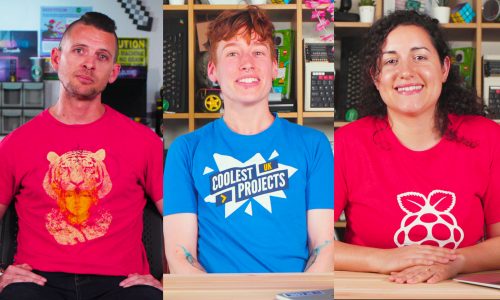
The course presenters are Pi Towers residents Mark, Janina, and Eirini
The first new course is Design and Prototype Embedded Computer Systems, which will start on 28 October. In this course, you will discover the product design life cycle as you design your own embedded system!
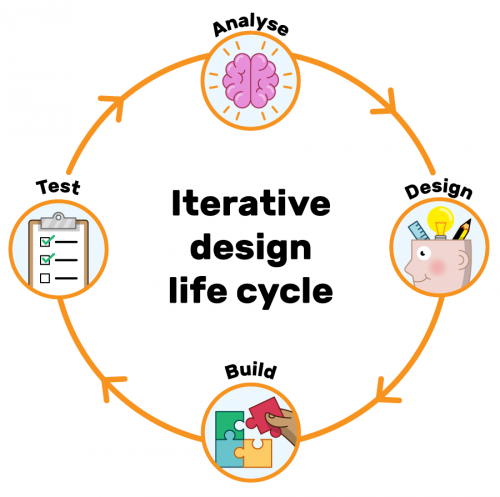
You’ll investigate how the purpose of the system affects the design of the system, from choosing its components to the final product, and you’ll find out more about the design of an algorithm. You will also explore how embedded systems are used in the world around us. Book your place today!
What else would you expect us to call the sequel to Programming 101 and Programming 102? That’s right — we’ve made Programming 103: Saving and Structuring Data! The course will begin on 4 November, and you can reserve your place now.
Programming 103 explores how to use data across multiple runs of your program. You’ll learn how to save text and binary files, and how structuring data is necessary for programs to “understand” the data that they load. You’ll look at common types of structured files such as CSV and JSON files, as well as how you can connect to a SQL database to use it in your Python programs.
The third course, Introduction to Encryption and Cryptography, is currently in development, and therefore coming soon. In this course, you’ll learn what encryption is and how it was used in the past, and you’ll use the Caesar and Vigenère ciphers.
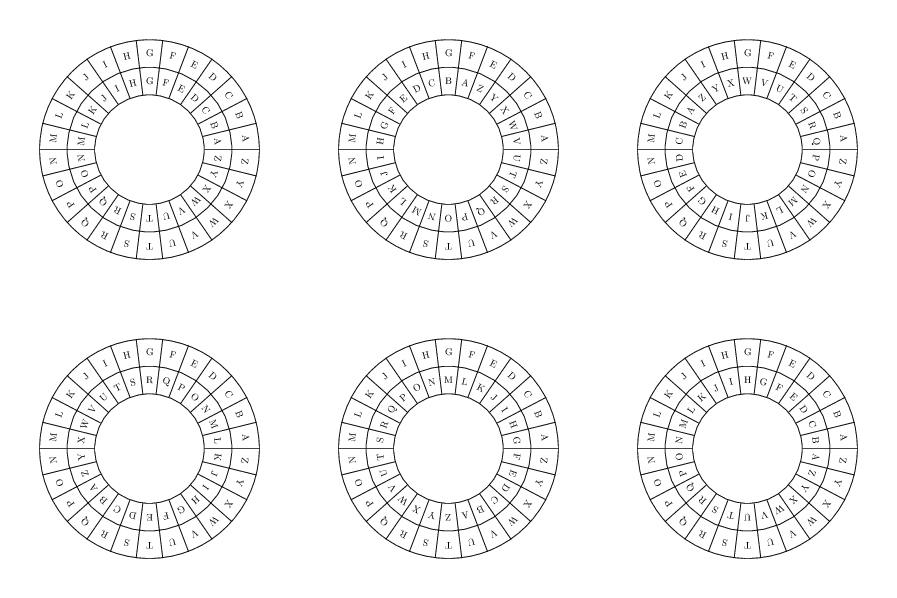
The Caesar cipher is a type of substitution cipher
You’ll also look at modern encryption and investigate both symmetric and asymmetric encryption schemes. The course also shows you the future of encryption, and it includes several practical encryption activities, which can be used in the classroom too.
If you’re a secondary school teacher in England, note that all of the above courses count towards your Computer Science Accelerator Programme certificate.
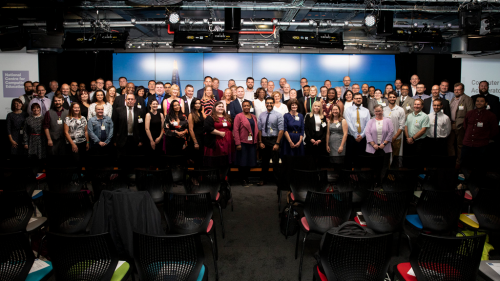
The very first group of teachers who earned Computer Science Accelerator Programme certificates: they got to celebrate their graduation at Google HQ in London.
What’s been your favourite online course this year? Tell us about it in the comments.
The post Your new free online training courses for the autumn term appeared first on Raspberry Pi.

 Lateo.net - Flux RSS en pagaille (pour en ajouter : @ moi)