 Connexion


To empower every educator to confidently bring AI into their classroom, we’ve created a new online training course called ‘Understanding AI for educators’ in collaboration with Google DeepMind. By taking this course, you will gain a practical understanding of the crossover between AI tools and education. The course includes a conceptual look at what AI is, how AI systems are built, different approaches to problem-solving with AI, and how to use current AI tools effectively and ethically.

In this post, I will share our approach to designing the course and some of the key considerations behind it — all of which you can apply today to teach your learners about AI systems.
We know educators have different levels of confidence with AI tools — we designed this course to help create a level playing field. Our goal is to uplift every educator, regardless of their prior experience, to a point where they feel comfortable discussing AI in the classroom.
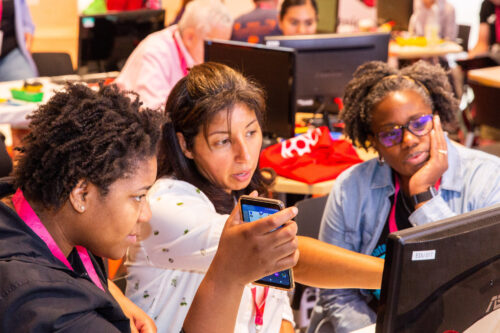
AI literacy is key to understanding the implications and opportunities of AI in education. The course provides educators with a solid conceptual foundation, enabling them to ask the right questions and form their own perspectives.
As with all our AI learning materials that are part of Experience AI, we’ve used specific design principles for the course:
The course offers three main takeaways any educator can apply to their teaching about AI systems.
Deciding the level of detail to use when talking about AI systems can be difficult — especially if you’re not very confident about the topic. The SEAME framework offers a solution by breaking down AI into 4 levels: social and ethical, application, model, and engine. Educators can focus on the level most relevant to their lessons and also use the framework as a useful structure for classroom discussions.
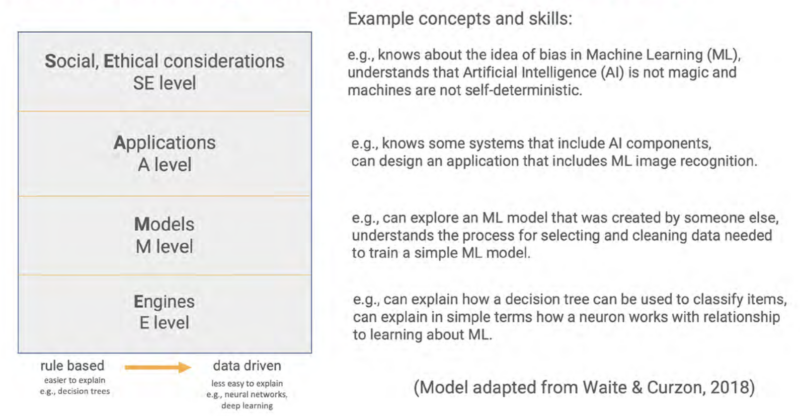
You might discuss the impact a particular AI system is having on society, without the need to explain to your learners how the model itself has been trained or tested. Equally, you might focus on a specific machine learning model to look at where the data used to create it came from and consider the effect the data source has on the output.
AI applications can be broadly separated into two categories: predictive and generative. These two types of AI model represent two vastly different approaches to problem-solving.
People create predictive AI models to make predictions about the future. For example, you might create a model to make weather forecasts based on previously recorded weather data, or to recommend new movies to you based on your previous viewing history. In developing predictive AI models, the problem is defined first — then a specific dataset is assembled to help solve it. Therefore, each predictive AI model usually is only useful for a small number of applications.
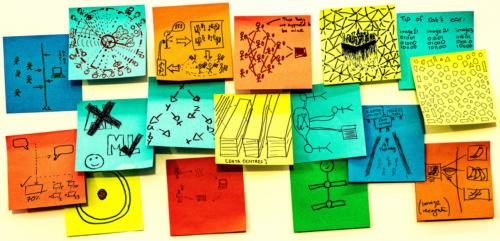
Generative AI models are used to generate media (such as text, code, images, or audio). The possible applications of these models are much more varied because people can use media in many different kinds of ways. You might say that the outputs of generative AI models could be used to solve — or at least to partially solve — any number of problems, without these problems needing to be defined before the model is created.
Generative AI systems rely on user prompts to generate outputs. The OCEAN process, outlined in the course, offers a simple yet powerful framework for prompting AI tools like Gemini, Stable Diffusion or ChatGPT.

The first three steps of the process help you write better prompts that will result in an output that is as close as possible to what you are looking for, while the last two steps outline how to improve the output:
The final step in using any generative AI tool should be to closely review or edit the output yourself. These tools will very quickly get you started but you’ll always have to rely on your own human effort to ensure the quality of your work.
We believe the knowledge and skills our ‘Understanding AI for educators’ course teaches will help any educator determine the right AI tools and concepts to bring into their classroom, regardless of their specialisation. Here’s what one course participant had to say:
“From my inexperienced viewpoint, I kind of viewed AI as a cheat code. I believed that AI in the classroom could possibly be a real detriment to students and eliminate critical thinking skills.
After learning more about AI [on the course] and getting some hands-on experience with it, my viewpoint has certainly taken a 180-degree turn. AI definitely belongs in schools and in the workplace. It will take time to properly integrate it and know how to ethically use it. Our role as educators is to stay ahead of this trend as opposed to denying AI’s benefits and falling behind.” – ‘Understanding AI for educators’ course participant
All our Experience AI resources — including this online course and the teaching materials — are designed to foster a generation of AI-literate educators who can confidently and ethically guide their students in navigating the world of AI.
You can sign up to the course for free here:
A version of this article also appears in Hello World issue 25, which will be published on Monday 23 September and will focus on all things generative AI and education.
The post Free online course on understanding AI for educators appeared first on Raspberry Pi Foundation.
Registration is now open for the European Astro Pi Challenge 2024/25! The Astro Pi Challenge, an ESA Education project run in collaboration with us here at the Raspberry Pi Foundation, offers young people the incredible opportunity to write computer programs that will run in space.
Young people can take part in two exciting missions for beginners and more experienced coders, and send their code to run on special Raspberry Pi computers, called Astro Pis, on board the International Space Station (ISS).
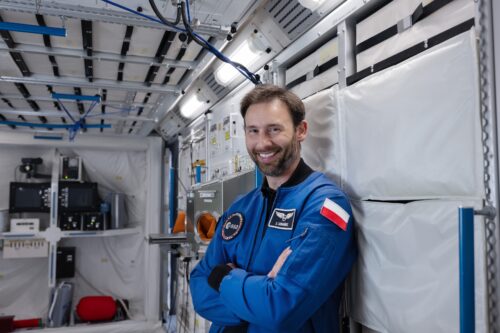
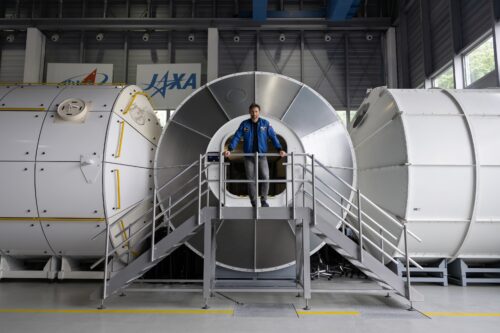
We are delighted that new ESA project astronaut Sławosz Uznański will be the ambassador for this year’s Astro Pi Challenge. Sławosz, born in Poland in 1984, has a background in space systems engineering and has conducted research in radiation effects. He recently served as the Engineer in Charge of CERN’s largest accelerator, the Large Hadron Collider.
In Mission Zero, young people create beautiful pixel art to display on the Astro Pis’ LED screens. This mission requires no prior experience of Python coding, and it can be completed in around an hour.
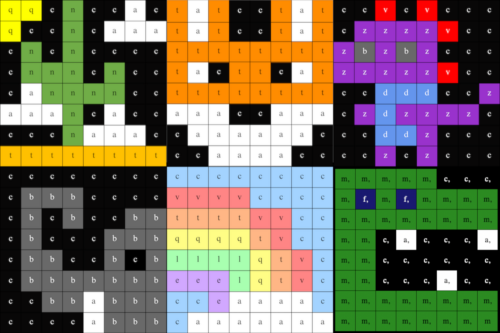
To take part, young people design and code pixel art inspired by nature on Earth and beyond, to display on the Astro Pi computers for the astronauts on the ISS to see as they go about their daily tasks.
Using our step-by-step Mission Zero project guide, young people will learn to create simple Python programs in which they will code with variables and use the colour sensors on the Astro Pis to change the background colour in their images. To help your teams create their designs, check out the examples from teams that took part in Mission Zero in 2023/24 in the project guide.
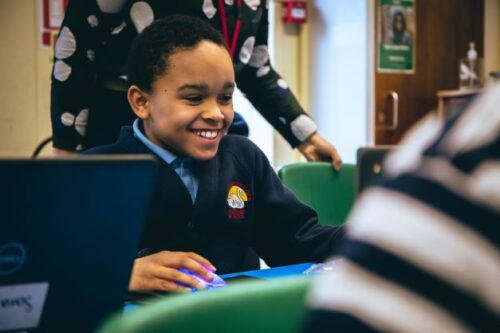
Young people can create their Mission Zero programs individually or in teams of up to 4 people, and this year, we have added a save function for young people as they code. This will make it easier for mentors to run Mission Zero over more than one session, and also means that young people can finish their projects at home. They will need to use your classroom code and their team name to load their saved projects.
Mission Space Lab asks teams to solve a real-world scientific task in space. It is ideally suited to young people who would like to learn more about space science and stretch their programming skills.

In Mission Space Lab this year, the task for teams of 2 to 6 young people is to calculate the speed at which the International Space Station is travelling — as accurately as possible. Teams need to write a Python program that:
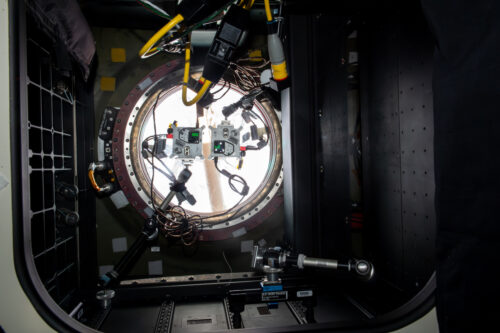
This year we have created a new way for teams to test their programs, with an online version of the Astro Pi Replay tool. All teams need to do is select their program and run it in Astro Pi Replay, which will create a real-time simulation of the program running on the ISS, using historical data and images. Astro Pi Replay will also show program outputs and report errors. This means teams can code their program in their preferred code editor, then test with an internet browser. However, if they wish, teams can still run the Astro Pi Replay tool offline with Thonny.
Both missions are open to young people up to age 19 from eligible countries — all ESA Member States and beyond. To find out more and register, visit astro-pi.org.
Look out for updates and resources being shared on the Astro Pi website, including a Mission Zero video codealong and Mission Space Lab live streams. You can also keep up-to-date with all the Astro Pi news on the Astro Pi X account, our Facebook, LinkedIn, and Instagram, or by signing up to the newsletter at astro-pi.org.
We can’t wait to see your programs!
The post The European Astro Pi Challenge 2024/25 launches today appeared first on Raspberry Pi Foundation.
Young people taking part in the European Astro Pi Challenge are about to have their computer programs sent to the International Space Station (ISS). Astro Pi is run annually in collaboration by us and ESA Education, and offers two ways to get involved: Mission Zero and Mission Space Lab.
This year, over 25,000 young people from across Europe and eligible ESA Member States are getting their programs ‘uplinked’ to the Astro Pi computers aboard the ISS, where they will be running over the next few weeks.
Mission Zero is an exciting activity for kids with little or no experience with coding. We invite young people to create a Python program that displays an 8×8 pixel image or animation. This program then gets sent to the ISS, and each pixel art piece is displayed for 30 seconds on the LED matrix display of the Astro Pi computers on the ISS.
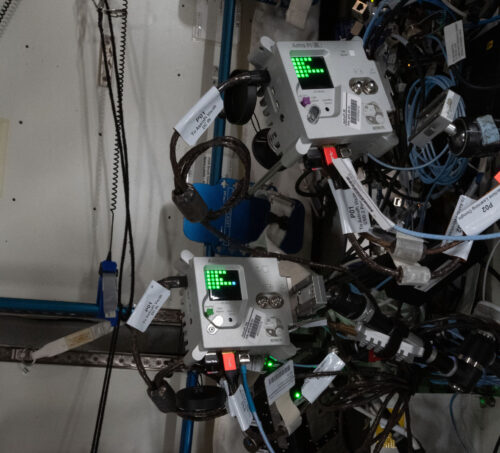
We picked the theme ‘fauna and flora’ as the inspiration for young people’s pixel art, as it proved so popular last year, and we weren’t disappointed: this year, 24,378 young people submitted 16,039 Mission Zero creations!
We’ve tested every program and are pleased to announce that 15,942 Mission Zero programs will be sent to run on the ISS from mid May.
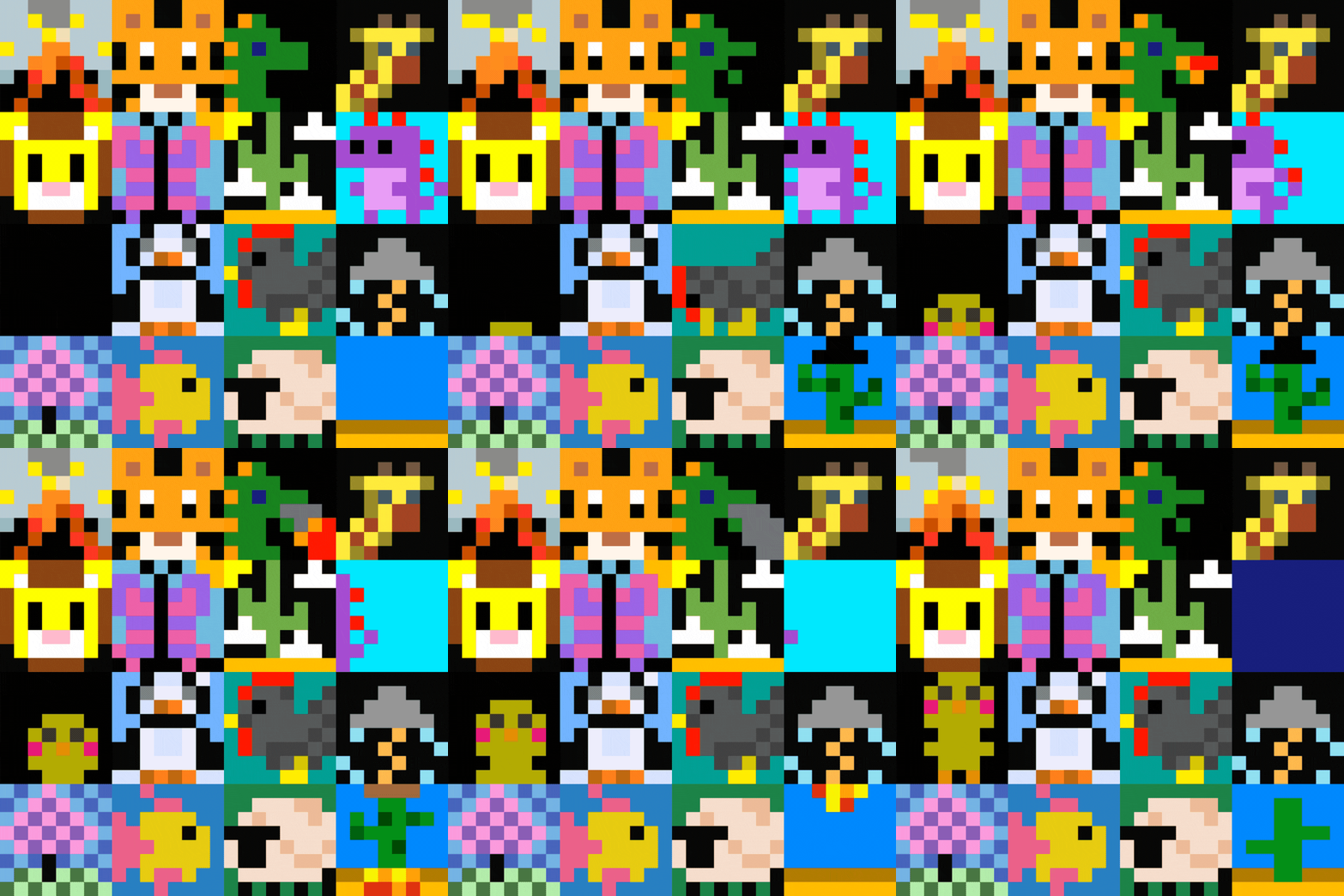
Once again, we have been amazed at the wonderful images and animations that young people have created. Seeing all the images that have been submitted is one of the most enjoyable and inspiring things to do as we work on the Astro Pi Challenge. Here is a little selection of some of our favourites submitted this year:
For Mission Space Lab, we invite more experienced young coders to take on a scientific challenge: to calculate the speed that the ISS orbits Earth.
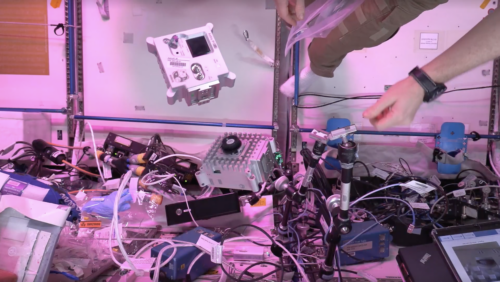
Teams are tasked with writing a program that uses the Astro Pis’ sensors and visible light camera to capture data for their calculations, and we have really enjoyed seeing the different approaches the teams have taken.
Some teams decided to calculate the distance between two points in photos of the Earth’s surface and combine this with how long it took for the ISS to pass over the points to find the speed. This particular method uses feature extraction and needs to account for ground sampling distance — how many square metres are represented in one pixel in an image of the ground taken from above — to get an accurate output.
We’ve also seen teams use data from the gyroscope to calculate the speed using the angle readings and photos to get their outputs. Yet other teams have derived the speed using equations of motion and sampling from the accelerometer.
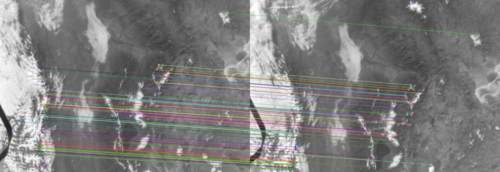
All teams that took multiple samples from the Astro Pi sensors, or multiple images, had to decide how to output a final estimate for the speed of the ISS. Most teams opted to use the mean average. But a few teams chose to filter their samples to choose only the ‘best’ ones based on prior knowledge (Bayesian filtering), and some used a machine learning model and the Astro Pi’s machine learning dongle to select which images or data samples to use. Some teams even provided a certainty score along with their final estimate.
However the team choses to approach the challenge, before their program can run on the ISS, we need to make sure of a few things. For a start, we check that they’ve followed the challenge rules and meet the ISS security requirements. Next, we check that the program can run without errors on the Astro Pis as the astronauts on board the ISS can’t stop what they’re doing to fix any problems.
So, all programs submitted to us must pass a rigorous testing process before they can be sent into space. We run each program on several replica Astro Pis, then run all the programs sequentially, to ensure there’s no problems. If the program passes testing, it’s awarded ‘flight status’ and can be sent to run in space.
This year, 236 teams have been awarded flight status. These teams represent 889 young people from 22 countries in Europe and ESA member states. The average age of these young people is 15, and 27% of them are girls. The UK has the most teams achieving flight status (61), followed by the Czech Republic (23) and Romania (22). You can see how this compares to last year and explore other breakdowns of participant data in the annual Astro Pi impact report.
Our congratulations to all the Mission Space Lab teams who’ve been awarded flight status: it is a great achievement. All these teams will be invited to join a live online Q&A with an ESA astronaut in June. We can’t wait to see what questions you send us for the astronaut.
Normally, the Astro Pi programs run continuously from the end of April until the end of May. However, this year, there is an interesting event happening in the skies above us that means that programs will pause for a few days. The ISS will be moving its position on the ‘beta angle’ and pivoting its orientation to maximise the sunlight that it can capture with its solar panels.

The ISS normally takes 90 minutes to complete its orbit, 45 minutes of which is in sunlight, and 45 minutes in darkness. When it moves along the beta angle, it will be in continual sunlight, allowing it to capture lots of solar energy and recharge its batteries. While in its new orientation, the ISS is exposed to increased heat from the sun so the window shutters must be closed to help the astronauts stay cool. That means taking photos of the Earth’s surface won’t be possible for a few days.
Once all of the programs have run, we will send the Mission Space Lab teams the data collected during their experiments. All successful Mission Zero and Mission Space Lab teams and mentors will also receive personal certificates to recognise their mission completion.
Congratulations to all of this year’s Astro Pi Challenge participants, and especially to all successful teams.
The post Young people’s Astro Pi code is sent to the International Space Station appeared first on Raspberry Pi Foundation.
Introducing children to computing concepts from a young age can help develop their interest and attachment to the subject. While parents might wonder what the best tools and resources are for this, primary and K1–5 educators also need to know what approaches work with their learners.
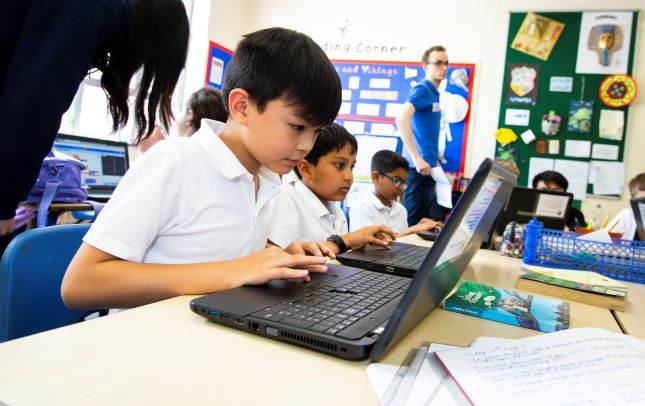
‘Teaching computing to 5- to 11-year-olds’ is one of the new course pathways we’ve designed to help educators spark young people’s interest in the subject. Our online courses are made by a team of writers, videographers, illustrators, animators, copy editors, presenters, and subject matter experts. They work together over months of production to create high-quality educational video content for participants all over the world.
This course pathway offers advice and practical activities to:
The nine courses included give you a comprehensive understanding of teaching computing to younger learners (5- to 11-year-olds). All the courses have been written by a team of subject matter experts, education professionals, and teachers. Some of the courses cover a specific topic, such as programming or physical computing, while others help educators reflect on their teaching practice.
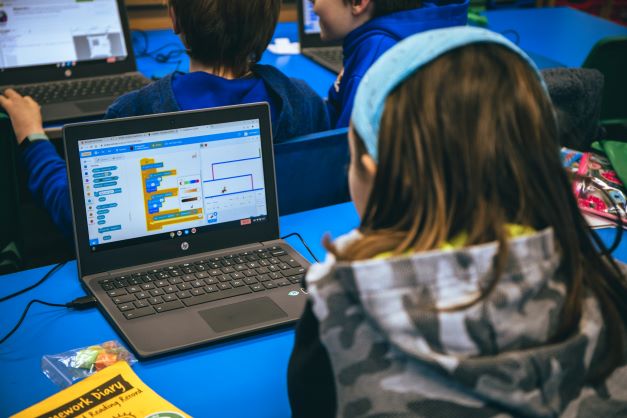
All of the courses include a range of ideas to use in your own programming sessions. The activities will help you to introduce concepts like computer networks and the internet to young learners in a relatable way. There are also activities to help learners progress within a topic, such as moving from a block-based programming language like Scratch to a text-based one like Python.
The courses are an opportunity to:
These courses will give you everything you need to teach computing to young learners. No computing experience is required.
There is also no specific order in which you need to complete the courses. We want educators to complete the courses in an order that makes sense to them.
If you are new to teaching computing, ‘Get started teaching computing in primary schools’ is the place to start. The four-week course will encourage you to think about why it’s important for your learners to build their understanding around computing. You’ll discover how to support learners to become digital makers who can use technology to solve problems. Everyone who registers on the course will have access to an action plan to help implement what they have learnt into their teaching practice.
These are free courses for anyone, anywhere, who is interested in teaching young people about computing.
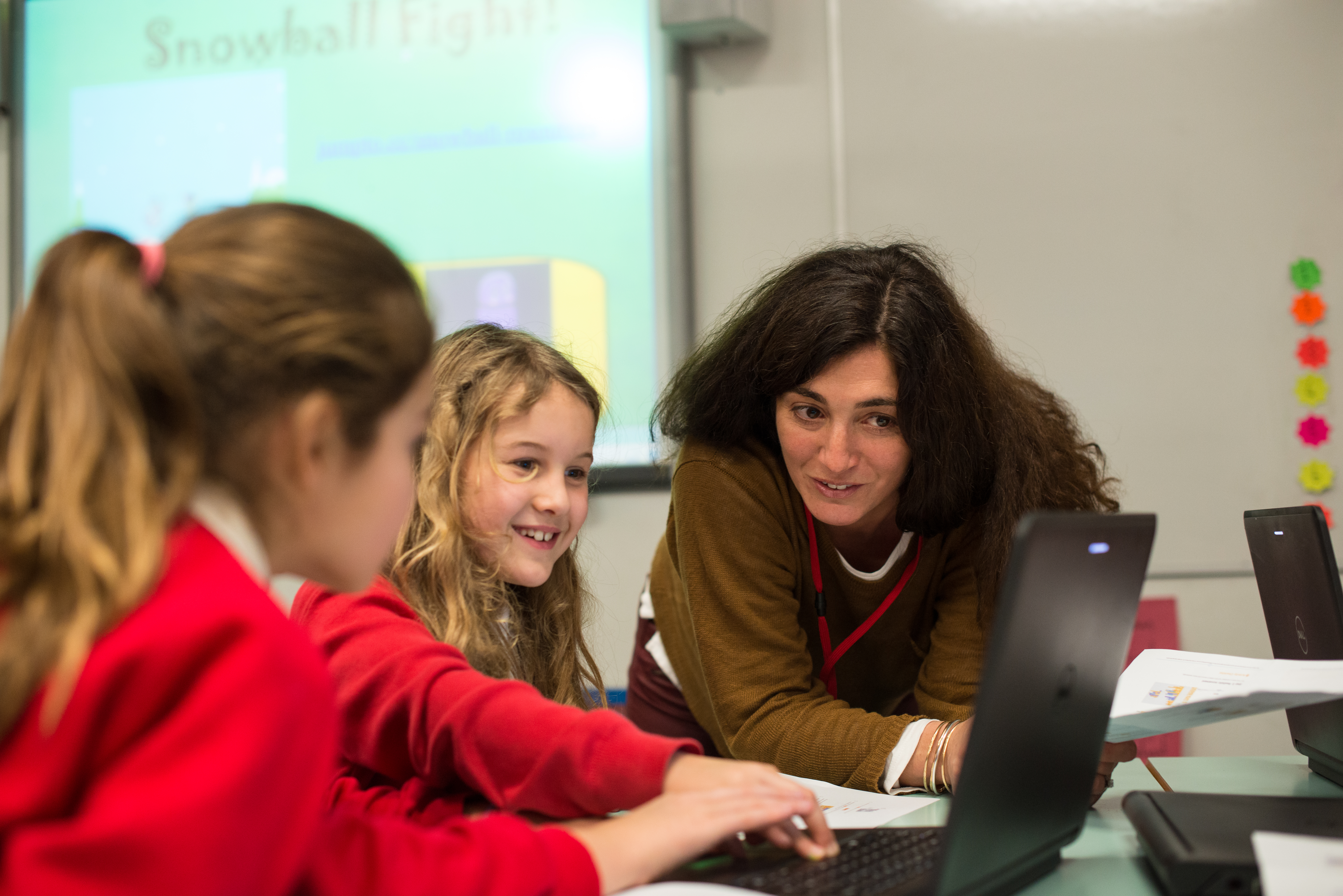
All of the courses take between two and four weeks to complete, based on participants spending two hours a week on a course. You will have free access to each course for the length of time it takes to complete it. For example, if it’s a two week course, like ‘Creating an inclusive classroom: approaches to supporting learners with SEND in computing’, you will have two weeks of free access to the course.
Discover what you could learn with ‘Teaching computing to 5- to 11-year-olds’ today.
The post Learn how to teach computing to 5- to 11-year-olds appeared first on Raspberry Pi.
With our online courses programme, launched in 2017, we made it our mission to provide computing educators with the best possible free training we can design. Five years on, here are some of the key stats about the courses’ impact:
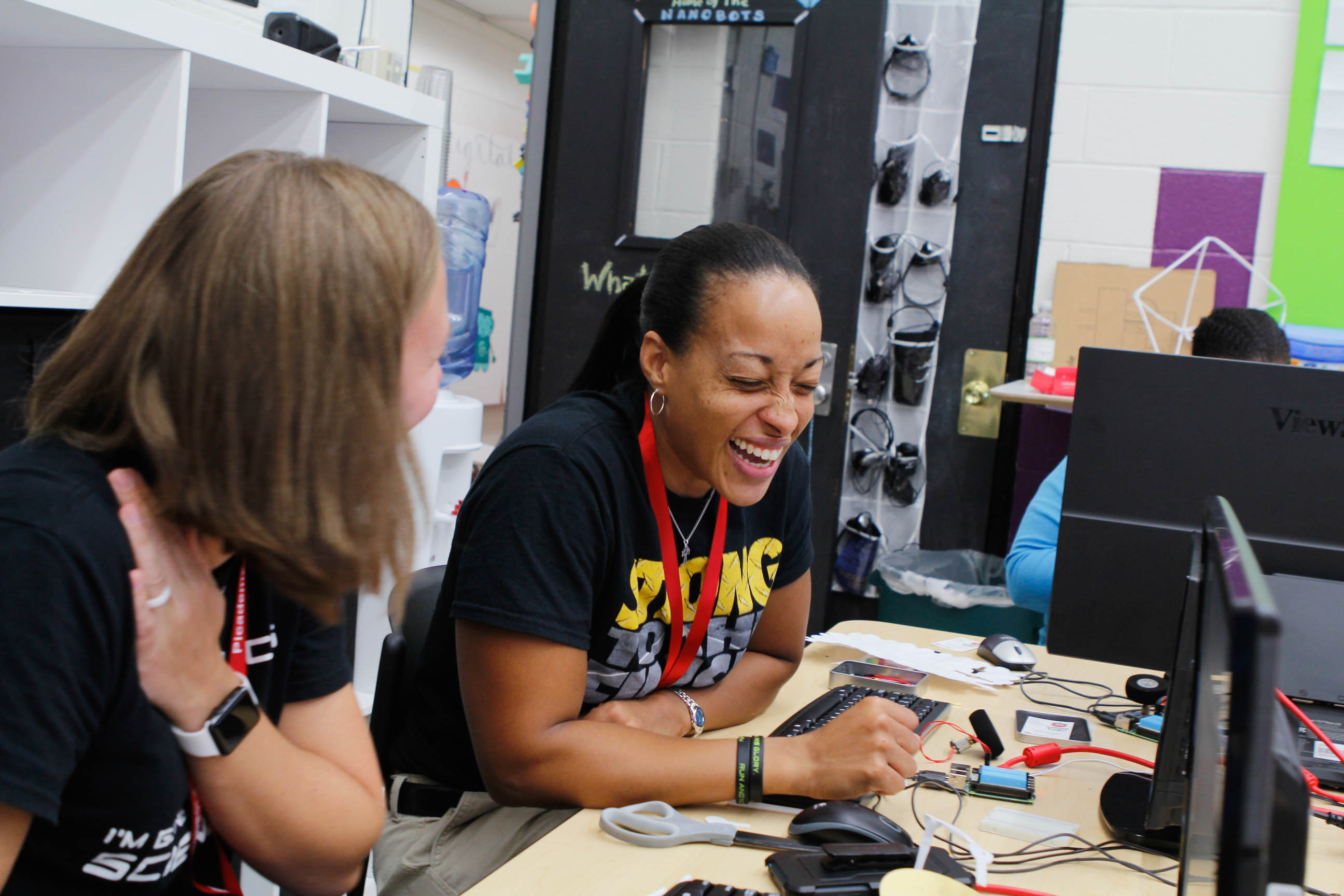
Designed and created in-house, each and every course is a real cross-team effort that involves a lot of careful planning and a number of different stages. Here we’re taking you behind the scenes to show you how we make our courses, introduce you to the people involved, and explain how we ensure our courses are of high quality.
But first, here’s some quick answers to questions you may have:
They are online training courses to help you learn about computing and computing education. The courses are hosted on the FutureLearn website. They are asynchronous, meaning you can take them whenever and wherever you want.
Yes! All our courses are free when you sign up for time-limited access, which gives you full access to the learning materials for the complete course duration. FutureLearn also has a paid-for ‘unlimited’ option, where you receive a certificate for each course you take.
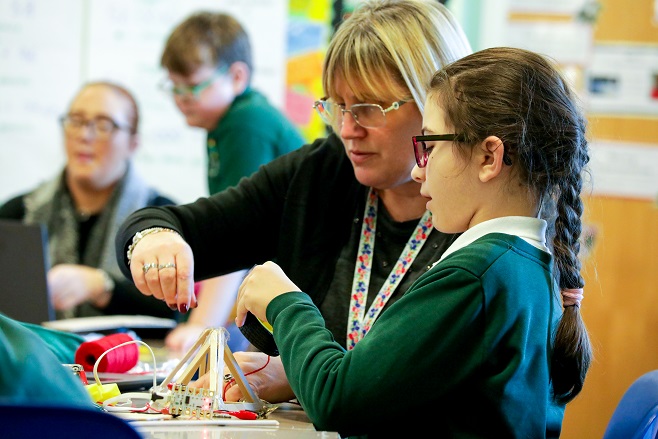
They are aimed at educators, particularly classroom teachers, but they are also beneficial to anyone who wants to learn more about computing.
To help you structure your learning, our courses are divided into three or four weeks, but it’s up to you how quickly you work through them. You can complete a course in one afternoon, or spread your learning out and study for 30 minutes a day over three or four weeks. This flexibility makes it easy to fit a course into a busy schedule.
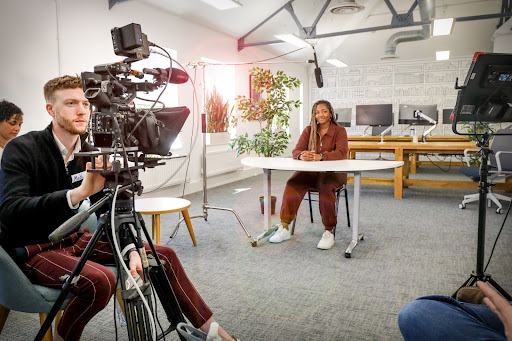
Creating our online courses is a team effort involving writers, videographers, illustrators, animators, copy editors, presenters, and subject matter experts working together over months of production. The entire process is guided by our online course producers, Martin O’Hanlon, Ross Exton, and Michael Conterio, who know a thing or two about creating high-quality learning experiences. We spoke to them about what it takes to create an engaging course.
Martin: We are driven by the needs of teachers. “What are teachers telling us they want to learn? Or what are the gaps in the curriculum where our learners need additional support?”
For example, our Introduction to Machine Learning and AI course was introduced as a result of feedback from teachers that while the subject wasn’t necessarily on the curriculum, they felt underprepared to answer questions from students or provide context when teaching other topics.
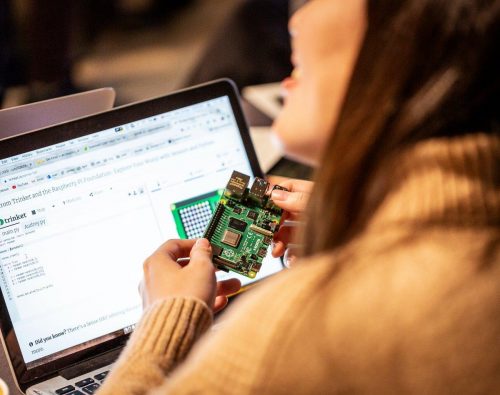
Michael: Working with the course authors, we’ll generally agree on the big topics we want to cover or questions that we want to answer. We’ll often also have individual elements that we want to fit in somewhere, for example an activity involving making a learning resource more accessible. From there it’s a case of taking the bigger topics and working out how we can split them up into smaller chunks, until we get down to individual learning activities.
Ross: But then we’ll end up shuffling things around until we are happy — not only that we’ve got everything that we wanted to cover, but that the overall structure makes sense. We often talk about the ‘narrative’ of a course.
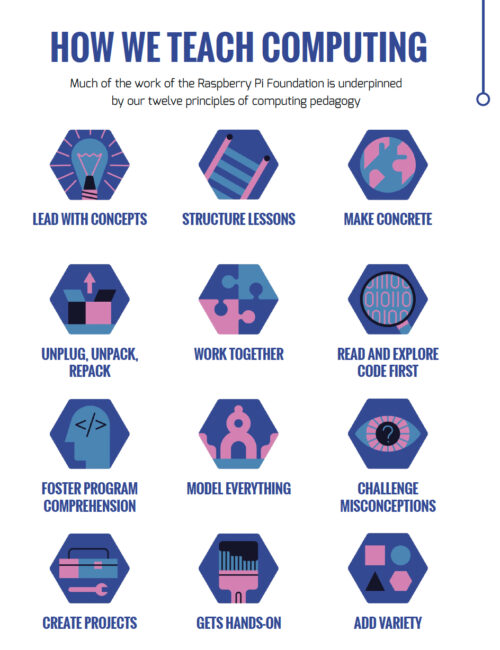
Martin: At the Raspberry Pi Foundation we have a set of 12 pedagogy principles that we use through our learning resources (including online courses). We take particular care to lead with concepts, model processes, and activities; add variety for our learners; and include opportunities to create projects.
Michael: Because the learner is not present, you have to be incredibly precise with instructions as you can’t help learners directly as they are working through the content. And even if you think something is obvious, it’s easy for learners to accidentally miss an instruction, so it’s generally good to try to keep them together rather than spread out.
Martin: Luckily, it is often possible to tell from comments that learners have shared when something is hard to understand so we can improve future runs of the course.
Ross: It’s essential! It brings the abstract concepts of computing to life. The media in our courses helps our learners to visualise the ideas we’re presenting in ways that are engaging and relatable.
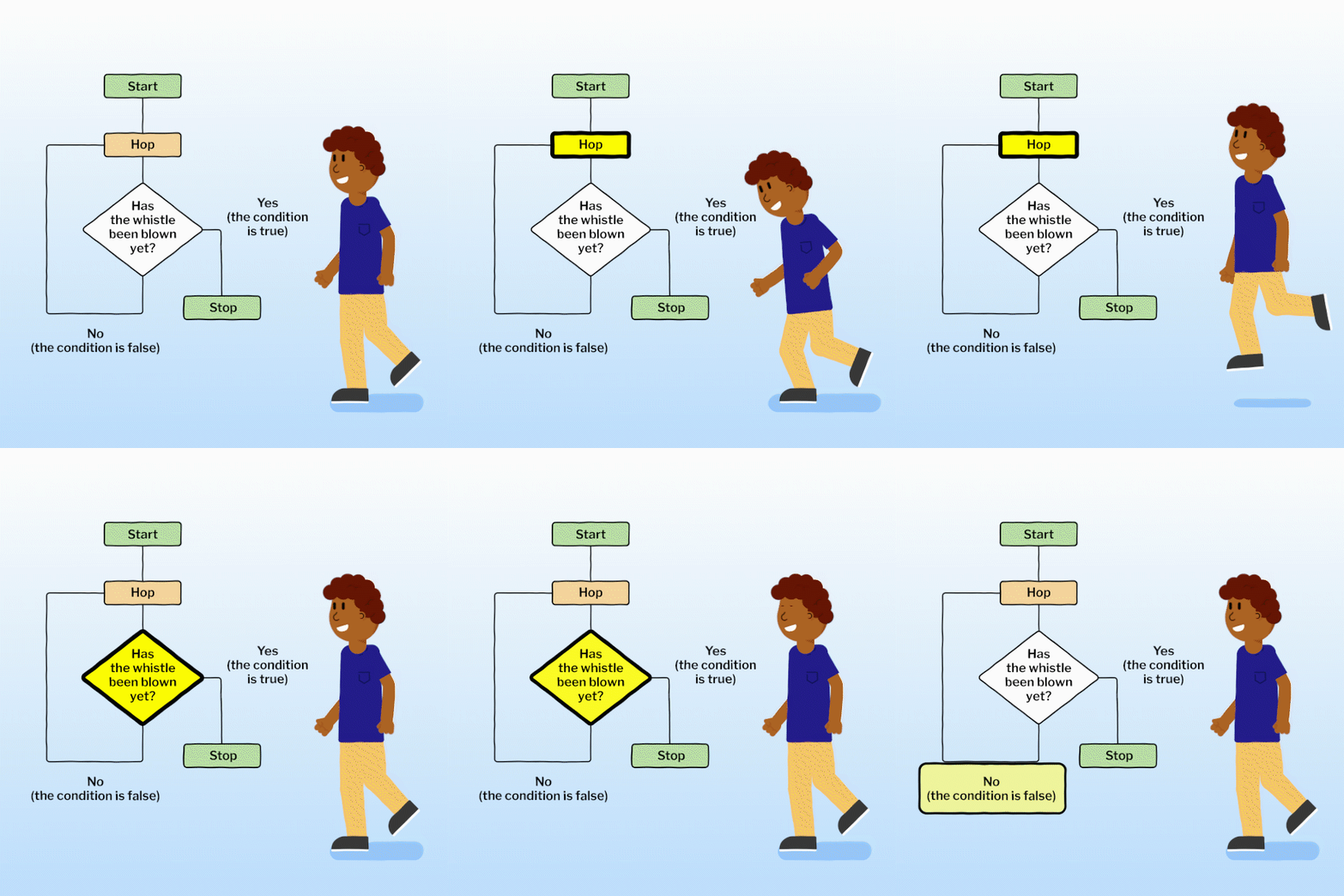
As we’re writing the course, we capture every creative idea that will best support our learners in gaining the knowledge and skills that they need. From ‘how-to’ guides with live coding, to physical computing demonstrations, or animations of robots, we think carefully about each image and video and how we’re not just telling the learner something, but showing them.
We then work with a brilliantly talented team of illustrators, animators, videographers, and presenters to create all of that media.
Ross: Social learning is a really important part of our online courses experience. Over the past year we have made significant investment to make it easier for participants to share programs they’ve written as part of their learning, for example, and for facilitators to provide support.
Martin: It is important people have the opportunity to share their learning with others. This is something often lost when taking an online course and it can feel like you are ‘on your own’.
In the Raspberry Pi Foundation’s online courses learners are given the opportunity to ask questions, share what they have created, and provide their own insight in the comments. Educators from the Foundation facilitate the courses — responding to comments and providing advice is a big part of what they do.
Thank you Martin, Michael, and Ross.
What new online course would you like us to create? Tell us in the comments below.
The post How do we create engaging online courses for computing educators? appeared first on Raspberry Pi.

 Lateo.net - Flux RSS en pagaille (pour en ajouter : @ moi)