 Connexion


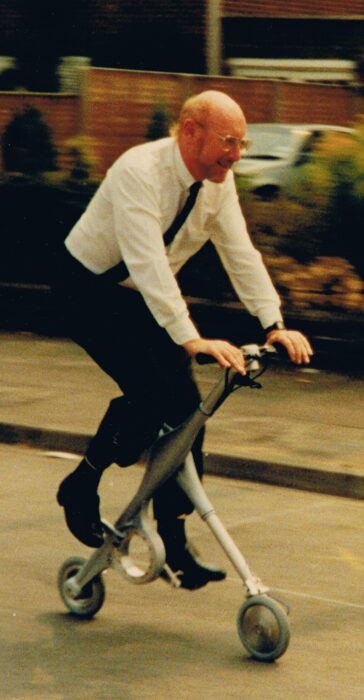
It’s an incredibly sad day for the British computing industry.
We’re always going to be very grateful to Sir Clive for being one of the founding fathers of the UK home computing boom that helped so many of us at Raspberry Pi get hooked on programming as kids.
He was someone from whom the business behind Raspberry Pi has drawn great inspiration. He’ll be very sadly missed.
The post Sir Clive Sinclair, 1940-2021 appeared first on Raspberry Pi.
Maker keanuDav was always forgetting to turn on his bike lights when riding out in the dark. He also never knew how fast he was going, or how long his rides were. So he created a shareable smart bike that automatically turns the lights on or off and keeps track of where you’ve ridden. The project uses a RFID scanner so somebody else can use the bike without messing with Keanu’s personal ride data.
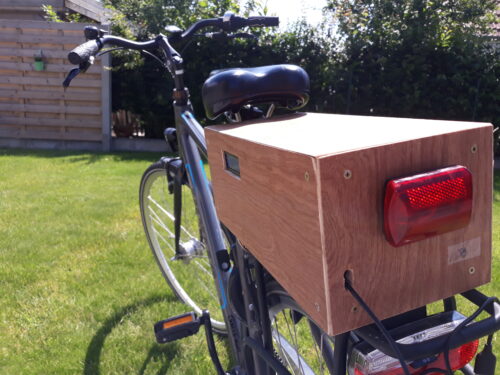
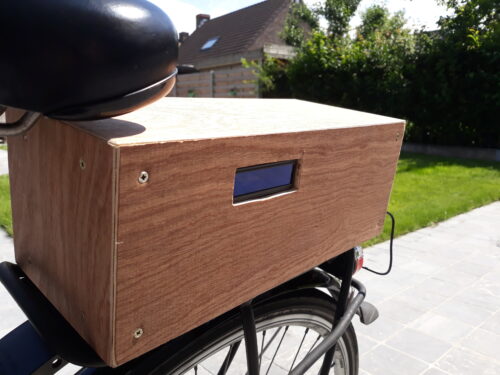
Here in Cambridge, if you forget to take your clip-on lights off your bike when you lock it up, chances are they won’t be there when you go back. We reckon this Raspberry Pi-powered solution could work for us here in the UK’s leading cycling city too, since there’s nothing to easily unclip and walk away with.
Keanu totted up the total price of the build, including wood and the light, at around €145.
We’re not going to lie: the smart bike looks tricky to recreate. I mean, that is a lot of wires. And several bits of hardware. But it does perform multiple functions for the rider, so we can put up with a little fiddliness.
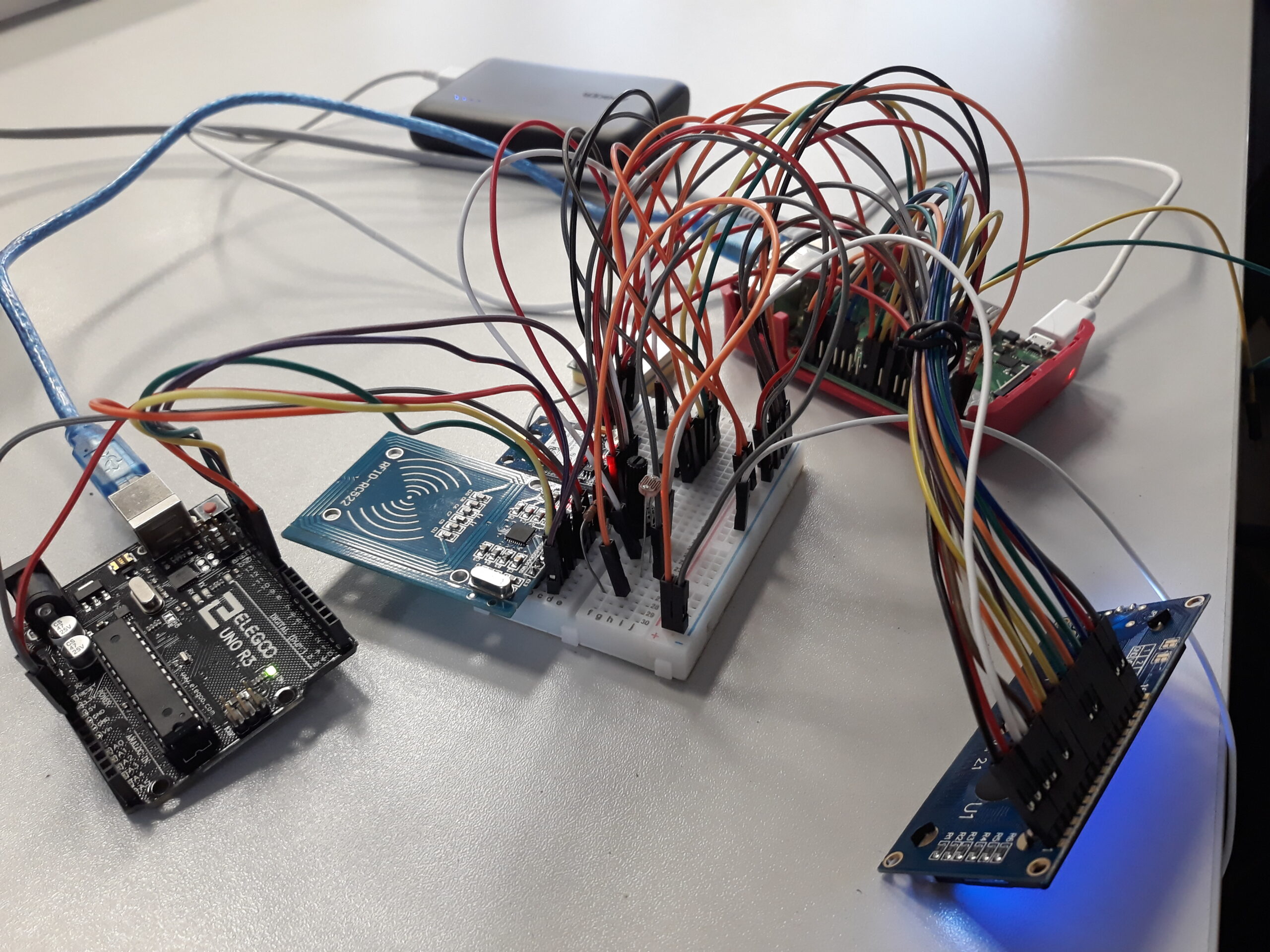
And don’t worry, Keanu is a hero and shared this Fritzing diagram on his instructable, which is handily set out in a twelve-step format so you can follow along easily.
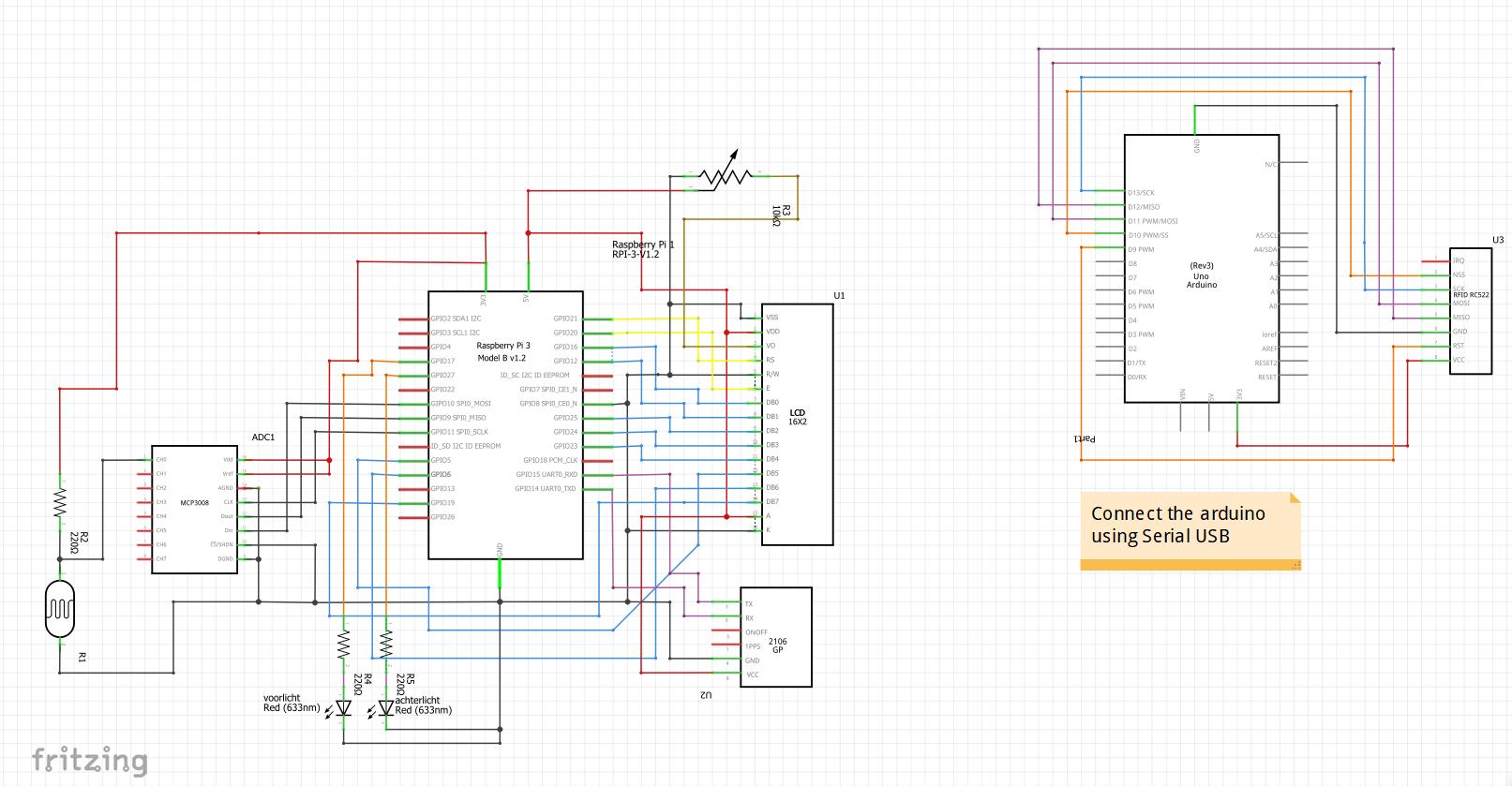
Keanu explains:
“The RFID scanner is used with the arduino. I read out the data from the scanner with the arduino and send it to the Raspberry Pi with Serial USB.
The GPS module is also using serial communication. The data the GPS sends to the Raspberry Pi is not that well formatted, so I used a library to parse the data and make it a lot easier to use.
The analog values from the LDR are converted using the mcp3008 (an adc), then I transform the value to a percentage.”
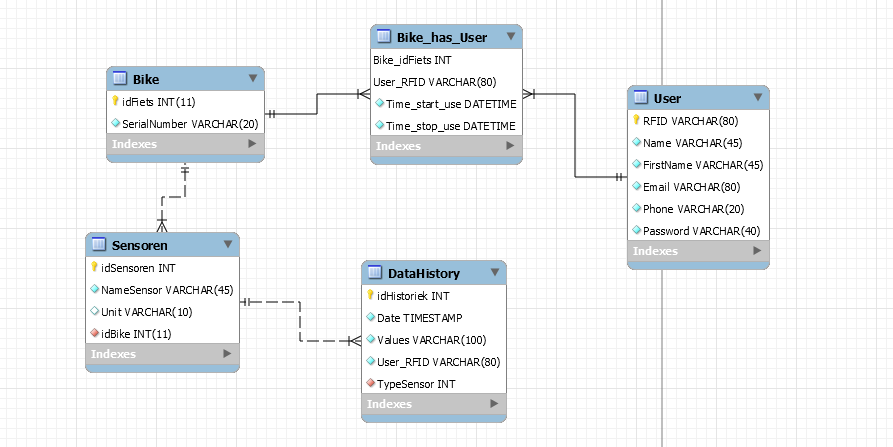
Keanu stores the data in a relational database in mySQL. Then the database and a python script run together on the Raspberry Pi. Here’s everything you need on GitHub.
On top of the impressive coding and electrical skills, Keanu is a dab hand at woodwork. You could use a pre-made box in another material if that’s not your thing. It just needs a hole for the LCD screen to show through.
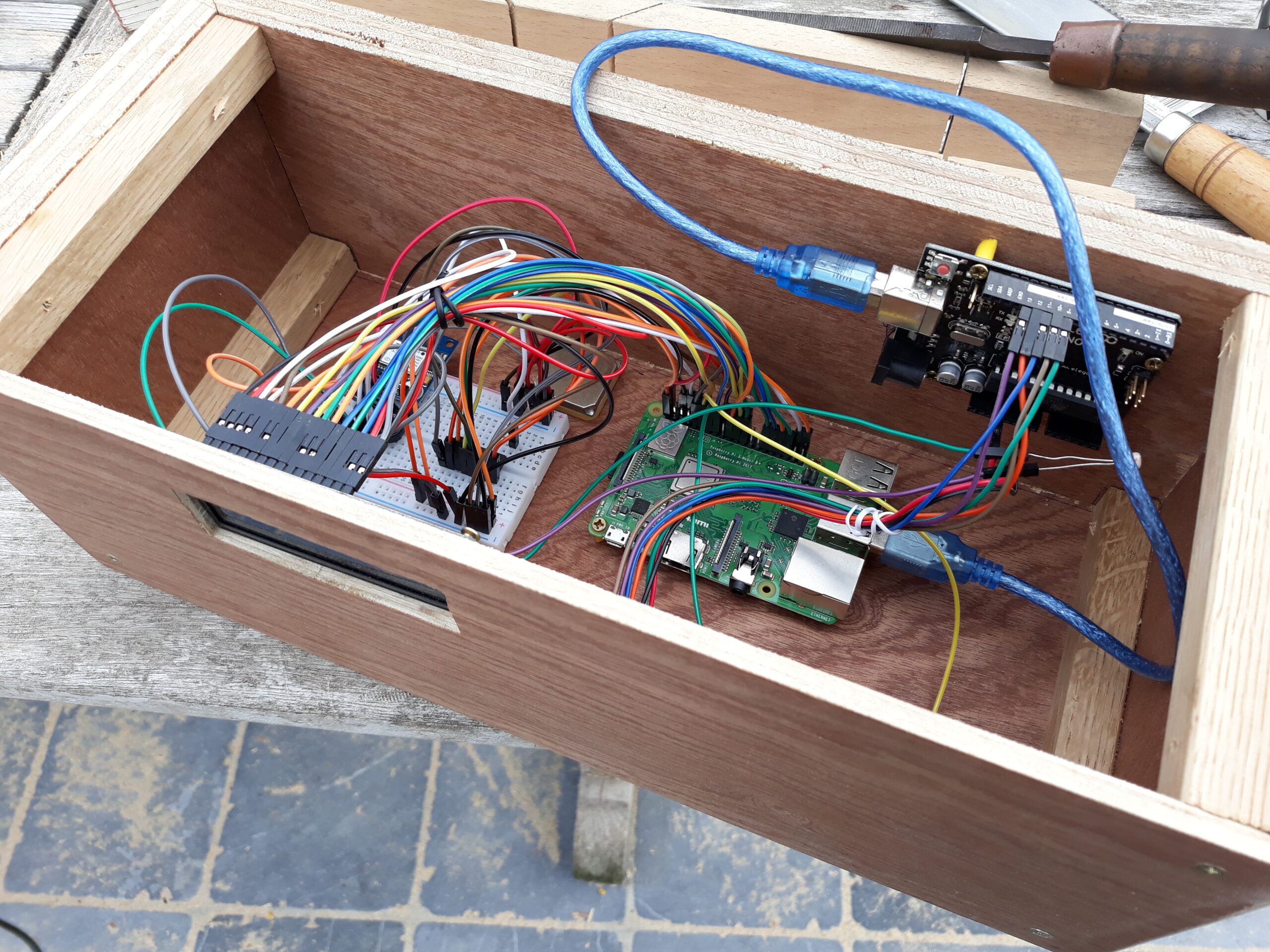
Make sure to check out maker Keanu’s step-by-step tutorial explaining how he made the smart bike.
The post Make your bike smart with Raspberry Pi appeared first on Raspberry Pi.
Maker Jen Fox took to hackster.io to share a Raspberry Pi–powered trash classifier that tells you whether the trash in your hand is recyclable, compostable, or just straight-up garbage.
Jen reckons this project is beginner-friendly, as you don’t need any code to train the machine learning model, just a little to load it on Raspberry Pi. It’s also a pretty affordable build, costing less than $70 including a Raspberry Pi 4.
The code-free machine learning model is created using Lobe, a desktop tool that automatically trains a custom image classifier based on what objects you’ve shown it.
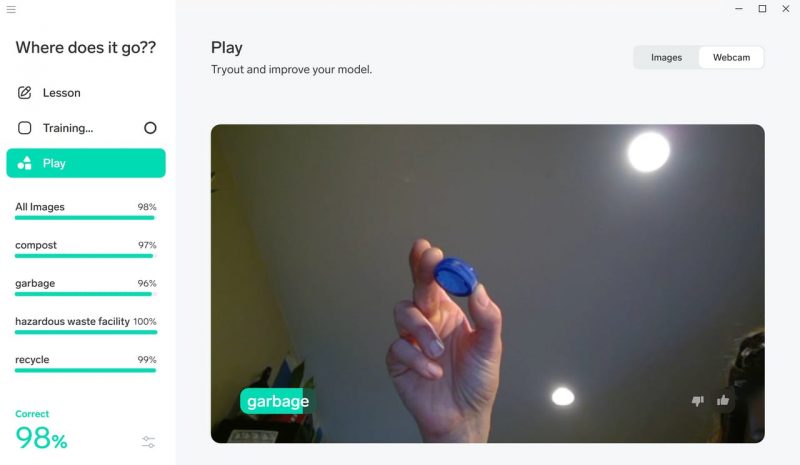
Basically, you upload a tonne of photos and tell Lobe what object each of them shows. Jen told the empty classification model which photos were of compostable waste, which were of recyclable and items, and which were of garbage or bio-hazardous waste. Of course, as Jen says, “the more photos you have, the more accurate your model is.”
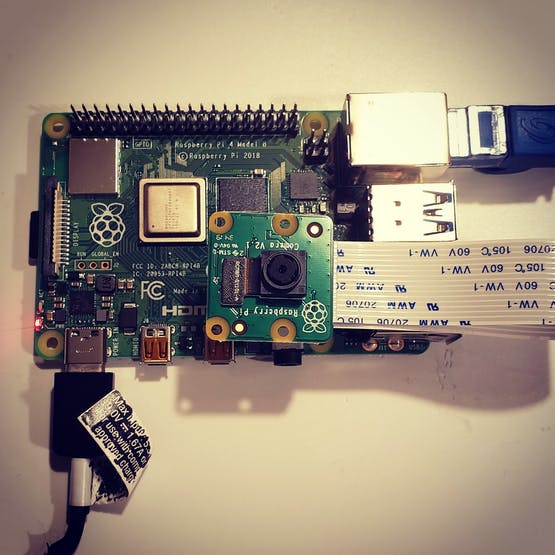
As promised, you only need a little bit of code to load the image classifier onto your Raspberry Pi. The Raspberry Pi Camera Module acts as the image classifier’s “eyes” so Raspberry Pi can find out what kind of trash you hold up for it.
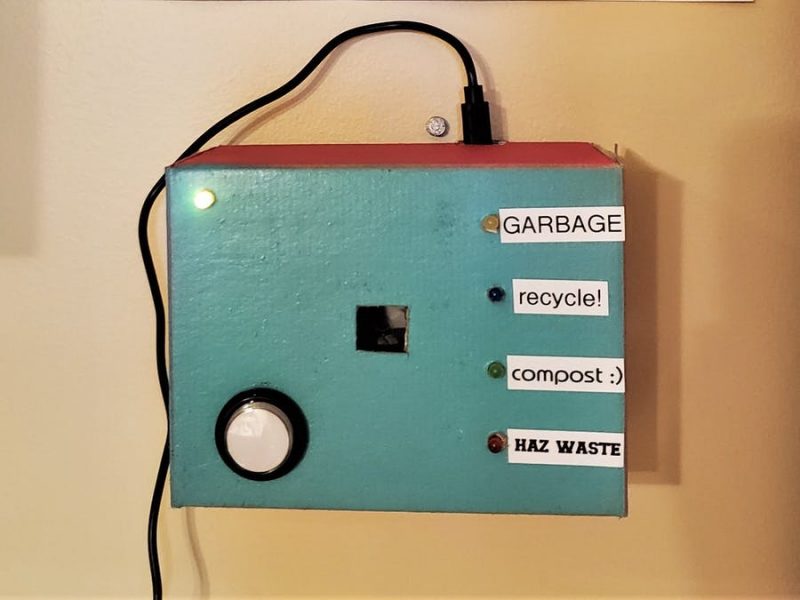
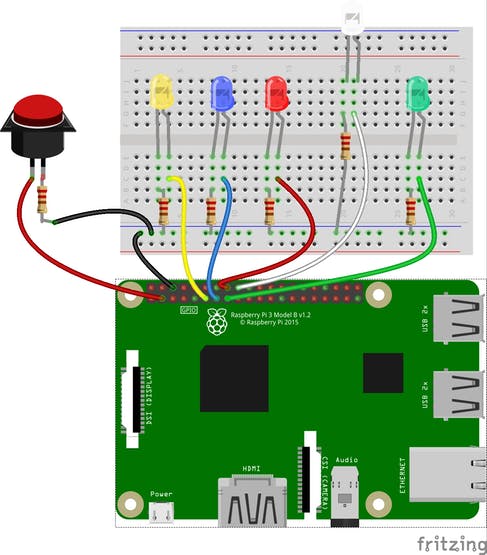
The push button and LEDs are wired up to the Raspberry Pi GPIO pins, and they work together with the camera and light up according to what the image classifier “sees”.
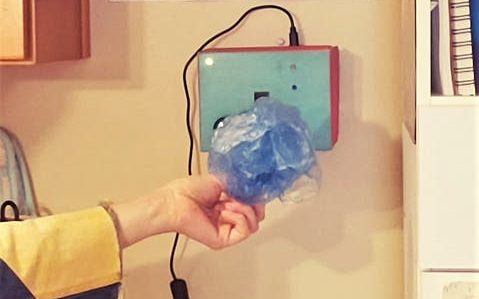
You’ll want to create a snazzy case so your trash classifier looks good mounted on the wall. Kate cut holes in a cardboard box to make sure that the camera could “see” out, the user can see the LEDs, and the push button is accessible. Remember to leave room for Raspberry Pi’s power supply to plug in.
Jen has tonnes of other projects on her Hackster profile — check out the micro:bit Magic Wand.
The post Classify your trash with Raspberry Pi appeared first on Raspberry Pi.
Wanting to break from the standard practice of updating old analogue cameras with digital technology, Alan Wang decided to retrofit a broken vintage camera flash with a Raspberry Pi Zero W to produce a video-capturing action cam.
Raspberry Pi Zero Flash Cam Video Test
Full story of this project: https://www.hackster.io/alankrantas/raspberry-pi-zero-flash-cam-359875
By hacking a somewhat gnarly hole into the body of the broken flash unit, Alan fit in the Raspberry Pi Zero W and Camera Module, along with a few other components. He powers the whole unit via a USB power bank.
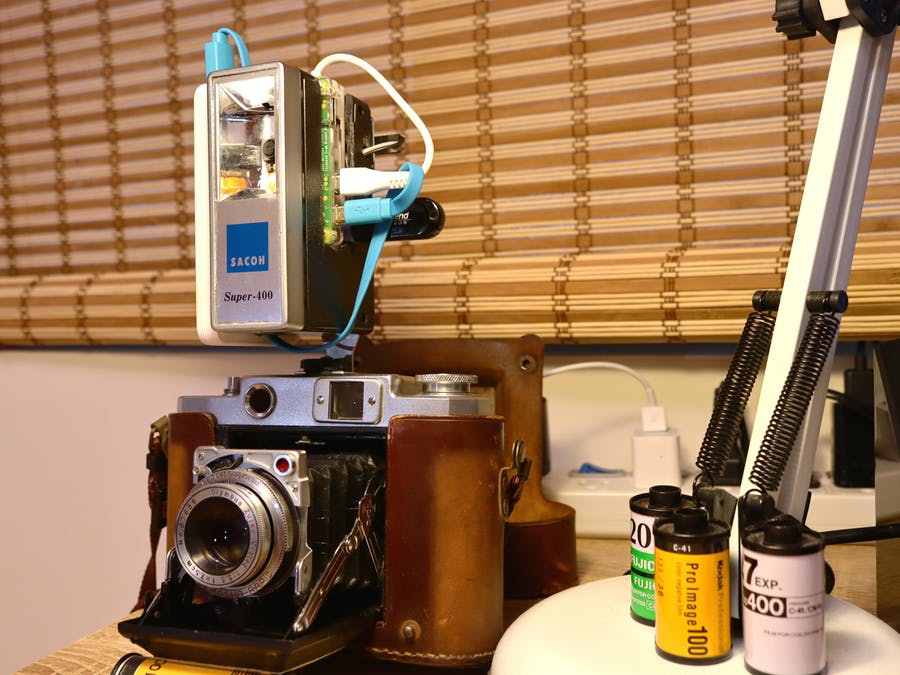
At every touch of the onboard touchpad, the retrofit camera films 12 seconds of footage and saves it as an MP4 file on the onboard SD card or an optional USB flash drive.
While the project didn’t technically bring the flash unit back to life — as the flash function is still broken — it’s a nice example of upcycling old tech, and it looks pretty sweet. Plus, you can attach it to your existing film camera to produce some cool side-by-side comparison imagery, as seen in the setup above.
For a full breakdown of the build, including the code needed to run the camera, check out the project’s Hackster.io page.
The post Retrofit a vintage camera flash with a Raspberry Pi Camera Module appeared first on Raspberry Pi.

 Lateo.net - Flux RSS en pagaille (pour en ajouter : @ moi)