 Connexion


October 2026 TIOBE Index sees Python rebound, Java narrow the gap with C++, R pass SQL, Rust hold No. 10, and Julia return to the top 20 after three years.
The post TIOBE Index for October 2026: Python Rises as Julia Rejoins the Top 20 appeared first on TechRepublic.
September 2026 TIOBE Index keeps the top 10 unchanged, as Python falls below 18%, C++ widens its lead over Java, and Julia nears the top 20.
The post TIOBE Index for September 2026: Python Drops Below 18% as Julia Nears Top 20 appeared first on TechRepublic.
Today, Anthropic rolled out Opus 5, the newest update for the model that has recently become a popular choice for coding and other software development tasks, among other things.
While this is a noteworthy bump for Opus, it doesn't seem to be an Opus 4.5-level breakthrough in agentic coding performance.

I wanted a clock that, annoyingly, didn't seem to exist.
Since childhood, my bedside clocks have been a series of red, seven-segment LED clock-radio specials from Walmart or Target. They are invariably cheap, simple, and long-lived—but they require manual intervention at the start and end of Daylight Saving Time and whenever the power flickers. After a recent power flicker, as I found myself standing by the sideboard holding down "TIME" and mashing the "HOUR" button, frustration boiled over, and I thought to myself, "We're a quarter of the way through the 21st century. There has to be a better way!"
My perfect clock would be self-setting. It would offer auto-DST adjustment (or not, depending on how this bill fares!). It would manage drift and always show the exact sub-second time. It would show that time on a red seven-segment display—not blue, not green, not yellow, and absolutely not white. And I shouldn't have to install any privacy-destroying garbage apps to make it work.
There are a lot of AI coding applications out there, and as impressive as large language models and the agents they enable have become, many of the most recent developments in AI-assisted development have been in the software that manages those models, not just the models themselves.
Earlier this summer, I spoke with the head of product for Claude Code, Anthropic's Cat Wu, about that company's approach to building that software.
July 2026 TIOBE Index puts Rust in the top 10 for the first time, as Python stays near 19% and the programming language ranking marks 25 years.
The post TIOBE Index July 2026: Rust Enters Top 10 as Index Turns 25 appeared first on TechRepublic.
Learning to program in C on an online platform can provide structured learning and a certification to show along with your resume.
The post The 5 Best Online C Programming Courses for 2026 appeared first on TechRepublic.
May 2026 TIOBE Index keeps Python #1 as Java edges past C++. R climbs to #8, and Paul Jansen says statistical tools are consolidating around Python and R.
The post TIOBE Index for May 2026: R Ascends as Statistical Tools Consolidate appeared first on TechRepublic.
April 2026 TIOBE Index shows Python still leading, C strengthening in second, and Rust sliding to #16, suggesting its climb may be leveling off.
The post TIOBE Index for April 2026: C Gains Again While Rust Loses Some Steam appeared first on TechRepublic.
Mozilla developer Peter Wilson has taken to the Mozilla.ai blog to announce cq, which he describes as "Stack Overflow for agents." The nascent project hints at something genuinely useful, but it will have to address security, data poisoning, and accuracy to achieve significant adoption.
It's meant to solve a couple of problems. First, coding agents often use outdated information when making decisions, like attempting deprecated API calls. This stems from training cutoffs and the lack of reliable, structured access to up-to-date runtime context. They sometimes use techniques like RAG (Retrieval Augmented Generation) to get updated knowledge, but they don't always do that when they need to—"unknown unknowns," as the saying goes—and it's never comprehensive when they do.
Second, multiple agents often have to find ways around the same barriers, but there's no knowledge sharing after said training cutoff point. That means hundreds or thousands of individual agents end up using expensive tokens and consuming energy to solve already-solved problems all the time. Ideally, one would solve an issue once, and the others would draw from that experience.
March 2026 TIOBE Index stays largely steady, with SQL and R swapping spots, as Paul Jansen explains why the index still relies on search engine hits.
The post TIOBE Index for March 2026: SQL and R Swap Spots as Jansen Defends Search-Based Rankings appeared first on TechRepublic.
Amazon’s ecommerce business has summoned a large group of engineers to a meeting on Tuesday for a “deep dive” into a spate of outages, including incidents tied to the use of AI coding tools.
The online retail giant said there had been a “trend of incidents” in recent months, characterized by a “high blast radius” and “Gen-AI assisted changes” among other factors, according to a briefing note for the meeting seen by the FT.
Under “contributing factors” the note included “novel GenAI usage for which best practices and safeguards are not yet fully established.”
At the Raspberry Pi Foundation, we believe that learning to program equips young people with the knowledge and skills they need to thrive in an increasingly digital world. For many educators, teaching programming effectively can be challenging, particularly when their learners are at different stages in their programming journey. Ask learners to write code too early, and they might struggle or feel intimidated. Rely too heavily on step-by-step instructions, and you limit learners’ chances to explore ideas or develop deeper understanding.
The PRIMM framework — Predict, Run, Investigate, Modify, Make — provides educators with a structure for teaching programming. This research-informed teaching approach balances support with independence and helps learners build their understanding before they write their own code, whatever their starting point.
To help educators use this approach confidently, we have launched a new short online course, Using PRIMM to teach programming, which is available on our new Training Hub platform for free.
This practical, self-paced course gives educators the knowledge they need to use the PRIMM approach to design and adapt programming activities to suit their learners.
The course takes 1–2 hours to complete, and we have designed it for educators working in formal or non-formal learning environments around the world, using any block-based or text-based programming language. All you need is some experience of creating and adapting simple programs.
The course starts with considering the five stages of PRIMM, when and why to use each stage, and how they work together to support learning. It covers how PRIMM aligns with key teaching principles such as scaffolding, managing cognitive load, and progression, and examines how the approach supports formative assessment by making learners’ thinking — and any misunderstandings — more visible.
Although pedagogy forms the core of this course, we have deliberately avoided a theory-heavy approach. Instead, the course is designed to help you learn through hands-on activities. By reflecting, taking part in discussions with other computing educators, and completing practical tasks, you will explore how PRIMM works in real teaching contexts.
After an introduction to the core ideas of PRIMM, you will design a new programming activity, or adapt an existing one, using the PRIMM structure. This will support you to think carefully about what your learners know and can do, likely misconceptions, and how each stage of PRIMM can be used effectively, including when your learners have varied learning needs and levels of programming experience.
With its emphasis on activity design, the course will support you to develop resources you can use and keep adapting in your own setting. By the end, you will have a complete PRIMM activity designed specifically for your learners, and a clear sense of how to teach programming in a structured and supportive way.
Using PRIMM to teach programming is available on our new Training Hub, where we offer all our professional development courses for free. The Training Hub offers flexible, reflective learning experiences across a range of topics, helping you build your subject knowledge and bring research-informed teaching approaches into your day-to-day practice.
Whether you are an experienced computing teacher, a volunteer educator, or a parent looking to support their child’s learning, we invite you to join us there.
The post ‘Using PRIMM to teach programming’: A new short course for educators appeared first on Raspberry Pi Foundation.
In the age of AI, we believe kids still need to learn to code. We’re also testing how AI tools can be used to help with teaching and learning programming. This blog dives into our new classroom unit ‘Programming with AI’, which we’ve developed for teachers to introduce students to learning to code using tools built on large language models (LLMs). We share an overview of the unit, and the early excitement of educators and learners with whom we’re exploring this new approach to teaching and learning programming.
As India is accelerating its efforts to modernise digital and computing education, it’s the ideal place for us to test how best to introduce learners to AI-assisted approaches to programming and teach them responsible AI use.
We decided to design a ‘Programming with AI’ unit of eight lessons that support students aged 14–16 to progress from block-based programming to text-based Python programming, Python being one of the most widely employed programming languages in industry and academia. In the new unit, students are guided to use LLM-based tools safely, ethically, and responsibly in order to undertake data analysis projects in Python. Students learn how to use the tools, such as Gemini and ChatGPT, to deepen their understanding, experiment with ideas, and connect classroom concepts with real-world technological applications.
The ‘Programming with AI’ unit is currently being piloted across five residential schools under our partner, the Telangana Social Welfare Residential Educational Institutions Society. In the coming months, we will evaluate the impact of this AI-supported approach to learning programming on student engagement, motivation, and overall learning outcomes.
During the design phase of the unit, we identified three main challenges we wanted to address:
To solve the first problem, we decided that the initial lessons in the unit should start by showing familiar Scratch blocks right next to the equivalent Python syntax. This direct comparison makes the transition from block-based to text-based programmer smoother.
To teach prompting, we built a gradual path. The unit starts with a debugging code activity, where students get code with errors and a prompt to make an LLM tool fix the errors. Later, they learn to break down a prompt into their goal (what output they want) and the context (additional information for the LLM tool). Eventually, they use a structured framework to prompt the tool to generate complete, bug-free code.
Handling the unpredictable outputs of LLM tools we turned into a learning activity. In one lesson, students are given different chatbot-generated code segments and asked to analyse and reflect on the code quality. This crucial exercise helps them build the critical thinking and code evaluation skills they need for programming with AI tools.
Over the eight lessons, there is a progression of Python concepts and generative AI concepts, as shown in the image above. They lead students to complete two challenging, real-world data analysis projects.
To ensure the successful pilot of the ‘Programming with AI’ unit, a comprehensive teacher training program was essential. We understood that teachers needed confidence and competence not only in the subject matter — programming — but also in guiding students to ethically and effectively use LLM tools.
The training was an intensive, three-day programme: two days were held in-person for deep collaboration and one day was virtual for reinforcing key information. We covered five critical areas:
This training ensured our educators were not just teaching a new unit, but felt like confident facilitators ready to lead the shift towards AI-supported learning.
The pilot of the ‘Programming with AI’ unit began during the second week of December 2025 across five selected schools. It was immediately met with enthusiastic student engagement — they were highly excited to learn Python programming using LLM tools.
When teachers initiated discussions about AI, students demonstrated their familiarity with LLMs, chatbots, and related concepts. They were not only aware of generative AI but could readily name and describe the functions of LLM tools, telling us they were actively using these tools to create projects in various other subjects.
Students could easily connect with the activities in the lessons as they had foundational understanding of programming, which they developed while learning block-based coding in Scratch. This prior knowledge enabled their seamless transition to the new learning. Perhaps most impressive was the students’ rapid adoption of LLM tools to debug their code. This skill can ease what is traditionally a steep learning curve when students first learn text-based programming.
We are now eagerly anticipating their curiosity and progress in the upcoming lessons.
With the initial enthusiasm confirmed, the pilot program moves into its next critical phase. Teachers will continue to deliver the unit over the next few months in the five selected schools in Telangana.
During this extended observation period, our primary focus will be on rigorous data collection and impact assessment. We will closely monitor how students interact with the provided learning materials and how they use LLM tools throughout the unit. We will systematically assess whether the new teaching approach successfully helps students achieve the defined learning objectives for Python programming. Crucially, we will capture comprehensive data to understand the impact of this AI-integrated approach on engagement, skill acquisition, and problem-solving compared to traditional methods.
Based on the synthesis and analysis of all the gathered data, we will share our gathered insights early next year. The findings will inform our plans for more widely introducing the AI-integrated unit and for developing similar content for other settings and age groups.
The post Introducing our new ‘Programming with AI’ unit appeared first on Raspberry Pi Foundation.
It’s been over a year since I last wrote an update on this blog about our research and as we’ve just published our 2025 Annual Report, this is an ideal opportunity to share what we’ve been working on at the Raspberry Pi Computing Education Research Centre.
We are a research centre based in the Department of Computer Science and Technology at the University of Cambridge, with a team that spans the university and the Raspberry Pi Foundation. We conduct research into many aspects of the teaching and learning of computing and AI and we work closely with schools, teachers and young people to ensure our research is applicable to practice.
Below I highlight some of the projects we’ve worked on in the academic year 2024-2025:
As I’ve written on this blog before, computing education is a global challenge. In one of the Research Centre’s projects, we are looking at how computing education is spreading around the world.
We found that between 2019 and 2024 the number of countries offering computing education had doubled, and that two thirds of all countries now offer, or have concrete plans to offer, computing education. This research has already been highlighted in the Stanford AI Index, and we are considering repeating the analysis in future years in order to have the most accurate and up-to-date information displayed in our map.
We have a number of projects in the area of AI education.
We are very interested in how to teach about AI, and held a workshop with teachers who were interested in the teaching of AI in February. Following on from the workshop results, we are interviewing more stakeholders, including UK-based experts, teachers and students, about their perspectives on concepts and skills that should be taught as part of an AI curriculum.
We’re also researching data science and data ethics education, which are foundational aspects of AI literacy. Most of the current AI systems are data-driven, having been trained on vast amounts of data. Therefore students need to understand about data and data science if they are to learn about AI systems. Therefore we’ve conducted two detailed literature reviews on data science and on data ethics this year. The first of these will be published in March at the WiPSCE conference.
One of our PhD students, Salomey Addo, has been examining how AI is taught in Ghana, where it is part of the curriculum for young people between ages 12 and 15. This year Salomey published a paper reporting that Ghanaian teachers have positive attitudes towards teaching AI but feel unprepared for it. She’s also developed unplugged resources to teach about artificial neural networks (ANNs).
ANNs are a fundamental technology used in a variety of AI systems, including image recognition and language translation systems. While ANNs are included in the Ghanaian AI curriculum, Salomey observed that teachers had difficulty with this particular topic The resources she developed are directly inspired by this, and involved teaching through role play and a board game.
This is an area we’ve also done some research in in the past year.
Carrie Anne Philbin published a paper in September showing that — at least in higher education — much of the use of generative AI in computing education is just duplicating the way teachers might already teach, and is primarily passive from a students’ perspective.
Meanwhile Katharine Childs and Veronica Cucuiat have been looking at how large language models (LLMs) can support secondary school programming education by helping students understand programming error messages.
Text-based programming is a topic featured in many computing curricula around the world. Teachers and researchers know that younger learners, for example at the lower secondary school level, can find debugging text-based programs very challenging. Although we’ve seen decades of research around programming and debugging focusing on learners who are in higher education, very little research has been done with school-age students.
In his research, Laurie Gale, a final-year PhD student at the Research Centre, found that learners were impatient to fix programs by trial and error, without figuring out what the real problemwas with their code or the underlying algorithm. He subsequently developed a tool called PRIMM Debug, which supports a more reflective and systematic approach to debugging. This tool enables learners to slow down when they are programming and to be more reflective. You can read more about it on the Research Centre website, and also catch up on the Foundation research seminar where he presented his work.
As part of a 5-year longitudinal project, running across the whole UK and the first project of its kind, we are looking at how physical computing impacts primary and secondary school learners. We’re investigating the effect of physical computing on learners’ creativity, agency and confidence, over time and at particular points known to be important for their subject choices. We are working with a wonderful set of partner primary schools who we visit each year.
This year we reported some of our first results, which point to teachers’ perceptions of physical computing being engaging and inclusive for primary-aged children. Starting next spring, we will be carrying out our third year of data collection with our pupil cohort, who have reached the age of 10 to 11.
We’ll also be running a survey next summer for upper primary-aged children and their teachers. Please sign up for our Teacher Research Network newsletter to be the first to hear about taking part in this survey.
As part of our TICE project we support teachers to conduct their own action research projects. This is a collaborative project, involving academics across the UK who volunteer to support teachers. The goal is to enable teachers to take a deep dive into a curriculum topic, a pedagogical approach, or a new resource, or to address a wider issue such as gender diversity or accessibility, to inform a change in their practice.
This year 16 teachers published their reports in our Teacher Research Booklet, and many also presented their findings online at CAS events or at the KCL-CAS London conference and the CAS National Conference. We’re very proud of them!
Two of our TICE teachers will be also presenting their research at an academic conference to be held in January. Congratulations to Will Grey and Joanne Hodge!
There are many other projects you can find out about on our website and in our annual report, so I hope that you will keep reading. It goes without saying that I’m incredibly proud of the team who’ve worked on all of these projects!
To summarise, here’s how you can stay up to date with our work and maybe even get involved in studies:
Finally, I am pleased to announce that we will be hosting the UKICER 2026 conference for researchers and teachers in Cambridge on 3 and 4 2026 September. More details will follow on the UKICER website and on the Research Centre website in due course.
The post 2025 highlights from the Raspberry Pi Computing Education Research Centre appeared first on Raspberry Pi Foundation.
Take a minute to think about the technology you use every day. How many programming hours went into the way you are reading this blog post? What discussions and solutions built the browser you’re using? We take for granted all the clever, creative programming that goes into the technology we use in our daily lives. But how do we best teach programming to support the next generation of innovators?
The brand-new issue of Hello World — and our new podcast mini series — aims to answer that question. This issue is packed with insightful research, practical advice, and thoughtful ways to best teach programming in your classroom.
In their articles for issue 28, educators explore a range of topics related to teaching programming, such as:
Our feature articles also include:
Simon Peyton Jones, British computer scientist and Member of the Raspberry Pi Foundation, says in his article ‘Programming the Future’:
“Designing and writing software is one of the most demanding, intellectually stretching tasks that humans undertake. If we build a building, we are limited by the strength of steel — we can only make the tower so high before it will fall under its own weight. But software knows no such limits. The only limit is our own ability (or inability) to manage the complexity of the systems we build. That is humbling — but also exciting.”
Programming is exciting, and we hope Hello World issue 28 inspires you to continue doing the important work of educating the next generation of programmers and innovators. This issue will provide you with plenty of ideas to take away and build upon.
Also in issue 28:
And much, much more.
Let us know which articles you found most thought-provoking, and which will be most helpful for your teaching, by sending us a message or tagging us on social media.
Thank you to Oracle for sponsoring this issue of Hello World.
The post Hello World #28 out now: Teaching programming appeared first on Raspberry Pi Foundation.
Today we are starting a campaign to support every school and library in the UK to set up a free Code Club to make sure that all young people can develop the skills and knowledge they need to thrive in the age of AI.
Over the past decade, Code Club has provided more than 2 million young people with the opportunity to learn how to build their own apps, games, animations, websites, robots, and so much more.
We know that getting hands-on, practical experience of building real projects with technology works. Independent evaluations have shown that attending a Code Club not only helps young people develop their programming skills, but also builds wider life skills such as confidence, resilience, problem-solving, and communication. All of which we know are essential if they are going to thrive in a world where AI is ubiquitous.
Right now, there are over 2,000 Code Clubs meeting in schools and libraries all over the UK, organised by an amazing community of teachers, educators, and volunteers from all walks of life. We want to see that number grow.
You don’t need technical skills to mentor at a Code Club. The Raspberry Pi Foundation provides free, self-guided projects that help young people learn how to create with different technologies. We have over 200 Code Club Projects on our website, all of which are developed by expert educators, based on evidence of how young people learn, and rigorously tested; so we know that they are effective.
That includes a set of projects that support the safe exploration of AI technologies, helping young people understand how AI works, its possibilities and limitations.
We also provide training and support to help you set up and run your Code Club, all of which is available at no charge.
I can promise you that the hour you spend in a Code Club will be the highlight of your week. I always come away from Code Club inspired and optimistic about what young people can achieve if we give them a sense of agency over technology.
If you have been inspired to set up your own Code Club, you can find all the information you need to run your own club here.
You don’t have to take my word for it: here’s Janine, a Computer Science teacher and long-time Code Club mentor from Stoke-on-Trent sharing her experience.
Janine Kirk is a Computer Science Teacher at The King’s Church of England Academy in Stoke-on-Trent, UK, who has been running a Code Club for over ten years. She has been inspired by the campaign for a Code Club in every school and library in the UK, to set up clubs in six other schools in her multi-academy trust.
Setting up a Code Club is really easy as a teacher, as you can just tag it onto the end of your school day, or during lunch. The website is clear and easy to use — and once you have signed up, you have access to additional resources to promote your club. Code Club gives time and space to explore coding in a completely different way than in a classroom. For me, it’s about seeing what programs really inspire students: it gives an insight into how students like to code, ideas of preferred coding language, and tasks they keep coming back to. Running a Code Club has also allowed me to build relationships with students outside of the classroom environment, and all of this spills into my lessons and improves my teaching practice.
For students, Code Club is a great space where they can collaborate and work on their chosen tasks. Students often comment on how they look forward to Code Club and how they have continued their projects at home. It also allows students much more variety in enrichment activity, as Code Club is often popular with students who are neurodivergent. It’s amazing to see the children grow in confidence and friendship as they find likeminded students to support each other.
My students really love the certificates they can earn. We have been inspired by the excellent activities that revamp the old ways of teaching programming and give them a really nice spin. In fact, I have used the resources in computer science lessons too, as they are often much more visual and fun for the students to create.
Since joining Code Club I have felt part of a community. I receive regular updates, and attending events such as the Clubs Conference really helps inspire creative ways to teach coding. As a computing teacher in a secondary school, you are often part of a very small team — but Code Club has allowed me to feel part of something bigger, and I know that should I need support, they are always there with friendly advice. It really is the best thing that I have done in my career.
Are you inspired to set up your own Code Club? Then find more information on how to get started running a club today.
The post A Code Club in every school and library appeared first on Raspberry Pi Foundation.
Creating a computer program involves many different skills — knowing how to code is just one part. When we teach programming to young people, we want to guide them to learn these skills in a structured way. The ‘levels of abstraction’ framework is a great tool for doing that. This blog describes how using the framework will benefit you and your learners in the computing classroom.
We’re also excited to share our new Pedagogy Quick Read, which you can download for free to:
Creating a program from the ground up can be daunting, especially for new learners. Without support, they’ll likely get stuck sooner or later; programs rarely work the first time round. And the more complex the problem that a program is addressing, the more likely it is that the first version of the program won’t work.
One reason that learning to program can be challenging is that it involves understanding a lot of specific concepts and applying many varied skills. From early on in their learning journey, young people need to have a firm grasp of concepts such as repetition, selection, variables, and functions. Also fundamental to learning to program well is the skill of abstraction: understanding a task and identifying which details are relevant and which can be ignored.
To get to grips with all these different concepts and skills, young people need structure — otherwise they’ll try to hold everything in their head at once, and likely feel overwhelmed by the cognitive load. This sort of experience may cause them to disengage instead of persisting. They may even decide that programming is not for them.
In light of these challenges, the ‘levels of abstraction’ framework is a great tool for teaching.
The framework breaks programming down into four levels, each focusing on a different aspect of creating a program:
Throughout the processes of developing a program, learners (and professional programmers) move between these levels as they implement their designs and debug them, sometimes even returning to the problem level if more analysis or clarification is needed.
Potential benefits of the ‘levels of abstraction’ framework for teachers:
Potential benefits for learners:
Our new Quick Read shares tips on how to best use the framework in your teaching.
Things to aim for when using the framework with your learners:
We hope you find the framework useful. If you have ideas for how to use it in your teaching, why not share them in the comments?
When following the ‘levels of abstraction’ approach, learners need to explain how programs work and debug them. That means program comprehension is a key skill here. You may have already helped your learners to develop and practise this skill, for example with the PRIMM approach. The Block Model is another useful tool for helping your learners talk about various aspects of a program. And if you use the pair programming approach in programming activities, your learners can improve their program comprehension by talking about their code with each other. On our website, you’ll find more guidance on the best ways to teach programming and computing.
And what about generative artificial intelligence (AI) tools for programmers? In the age of AI, we think young people still need to learn to code because it empowers them to navigate and think critically about all digital technologies, including AI. And while generative AI tools can help a skilled programmer create quality code more quickly, more research is needed to show whether such tools help school-age young people build their understanding as they learn to code. You can see some of the great work being done in this area if you catch up with our 2024 research seminar series.
The ‘levels of abstraction’ framework is useful in your teaching no matter what tools young people use to create programs. Even with an AI tool, they will still need to work at all four levels of abstraction to program effectively.
The post How to give your students structure as they learn programming skills appeared first on Raspberry Pi Foundation.
Today we’re publishing a position paper setting out five arguments for why we think that kids still need to learn to code in the age of artificial intelligence.
Just like every wave of technological innovation that has come before, the advances in artificial intelligence (AI) are raising profound questions about the future of human work. History teaches us that technology has the potential to both automate and augment human effort, destroying some jobs and creating new ones. The only thing we know for sure is that it is impossible to predict the precise nature and pace of the changes that are coming.
One of the fastest-moving applications of generative AI technologies are the systems that can generate code. What started as the coding equivalent of autocomplete has quickly progressed to tools that can generate increasingly complex code from natural language prompts.
This has given birth to the notion of “vibe-coding” and led some commentators to predict the end of the software development industry as we know it. It shouldn’t be a surprise then that there is a vigorous debate about whether kids still need to learn to code.
In the position paper we put forward five arguments for why we think the answer is an unequivocal yes.
First, we argue that even in a world where AI can generate code, we need skilled human programmers who can think critically, solve problems, and make ethical decisions. The large language models that underpin these tools are probabilistic systems designed to provide statistically acceptable outputs and, as any skilled software engineer will tell you, simply writing more code faster isn’t necessarily a good thing.
Learning to code is the most effective way we know for a young person to develop the mental models and fluency to become a skilled human programmer. The hard cognitive work of reading, modifying, writing, explaining, and testing code is precisely how young people develop a deep understanding of programming and computational thinking.
While there’s no doubt that AI is going to reshape the labour market, the evidence from history suggests that it will increase the reach of programming and computational approaches across the economy and into new domains, creating demand for humans who are skilled programmers. We also argue that coding is no longer just for software engineers, it’s becoming a core skill that enables people to work effectively and think critically in a world shaped by intelligent machines. From healthcare to agriculture, we are already seeing demand for people who can combine programming with domain-specific skills and craft knowledge.
Alongside the arguments for coding as a route to opening up economic opportunities, we argue that coding and programming gives young people a way to express themselves, to learn, and to make sense of the world.
And perhaps most importantly, that learning to code is about power. Providing young people with a solid grounding in computational literacy, developed through coding, helps ensure that they have agency. Without it, they risk being manipulated by systems they don’t understand. As Rushkoff said: “Program, or be programmed”.
Finally, we argue that the power to create with technology is already concentrated in too small and homogenous a group of people. We need to open up the opportunity to learn to code to all young people because it will help us mobilise the full potential of human talent, will lead to more inclusive and effective digital solutions to the big global challenges we face, and will help ensure that everyone can share in the societal and economic benefits of technological progress.
We end the paper with a call to action for all of us working in education. We need to challenge the false narrative that AI is removing the need for kids to learn to code, and redouble our efforts to ensure that all young people are equipped to take advantage of the opportunities in a world where AI is ubiquitous.
You can read the full paper here:
The cartoon image for this blog was created using ChatGPT-4o, which was prompted to produce a “whimsical cartoon that expresses some of the key ideas in the position paper”. It took several iterations.
The post Why kids still need to learn to code in the age of AI appeared first on Raspberry Pi Foundation.
Generative AI (GenAI) tools like GitHub Copilot and ChatGPT are rapidly changing how programming is taught and learnt. These tools can solve assignments with remarkable accuracy. GPT-4, for example, scored an impressive 99.5% on an undergraduate computer science exam, compared to Codex’s 78% just two years earlier. With such capabilities, researchers are shifting from asking, “Should we teach with AI?” to “How do we teach with AI?”
Leo Porter and Daniel Zingaro have spearheaded this transformation through their groundbreaking undergraduate programming course. Their innovative curriculum integrates GenAI tools to help students tackle complex programming tasks while developing critical thinking and problem-solving skills.
Leo and Daniel presented their work at the Raspberry Pi Foundation research seminar in December 2024. During the seminar, it became clear that much could be learnt from their work, with their insights having particular relevance for teachers in secondary education thinking about using GenAI in their programming classes
In 2023, Leo and Daniel introduced GitHub Copilot in their introductory programming CS1-LLM course at UC San Diego with 550 students. The course included creative, open-ended projects that allowed students to explore their interests while applying the skills they’d learnt. The projects covered the following areas:
Students consistently reported that these projects were not only enjoyable but also responsible for deepening their understanding of programming concepts. A majority (74%) found the projects helpful or extremely helpful for their learning. One student noted that.
“Programming projects were fun and the amount of freedom that was given added to that. The projects also helped me understand how to put everything that we have learned so far into a project that I could be proud of.“
Leo and Daniel emphasised that teaching programming with GenAI involves fostering a mix of traditional and AI-specific skills.
Their approach centres on six core competencies:
Ethical and metacognitive skills: Students engage in discussions about responsible AI use and reflect on the decisions they make when collaborating with AI tools.
The rise of GenAI has prompted educators to rethink how they assess programming skills. In the CS1-LLM course, traditional take-home assignments were de-emphasised in favour of assessments that focused on process and understanding.
While Leo and Daniel reported that the integration of AI tools into their course has been largely successful, it has also introduced challenges. Surveys revealed that some students felt overly dependent on AI tools, expressing concerns about their ability to code independently. Addressing this will require striking a balance between leveraging AI tools and reinforcing foundational skills.
Additionally, ethical concerns around AI use, such as plagiarism and intellectual property, must be addressed. Leo and Daniel incorporated discussions about these issues into their curriculum to ensure students understand the broader implications of working with AI technologies.
Leo and Daniel’s work demonstrates that GenAI can transform programming education, making it more inclusive, engaging, and relevant. Their course attracted a diverse cohort of students, as well as students traditionally underrepresented in computer science — 52% of the students were female and 66% were not majoring in computer science — highlighting the potential of AI-powered learning to broaden participation in computer science.
By embracing this shift, educators can prepare students not just to write code but to also think critically, solve real-world problems, and effectively harness the AI innovations shaping the future of technology.
If you’re an educator interested in using GenAI in your teaching, we recommend checking out Leo and Daniel’s book, Learn AI-Assisted Python Programming, as well as their course resources on GitHub. You may also be interested in our own Experience AI resources, which are designed to help educators navigate the fast-moving world of AI and machine learning technologies.
Our 2025 seminar series is exploring how we can teach young people about AI technologies and data science. At our next seminar on Tuesday, 11 March at 17:00–18:00 GMT, we’ll hear from Lukas Höper and Carsten Schulte from Paderborn University. They’ll be discussing how to teach school students about data-driven technologies and how to increase students’ awareness of how data is used in their daily lives.
To sign up and take part in the seminar, click the button below — we’ll then send you information about joining. We hope to see you there.
The schedule of our upcoming seminars is online. You can catch up on past seminars on our previous seminars and recordings page.
The post Integrating generative AI into introductory programming classes appeared first on Raspberry Pi Foundation.
Artificial intelligence (AI) continues to change many areas of our lives, with new AI technologies and software having the potential to significantly impact the way programming is taught at schools. In our seminar series this year, we’ve already heard about new AI code generators that can support and motivate young people when learning to code, AI tools that can create personalised Parson’s Problems, and research into how generative AI could improve young people’s understanding of program error messages.
At times, it can seem like everything is being automated with AI. However, there are some parts of learning to program that cannot (and probably should not) be automated, such as understanding errors in code and how to fix them. Manually typing code might not be necessary in the future, but it will still be crucial to understand the code that is being generated and how to improve and develop it.
As important as debugging might be for the future of programming, it’s still often the task most disliked by novice programmers. Even if program error messages can be explained in the future or tools like LitterBox can flag bugs in an engaging way, actually fixing the issues involves time, effort, and resilience — which can be hard to come by at the end of a computing lesson in the late afternoon with 30 students crammed into an IT room.
But what is it about debugging that young people find so hard, even when they’re given enough time to do it? And how can we make debugging a more motivating experience for young people? These are two of the questions that Laurie Gale, a PhD student at the Raspberry Pi Computing Education Research Centre, focused on in our July seminar.
Laurie has spent the past two years talking to teachers and students and developing tools (a visualiser of students’ programming behaviour and PRIMMDebug, a teaching process and tool for debugging) to understand why many secondary school students struggle with debugging. It has quickly become clear through his research that most issues are due to problematic debugging strategies and students’ negative experiences and attitudes.
When students first start learning how to program, they have to remember a vast amount of new information, such as different variables, concepts, and program designs. Utilising this knowledge is often challenging because they’re already busy juggling all the content they’ve previously learnt and the challenges of the programming task at hand. When error messages inevitably appear that are confusing or misunderstood, it can become extremely difficult to debug effectively.
Given this information overload, students often don’t develop efficient strategies for debugging. When Laurie analysed the debugging efforts of 12- to 14-year-old secondary school students, he noticed some interesting differences between students who were more and less successful at debugging. While successful students generally seemed to make less frequent and more intentional changes, less successful students tinkered frequently with their broken programs, making one- or two-character edits before running the program again. In addition, the less successful students often ran the program soon after beginning the debugging exercise without allowing enough time to actually read the code and understand what it was meant to do.
The issue with these behaviours was that they often resulted in students adding errors when changing the program, which then compounded and made debugging increasingly difficult with each run. 74% of students also resorted to spamming, pressing ‘run’ again and again without changing anything. This strategy resonated with many of our seminar attendees, who reported doing the same thing after becoming frustrated.
Educators need to be aware of the negative consequences of students’ exasperating and often overwhelming experiences with debugging, especially if students are less confident in their programming skills to begin with. Even though spending 15 minutes on an exercise shows a remarkable level of tenaciousness and resilience, students’ attitudes to programming — and computing as a whole — can quickly go downhill if their strategies for identifying errors prove ineffective. Debugging becomes a vicious circle: if a student has negative experiences, they are less confident when having to bug-fix again in the future, which can lead to another set of unsuccessful attempts, which can further damage their confidence, and so on. Avoiding this downward spiral is essential.
Laurie stresses the importance of understanding the cognitive challenges of debugging and using the right tools and techniques to empower students and support them in developing effective strategies.
Some ideas of how to improve debugging skills that were mentioned by Laurie and our attendees included:
Most importantly, debugging should not be a daunting or stressful experience. Everyone in the seminar agreed that creating a positive error culture is essential.
Some ideas you could explore in your classroom include:
In a welcoming classroom where students are given support and encouragement, debugging can be a rewarding experience. What may at first appear to be a failure — even a spectacular one — can be embraced as a valuable opportunity for learning. As a teacher in Laurie’s study said, “If something should have gone right and went badly wrong but somebody found something interesting on the way… you celebrate it. Take the fear out of it.”
Watch the recording of Laurie’s presentation:
In our current seminar series, we are exploring how to teach programming with and without AI.
Join us at our next seminar on Tuesday, 12 November at 17:00–18:30 GMT to hear Nicholas Gardella (University of Virginia) discuss the effects of using tools like GitHub Copilot on the motivation, workload, emotion, and self-efficacy of novice programmers. To sign up and take part in the seminar, click the button below — we’ll then send you information about joining. We hope to see you there.
The schedule of our upcoming seminars is online. You can catch up on past seminars on our previous seminars and recordings page.
The post How to make debugging a positive experience for secondary school students appeared first on Raspberry Pi Foundation.
As discussions of how artificial intelligence (AI) will impact teaching, learning, and assessment proliferate, I was thrilled to be able to add one of my own research projects to the mix. As a research scientist at the Raspberry Pi Foundation, I’ve been working on a pilot research study in collaboration with Jane Waite to explore the topic of program error messages (PEMs).
PEMs can be a significant barrier to learning for novice coders, as they are often confusing and difficult to understand. This can hinder troubleshooting and progress in coding, and lead to frustration.
Recently, various teams have been exploring how generative AI, specifically large language models (LLMs), can be used to help learners understand PEMs. My research in this area specifically explores secondary teachers’ views of the explanations of PEMs generated by a LLM, as an aid for learning and teaching programming, and I presented some of my results in our ongoing seminar series.
I started the seminar by setting the scene and describing the current background of research on novices’ difficulty in using PEMs to fix their code, and the efforts made to date to improve these. The three main points I made were that:
My pilot study aims to fill this gap directly, by reporting K–12 teachers’ views of the potential use of LLM-generated explanations of PEMs in the classroom, and how their views fit into the wider theoretical paradigm of feedback literacy.
To conduct the study, I interviewed eight expert secondary computing educators. The interviews were semi-structured activity-based interviews, where the educators got to experiment with a prototype version of the Foundation’s publicly available Code Editor. This version of the Code Editor was adapted to generate LLM explanations when the question mark next to the standard error message is clicked (see Figure 1 for an example of a LLM-generated explanation). The Code Editor version called the OpenAI GPT-3.5 interface to generate explanations based on the following prompt: “You are a teacher talking to a 12-year-old child. Explain the error {error} in the following Python code: {code}”.
Fifteen themes were derived from the educators’ responses and these were split into five groups (Figure 2). Overall, the educators’ views of the LLM feedback were that, for the most part, a sensible explanation of the error messages was produced. However, all educators experienced at least one example of invalid content (LLM “hallucination”). Also, despite not being explicitly requested in the LLM prompt, a possible code solution was always included in the explanation.
Next, I investigated how the teachers’ views correlated to the research conducted to date on enhanced PEMs. I used the guidelines proposed by Brett Becker and colleagues, which consolidate a lot of the research done in this area into ten design guidelines. The guidelines offer best practices on how to enhance PEMs based on cognitive science and educational theory empirical research. For example, they outline that enhanced PEMs should provide scaffolding for the user, increase readability, reduce cognitive load, use a positive tone, and provide context to the error.
Out of the 15 themes identified in my study, 10 of these correlated closely to the guidelines. However, the 10 themes that correlated well were, for the most part, the themes related to the content of the explanations, presentation, and validity (Figure 3). On the other hand, the themes concerning the teaching and learning process did not fit as well to the guidelines.
However, when I looked at feedback literacy theory, I was able to correlate all fifteen themes — the theory fits.
Feedback literacy theory positions the feedback process (which includes explanations) as a social interaction, and accounts for the actors involved in the interaction — the student and the teacher — as well as the relationships between the student, the teacher, and the feedback. We can explain feedback literacy theory using three constructs: feedback types, student feedback literacy, and teacher feedback literacy (Figure 4).
From the feedback literacy perspective, feedback can be grouped into four types: telling, guiding, developing understanding, and opening up new perspectives. The feedback type depends on the role of the student and teacher when engaging with the feedback (Figure 5).
From the student perspective, the competencies and dispositions students need in order to use feedback effectively can be stated as: appreciating the feedback processes, making judgements, taking action, and managing affect. Finally, from a teacher perspective, teachers apply their feedback literacy skills across three dimensions: design, relational, and pragmatic.
In short, according to feedback literacy theory, effective feedback processes entail well-designed feedback with a clear pedagogical purpose, as well as the competencies students and teachers need in order to make sense of the feedback and use it effectively.
This theory therefore provided a promising lens for analysing the educators’ perspectives in my study. When the educators’ views were correlated to feedback literacy theory, I found that:
By correlating educators’ views to feedback literacy theory as well as enhanced PEM guidelines, we can take a broader perspective on how LLMs might not only shape the content of the explanations, but the whole social interaction around giving and receiving feedback. Investigating ways of supporting students and teachers to practise their feedback literacy skills matters just as much, if not more, than focusing on the content of PEM explanations.
This study was a first-step exploration of eight educators’ views on the potential impact of using LLM explanations of PEMs in the classroom. Exactly what the findings of this study mean for classroom practice remains to be investigated, and we also need to examine students’ views on the feedback and its impact on their journey of learning to program.
If you want to hear more, you can watch my seminar:
You can also read the associated paper, or find out more about the research instruments on this project website.
If any of these ideas resonated with you as an educator, student, or researcher, do reach out — we’d love to hear from you. You can contact me directly at veronica.cucuiat@raspberrypi.org or drop us a line in the comments below.
The focus of our ongoing seminar series is on teaching programming with or without AI. Check out the schedule of our upcoming seminars.
To take part in the next seminar, click the button below to sign up, and we will send you information about how to join. We hope to see you there.
You can also catch up on past seminars on our blog and on the previous seminars and recordings page.
The post How useful do teachers find error message explanations generated by AI? Pilot research results appeared first on Raspberry Pi Foundation.
We have developed an innovative activity to support young people as they transition from visual programming languages like Scratch to text-based programming languages like Python.
This activity introduces a unique interface that empowers learners to easily interact with Python while they create a customised painting app.
“The kids liked the self-paced learning, it allowed them to work at their own rate. They liked using RGB tables to find their specific colours.” – Code Club mentor
We’ve long been championing Python as an ideal tool for young people who want to start text-based programming. Python has simple syntax and needs very few lines of code to get started, and there is a vibrant community of supportive programmers surrounding it.
However, we know that starting with Python can be challenging for young people who have never done any text-based coding. They can face obstacles such as software installation issues, getting used to a new syntax, and the need for appropriate typing skills.
‘Paint with Python’ is an online educational activity that addresses many of these challenges and helps young people learn to code Python for the first time. It’s entirely web-based, requiring no software installation beyond a web browser. Instructions are displayed in a side panel, allowing learners to read and code without needing to switch tabs.
To help young people with creating their painting app, much of the initial code is pre-written behind the scenes, which enables learners to focus on experimenting with Python and observing the outcomes. They engage with the code by clicking on suggested options or, in some cases, by typing small snippets of Python. For example, they can select colours from a range of options or, as they grow more confident, type RGB values to create custom colours.
The activity is fully responsive for mobile and tablet devices and provides a final view of the full program on the last page, together with suggested routes to continue learning text-based programming.
We believe this activity offers an accessible way for young learners to begin their journey with text-based programming and learning to code Python. The code they write is straightforward and the activity is designed to minimise errors. When mistakes do occur, the interface provides clear, constructive feedback, guiding learners to make corrections.
Try out ‘Paint with Python’ at rpf.io/paint-with-python. We’d love to hear your feedback! Please send any thoughts you have to uxresearch@raspberrypi.org.
This activity was developed with support from the Cisco Foundation. Through our funding partnership with them, we’ve been able to provide thousands of young people with the inspiration and opportunity to progress their coding skills anywhere, and on any device.
The post Bridging the gap from Scratch to Python: Introducing ‘Paint with Python’ appeared first on Raspberry Pi Foundation.
Generative artificial intelligence (AI) tools are becoming more easily accessible to learners and educators, and increasingly better at generating code solutions to programming tasks, code explanations, computing lesson plans, and other learning resources. This raises many questions for educators in terms of what and how we teach students about computing and AI, and AI’s impact on assessment, plagiarism, and learning objectives.
We were honoured to have Professor Brett Becker (University College Dublin) join us as part of our ‘Teaching programming (with or without AI)’ seminar series. He is uniquely placed to comment on teaching computing using AI tools, having been involved in many initiatives relevant to computing education at different levels, in Ireland and beyond.
Brett’s talk focused on what educators and education systems need to do to prepare all students — not just those studying Computing — so that they are equipped with sufficient knowledge about AI to make their way from primary school to secondary and beyond, whether it be university, technical qualifications, or work.
Brett began his talk by illustrating the increase in performance of large language models (LLMs) in solving first-year undergraduate programming exercises: he compared the findings from two recent studies he was involved in as part of an ITiCSE Working Group. In the first study — from 2021 — the results generated by GPT-3 were similar to those of students in the top quartile. By the second study in 2023, GPT-4’s performance matched that of a top student (Figure 1).
Figure 1: Student scores on Exam 1 and Exam 2, represented by circles. GPT-3’s 2021 score is represented by the blue ‘x’, and GPT-4’s 2023 score on the same questions is represented by the red ‘x’.
Brett also explained that the study found some models were capable of solving current undergraduate programming assessments almost error-free, and could solve the Irish Leaving Certificate and UK A level Computer Science exams.
This level of performance raises many questions for computing educators about what is taught and how to assess students’ learning. To address this, Brett referred to his 2023 paper, which included findings from a literature review and a survey on students’ and instructors’ attitudes towards using LLMs in computing education. This analysis has helped him identify several opportunities as well as the ethical challenges education systems face regarding generative AI.
The opportunities include:
Some of the challenges include:
Next, Brett talked about concrete actions that he thinks we need to take in response to these opportunities and challenges.
He emphasised our responsibility to keep students safe. One way to do this is to empower all students with a baseline level of knowledge about AI, at an age-appropriate level, to enable them to keep themselves safe.
He also discussed the increased relevance of programming to all subjects, not only Computing, in a similar way to how reading and mathematics transcend the boundaries of their subjects, and the need he sees to adapt subjects and curricula to that effect.
As an example of how rapidly curricula may need to change with increasing AI use by students, Brett looked at the Irish Computer science specification for “senior cycle” (final two years of second-level, ages 16–18). This curriculum was developed in 2018 and remains a strong computing curriculum in Brett’s opinion. However, he pointed out that it only contains a single learning outcome on AI.
To help educators bridge this gap, in the book Brett wrote alongside Keith Quille to accompany the curriculum, they included two chapters dedicated to AI, machine learning, and ethics and computing. Brett believes these types of additional resources may be instrumental for teaching and learning about AI as resources are more adaptable and easier to update than curricula.
Taking the opportunity to use generative AI to reimagine new types of programming problems, Brett and colleagues have developed Promptly, a tool that allows students to practise prompting AI code generators. This tool provides a combined approach to learning about generative AI while learning programming with an AI tool.
Promptly is intended to help students learn how to write effective prompts. It encourages students to specify and decompose the programming problem they want to solve, read the code generated, compare it with test cases to discern why it is failing (if it is), and then update their prompt accordingly (Figure 2).
Figure 2: Example of a student’s use of Promptly.
Early undergraduate student feedback points to Promptly being a useful way to teach programming concepts and encourage metacognitive programming skills. The tool is further described in a paper, and whilst the initial evaluation was aimed at undergraduate students, Brett positioned it as a secondary school–level tool as well.
Brett hopes that by using generative AI tools like this, it will be possible to better equip a larger and more diverse pool of students to engage with computing.
Brett concluded his seminar by broadening the relevance of programming to all learners, while challenging us to expand our perspectives of what programming is. If we define programming as a way of prompting a machine to get an output, LLMs allow all of us to do so without the need for learning the syntax of traditional programming languages. Taking that view, Brett left us with a question to consider: “How do we prepare for this from an educational perspective?”
You can watch Brett’s presentation here:
The focus of our ongoing seminar series is on teaching programming with or without AI.
For our next seminar on Tuesday 11 June at 17:00 to 18:30 GMT, we’re joined by Veronica Cucuiat (Raspberry Pi Foundation), who will talk about whether LLMs could be employed to help understand programming error messages, which can present a significant obstacle to anyone new to coding, especially young people.
To take part in the seminar, click the button below to sign up, and we will send you information about how to join. We hope to see you there.
The schedule of our upcoming seminars is online. You can catch up on past seminars on our blog and on the previous seminars and recordings page.
The post Imagining students’ progression in the era of generative AI appeared first on Raspberry Pi Foundation.
I’m excited to announce that we’re developing a new set of Code Editor features to help school teachers run text-based coding lessons with their students.
Last year we released our free Code Editor and made it available as an open source project. Right now we’re developing a new set of features to help schools use the Editor to run text-based coding lessons online and in-person.
The new features will enable educators to create coding activities in the Code Editor, share them with their students, and leave feedback directly on each student’s work. In a simple and easy-to-use interface, educators will be able to give students access, group them into classes within a school account, and quickly help with resetting forgotten passwords.
We’re adding these teaching features to the Code Editor because one of the key problems we’ve seen educators face over the last few months has been the lack of an ideal tool to teach text-based coding in the classroom. There are some options available, but they can be cost-prohibitive for schools and educators. Our mission is to support young people to realise their full potential through the power of computing, and we believe that to tackle educational disadvantage, we need to offer high-quality tools and make them as accessible as possible. This is why we’ll offer the Code Editor and all its features to educators and students for free, forever.
Alongside the new classroom management features, we’re also working on improved Python library support for the Code Editor, so that you and your students can get more creative and use the Editor for more advanced topics. We continue to support HTML, CSS, and JavaScript in the Editor too, so you can set website development tasks in the classroom.
Educators have already been incredibly generous in their time and feedback to help us design these new Code Editor features, and they’ve told us they’re excited to see the upcoming developments. Pete Dring, Head of Computing at Fulford School, participated in our user research and said on LinkedIn: “The class management and feedback features they’re working on at the moment look really promising.” Lee Willis, Head of ICT and Computing at Newcastle High School for Girls, also commented on the Code Editor: “We have used it and love it, the fact that it is both for HTML/CSS and then Python is great as the students have a one-stop shop for IDEs.”
We’re working to have the Code Editor’s new teaching features ready later this year. We’ll launch the setup journey sooner, so that you can pre-register for your school account as we continue to work on these features.
Before then, you can complete this short form to keep up to date with progress on these new features or to get involved in user testing.
The Code Editor is already being used by thousands of people each month. If you’d like to try it, you can get started writing code right in your browser today, with zero setup.
The post Introducing classroom management to the Code Editor appeared first on Raspberry Pi Foundation.
Educators around the world are grappling with the problem of whether to use artificial intelligence (AI) tools in the classroom. As more and more teachers start exploring the ways to use these tools for teaching and learning computing, there is an urgent need to understand the impact of their use to make sure they do not exacerbate the digital divide and leave some students behind.
Sri Yash Tadimalla from the University of North Carolina and Dr Mary Lou Maher, Director of Research Community Initiatives at the Computing Research Association, are exploring how student identities affect their interaction with AI tools and their perceptions of the use of AI tools. They presented findings from two of their research projects in our March seminar.
A common approach in research is to begin with a preliminary study involving a small group of participants in order to test a hypothesis, ways of collecting data from participants, and an intervention. Yash explained that this was the approach they took with a group of 25 undergraduate students on an introductory Java programming course. The research observed the students as they performed a set of programming tasks using an AI chatbot tool (ChatGPT) or an AI code generator tool (GitHub Copilot).
The data analysis uncovered five emergent attitudes of students using AI tools to complete programming tasks:
Whether these attitudes are common for other and larger groups of students requires more research. However, these preliminary groupings may be useful for educators who want to understand their students and how to support them with targeted instructional techniques. For example, highly confident students may need encouragement to check the accuracy of AI-generated code, while frustrated students may need assistance to use the AI tools to complete programming tasks.
Yash and Mary Lou explained that their next research study took an intersectional approach to student identity. Intersectionality is a way of exploring identity using more than one defining characteristic, such as ethnicity and gender, or education and class. Intersectional approaches acknowledge that a person’s experiences are shaped by the combination of their identity characteristics, which can sometimes confer multiple privileges or lead to multiple disadvantages.
In the second research study, 50 undergraduate students participated in programming tasks and their approaches and attitudes were observed. The gathered data was analysed using intersectional groupings, such as:
Although the researchers observed differences amongst the groups of students, there was not enough data to determine whether these differences were statistically significant.
Participating students were also asked about their views on using AI tools, such as “Did having AI help you in the process of programming?” and “Does your experience with using this AI tool motivate you to continue learning more about programming?”
The same intersectional approach was taken towards analysing students’ answers. One surprising finding stood out: when asked whether using AI tools to help with programming tasks should be considered cheating, students from more privileged backgrounds agreed that this was true, whilst students with less privilege disagreed and said it was not cheating.
This finding is only with a very small group of students at a single university, but Yash and Mary Lou called for other researchers to replicate this study with other groups of students to investigate further.
You can watch the full seminar here:
As researchers and educators, we often hear that we should educate students about the importance of making AI ethical, fair, and accessible to everyone. However, simply hearing this message isn’t the same as truly believing it. If students’ identities influence how they view the use of AI tools, it could affect how they engage with these tools for learning. Without recognising these differences, we risk continuing to create wider and deeper digital divides.
The focus of our ongoing seminar series is on teaching programming with or without AI.
For our next seminar on Tuesday 16 April at 17:00 to 18:30 GMT, we’re joined by Brett A. Becker (University College Dublin), who will talk about how generative AI can be used effectively in secondary school programming education and how it can be leveraged so that students can be best prepared for continuing their education or beginning their careers. To take part in the seminar, click the button below to sign up, and we will send you information about how to join. We hope to see you there.
The schedule of our upcoming seminars is online. You can catch up on past seminars on our blog and on the previous seminars and recordings page.
The post Insights into students’ attitudes to using AI tools in programming education appeared first on Raspberry Pi Foundation.
AI models for general-purpose programming, such as OpenAI Codex, which powers the AI pair programming tool GitHub Copilot, have the potential to significantly impact how we teach and learn programming.
The basis of these tools is a ‘natural language to code’ approach, also called natural language programming. This allows users to generate code using a simple text-based prompt, such as “Write a simple Python script for a number guessing game”. Programming-specific AI models are trained on vast quantities of text data, including GitHub repositories, to enable users to quickly solve coding problems using natural language.
As a computing educator, you might ask what the potential is for using these tools in your classroom. In our latest research seminar, Majeed Kazemitabaar (University of Toronto) shared his work in developing AI-assisted coding tools to support students during Python programming tasks.
Majeed argued that natural language programming can enable students to focus on the problem-solving aspects of computing, and support them in fixing and debugging their code. However, he cautioned that students might become overdependent on the use of ‘AI assistants’ and that they might not understand what code is being outputted. Nonetheless, Majeed and colleagues were interested in exploring the impact of these code generators on students who are starting to learn programming.
In one study, the team Majeed works in investigated whether students’ task and learning performance was affected by an AI code generator. They split 69 students (aged 10–17) into two groups: one group used a code generator in an environment, Coding Steps, that enabled log data to be captured, and the other group did not use the code generator.
Learners who used the code generator completed significantly more authoring tasks — where students manually write all of the code — and spent less time completing them, as well as generating significantly more correct solutions. In multiple choice questions and modifying tasks — where students were asked to modify a working program — students performed similarly whether they had access to the code generator or not.
A test was administered a week later to check the groups’ performance, and both groups did similarly well. However, the ‘code generator’ group made significantly more errors in authoring tasks where no starter code was given.
Majeed’s team concluded that using the code generator significantly increased the completion rate of tasks and student performance (i.e. correctness) when authoring code, and that using code generators did not lead to decreased performance when manually modifying code.
Finally, students in the code generator group reported feeling less stressed and more eager to continue programming at the end of the study.
In a related study, Majeed and his colleagues investigated how novice programmers used the code generator and whether this usage impacted their learning. Working with data from 33 learners (aged 11–17), they analysed 45 tasks completed by students to understand:
Their analysis found that students used the code generator for the majority of task attempts (74% of cases) with far fewer tasks attempted without the code generator (26%). Of the task attempts made using the code generator, 61% involved a single prompt while only 8% involved decomposition of the task into multiple prompts for the code generator to solve subgoals; 25% used a hybrid approach — that is, some subgoal solutions being AI-generated and others manually written.
In a comparison of students against their post-test evaluation scores, there were positive though not statistically significant trends for students who used a hybrid approach (see the image below). Conversely, negative though not statistically significant trends were found for students who used a single prompt approach.
Though not statistically significant, these results suggest that the students who actively engaged with tasks — i.e. generating some subgoal solutions, manually writing others, and debugging their own written code — performed better in coding tasks.
Majeed concluded that while the data showed evidence of self-regulation, such as students writing code manually or adding to AI-generated code, students frequently used the output from single prompts in their solutions, indicating an over-reliance on the output of AI code generators.
He suggested that teachers should support novice programmers to write better quality prompts to produce better code.
If you want to learn more, you can watch Majeed’s seminar:
You can read more about Majeed’s work on his personal website. You can also download and use the code generator Coding Steps yourself.
The focus of our ongoing seminar series is on teaching programming with or without AI.
For our next seminar on Tuesday 16 April at 17:00–18:30 GMT, we’re joined by Brett Becker (University College Dublin), who will discuss how generative AI may be effectively utilised in secondary school programming education and how it can be leveraged so that students can be best prepared for whatever lies ahead. To take part in the seminar, click the button below to sign up, and we will send you information about joining. We hope to see you there.
The schedule of our upcoming seminars is online. You can catch up on past seminars on our previous seminars and recordings page.
The post Using an AI code generator with school-age beginner programmers appeared first on Raspberry Pi Foundation.
The use of generative AI tools (e.g. ChatGPT) in education is now common among young people (see data from the UK’s Ofcom regulator). As a computing educator or researcher, you might wonder what impact generative AI tools will have on how young people learn programming. In our latest research seminar, Barbara Ericson and Xinying Hou (University of Michigan) shared insights into this topic. They presented recent studies with university student participants on using generative AI tools based on large language models (LLMs) during programming tasks.
Barbara and Xinying started their seminar with an overview of their earlier research into using Parson’s Problems to scaffold university students as they learn to program. Parson’s Problems (PPs) are a type of code completion problem where learners are given all the correct code to solve the coding task, but the individual lines are broken up into blocks and shown in the wrong order (Parsons and Haden, 2006). Distractor blocks, which are incorrect versions of some or all of the lines of code (i.e. versions with syntax or semantic errors), can also be included. This means to solve a PP, learners need to select the correct blocks as well as place them in the correct order.
In one study, the research team asked whether PPs could support university students who are struggling to complete write-code tasks. In the tasks, the 11 study participants had the option to generate a PP when they encountered a challenge trying to write code from scratch, in order to help them arrive at the complete code solution. The PPs acted as scaffolding for participants who got stuck trying to write code. Solutions used in the generated PPs were derived from past student solutions collected during previous university courses. The study had promising results: participants said the PPs were helpful in completing the write-code problems, and 6 participants stated that the PPs lowered the difficulty of the problem and speeded up the problem-solving process, reducing their debugging time. Additionally, participants said that the PPs prompted them to think more deeply.
This study provided further evidence that PPs can be useful in supporting students and keeping them engaged when writing code. However, some participants still had difficulty arriving at the correct code solution, even when prompted with a PP as support. The research team thinks that a possible reason for this could be that only one solution was given to the PP, the same one for all participants. Therefore, participants with a different approach in mind would likely have experienced a higher cognitive demand and would not have found that particular PP useful.
To understand the impact of using PPs with different learners, the team then undertook a follow-up study asking whether PPs could specifically support students with lower computer science self-efficacy. The results show that study participants with low self-efficacy who were scaffolded with PPs support showed significantly higher practice performance and higher problem-solving efficiency compared to participants who had no scaffolding. These findings provide evidence that PPs can create a more supportive environment, particularly for students who have lower self-efficacy or difficulty solving code writing problems. Another finding was that participants with low self-efficacy were more likely to completely solve the PPs, whereas participants with higher self-efficacy only scanned or partly solved the PPs, indicating that scaffolding in the form of PPs may be redundant for some students.
These two studies highlighted instances where PPs are more or less relevant depending on a student’s level of expertise or self-efficacy. In addition, the best PP to solve may differ from one student to another, and so having the same PP for all students to solve may be a limitation. This prompted the team to conduct their most recent study to ask how large language models (LLMs) can be leveraged to support students in code-writing practice without hindering their learning.
This recent third study focused on the development of CodeTailor, a tool that uses LLMs to generate and evaluate code solutions before generating personalised PPs to scaffold students writing code. Students are encouraged to engage actively with solving problems as, unlike other AI-assisted coding tools that merely output a correct code correct solution, students must actively construct solutions using personalised PPs. The researchers were interested in whether CodeTailor could better support students to actively engage in code-writing.
In a study with 18 undergraduate students, they found that CodeTailor could generate correct solutions based on students’ incorrect code. The CodeTailor-generated solutions were more closely aligned with students’ incorrect code than common previous student solutions were. The researchers also found that most participants (88%) preferred CodeTailor to other AI-assisted coding tools when engaging with code-writing tasks. As the correct solution in CodeTailor is generated based on individual students’ existing strategy, this boosted students’ confidence in their current ideas and progress during their practice. However, some students still reported challenges around solution comprehension, potentially due to CodeTailor not providing sufficient explanation for the details in the individual code blocks of the solution to the PP. The researchers argue that text explanations could help students fully understand a program’s components, objectives, and structure.
In future studies, the team is keen to evaluate a design of CodeTailor that generates multiple levels of natural language explanations, i.e. provides personalised explanations accompanying the PPs. They also aim to investigate the use of LLM-based AI tools to generate a self-reflection question structure that students can fill in to extend their reasoning about the solution to the PP.
Barbara and Xinying’s seminar is available to watch here:
Find examples of PPs embedded in free interactive ebooks that Barbara and her team have developed over the years, including CSAwesome and Python for Everybody. You can also read more about the CodeTailor platform in Barbara and Xinying’s paper.
The focus of our ongoing seminar series is on teaching programming with or without AI.
For our next seminar on Tuesday 12 March at 17:00–18:30 GMT, we’re joined by Yash Tadimalla and Prof. Mary Lou Maher (University of North Carolina at Charlotte). The two of them will share further insights into the impact of AI tools on the student experience in programming courses. To take part in the seminar, click the button below to sign up, and we will send you information about joining. We hope to see you there.
The schedule of our upcoming seminars is online. You can catch up on past seminars on our previous seminars and recordings page.
The post Supporting learners with programming tasks through AI-generated Parson’s Problems appeared first on Raspberry Pi Foundation.
How do you best teach programming in school? It’s one of the core questions for primary and secondary computing teachers. That’s why we’re making it the focus of our free online seminars in 2024. You’re invited to attend and hear about the newest research about the teaching and learning of programming, with or without AI tools.
Building on the success and the friendly, accessible session format of our previous seminars, this coming year we will delve into the latest trends and innovative approaches to programming education in school.
Our monthly online seminars are not only for computing educators but also for everyone else who is passionate about teaching young people to program computers. The seminar participants are a diverse community of teachers, technology enthusiasts, industry professionals, coding club volunteers, and researchers.
With the seminars we aim to bridge the gap between the newest research and practical teaching. Whether you are an educator in a traditional classroom setting or a mentor guiding learners in a CoderDojo or Code Club, you will gain insights from leading researchers about how school-age learners engage with programming.
Each online seminar begins with an expert presenter delivering their latest research findings in an accessible way. We then move into small groups to encourage discussion and idea exchange. Finally, we come back together for a Q&A session with the presenter.
Here’s what attendees had to say about our previous seminars:
“As a first-time attendee of your seminars, I was impressed by the welcoming atmosphere.”
“[…] several seminars (including this one) provided valuable insights into different approaches to teaching computing and technology.”
“I plan to use what I have learned in the creation of curriculum […] and will pass on what I learned to my team.”
“I enjoyed the fact that there were people from different countries and we had a chance to see what happens elsewhere and how that may be similar and different to what we do here.”
Computing teachers know that, for some students, learning about the syntax of programming languages is very challenging. Working through Parson’s Problem activities can be a way for students to learn to make sense of the order of lines of code and how syntax is organised. But for teachers it can be hard to precisely diagnose their students’ misunderstandings, which in turn makes it hard to create activities that address these misunderstandings.
At our first 2024 seminar on 9 January, Dr Barbara Ericson and Xinying Hou (University of Michigan) will present a promising new approach to helping teachers solve this difficulty. In one of their studies, they combined Parsons Problems and generative AI to create targeted activities for students based on the errors students had made in previous tasks. Thus they were able to provide personalised activities that directly addressed gaps in the students’ learning.
All our seminars start at 17:00 UK time (18:00 CET / 12:00 noon ET / 9:00 PT) and are held online on Zoom. To ensure you don’t miss out, sign up now to receive calendar invitations, and access links for each seminar on the day.
If you sign up today, we’ll also invite you to our 12 December seminar with Anaclara Gerosa (University of Glasgow) about how to design and structure of computing activities for young learners, the final session in our 2023 series about primary (K-5) computing education.
The post Spotlight on teaching programming with and without AI in our 2024 seminar series appeared first on Raspberry Pi Foundation.
We all know that learning to program, and specifically learning how to debug or fix code, can be frustrating and leave beginners overwhelmed and disheartened. In a recent blog article, our PhD student Lauria at the Raspberry Pi Computing Education Research Centre highlighted the pivotal role that teachers play in shaping students’ attitudes towards debugging. But what about teachers who are coding novices themselves?
In many countries, primary school teachers are holistic educators and often find themselves teaching computing despite having little or no experience in the field. In a recent seminar of our series on computing education for primary-aged children, Luisa Greifenstein told attendees that struggling with debugging and negative attitudes towards programming were among the top ten challenges mentioned by teachers.
Luisa is a researcher at the University of Passau, Germany, and has been working closely with both teacher trainees and experienced primary school teachers in Germany. She’s found that giving feedback to students can be difficult for primary school teachers, and especially for teacher trainees, as programming is still new to them. Luisa’s seminar introduced a tool to help.
To address this issue, the University of Passau has initiated the primary::programming project. One of its flagship tools, LitterBox, offers a unique solution to debugging and is specifically designed for Scratch, a beginners’ programming language widely used in primary schools.
LitterBox serves as a static code debugging tool that transforms code examination into an engaging experience. With a nod to the Scratch cat, the tool visualises the debugging of Scratch code as checking the ‘litterbox’, categorising issues into ‘bugs’ and ‘smells’:
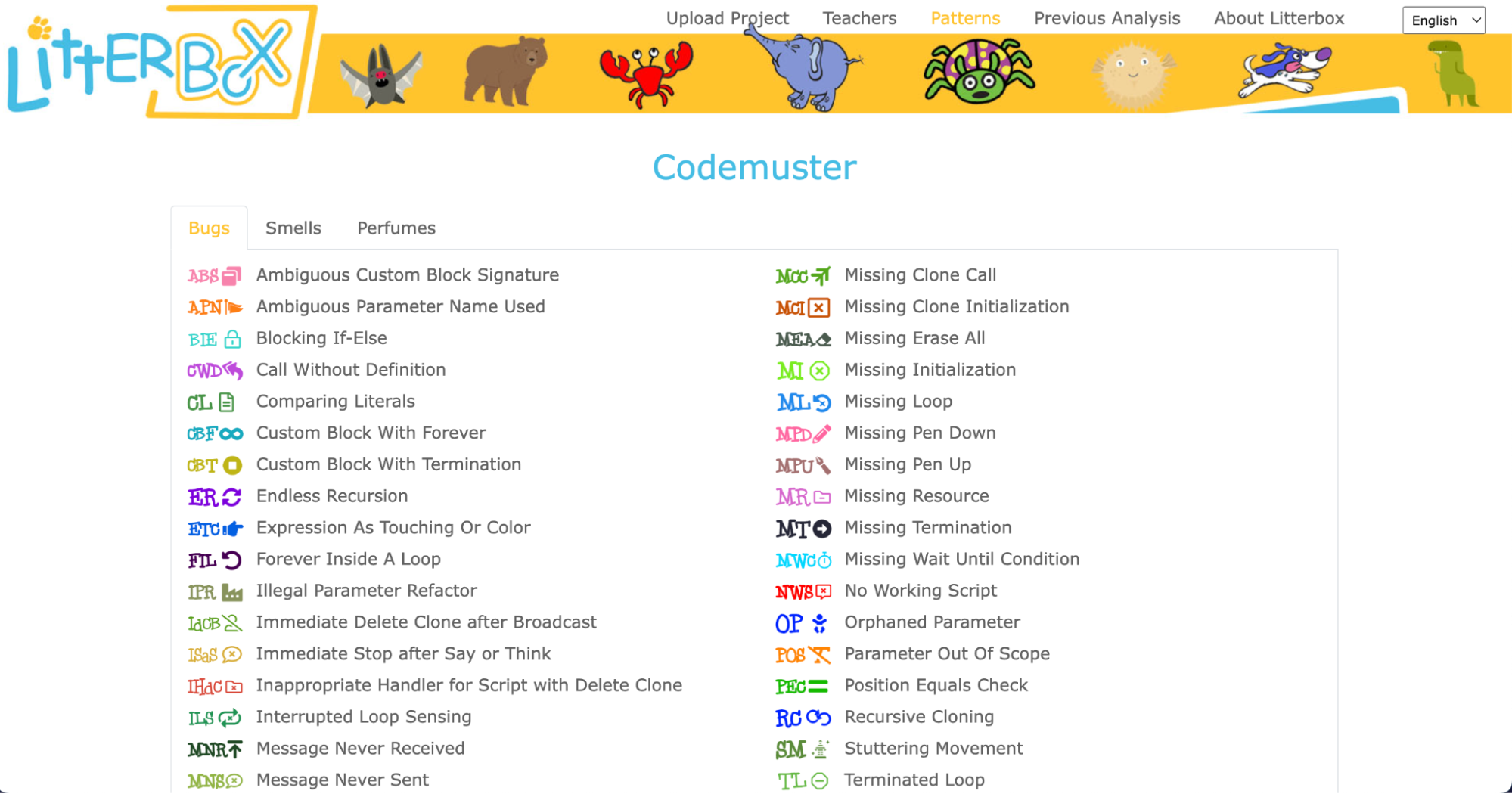
What sets LitterBox apart is that it also rewards correct code by displaying ‘perfumes’. For instance, it will praise correct broadcasting or the use of custom blocks. For every identified problem or achievement, the tool provides short and direct feedback.
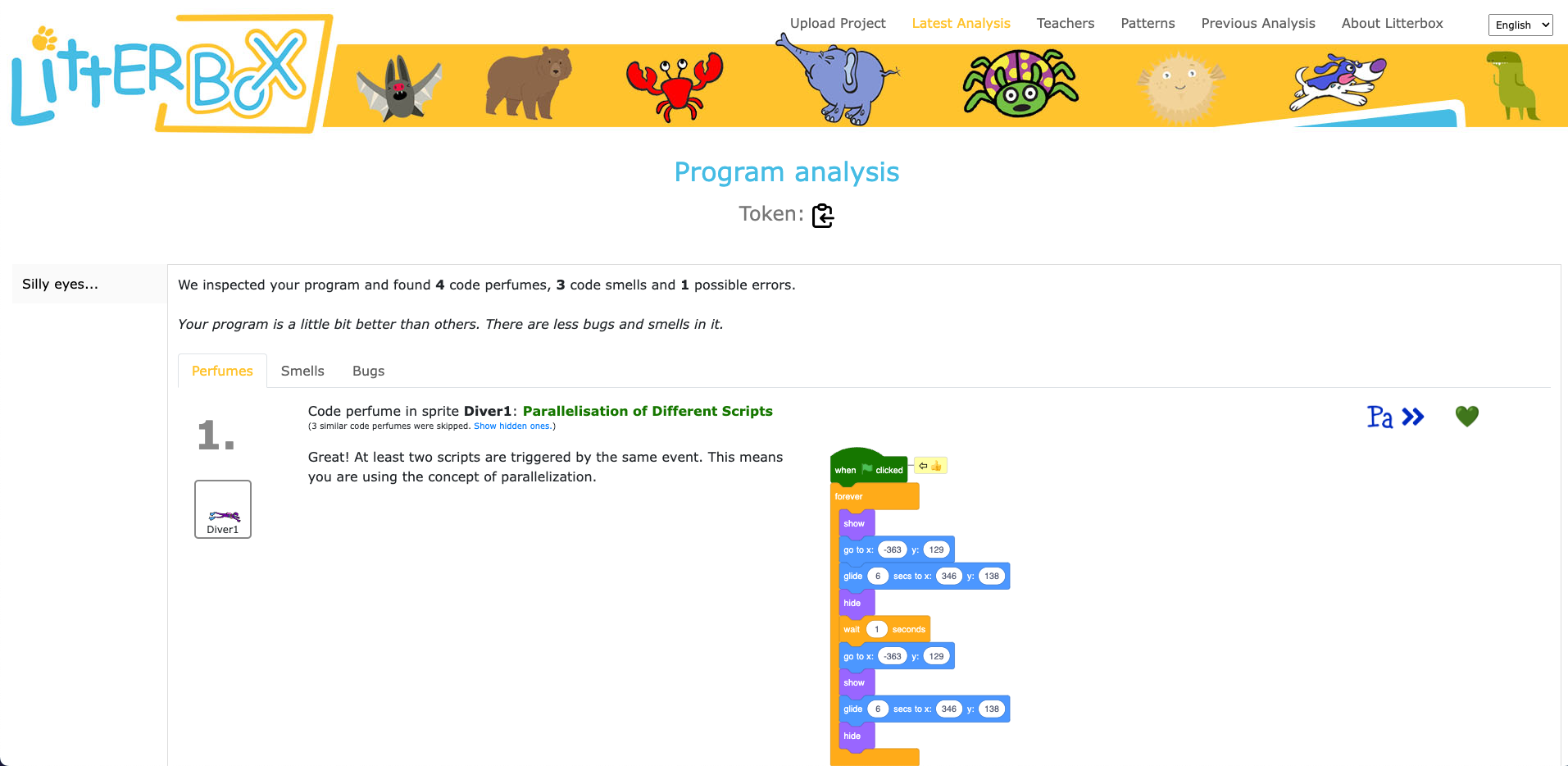
Luisa and her team conducted a study to gauge the effectiveness of LitterBox. In the study, teachers were given fictitious student code with bugs and were asked to first debug the code themselves and then explain in a manner appropriate to a student how to do the debugging.
The results were promising: teachers using LitterBox outperformed a control group with no access to the tool. However, the team also found that not all hints proved equally helpful. When hints lacked direct relevance to the code at hand, teachers found them confusing, which highlighted the importance of refining the tool’s feedback mechanisms.
Despite its limitations, LitterBox proved helpful in another important aspect of the teachers’ work: coding task creation. Novice students require structured tasks and help sheets when learning to code, and teachers often invest substantial time in developing these resources. While LitterBox does not guide educators in generating new tasks or adapting them to their students’ needs, in a second study conducted by Luisa’s team, teachers who had access to LitterBox not only received support in debugging their own code but also provided more scaffolding in task instructions they created for their students compared to teachers without LitterBox.
One important realisation that we had in the Q&A phase of Luisa’s seminar was that many different research teams are working on solutions for similar challenges, and that the impact of this research can be maximised by integrating new findings and resources. For instance, what the LitterBox tool cannot offer could be filled by:
As we navigate the evolving landscape of programming education, it’s clear that innovative tools like LitterBox can make a significant difference in the journey of both educators and students. By equipping educators with effective debugging and task creation solutions, we can create a more positive and engaging learning experience for students.
If you’re an educator, consider exploring how such tools can enhance your teaching and empower your students in their coding endeavours.
You can watch the recording of Luisa’s seminar here:
If you’re interested in the latest developments in computing education, join us at one of our free, monthly seminars. In these sessions, researchers from all over the world share their innovative ideas and are eager to discuss them with educators and students. In our December seminar, Anaclara Gerosa (University of Edinburgh) will share her findings about how to design and structure early-years computing activities.
This will be the final seminar in our series about primary computing education. Look out for news about the theme of our 2024 seminar series, which are coming soon.
The post Support for new computing teachers: A tool to find Scratch programming errors appeared first on Raspberry Pi Foundation.
Red Hat launched the Ansible Lightspeed Code Assistant Generative AI with IBM Watson Code Assistant in May 2023. This preview is now available to all Ansible users, allowing them to explore the technology, provide feedback to Red Hat, and further train the AI model. In this brief blog post, I will share my personal experience with installing and utilizing Ansible Lightspeed AI to create playbooks in VSCode using Ubuntu Linux 20.04 LTS desktop.
Love this? sudo share_on: Twitter - Facebook - LinkedIn - Whatsapp - Reddit
The post Setting up VSCode for Ansible Lightspeed AI in Ubuntu 22.04 desktop appeared first on nixCraft.
Every young learner needs a successful start to their learning journey in the primary computing classroom. One aspect of this for teachers is to introduce programming to their learners in a structured way. As computing education is introduced in more schools, the need for research-informed strategies and approaches to support beginner programmers is growing. Over recent years, researchers have proposed various strategies to guide teachers and students, such as the block model, PRIMM, and, in the case of this month’s seminar, TIPP&SEE.
We are committed to make computing and creating with digital technologies accessible to all young people, including through our work with educators and researchers. In our current online research seminar series, we focus on computing education for primary-aged children (K–5, ages 5 to 11). In the series’ second seminar, we were delighted to welcome Dr Jean Salac, researcher in the Code & Cognition Lab at the University of Washington.
Jean’s work sits across computing education and human-computer interaction, with an emphasis on justice-focused computing for youth. She talked to the seminar attendees about her work on developing strategies to support primary school students learning to program in Scratch. Specifically, Jean described an approach called TIPP&SEE and how teachers can use it to guide their learners through programming activities.
TIPP&SEE is a metacognitive approach for programming in Scratch. The purpose of metacognitive strategies is to help students become more aware of their own learning processes.
TIPP&SEE scaffolds students as they learn from example Scratch projects: TIPP (Title, Instructions, Purpose, Play) is a scaffold to read and run a Scratch project, while SEE (Sprites, Events, Explore) is a scaffold to examine projects more deeply and begin to adapt them.
TIPP&SEE is inspired by the work of Irene Lee and colleagues who proposed a progressive three-stage approach called Use-Modify-Create. Following that approach, learners move from reading pre-existing programs (“not mine”) to adapting and creating their own programs (“mine”) and gradually increase ownership of their learning.
Proponents of scaffolded approaches like Use-Modify-Create argue that engaging learners in cycles of using existing programs (e.g. worked examples) before they move to adapting and creating new programs encourages ownership and agency in learning. TIPP&SEE builds on this model by providing additional scaffolding measures to support learners.
Jean presented some promising results from her research on the use of TIPP&SEE in classrooms. In one study, fourth-grade learners (age 9 to 10) were randomly assigned to one of two groups: (i) Use-Modify-Create only (the control group) or (ii) Use-Modify-Create with TIPP&SEE. Jean found that, compared to learners in the control group, learners in the TIPP&SEE group:
In another study, Jean compared how learners in the TIPP&SEE and control groups performed on several cognitive tests. She found that, in the TIPP&SEE group, students with learning difficulties performed as well as students without learning difficulties. In other words, in the TIPP&SEE group the performance gap was much narrower than in the control group. In our seminar, Jean argued that this indicates the TIPP&SEE scaffolding provides much-needed support to diverse groups of students.
TIPP&SEE is a multi-step strategy where learners start by looking at the surface elements of a program, and then move on to examining the underlying code. In the TIPP phase, learners first read the title and instructions of a Scratch project, identify its purpose, and then play the project to see what it does.
In the second phase, SEE, learners look inside the Scratch project to click on sprites and predict what each script is doing. They then make changes to the Scratch code and see how the project’s output changes. By changing parameters, learners can observe which part of the output changes as a result and then reason how each block functions. This practice is called deliberate tinkering because it encourages learners to observe changes while executing programs multiple times with different parameters.
You can read more of Jean’s research on TIPP&SEE on her website. There’s also a video on how TIPP&SEE can be used, and free lesson resources based on TIPP&SEE are available in Elementary Computing for ALL and Scratch Encore.
Jean’s talk highlighted the need for computing to be inclusive and to give equitable access to all learners. The field of computing education is still in its infancy, though our understanding of how young people learn about computing is growing. We ourselves work to deepen our understanding of how young people learn through computing and digital making experiences.
In our own research, we have been investigating similar teaching approaches for programming, including the use of the PRIMM approach in the UK, so we were very interested to learn about different approaches and country contexts. We are grateful to Dr Jean Salac for sharing her work with researchers and teachers alike. Watch the recording of Jean’s seminar to hear more:
If you are looking for more free resources to help you structure your computing lessons:
In the next seminar of our online series on primary computing, I will be presenting my research on integrated computing and literacy activities. Sign up now to join us for this session on Tues 7 March:
As always, the seminars will take place online on the first Tuesday of the month at 17:00–18:30 UK time. Hope to see you there!
The post Supporting beginner programmers in primary school using TIPP-SEE appeared first on Raspberry Pi Foundation.
We are so excited to share another story from the community! Our series of community stories takes you across the world to hear from young people and educators who are engaging with creating digital technologies in their own personal ways.
In this story we introduce you to Selin, a digital maker from Istanbul, Turkey, who is passionate about robotics and AI. Watch the video to hear how Selin’s childhood pet inspired her to build tech projects that aim to help others live well.
Selin (16) started her digital making journey because she wanted to solve a problem: after her family’s beloved dog Korsan passed away, she wanted to bring him back to life. Selin thought a robotic dog could be the answer, and so she started to design her project on paper. When she found out that learning to code would mean she could actually make a robotic dog, Selin began to teach herself about coding and digital making.
Thanks to her local CoderDojo, which is part of the worldwide CoderDojo network of free, community-based, volunteer-led programming clubs where young people explore digital technology, Selin’s interest in creating tech projects grew and grew. Selin has since built seven robots, and her enthusiasm for building things with digital technology shows no sign of stopping.
One of Selin’s big motivations to explore digital making was having an event to work towards. At her Dojo, Selin found out about Coolest Projects, the global technology showcase for young people. She then set herself the task of making a robot to present at the Coolest Projects event in 2018.
When thinking about ideas for what to make for Coolest Projects, Selin remembered how it felt to lose her dog. She wondered what it must be like when a blind person’s guide dog passes away, as that person loses their friend as well as their support. So Selin decided to make a robotic guide dog called IC4U. She contacted several guide dog organisations to find out how guide dogs are trained and what they need to be able to do so she could replicate their behaviour in her robot. The robot is voice-controlled so that people with impaired sight can interact with it easily.
Selin and her parents travelled to Coolest Projects International in Dublin, thanks to support from the CoderDojo Foundation. Accompanying them was Selin’s project IC4U, which became a judges’ favourite in the Hardware category. Selin enjoyed participating in Coolest Projects so much that she started designing her project for next year’s event straight away:
“When I returned back I immediately started working for next year’s Coolest Projects.”
Selin
Many of Selin’s tech projects share a theme: to help make the world a better place. For example, another robot made by Selin is the BB4All — a school assistant robot to tackle bullying. And last year, while she attended the Stanford AI4ALL summer camp, Selin worked with a group of young people to design a tech project to increase the speed and accuracy of lung cancer diagnoses.
Through her digital making projects, Selin wants to show how people can use robotics and AI technology to support people and their well-being. In 2021, Selin’s commitment to making these projects was recognised when she was awarded the Aspiring Teen Award by Women in Tech.
Listening to Selin, it is inspiring to hear how a person can use technology to express themselves as well as create projects that have the potential to do so much good. Selin acknowledges that sometimes the first steps can be the hardest, especially for girls interested in tech: “I know it’s hard to start at first, but interests are gender-free.”
“Be curious and courageous, and never let setbacks stop you so you can actually accomplish your dream.”
Selin
We have loved seeing all the wonderful projects that Selin has made in the years since she first designed a robot dog on paper. And it’s especially cool to see that Selin has also continued to work on her robot IC4U, the original project that led her to coding, Coolest Projects, and more. Selin’s robot has developed with its maker, and we can’t wait to see what they both go on to do next.
Help us celebrate Selin and inspire other young people to discover coding and digital making as a passion, by sharing her story on Twitter, LinkedIn, and Facebook.
The post Celebrating the community: Selin appeared first on Raspberry Pi.
A year ago we launched our Introduction to Scratch path of six new coding projects. This was the first path to use our new 3…2…1…Make! approach for prioritising fun and engagement whilst enabling creators to make the things that matter to them. Creators learn how to add code, costumes, and sounds to sprites as they make animations, a game, an app, and a book.
As the first birthday of the Introduction to Scratch path approached, we decided to review and refresh each project. We used input from the community, looked at remixes of the projects, and analysed visitor data to guide us in our review.
We would like to say a massive thank you to everyone who engaged in focus groups, provided input via social channels, or clicked the project feedback buttons. We really appreciate you taking the time to reach out and we hope you will be pleased with the changes.
The updates are split into two parts, those we made specifically to the Introduction to Scratch path, and changes made across all of the 3…2…1…Make! projects.
The first thing you might notice is the revamp of our Introduction step, now called ‘You will make’. This simplified step focuses on setting the scene and encourages creators to play with a completed project example.
Also changed is the Reflection step, replaced by ‘Quick quiz’ — a much neater page that guides creators through three questions before awarding a project badge.
Here is an overview of the Scratch path to tell you more about the projects and the changes we’ve made to the content.
Creators can start using the updated Scratch projects right away!
Our first three projects in the path introduce creators to a set of skills and provide step-by-step instructions to help them develop initial confidence.
In this project, creators design a space scene with characters that emote to share their thoughts or feelings. We received some amazing feedback from a member of the Deaf community to enhance the Nano uses sign language task and include a great new boxout to prompt discussion amongst our creators.
We also heard from a couple of club leaders that the Text to Speech extension in Scratch was a great addition to this project so we added an optional Text to Speech information card to the Upgrade your project step.
The bus in the Catch the bus project is a tour bus, but we originally used the school backdrop as a departure point. We liked how the backdrop looked but now recognise that doing a project about a school bus whilst in a club was probably not the most popular choice. Please forgive us! The project now uses a nighttime city scene.
We also removed the use of the ‘Timer hat block’ from this project — it isn’t needed for the rest of the path and has behaviour that complicates things. The ‘timer hat block’ has been replaced by a ‘wait block’.
We have loved engaging with the community submissions of this project and really enjoyed seeing how quickly we can find the small bugs on each level of the games that have been created. With replicating that enthusiasm in mind, our changes to this project focused on young creators sharing their project and playing projects created by others.
Our new Share and play step has a number of options, including sharing in a club, submitting your project to a shared studio, and experiencing remixes as a user. We have also embedded some community projects into the step to provide upgrade ideas and inspiration.
The next two projects in the path encourage creators to practise the skills they learned in the previous ‘Explore’ projects, and to express themselves creatively while they grow in independence.
The revamped Get ideas task on the first step of each Design project now has a featured community project that will be regularly updated. You may also notice that the inspirational examples have been reordered or changed using analysis from interactions with them.
Additional community submissions can be found in the Share and play steps to provide upgrade ideas and creators are encouraged to look at remixes of the starter project for even more inspiration.
Interacting with remixes of the Silly eyes project is one of our favourite things to do! The project involves creating a character whose eyes follow the mouse pointer. We love seeing how design decisions have shaped each project and how various upgrades have been used.
For this project, we decided to remove the ‘Add stage effects’ step as it was largely a repeat of the earlier ‘Add sprite effects’ step. Stage effects is now an optional upgrade which means creators can get through to the ‘Share and play’ step to look at the design decisions made by others, then use those to choose which ideas to include in their project.
This project consists of creating an animation of a story. We looked at the remixes so far and realised the main steps of the surprise animations were:
Sometimes projects had a reaction in them but others relied on creating a reaction in the user watching the animation. With this in mind we moved the Reaction step and added it as an optional upgrade. We also added graphics to each step to explain the step position in the animation timeline.
A new option to remix one of the example projects was added to this project as a starting point if creators were short of time, needed help with ideas, or had perhaps already thought of an extension to the example animations.
Our final project in the path is where creators use their skills to meet a project brief for a particular audience.
The project brief has been revamped to make it more concise with the Reflection step becoming a checklist to keep track of how the project is meeting the brief.
This project consists of creating a book with multiple pages to tell a story or share facts. The major change to this project is a reorganisation of the steps. The original planning step has now split in two — the first step to decide the high-level purpose and audience for the book and the second step to plan the book in more detail using either the starter Scratch project or our new planning sheet.
The build and test step has also been restructured to break up the skills into categories and make the tasks clearer. At the end of the step, creators are encouraged to ask for feedback then repeat the process to work on their book until it is ready to share.
We will start refreshing another path soon but in the meantime, we hope you and your creators enjoy using the revamped Introduction to Scratch path. We would love to hear your feedback on any of our projects via the feedback button on the bottom of each project page.
We look forward to seeing what your creators make.
The post Introduce young people to coding with our updated projects appeared first on Raspberry Pi.
Launched in 2013, Hour of Code is an initiative to introduce young people to computer science using fun one-hour tutorials. To date, over 100 million young people have completed an hour of code with it.
Although the Hour of Code website is accessible all year round, every December for Computer Science Education Week people worldwide run their own Hour of Code events. Each year we love seeing many Code Clubs, CoderDojos, and young people at home across the community complete their Hour of Code. You can register your 2022 Hour of Code event now to run between 5 and 11 December.
To support your event, we have pulled together a bumper set of our free coding projects, which can each be completed in just one hour. You will find these activities on the Hour of Code website.
There’s something for all ages and levels of experience, so put an hour aside and help young people make something fabulous with code:
For younger creators new to coding, a Scratch project is a great place to start.
With our Space talk project, they can create a space scene with characters that ‘emote’ to share their thoughts or feelings using sounds, colours, and actions. Creators program the character emotes using Scratch blocks to control graphic effects, costume animation, and sound effects.
Alternatively, our Stress ball project lets them code an onscreen stress ball that reacts to user clicks. Creators use the Paint and Sound editors in Scratch to personalise a clickable stress ball, and they add Scratch blocks to control graphic effects, costume animation, and sound effects.
We love this fun stress ball example sent to us recently by young creator April from the United States:
Another great option is to use Code Club World, which is a free tool to help children who are new to coding.
For 7- to 11-year-olds who are more comfortable with block-based coding, our project Broadcasting spells is ideal to choose. With the project, they connect Scratch blocks to code a wand that casts spells turning sprites into toads, and growing and shrinking them. Creators use broadcast blocks to transform multiple sprites at once, and they create sound effects with the Sound editor in Scratch.
We have three exciting projects for trying text-based coding during Hour of Code in this category. The first, Anime expressions, is one of our brand-new ‘Introduction to web development’ projects. With this project, young people create a responsive webpage with text and images for an anime drawing tutorial. They write HTML to structure the webpage and CSS styles to apply layout, colour palettes, and fonts.
For a great introduction to coding with Python, we have the project Hello world from our ‘Introduction to Python’ path. With this project, creators write Python text-based code to create an interactive program that shows text and emojis based on user input. They learn about variables as they use them to store text and numbers, and they learn about writing functions to organise code and do calculations, retrieve the current date and time, and make a customisable dice.
LED firefly is a fantastic physical making project in which young people use a Raspberry Pi Pico microcontroller and basic electronic components to create a blinking LED firefly. They program the LED’s light patterns with MicroPython code and activate it via a switch they make themselves using jumper wires.
For 11- to 14-year-olds who are already comfortable with HTML, the Flip treat webcards project is a fun option. With this, they create a webpage showing a set of cards that flip when a visitor’s mouse pointer hovers over them. Creators use CSS styling and animations to add interactivity, then they customise the cards with fancy fonts and colour gradients.
Young people who have already done some Python coding can try out our project Target practice. With this project they create a game, using the p5 graphics library to draw a colourful target, and writing code so that the player scores points by hitting the target’s rings with arrows. While they create the project, they learn about RGB colours, shape positioning with x and y coordinates, and decisions using if, else-if, and else code statements.
Our project Charting champions is a great introduction to data visualisation and analysis for coders aged 15 and older. With the project, they will discover the power of the Python programming language as they store Olympic medal data in lists and use the pygal library to create an interactive chart.
Teenage coders who feel comfortable with Python programming can use our project Solar system simulator to code an animated, interactive solar system model using the Python p5 graphics library. Their model will be interactive, as they’ll use dictionaries to store planet facts that display when a user clicks on an orbiting planet.
Now is the time to register your Hour of Code event, then decide which project you’d like to support young people to create. You can download certificates for each of the creators from the Hour of Code certificates page.
And make sure to check out our project paths so you know what projects you can help the young people you support to code beyond this one hour of code.
We don’t just create activities so that other people can experience coding and digital making — we also get involved ourselves!
Recently, our teams who support the Code Club and CoderDojo networks got together to make LED fireflies. We are excited to get coding again as part of Hour of Code and Computer Science Education Week.
The post Take part in the Hour of Code appeared first on Raspberry Pi.
Today we share the second report in our series of findings from the Gender Balance in Computing research programme, which we’ve been running as part of the National Centre for Computing Education and with various partners. In this £2.4 million research programme, funded by the Department for Education in England, we aim to identify ways to encourage more female learners to engage with Computing and choose to study it further.
Previously, we shared the evaluation report about our pilot study of using a storytelling approach with very young computing learners. This new report, again coming from the Behavioural Insights Team (BIT) which acts as the programme’s independent evaluator, describes our study of another teaching approach.
Existing research suggests that computing is not always taught in a way that is engaging for girls in particular [1], and that we can improve this. With the intervention at hand, we wanted to explore the effects of using a pair programming teaching approach with primary school learners aged 8 to 11. We have critically and carefully examined the findings, which show mixed outcomes regarding the effectiveness of the approach, and we believe that the research provides insights that increase our shared understanding of how to teach computing effectively to young learners.
Many people think that writing computer programs is a task carried out by people working individually. A 2017 study of 8- and 9-year-olds [2] confirms this: when asked to draw a picture of a computer scientist doing work, 90% of the children drew a picture of one person working alone. This stereotype is present in teaching and learning about computing and computer science; many computer programming lessons take place in a way that promotes solitary working, with individual students sitting in front of separate computers, working on their own code and debugging their own errors.
Professional software development rarely happens like this. For example, at the Raspberry Pi Foundation, our software engineers work collaboratively on design and often pair up to solve problems. Computing education research also has identified the importance of looking at computer programming through a collaborative lens. This viewpoint allows us to see computing as a subject with scope for collaborative group work in which students create useful applications together and are part of a community where programming has a shared social context [3].
One teaching approach in computing that promotes collaborative learning is pair programming (a practice also used in industry). This is a structured way of working on programming tasks where learners are paired up and take turns acting as the driver or the navigator. The driver controls the keyboard and mouse and types the code. The navigator reads the instructions, supports the driver by watching out for errors in the code, and thinks strategically about next steps and solutions to problems. Learners swap roles every 5 to 10 minutes, to ensure that both partners can contribute equally and actively to the collaborative learning.
As one part of the Gender Balance in Computing programme, we designed a project to explore the effect of pair programming on girls’ attitudes towards computing. This project builds on research from the USA which suggests that solving problems collaboratively increases girls’ persistence when they encounter difficulties in programming tasks [4].
In the Pair Programming project, we worked with teachers of Year 4 (ages 8–9) and Year 6 (ages 10–11) in schools in England. From January to March 2020, we ran a pilot study with 10 schools and used the resulting teacher feedback to finalise the training and teaching materials for a full randomised controlled trial. Due to the coronavirus pandemic, we trained teachers in the pair programming approach using an online course instead of face-to-face training.
The randomised controlled trial ran from September to December 2021 with 97 schools. Schools were randomly allocated to either the intervention group and used the pair programming training and the scheme of work we designed, or to the control group and taught Computing in their usual way. Due to the coronavirus pandemic, our training of teachers in the pair programming approach had to take place via an online course instead of face to face.
Teachers in the intervention group delivered 12 weeks of Computing lessons, in which learners used Scratch programming to draw shapes and create animations. The lessons covered computing concepts from Key Stage 2 (ages 7–11), such as using sequences, selection, and repetition in programs, as well as digital literacy skills such as using technology respectfully.
The pair programming intervention was evaluated independently by an organisation called Behavioural Insights Team (BIT). BIT’s evaluation was primarily based on quantitative data collected from learners at the start and the end of the intervention. To collect the data, they used a validated instrument called the Student Computer Science Attitude Survey (SCSAS), which asks learners about their attitudes towards Computing, along with a few additional survey questions specific to this evaluation. The evaluators compared the data gathered from the intervention group (who took part in pair programming lessons) and the control group (who took part in Computing lessons taught with a ‘business as usual’ model).
The evaluators’ data analysis found no statistically significant evidence that the pair programming approach positively affected girls’ attitudes towards computing or their intention to study computing in the future. The lack of statistically significant results, called a null result in research projects, can appear disappointing at first. But our work involves careful reflection and critical thinking about all outcomes of our research, and the result of this project is no exception. These are factors that may have contributed towards the result:
The evaluators also gathered qualitative data by running teacher and learner interviews and conducting lesson observations, and we were pleased that this data provided some rich insights into the benefits of using a pair programming approach in the primary classroom, and gave some promising indications of possible benefits for female learners in particular.
“I don’t know why I’ve never thought to do computing like that, actually, because it’s a really good vehicle for the fact that there are two roles, clearly defined. There’s all your conversation, and knowledge comes through that, and then they’re both equally having a turn.” — Primary school teacher (report, p. 38)
“I like working with both [both as a partner and by yourself] because when you do pair programming, you’re collaborating with your partner, making links, and you have to tell them what to do. But if you have a really good idea and then they put the wrong thing in the wrong place, it’s quite annoying.” — Female learner (report, p. 40)
“I do think that having that equal time to have a go at both, thinking of the girls I’ve got, will have helped my girls, because they lack a bit of confidence. They were learning very quickly that, ‘Actually, yes, we are sure. We can do this.’” — Primary teacher (report, p. 44)
“It might be easier to do pair programming [compared to ‘normal’ lessons] because if you’re stuck, your partner can be helpful.” — Female learner (report, p. 43)
We will continue to publish evaluation reports and our reflections on the other projects in the Gender Balance in Computing programme. If you would like to stay up-to-date with the programme, you can sign up to the newsletter.
The insights gained from this trial will feed forwards into our future work. Through the process of working with schools on this project, we have increased our understanding of the process of research in educational settings in many ways. We are very grateful for the input from teachers who took part in the first stage of the trial, with whom we developed an effective co-production model for developing resources, a model we will use in future research projects. Teachers who took part in the second stage of the project told us that the resources we provided were of generally good quality, which demonstrates the success of this co-production approach to developing resources.
In our new Raspberry Pi Computing Education Research Centre, created with the University of Cambridge Department of Computer Science and Technology, we will collaborate closely with teachers and schools when implementing and evaluating research projects. You are invited to the free in-person launch event of the Centre on 20 July in Cambridge, UK, where we hope to meet many teachers, researchers, and other education practitioners to strengthen a collaborative community around computing education research.
The post A pair programming approach for engaging girls in the Computing classroom: Study results appeared first on Raspberry Pi.
Dart is easy to use BSD licensed programming language to build mobile, desktop, server, and web apps. Google creates and maintains the Dart ecosystem. It follows C-style syntax. We can compile code either to the native platform or JavaScript. Flutter allows building iOS/Android mobile and desktop/web apps from a single code base. Let us see how to install Dart programming language on a Debian or Ubuntu Linux and set vim as IDE.
The post How to install Dart on Linux and set up VIM as IDE appeared first on nixCraft.
The last ten years in the computer and IT security world are crippled with so many vulnerabilities. We saw massive cloud computing adoption and end-users using mobile devices with high speed 4G LTE networks. A threat actor may have exploited such weakness in modern computers and networks. Let us look into top vulnerabilities and the attack surface in this decade (2010-2020) that affected Linux/Unix, macOS, IT, cloud-computing, and computers in general.
The post Significant vulnerabilities that crippled IT world this decade (2010-2020) appeared first on nixCraft.
How do I install Golang on Ubuntu Linux for developing apps in Go?
The post How to install Go [golang] on Ubuntu Linux appeared first on nixCraft.
Meet Callum Fawcett, who shares his journey from tinkering with the first Raspberry Pi while he was at school, to a Master’s degree in computer science and a real-life job in programming. We also get to see some of the awesome projects he’s made along the way.
Most of my learning was done through two sources. I learnt Linux and how the terminal worked using online resources such as Stack Overflow. I would have a problem that I needed to solve, look up solutions online, and try out commands that I found. This was perhaps the hardest part of learning how to use a Raspberry Pi, as it was something I had never done before, but it really helped me in later years when I would use Linux more than Windows. For learning programming, I preferred to use books. I had a book for C++ and a book for Python that I would work through. These were game-based books, so many of the fun projects that I did were simple text-based games where you typed in responses to questions.
The first robot Callum made using a Raspberry Pi
By far the coolest project I did with the Raspberry Pi was to build a small robot (shown above). This was a joint project between myself and my dad. He sorted out the electronics and I programmed the robot. It was a great opportunity to learn about robotics and refine my programming skills. By the end, the robot was capable of moving around by itself, driving into objects, and then reversing and trying a new direction. It was almost like an unintelligent Roomba that couldn’t hoover, but I spent many hours improving small bits and pieces to make it as easy to use as possible. My one wish that I never managed to achieve with my robot was allowing it to map out its surroundings. This was a very ambitious project at the time, since I was still quite inexperienced in programming. The biggest problem with this was calibrating the robot’s turning circle, which was never consistent so it was very hard to have the robot know where in the room it was.
Another fun project that I worked on used the Sense HAT developed for the Astro Pi computers for use on the International Space Station. Using this, I was able to make a memory maze game (shown below), in which a player is shown a maze for several seconds and then has to navigate that maze from memory by shaking the device. This was my first introduction to using more interactive types of input, and this eventually led to my final-year project, which used these interesting interactions to develop another way of teaching.
I have now just finished my Master’s degree in computer science at the University of Bristol. Before going to university, I had no experience of being taught programming in a formal environment. It was not a taught subject at my secondary school or sixth form. I wanted to get more people at my school interested in this area of study though, which I did by running a coding club for people. I would help others debug their code and discuss interesting problems with them. The reason that I chose to study computer science is largely because of my experiences with Raspberry Pi and other programming I did in my own time during my teenage years. I likely would have studied history if it weren’t for the programming I had done by myself making robots and other games.
Raspberry Pi has continued to play a part in my degree and extra-curricular activities; I used them in two large projects during my time at university and used a similar device in my final project. My robot experience also helped me to enter my university’s ‘Robot Wars’ competition which, though we never won, was a lot of fun.
Having a Raspberry Pi is always useful during a hackathon, because it’s such a versatile component. Tech like Raspberry Pi will always be useful for beginners to learn the basics of programming and electronics, but these computers are also becoming more and more useful for people with more experience to make fun and useful projects. I could see tech like Raspberry Pi being used in the future to help quickly prototype many types of electronic devices and, as they become more powerful, even being used as an affordable way of controlling many types of robots, which will become more common in the future.
Our guest blogger Callum
Now I am going on to work on programming robot control systems at Ocado Technology. My experiences of robot building during my years before university played a large part in this decision. Already, robots are becoming a huge part of society, and I think they are only going to become more prominent in the future. Automation through robots and artificial intelligence will become one of the most important tools for humanity during the 21st century, and I look forward to being a part of that process. If it weren’t for learning through Raspberry Pi, I certainly wouldn’t be in this position.
Cheers for your story, Callum! Has tinkering with our tiny computer inspired your educational or professional choices? Let us know in the comments below.
The post Learning with Raspberry Pi — robotics, a Master’s degree, and beyond appeared first on Raspberry Pi.
“In my vision, the child programs the computer and, in doing so, both acquires a sense of mastery over a piece of the most modern and powerful technology and establishes an intimate contact with some of the deepest ideas from science, from mathematics, and from the art of intellectual model building.” – Seymour Papert, Mindstorms: Children, Computers, And Powerful Ideas, 1980
We owe much of what we have learned about children learning to program to Seymour Papert (1928–2016), who not only was a great mathematician and computer scientist, but also an inspirational educationalist. He developed the theoretical approach to learning we now know as constructionism, which purports that learning takes place through building artefacts that have meaning and can be shared with others. Papert, together with others, developed the Logo programming language in 1967 to help children develop concepts in both mathematics and in programming. He believed that programming could give children tangible and concrete experiences to support their acquisition of mathematical concepts. Educational programming languages such as Logo were widely used in both primary and secondary education settings during the 1980s and 90s. Thus for many years the links between mathematics and programming have been evident, and we were very fortunate to be able to explore this topic with our research seminar guest speaker, Professor Dame Celia Hoyles of University College London.
Professor Dame Celia Hoyles
Dame Celia Hoyles is a huge celebrity in the world of mathematical education and programming. As well as authoring literally hundreds of academic papers on mathematics education, including on Logo programming, she has received a number of prestigious awards and honours, and has served as the Chief Advisor to the UK government on mathematics in school. For all these reasons, we were delighted to hear her present at a Raspberry Pi Foundation computing education research seminar.
Mathematics is a subject we all need to understand the basics of — it underpins much of our other learning and empowers us in daily life. Yet some mathematical concepts can seem abstract and teachers have struggled over the years to help children to understand them. Since programming includes the design, building, and debugging of artefacts, it is a great approach for make such abstract concepts come to life. It also enables the development of both computational and mathematical thinking, as Celia described in her talk.
Celia and a team* at University College London developed a curriculum initiative called ScratchMaths to teach carefully selected mathematical concepts through programming (funded by the Education Endowment Foundation in 2014–2018). ScratchMaths is for use in upper primary school (age 9–11) over a two-year period.
In the first year, pupils take three computational thinking modules, and in the second year, they move to three more mathematical thinking modules. All the ScratchMaths materials were designed around a pedagogical framework called the 5Es: explore, envisage, explain, exchange, and bridge. This enables teachers to understand the structure and sequencing of the materials as they use them in the classroom:
Teachers in the ScratchMaths project participated in professional development (two days per module) to enable them to understand the materials and the pedagogical approach.
At the end of the project, external evaluators measured the childrens’ learning and found a statistically significant increase in computational thinking skills after the first year, but no difference between an intervention group and a control group in the mathematical thinking outcomes in the second year (as measured by the national mathematics tests at that age).
Celia discussed a number of reasons for these findings. She also drew out the positive perspective that children in the trial learned two subjects at the same time without any detriment to their learning of mathematics. Covering two subjects and drawing the links between them without detriment to the core learning is potentially a benefit to schools who need to fit many subjects into their teaching day.
Much more information about the programme and the materials, which are freely available for use, can be found on the ScratchMaths project’s website, and you can also read a research paper describing the project.
As at all our research seminars, participants had many questions for our speaker. Although the project was designed for primary education, where it’s more common to learn subjects together across the curriculum, several questions revolved around the project’s suitability for secondary school. It’s interesting to reflect on how a programme like ScratchMaths might work at secondary level.
Teaching programming through mathematics, or vice versa, is established practice in some countries. One example comes from Sweden, where computing and programming is taught across different subject areas, including mathematics: “through teaching pupils should be given opportunities to develop knowledge in using digital tools and programming to explore problems and mathematical concepts, make calculations and to present and interpret data”. In England, conversely, we have a discrete computing curriculum, and an educational system that separates subjects out so that it is often difficult for children to see overlap and contiguity. However, having the focus on computing as a discrete subject gives enormous benefits too, as Celia outlined at the beginning of her talk, and it opens up the potential to give children an in-depth understanding of the whole subject area over their school careers. In an ideal world, perhaps we would teach programming in conjunction with a range of subjects, thus providing the concrete realisation of abstract concepts, while also having discrete computing and computer science in the curriculum.
In our current context of a global pandemic, we are continually seeing the importance of computing applications, for example computer modelling and simulation used in the analysis of data. This talk highlighted the importance of learning computing per se, as well as the mathematics one can learn through integrating these two subjects.
Celia is a member of the National Centre of Computing Education (NCCE) Academic Board, made up of academics and experts who support the teaching and learning elements of the NCCE, and we enjoy our continued work with her in this capacity. Through the NCCE, the Raspberry Pi Foundation is reaching thousands of children and educators with free computing resources, online courses, and advanced-level computer science materials. Our networks of Code Clubs and CoderDojos also give children the space and freedom to experiment and play with programming and digital making in a way that is concordant with a constructionist approach.
If you missed the seminar, you can find Celia’s presentation slides and a recording of her talk on our research seminars page.
In our next seminar on Tuesday 16 June at 17:00–18:00 BST / 12:00–13:00 EDT / 9:00–10:00 PDT / 18:00–19:00 CEST, we’ll welcome Jane Waite, Teaching Fellow at Queen Mary University of London. Jane will be sharing insights about Semantic Waves and unplugged computing. To join the seminar, simply sign up with your name and email address and we’ll email you the link and instructions. If you attended Celia’s seminar, the link remains the same.
*The ScratchMaths team are :
The post Mathematics and programming: exploring the links appeared first on Raspberry Pi.
The cat (short for concatenate) command is one of the most frequently used flexible commands on Linux and Unix-like operating systems. Say hello to bat Linux command, which is a cat command written in Rust programming language. The bat command comes with syntax highlighting, git integration, and works as is a drop-in cat command replacement. Let us see how to install bat on Linux and Unix system for fun and profit.
The post bat Linux command – A cat clone with written in Rust appeared first on nixCraft.
System76 is a Denver, Colorado-based American computer manufacturer. They are specializing in the sale of Linux powered laptops, desktops, and servers. Last year System76 announced two Intel laptops with Coreboot, which as an alternative to proprietary BIOS using Intel 10th Gen CPUs. Now, System76 updated its Linux workstations line and ship with the latest AMD chips for CPU-intensive workloads. But how much of a difference can 64 cores AMD CPU make?
The post System76 Announces AMD Threadripper Linux Workstations appeared first on nixCraft.
Look like Dell listing to customer feedback. Dell XPS 13 Developer Edition is the ultimate Linux laptop for developers and Linux enthusiasts/power users. The Dell XPS 13 Developer Edition 2020 now supports 10th Gen Intel CPU and 32GB ram. This system comes pre-installed with Ubuntu Linux 18.04, but you can install any other distro.
The post Dell XPS 13 Developer Edition 2020 Ubuntu Laptop Announced appeared first on nixCraft.
A while ago I wrote an article about exporting data to different spreadsheet formats. As recently I was reimplementing export to Excel for the 1st things 1st project, I noticed that the API changed a little, so it's time to blog about that again.
For Excel export I am using the XLSX file format which is a zipped XML-based format for spreadsheets with formatting support. XLSX files can be opened with Microsoft Excel, Apache OpenOffice, Apple Numbers, LibreOffice, Google Drive, and a handful of other applications. For building the XLSX file I am using openpyxl library.
You can install openpyxl to your virtual environment the usual way with pip:
(venv) pip install openpyxl==2.6.0To create a function exporting data from a QuerySet to XLSX file, you would need to create a view that returns a response with a special content type and file content as an attachment. Plug that view to URL rules and then link it from an export button in a template.
Probably the simplest view that generates XLSX file out of Django QuerySet would be this:
# movies/views.py
from datetime import datetime
from datetime import timedelta
from openpyxl import Workbook
from django.http import HttpResponse

from .models import MovieCategory, Movie

def export_movies_to_xlsx(request):
    """
    Downloads all movies as Excel file with a single worksheet
    """
    movie_queryset = Movie.objects.all()

    response = HttpResponse(
        content_type='application/vnd.openxmlformats-officedocument.spreadsheetml.sheet',
    )
    response['Content-Disposition'] = 'attachment; filename={date}-movies.xlsx'.format(
        date=datetime.now().strftime('%Y-%m-%d'),
    )
    workbook = Workbook()

    # Get active worksheet/tab
    worksheet = workbook.active
    worksheet.title = 'Movies'

    # Define the titles for columns
    columns = [
        'ID',
        'Title',
        'Description',
        'Length',
        'Rating',
        'Price',
    ]
    row_num = 1

    # Assign the titles for each cell of the header
    for col_num, column_title in enumerate(columns, 1):
        cell = worksheet.cell(row=row_num, column=col_num)
        cell.value = column_title

    # Iterate through all movies
    for movie in movie_queryset:
        row_num += 1

        # Define the data for each cell in the row
        row = [
            movie.pk,
            movie.title,
            movie.description,
            movie.length_in_minutes,
            movie.rating,
            movie.price,
        ]

        # Assign the data for each cell of the row
        for col_num, cell_value in enumerate(row, 1):
            cell = worksheet.cell(row=row_num, column=col_num)
            cell.value = cell_value

    workbook.save(response)

    return response
If you try this, you will notice, that there is no special formatting in it, all columns are of the same width, the value types are barely recognized, the header is displayed the same as the content. This is enough for further data export to CSV or manipulation with pandas. But if you want to present the data for the user in a friendly way, you need to add some magic.
By default, each Excel file has one worksheet represented as a tab. You can access it with:
worksheet = workbook.active
worksheet.title = 'The New Tab Title'
If you want to create tabs dynamically with data from the database of Python structures, you can at first delete the current tab and add the others with:
workbook.remove(workbook.active)

for index, category in enumerate(category_queryset):
    worksheet = workbook.create_sheet(
        title=category.title,
        index=index,
    )
Although not all spreadsheet applications support this, you can set the background color of the worksheet tab with:
worksheet.sheet_properties.tabColor = 'f7f7f9'Each cell can be accessed by its 1-based indexes for the rows and for the columns:
top_left_cell = worksheet.cell(row=1, column=1)
top_left_cell.value = "This is good!"
Styles and formatting are applied to individual cells instead of rows or columns. There are several styling categories with multiple configurations for each of them. You can find some available options from the documentation, but even more by exploring the source code.
from openpyxl.styles import Font, Alignment, Border, Side, PatternFill

top_left_cell.font = Font(name='Calibri', bold=True)
top_left_cell.alignment = Alignment(horizontal='center')
top_left_cell.border = Border(
    bottom=Side(border_style='medium', color='FF000000'),
)
top_left_cell.fill = PatternFill(
    start_color='f7f7f9',
    end_color='f7f7f9',
    fill_type='solid',
)
If you are planning to have multiple styled elements, instantiate the font, alignment, border, fill options upfront and then assign the instances to the cell attributes. Otherwise, you can get into memory issues when you have a lot of data entries.
If you want to have some wider or narrower width for some of your columns, you can do this by modifying column dimensions. They are accessed by column letter which can be retrieved using a utility function:
from openpyxl.utils import get_column_letter

column_letter = get_column_letter(col_num)
column_dimensions = worksheet.column_dimensions[column_letter]
column_dimensions.width = 40
The units here are some relative points depending on the width of the letters in the specified font. I would suggest playing around with the width value until you find what works for you.
When defining column width is not enough, you might want to wrap text into multiple lines so that everything can be read by people without problems. This can be done with the alignment setting for the cell as follows:
from openpyxl.styles import Alignment

wrapped_alignment = Alignment(vertical='top', wrap_text=True)
cell.alignment = wrapped_alignmentExcel automatically detects text or number types and aligns text to the left and numbers to the right. If necessary that can be overwritten.
There are some gotchas on how to format cells when you need a percentage, prices, or time durations.
For percentage, you have to pass the number in float format from 0.0 till 1.0 and style should be 'Percent' as follows:
cell.value = 0.75
cell.style = 'Percent'For currency, you need values of Decimal format, the style should be 'Currency', and you will need a special number format for currency other than American dollars, for example:
from decimal import Decimal
cell.value = Decimal('14.99')
cell.style = 'Currency'
cell.number_format = '#,##0.00 €'For time duration, you have to pass timedelta as the value and define special number format:
from datetime import timedelta

cell.value = timedelta(minutes=90)
cell.number_format = '[h]:mm;@'
This number format ensures that your duration can be greater than '23:59', for example, '140:00'.
In Excel, you can freeze rows and columns so that they stay fixed when you scroll the content vertically or horizontally. That's similar to position: fixed in CSS.
To freeze the rows and columns, locate the top-left cell that is below the row that you want to freeze and is on the right from the column that you want to freeze. For example, if you want to freeze one row and one column, the cell would be 'B2'. Then run this:
worksheet.freeze_panes = worksheet['B2']So having the knowledge of this article now we can build a view that creates separate sheets for each movie category. Each sheet would list movies of the category with titles, descriptions, length in hours and minutes, rating in percent, and price in Euros. The tabs, as well as the headers, can have different background colors for each movie category. Cells would be well formatted. Titles and descriptions would use multiple lines to fully fit into the cells.
# movies/views.py
from datetime import datetime
from datetime import timedelta
from openpyxl import Workbook
from openpyxl.styles import Font, Alignment, Border, Side, PatternFill
from openpyxl.utils import get_column_letter
from django.http import HttpResponse

from .models import MovieCategory, Movie

def export_movies_to_xlsx(request):
    """
    Downloads all movies as Excel file with a worksheet for each movie category
    """
    category_queryset = MovieCategory.objects.all()

    response = HttpResponse(
        content_type='application/vnd.openxmlformats-officedocument.spreadsheetml.sheet',
    )
    response['Content-Disposition'] = 'attachment; filename={date}-movies.xlsx'.format(
        date=datetime.now().strftime('%Y-%m-%d'),
    )
    workbook = Workbook()

    # Delete the default worksheet
    workbook.remove(workbook.active)

    # Define some styles and formatting that will be later used for cells
    header_font = Font(name='Calibri', bold=True)
    centered_alignment = Alignment(horizontal='center')
    border_bottom = Border(
        bottom=Side(border_style='medium', color='FF000000'),
    )
    wrapped_alignment = Alignment(
        vertical='top',
        wrap_text=True
    )

    # Define the column titles and widths
    columns = [
        ('ID', 8),
        ('Title', 40),
        ('Description', 80),
        ('Length', 15),
        ('Rating', 15),
        ('Price', 15),
    ]

    # Iterate through movie categories
    for category_index, category in enumerate(category_queryset):
        # Create a worksheet/tab with the title of the category
        worksheet = workbook.create_sheet(
            title=category.title,
            index=category_index,
        )
        # Define the background color of the header cells
        fill = PatternFill(
            start_color=category.html_color,
            end_color=category.html_color,
            fill_type='solid',
        )
        row_num = 1

        # Assign values, styles, and formatting for each cell in the header
        for col_num, (column_title, column_width) in enumerate(columns, 1):
            cell = worksheet.cell(row=row_num, column=col_num)
            cell.value = column_title
            cell.font = header_font
            cell.border = border_bottom
            cell.alignment = centered_alignment
            cell.fill = fill
            # set column width
            column_letter = get_column_letter(col_num)
            column_dimensions = worksheet.column_dimensions[column_letter]
            column_dimensions.width = column_width

        # Iterate through all movies of a category
        for movie in category.movie_set.all():
            row_num += 1

            # Define data and formats for each cell in the row
            row = [
                (movie.pk, 'Normal'),
                (movie.title, 'Normal'),
                (movie.description, 'Normal'),
                (timedelta(minutes=movie.length_in_minutes), 'Normal'),
                (movie.rating / 100, 'Percent'),
                (movie.price, 'Currency'),
            ]

            # Assign values, styles, and formatting for each cell in the row
            for col_num, (cell_value, cell_format) in enumerate(row, 1):
                cell = worksheet.cell(row=row_num, column=col_num)
                cell.value = cell_value
                cell.style = cell_format
                if cell_format == 'Currency':
                    cell.number_format = '#,##0.00 €'
                if col_num == 4:
                    cell.number_format = '[h]:mm;@'
                cell.alignment = wrapped_alignment

        # freeze the first row
        worksheet.freeze_panes = worksheet['A2']

        # set tab color
        worksheet.sheet_properties.tabColor = category.html_color

    workbook.save(response)

return responseCover photo by Tim Evans.
From time to time I google for the right syntax how to process lists and dictionaries in Python or arrays and objects in JavaScript. So I decided to extend my series of equivalents with those functions. After all, it's me too, who will be using the information I provide here.
Sometimes we need to check from a list of conditions if all of them are true, or from a list of elements if all of them are not empty.
This can be checked with the following in Python:
items = [1, 2, 3]
all_truthy = all(items)
# True
And here is an equivalent in JavaScript:
items = [1, 2, 3];
all_truthy = items.every(Boolean);
// trueSimilarly, we can check if at least one of the conditions is true, or there is at least one non-empty element in a list.
It Python we would do that with:
items = [0, 1, 2, 3]
some_truthy = any(items)
# True
And in JavaScript we would check it like this:
items = [0, 1, 2, 3];
some_truthy = items.some(Boolean);
// trueHere is an example of how to iterate through a list of items and also check their indices in Python. It is useful for verbose console output when creating different command line tools that process data:
items = ['a', 'b', 'c', 'd']
for index, element in enumerate(items):
    print(f'{index}: {element};')
In JavaScript an analogous way to do the same would be using the forEach() method. The usual for loop is also an option, but I find the forEach() more elegant and clear.
items = ['a', 'b', 'c', 'd'];
items.forEach(function(element, index) {
    console.log(`${index}: ${element};`);
});To process all elements of a list, you can either iterate through them with the for loop and create a new list with modifications, or you can do that in one step by mapping the list items to a modification function. In Python this can be done with the map() function:
items = [0, 1, 2, 3]
all_doubled = list(map(lambda x: 2 * x, items))
# [0, 2, 4, 6]
In JavaScript the map() is a method of an array:
items = [0, 1, 2, 3];
all_doubled = items.map(x => 2 * x);
// [0, 2, 4, 6]When you need to search for some elements in a list or array and want to avoid for loops, you can use the filtering functionality. In Python that is doable with the filter() function that accepts the filtering function and the list and returns a new filtered list.
items = [0, 1, 2, 3]
only_even = list(filter(lambda x: x % 2 == 0, items))
# [0, 2]
In JavaScript there is a filter() method of the array for that.
items = [0, 1, 2, 3];
only_even = items.filter(x => x % 2 === 0);
// [0, 2]
In both cases, the filtering function checks each item if it is matching the filter criteria and returns true in that case.
When you want to apply some function to a list of items to get a single result in one go, you can use the reduce function. It works for summing, multiplying, ORing, ANDing, or checking maximums and minimums.
In Python there is a reduce() function for that.
from functools import reduce
items = [1, 2, 3, 4]
total = reduce(lambda total, current: total + current, items)
# 10
In JavaScript there is a reduce() method of the array.
items = [1, 2, 3, 4];
total = items.reduce((total, current) => total + current);
// 10There are multiple ways to merge dictionaries in Python or objects in JavaScript. But these are probably the simplest ones.
In Python it's decomposing dictionaries to tuples of keys and arrays, joining them, and creating a new dictionary.
d1 = {'a': 'A', 'b': 'B'}
d2 = {'a': 'AAA', 'c': 'CCC'}
merged = dict(list(d1.items()) + list(d2.items()))
# {'a': 'AAA', 'b': 'B', 'c': 'CCC'}
Analogously, in JavaScript it's spreading two objects into a new object:
d1 = {a: 'A', b: 'B'}
d2 = {a: 'AAA', c: 'CCC'}
merged = {...d1, ...d2};
// {a: 'AAA', b: 'B', c: 'CCC'}all() / every(), any() / some(), map(), filter(), and reduce() are there to help you.Of course, I also updated the cheat sheet with the full list of equivalents in Python and JavaScript that you saw here described. This cheat sheet helps me with a good overview next to my laptop, so I believe that it would be helpful to you too. The new revision 10 is with syntax highlighting, so it makes it even better to explore and understand.
Get the Ultimate Cheat Sheet of Equivalents in Python and JavaScript
Use it for good!
Cover photo by Darren Chan.
If you've read my Web Development with Django Cookbook, you might remember a recipe for creating PDF documents using Pisa xhtml2pdf. Well, this library does its job, but it supports only a subset of HTML and CSS features. For example, for multi-column layouts, you have to use tables, like it's 1994.
I needed some fresh and flexible option to generate donation receipts for the donation platform www.make-impact.org and reports for the strategic planner 1st things 1st I have been building. After a quick research I found another much more suitable library. It's called WeasyPrint. In this article, I will tell you how to use it with Django and what's valuable in it.
WeasyPrint uses HTML and CSS 2.1 to create pixel-perfect, or let's rather say point-perfect, PDF documents. WeasyPrint doesn't use WebKit or Gecko but has its own rendering engine. As a proof that it works correctly, it passes the famous among web developers Acid2 test which was created back in the days before HTML5 to check how compatible browsers are with CSS 2 standards.
All supported features (and unsupported exceptions) are listed in the documentation. But my absolute favorites are these:
WeasyPrint needs Python 3.4 or newer. That's great for new Django projects, but might be an obstacle if you want to integrate it into an existing website running on Python 2.7. Can it be the main argumentation for you to upgrade your old Django projects to the new Python version?
WeasyPrint is dependent on several OS libraries: Pango, GdkPixbuf, Cairo, and Libffi. In the documentation, there are understandable one-line instructions how to install them on different operating systems. You can have a problem only if you don't have full control of the server where you are going to deploy your project.
If you need some basic headers and footers for all pages, you can use @page CSS selector for that. If you need extended headers and footers for each page, it's best to combine the PDF document out of separate HTML documents for each page. Examples follow below.
The fun fact, Emojis are drawn using some weird raster single-color font. I don't recommend using them in your PDFs unless you replace them with SVG images.
A technical article is always more valuable when it has some quick code snippets to copy and paste. Here you go!
This snippet generates a donation receipt and shows it directly in the browser. Should the PDF be downloadable immediately, change content disposition from inline to attachment.
# -*- coding: UTF-8 -*-
from __future__ import unicode_literals

from django.http import HttpResponse
from django.template.loader import render_to_string
from django.utils.text import slugify
from django.contrib.auth.decorators import login_required

from weasyprint import HTML
from weasyprint.fonts import FontConfiguration

from .models import Donation

@login_required
def donation_receipt(request, donation_id):
    donation = get_object_or_404(Donation, pk=donation_id, user=request.user)
    response = HttpResponse(content_type="application/pdf")
    response['Content-Disposition'] = "inline; filename={date}-{name}-donation-receipt.pdf".format(
        date=donation.created.strftime('%Y-%m-%d'),
        name=slugify(donation.donor_name),
    )
    html = render_to_string("donations/receipt_pdf.html", {
        'donation': donation,
    })

    font_config = FontConfiguration()
    HTML(string=html).write_pdf(response, font_config=font_config)
return responseYour PDF document can have a footer with an image and text on every page, using background-image and content properties:
{% load staticfiles i18n %}
<link href="https://fonts.googleapis.com/css?family=Playfair+Display:400,400i,700,700i,900" rel="stylesheet" />
<style>
@page {
    size: "A4";
    margin: 2.5cm 1.5cm 3.5cm 1.5cm;
    @bottom-center {
        background: url({% static 'site/img/logo-pdf.svg' %}) no-repeat center top;
        background-size: auto 1.5cm;
        padding-top: 1.8cm;
        content: "{% trans "Donation made via www.make-impact.org" %}";
        font: 10pt "Playfair Display";
        text-align: center;
        vertical-align: top;
    }
}
</style>You can show page numbers in the footer using CSS as follows.
@page {
    margin: 3cm 2cm;
    @top-center {
        content: "Documentation";
    }
    @bottom-right {
        content: "Page " counter(page) " of " counter(pages);
    }
}You can rotate the page to horizontal layout with size: landscape.
@page {
    size: landscape;
}Another option to show an image and text in the header or footer on every page is to use an HTML element with position: fixed. This way you have more flexibility about formatting, but the element on all your pages will have the same content.
<style>
footer {
    position: fixed;
    bottom: -2.5cm;
    width: 100%;
    text-align: center;
    font-size: 10pt;
}
footer img {
    height: 1.5cm;
}
</style>
<footer>
{% with website_url="https://www.make-impact.org" %}
<a href="{{ website_url }}">
<img alt="" src="{% static 'site/img/logo-contoured.svg' %}" />
</a><br />
{% blocktrans %}Donation made via <a href="{{ website_url }}">www.make-impact.org</a>{% endblocktrans %}
{% endwith %}
</footer>When you need to have a document with complex unique headers and footers, it is best to render each page as a separate HTML document and then to combine them into one. This is how to do that:
def letter_pdf(request, letter_id):
    letter = get_object_or_404(Letter, pk=letter_id)
    response = HttpResponse(content_type='application/pdf')
    response['Content-Disposition'] = (
        'inline; '
        f'filename={letter.created:%Y-%m-%d}-letter.pdf'
    )
    COMPONENTS = [
        'letters/pdf/cover.html',
        'letters/pdf/page01.html',
        'letters/pdf/page02.html',
        'letters/pdf/page03.html',
    ]
    documents = []
    font_config = FontConfiguration()
    for template_name in COMPONENTS:
        html = render_to_string(template_name, {
            'letter': letter,
        })
        document = HTML(string=html).render(font_config=font_config)
        documents.append(document)

    all_pages = [page for document in documents for page in document.pages]
    documents[0].copy(all_pages).write_pdf(response)

return responseI believe that WeasyPrint could be used not only for invoices, tickets, or booking confirmations but also for online magazines and small booklets. If you want to see PDF rendering with WeasyPrint in action, make a donation to your chosen organization at www.make-impact.org (when it's ready) and download the donation receipt. Or check the demo account at my.1st-things-1st.com and find the button to download the results of a prioritization project as PDF document.
Cover photo by Daniel Korpai.
A couple of months ago the third release of Django Cookbook was published under the title Django 2 Web Development Cookbook - Third Edition. This edition was thoroughly and progressively re-written by Jake Kronika, the guy who had reviewed my second edition and had added a lot of value to it. I was sure that he wouldn't disappoint the readers, so I invited him to write the update. In this article, I will guide you through the main new highlights of over 500 pages of this new book.
Just like William S. Vincent's books, Django 2 Web Development Cookbook - Third Edition is adapted to Django 2.1 and Python 3.6. So you will be dealing with the state of the art technologies building your Django projects. Unicode strings, f-strings, super() without parameters, HTML5 tags, and object-oriented JavaScript to mention a few are used all over the book. The code is carefully generalized and even more adapted to the Don't-Repeat-Yourself (DRY) principle.
Docker is one of the most popular deployment technologies and Jake gives a good compact introduction how to use it with Django.
12-factor app guidelines suggest saving app configuration in environment variables. In the book, there is a practical example of how to use it.
I introduced multilingual fields in previous editions of the book, but there they had a limitation, that region-specific languages like Australian English or Swiss German were not supported. Now they are!
Schema.org Microdata allows you to define the context of the content more specifically so that the content is more machine-readable. This was new to me and I still don't know the exact practical value of it, but I guess it is related to accessibility, new ways of presenting data via plugins, and Artificial Intelligence.
Since Django 1.11 form fields are rendered using templates instead of Python code and those templates can be customized. There is a recipe that shows you how to do that.
HTML5 has the <picture> tag with <source> children that can be used in combination with the sorl-thumbnail Python package to generate different versions of the image based on your viewport size: load small image on the mobile, middle image on the tablet, and big image on the desktop or smart TV.
In my previous editions, I only showed how to upload a file by Ajax and attach it to a Django model. In Jake's update, it is shown how you can also delete the image.
Since Django 1.11 you can define special requirements for the passwords of your users, for example, have a mix of small and big letters or include at least 1 number and 3 special characters, etc. There is a practical recipe how to do that.
When it comes to branding or copyright protection, it is common to add special watermarks, semitransparent images on top of your normal pictures. Jake added an example, how to do that and it was very interesting to me.
In one recipe it is shown how to login to a Django website using Auth0, which seems to be a passwordless authentication system with integrations of popular connection services like OpenID Connect, Facebook, Google, Github, LinkedIn, PayPal, Yahoo!, and others. I haven't tried that myself yet, but it can be an interesting option for a social website.
It is common to cache websites using Memcached service, but a good alternative is caching with Redis and django-redis. Moreover, you can easily save user sessions there.
In the previous editions, I introduced django-mptt for creating hierarchical structures. However, recently many projects are moving towards its alternative - django-treebeard which has more stability and writing speed. In the book, Jake shows you how to work with it.
There was a lot of new things to learn. For example, for me personally Docker usage was new, and I haven't heard of schema.org microdata and Auth0 which were introduced in this book. All in all, I think, Jake Kronika did an enormous job with this update and it's really worth purchasing this book, especially as there is a winter-holidays sale where you can get the EPUB, MOBI, and PDF with the code examples just for ~ 5 €.
Have a nice Christmas time and come back to this blog next year!
Cover photo by chuttersnap.
This is the 3rd part of 4-article series about analogies in Python and JavaScript. In the previous parts we covered a large part of the traditional Python 2.7 and JavaScript based on the ECMAScript 5 standard. This time we will start looking into Python 3.6 and JavaScript based on the ECMAScript 6 standard. ECMAScript 6 standard is pretty new and supported only the newest versions of browsers. For older browsers you will need Babel to compile your next-generation JavaScript code to the cross-browser-compatible equivalents. It opens the door to so many interesting things to explore. We will start from string interpolation, unpacking lists, lambda functions, iterations without indexes, generators, and sets!
The old and inefficient way to build strings with values from variables is this concatenation:
name = 'World'
value = 'Hello, ' + name + '!\nWelcome!'
This can get very sparse and difficult to read. Also it is very easy to miss whitespaces in the sentence around variables.
Since Python version 3.6 and JavaScript based on the ECMAScript 6 standard, you can use so called string interpolation. These are string templates which are filled in with values from variables.
In Python they are also called f-string, because their notation starts with letter "f":
name = 'World'
value = f"""Hello, {name}!
Welcome!"""

price = 14.9
value = f'Price: {price:.2f} €'  # 'Price: 14.90 €'
In JavaScript string templates start and end with backticks:
name = 'World';
value = `Hello, ${name}!
Welcome!`;

price = 14.9;
value = `Price ${price.toFixed(2)} €`;  // 'Price: 14.90 €'
Note that string templates can be of a single line as well as of multiple lines. For f-strings in Python you can pass the format for variables, but you can't call methods of a variable unless they are properties and call getter methods.
Python and now JavaScript has an interesting feature to assign items of sequences into separate variables. For example, we can read the three values of a list into variables a, b, and c with the following syntax:
[a, b, c] = [1, 2, 3]For tuples the parenthesis can be omitted. The following is a very popular way to swap values of two variables in Python:
a = 1
b = 2
a, b = b, a  # swap values
With the next generation JavaScript this can also be achieved:
a = 1;
b = 2;
[a, b] = [b, a];  // swap values
In Python 3.6 if we have an unknown number of items in a list or tuple, we can assign them to a tuple of several values while also unpacking the rest to a list:
first, second, *the_rest = [1, 2, 3, 4]
# first == 1
# second == 2
# the_rest == [3, 4]
This can also be done with JavaScript (ECMAScript 6):
[first, second, ...the_rest] = [1, 2, 3, 4];
// first === 1
// last === 2
// the_rest === [3, 4]Python and JavaScript have a very neat functionality to create functions in a single line. These functions are called lambdas. Lambdas are very simple functions that take one or more arguments and return some calculated value. Usually lambdas are used when you need to pass a function to another function as a callback or as a function to manipulate every separate elements in a sequence.
In Python, you would define a lambda using the lambda keyword, like this:
sum = lambda x, y: x + y
square = lambda x: x ** 2
In JavaScript lambdas use the => notation. If there are more than one arguments, they have to be in parenthesis:
sum = (x, y) => x + y;
square = x => Math.pow(x, 2);Many programming languages allow iterating through a sequence only by using indexes and incrementing their values. Then to get an item at some position, you would read it from an array, for example:
for (i=0; i<items.length; i++) {
    console.log(items[i]);
}
This is not a nice syntax and is very technical - it doesn't read naturally. What we really want is just to grab each value from the list. And Python has a very neat possibility just to iterate through the elements:
for item in ['A', 'B', 'C']:
    print(item)
In the modern JavaScript this is also possible with the for..of operator:
for (let item of ['A', 'B', 'C']) {
    console.log(item);
}
You can also iterate through a string characters in Python:
for character in 'ABC':
    print(character)
And in the modern JavaScript:
for (let character of 'ABC') {
    console.log(character);
}Python and modern JavaScript has a possibility to define special functions through which you can iterate. With each iteration they return the next generated value in a sequence. These functions are called generators. With generators you can get numbers in a range, lines from a file, data from different paginated API calls, fibonacci numbers, and any other dynamicly generated sequences.
Technically generators are like normal functions, but instead of returning a value, they yield a value. This value will be returned for one iteration. And this generation happens as long as the end of the function is reached.
To illustrate that, the following Python code will create a generator countdown() which will return numbers from the given one back to 1, (like 10, 9, 8, ..., 1):
def countdown(counter):
    while counter > 0:
        yield counter
        counter -= 1

for counter in countdown(10):
    print(counter)
Exactly the same can be achieved in modern JavaScript, but notice the asterisk at the function statement. It defines that it's a generator:
function* countdown(counter) {
    while (counter > 0) {
        yield counter;
        counter--;
    }
}
for (let counter of countdown(10)) {
    console.log(counter);
}We already had a look at lists, tuples and arrays. But here is another type of data - sets. Sets are groups of elements that ensure that each element there exists only once. Set theory also specifies set operations like union, intersection, and difference, but we won't cover them here today.
This is how to create a set, add elements to it, check if a value exists, check the total amount of elements in a set, and iterate through its values, and remove a value using Python:
s = set(['A'])
s.add('B'); s.add('C')
'A' in s
len(s) == 3
for elem in s:
    print(elem)
s.remove('C')
Here is how to achieve the same in modern JavaScript:
s = new Set(['A']);
s.add('B').add('C');
s.has('A') === true;
s.size === 3;
for (let elem of s.values()) {
    console.log(elem);
}
s.delete('C')As you know from the previous parts, I am offering a cheat sheet with the whole list of equivalents in Python and JavaScript, both, time honored and future proof. To have something printed in front of your eyes is much more convenient than switching among windows or scrolling up and down until you find what you exactly were searching for. So I suggest you to get the cheat sheet and use it for good!
In the next and last part of the series, we will have a look at function arguments, classes, inheritance, and properties. Stay tuned!
Cover photo by Alex Knight
Last time we started a new series of articles about analogies in Python and JavaScript. We had a look at lists, arrays, dictionaries, objects, and strings, conditional assignments, and parsing integers. This time we will go through more interesting and more complex things like serializing dictionaries and lists to JSON, operations with regular expressions, as well as raising and catching errors.
When working with APIs it is very usual to serialize objects to JSON format and be able to parse JSON strings.
In Python it is done with the json module like this:
import json
json_data = json.dumps(dictionary, indent=4)
dictionary = json.loads(json_data)
Here we'll indent the nested elements in the JSON string by 4 spaces.
In JavaScript there is a JSON object that has methods to create and parse JSON strings:
json_data = JSON.stringify(dictionary, null, 4);
dictionary = JSON.parse(json_data);Regular expressions are multi-tool that once you master, you can accomplish lots of things.
In the last article, we saw how one can join lists of strings into a single string. But how can you split a long string into lists of strings? What if the delimiter can be not a single character as the comma, but a range of possible variations? This can be done with regular expressions and the split() method.
In Python, the split() method belongs to the regular expression pattern object. This is how you could split a text string into sentences by punctuation marks:
import re

# One or more characters of "!?." followed by whitespace
delimiter = re.compile(r'[!?\.]+\s*')

text = "Hello!!! What's new? Follow me."
sentences = delimiter.split(text)
# sentences == ['Hello', "What's new", 'Follow me', '']
In JavaScript the split() method belongs to the string:
// One or more characters of "!?." followed by whitespace
delimiter = /[!?\.]+\s*/;

text = "Hello!!! What's new? Follow me.";
sentences = text.split(delimiter)
// sentences === ["Hello", "What's new", "Follow me", ""]Regular expressions are often used to validate data from the forms.
For example, to validate if the entered email address is correct, you would need to match it against a regular expression pattern. In Python that would look like this:
import re

# name, "@", and domain
pattern = re.compile(r'([\w.+\-]+)@([\w\-]+\.[\w\-.]+)')

match = pattern.match('hi@example.com')
# match.group(0) == 'hi@example.com'
# match.group(1) == 'hi'
# match.group(2) == 'example.com'
If the text matches the pattern, it returns a match object with the group() method to read the whole matched string, or separate captures of the pattern that were defined with the parenthesis. 0 means getting the whole string, 1 means getting the match in the first group, 2 means getting the match in the second group, and so on. If the text doesn't match the pattern, the None value will be returned.
In JavaScript the match() method belongs to the string and it returns either a match object, or null. Pretty similar:
// name, "@", and domain
pattern = /([\w.+\-]+)@([\w\-]+\.[\w\-.]+)/;

match = 'hi@example.com'.match(pattern);
// match[0] === 'hi@example.com'
// match[1] === 'hi'
// match[2] === 'example.com'
The match object in JavaScript acts as an array. Its value at the zeroth position is the whole matched string. The other indexes correspond to the captures of the pattern defined with the parenthesis.
Moreover, sometimes you need to search if a specific value exists in a string and at which letter position it will be found. That can be done with the search() method.
In Python this method belongs to the regular expression pattern and it returns the match object. The match object has the start() method telling at which letter position the match starts:
text = 'Say hi at hi@example.com'
first_match = pattern.search(text)
if first_match:
    start = first_match.start()  # start == 10
In JavaScript the search() method belongs to the string and it returns just an integer telling at which letter position the match starts. If nothing is found, -1 is returned:
text = 'Say hi at hi@example.com';
first_match = text.search(pattern);
if (first_match > -1) {
    start = first_match;  // start === 10
}
Replacing with regular expressions usually happen when cleaning up data, or adding additional features. For example, we could take some text and make all email addresses clickable.
Python developers would use the sub() method of the regular expression pattern:
html = pattern.sub(
    r'<a href="mailto:\g<0>">\g<0></a>',
    'Say hi at hi@example.com',
)
# html == 'Say hi at <a href="mailto:hi@example.com">hi@example.com</a>'
JavaScript developers would use the replace() method of the string:
html = 'Say hi at hi@example.com'.replace(
    pattern,
    '<a href="mailto:$&">$&</a>',
);
// html === 'Say hi at <a href="mailto:hi@example.com">hi@example.com</a>'
In Python the captures, also called as "backreferences", are accessible in the replacement string as \g<0>, \g<1>, \g<2>, etc. In JavaScript the same is accessible as $&, $1, $2, etc. Backreferences are usually used to wrap some strings or to switch places of different pieces of text.
It is also possible to replace a match with a function call. This can be used to do replacements within replacements or to count or collect some features of a text. For example, using replacements with function calls in JavaScript, I once wrote a fully functional HTML syntax highlighter.
Here let's change all email addresses in a text to UPPERCASE.
In Python, the replacement function receives the match object. We can use its group() method to do something with the matched text and return a text as a replacement:
text = pattern.sub(
    lambda match: match.group(0).upper(),
    'Say hi at hi@example.com',
)
# text == 'Say hi at HI@EXAMPLE.COM'
In JavaScript the replacement function receives the whole match string, the first capture, the second capture, etc. We can do what we need with those values and then return some string as a replacement:
text = 'Say hi at hi@example.com'.replace(
    pattern,
    function(match, p1, p2) {
        return match.toUpperCase();
    }
);
// text === 'Say hi at HI@EXAMPLE.COM'Contrary to Python, client-side JavaScript normally isn't used for saving or reading files or connecting to remote databases. So try..catch blocks are quite rare in JavaScript compared to try..except analogy in Python.
Anyway, error handling can be used with custom user errors implemented and raised in JavaScript libraries and caught in the main code.
The following example in Python shows how to define a custom exception class MyException, how to raise it in a function, and how to catch it and handle in a try..except..finally block:
class MyException(Exception):
    def __init__(self, message):
        self.message = message

    def __str__(self):
        return self.message

def proceed():
    raise MyException('Error happened!')

try:
    proceed()
except MyException as err:
    print('Sorry! {}'.format(err))
finally:
    print('Finishing')
The following example in JavaScript does exactly the same: here we define a MyException class, throw it in a function, and catch it and handle in the try..catch..finally block.
function MyException(message) {
   this.message = message;
   this.toString = function() {
       return this.message;
   }
}

function proceed() {
    throw new MyException('Error happened!');
}

try {
    proceed();
} catch (err) {
    if (err instanceof MyException) {
        console.log('Sorry! ' + err);
    }
} finally {
    console.log('Finishing');
}
The MyException class in both languages has a parameter message and a method to represent itself as a string using the value of the message.
Of course, exceptions should be raised/thrown just in the case of errors. And you define what is an error in your module design.
As I mentioned last time, you can grab a side-by-side comparison of Python and JavaScript that I compiled for you (and my future self). Side by side you will see features from traditional list, array, dictionary, object, and string handling to modern string interpolation, lambdas, generators, sets, classes, and everything else. Use it for good.
In the next part of the series, we will have a look at textual templates, list unpacking, lambda functions, iteration without indexes, generators, and sets. Stay tuned!
Cover photo by Benjamin Hung.


 Lateo.net - Flux RSS en pagaille (pour en ajouter : @ moi)