 Connexion


Your brand-new issue of the free Hello World magazine for computing educators focuses on all things health and well-being, featuring useful tools for educators, great ideas for schools, and inspiring projects, ideas, and resources from teachers around the world!

One such project was created by the students of James Abela, Head of Computing at Garden International School in Kuala Lumpur, Raspberry Pi Certified Educator, founder of the South East Asian Computer Science Teachers Association, and author of The Gamified Classroom:
In 2018, Indonesia burned approximately 529,000 hectares of land. That’s an area more than three times the size of Greater London, or almost the size of Brunei. With so much forest being burned, the whole region felt the effects of the pollution. Schools frequently had to ban outdoor play and PE lessons, and on some days schools were closed completely. Many schools in the region had an on-site CO2 detector to know when pollution was bad, but by the time the message could get out, children had already been breathing in the polluted air for several minutes.
My Year 12 students (aged 16–17) followed the news and weather forecasts intently, and we all started to see how the winds from Singapore and Sumatra were sending pollution to us in Kuala Lumpur. We also realised that if we had measurements from around the city, we might have some visibility as to when pollution was likely to affect our school.
I’ve always encouraged my students to do their own projects, because it gives programming tasks meaning and creates something that they can be genuinely proud of. The other benefit is that it is something to talk about in university essays and interviews, especially as they often need to do extensive research to solve the problems central to their projects.
This project was […] a genuine passion project in every sense of the word.
James Abela
This project was much more than this: it was a genuine passion project in every sense of the word. Three of my students approached me with the idea of tracking CO2 to give schools a better idea of when there was pollution and which way it was going. They had had some experience of using Raspberry Pi computers, and knew that it was possible to use them to make weather stations, and that the latest versions had wireless LAN capability that they could use. I agreed to support them during allocated programming time, and to help them reach out to other schools.
I was able to offer students support with this project because I flip quite a lot of the theory in my class. Flipped learning is a teaching approach in which some direct instruction, for example reading articles or watching specific videos, is done at home. This enables more class time to be used to answer questions, work through higher-order tasks, or do group work, and it creates more supervised coding time.
I was able to offer students support with this project because I flip quite a lot of the theory in my class.
James Abela
I initially started doing this because when I set coding challenges for homework, I often had students who confessed they spent all night trying to solve it, only for me to glance at the code and notice a missing colon or indentation issue. I began flipping the less difficult theory for students to do as homework, to create more programming time in class where we could resolve issues more quickly. This then evolved into a system where students could work much more at their own pace and eventually led to a point at which older students could, in effect, learn through their own projects, such as the pollution monitor.
The students started by looking at existing weather station projects — for example, there is an excellent tutorial on the Raspberry Pi Foundation’s projects site. Students discovered that wind data is relatively easy to get over a larger area, but the key component would be something to measure CO2. […]
Check out issue 17 of Hello World to read the rest of James’s article and find out all the details about the hardware and software his students used for this passion project. He says:
This project really helped these students to decide whether they enjoyed the hardware side of computing, and solving real-world issues really encouraged them to see computing as a practical subject. This is a message that has really resonated with other students, and we’ve since doubled the number of students taking A level computer science.
James Abela
Issue 17 of Hello World is bursting with inspiring ideas for teaching your learners about computing in the context of health and well-being. And you’ll find lots more great content in its 100 pages!
James’s article is also a wonderful example of an educator empowering their students to build a tech project they care about. You’ll discover more insights and practical tips on making computing relevant to all your learners in the following articles of the new Hello World issue:
Download the new issue of Hello World for free today:
If you’re an educator based in the UK, you can subscribe to receive each new issue in print completely free!
We’ve also just released the first-ever special edition of Hello World — The Big Book of Pedagogy — which focuses on approaches to teaching computing in the classroom. Download it for free today.
And wherever you are in the world, don’t forget to listen to the Hello World podcast, where each episode we dive into a new topic from the magazine with some of the computing educators who’ve written for us.
The post Inspiring learners about computing through health and well-being projects | Hello World #17 appeared first on Raspberry Pi.
24h Sunrise/Sunset is a digital art installation that displays a live sunset and sunrise happening somewhere in the world with the use of CCTV.
Artist Dries Depoorter wanted to prove that “CCTV cameras can show something beautiful”, and turned to Raspberry Pi to power this global project.
The arresting visuals are beamed to viewers using two Raspberry Pi 3B+ computers and an Arduino Nano Every that stream internet protocol (IP) cameras with the use of command line media player OMXPlayer.
The two Raspberry Pis communicate with each other using the MQTT protocol — a standard messaging protocol for the Internet of Things (IoT) that’s ideal for connecting remote devices with a small code footprint and minimal network bandwidth.
One of the Raspberry Pis checks at which location in the world a sunrise or sunset is happening and streams the closest CCTV camera.
The big screens are connected with the I2C protocol to the Arduino, and the Arduino is connected serial with the second Raspberry Pi. Dries also made a custom printed circuit board (PCB) so the build looks cleaner.
All that hardware is powered by an industrial power supply, just because Dries liked the style of it.
Everything is written in Python 3, and Dries harnessed the Python 3 libraries BeautifulSoup, Sun, Geopy, and Pytz to calculate sunrise and sunset times at specific locations. Google Firebase databases in the cloud help with admin by way of saving timestamps and the IP addresses of the cameras.
And, lastly, Dries requested a shoutout for his favourite local Raspberry Pi shop Gotron in Ghent.
If you’d like to check out more of Dries’ work, you can find him online here or on Instagram.
The post Global sunrise/sunset Raspberry Pi art installation appeared first on Raspberry Pi.
Tom Lee decided to combine his household with his sister-in-law during lockdown so that she could help him make childcare more manageable. The problem was, Tom’s household was a smidge frantic in the mornings, as the family struggled to be up and ready in time for his sister-in-law’s arrival.
Enter this Raspberry Pi–powered tracking device, which tells Tom when the family car is on its way with childcare support. The DIY appliance helps his household manage childcare routines like clockwork.
When the family car is moving, a light turns on, and an antique electrical meter points to 30…20…10 to show the estimated minutes until the driver arrives. The movements of the car come in from a cellular Sinotrack OBD2 dongle pointed at a traccar server running on Raspberry Pi 3.
Tom explains: “I have not found traccar to be the greatest to work with, but you can make it forward everything it decodes to your own script pretty easily.”
The case (below) is a lasercut design Tom had made by online laser cutting business Ponoko.
Inside there’s a solid state relay and a first-generation Raspberry Pi (hidden under the black cable in the photo below). This Raspberry Pi model doesn’t have wireless connectivity, and Tom found that getting wireless working was a bit tricky for this project.
Tom produced a nice long webinar to show you exactly how this all works. So if you’d like to give this project a try, watch it for yourself.
Oh, and he’s only gone and uploaded every single bit of code you’ll need on GitHub (what an angel):
The post Steampunk ‘Help is coming’ Raspberry Pi alert system appeared first on Raspberry Pi.
Wow, DIY-Maxwell, wow. This reddit user got their hands on one of our new Raspberry Pi High Quality Cameras and decided to upgrade their homemade microscope with it. The brains of the thing are also provided by a Raspberry Pi.
Here’s what a penny looks like under this powerful microscope:
Check out this video from the original reddit post to see the microscope in action.
Click image to enlarge
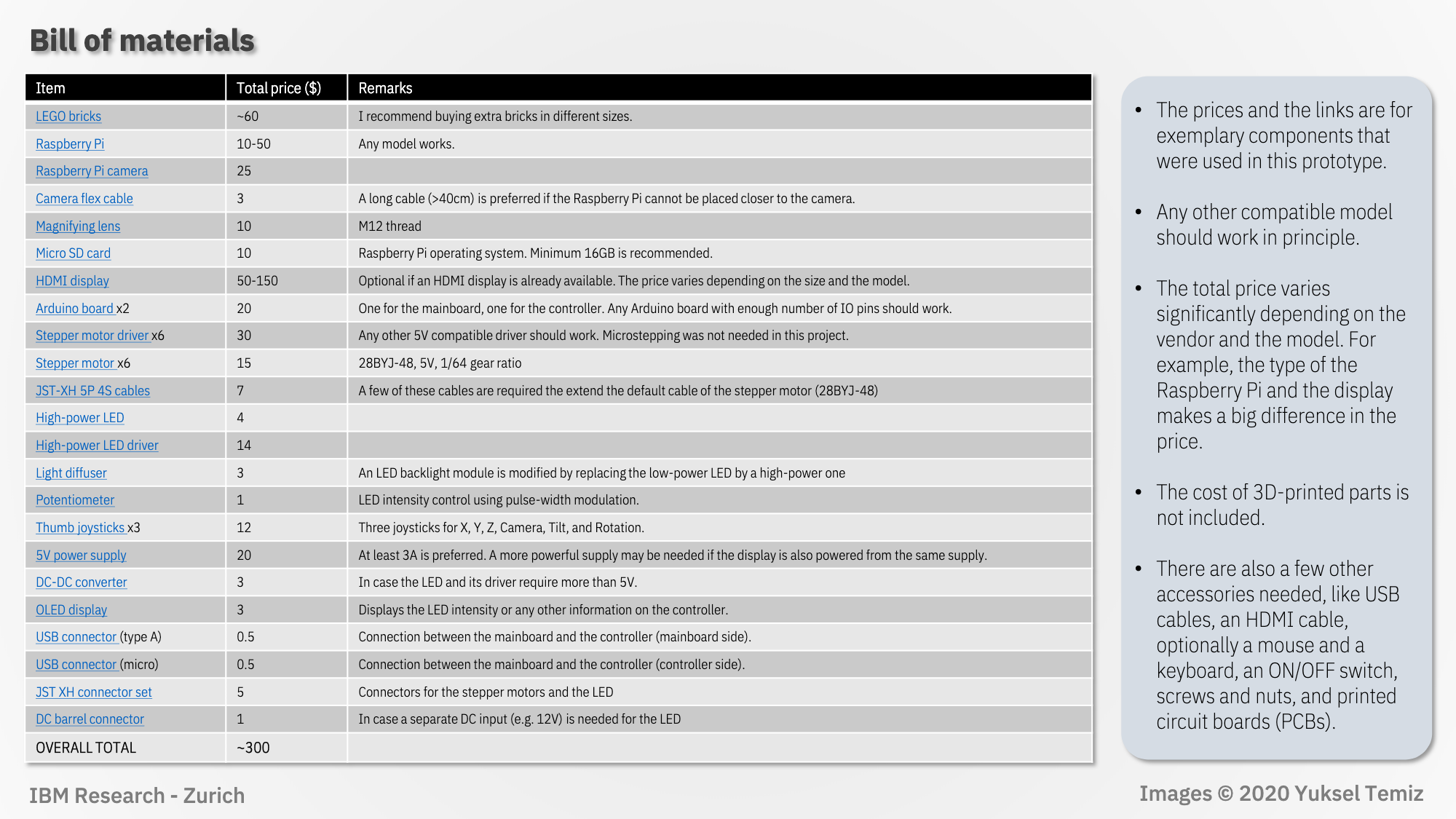
The user has put together very detailed, image-led build instructions walking you through how to create the linear actuators, camera setup, rotary stage, illumination, title mechanism, and electronics.
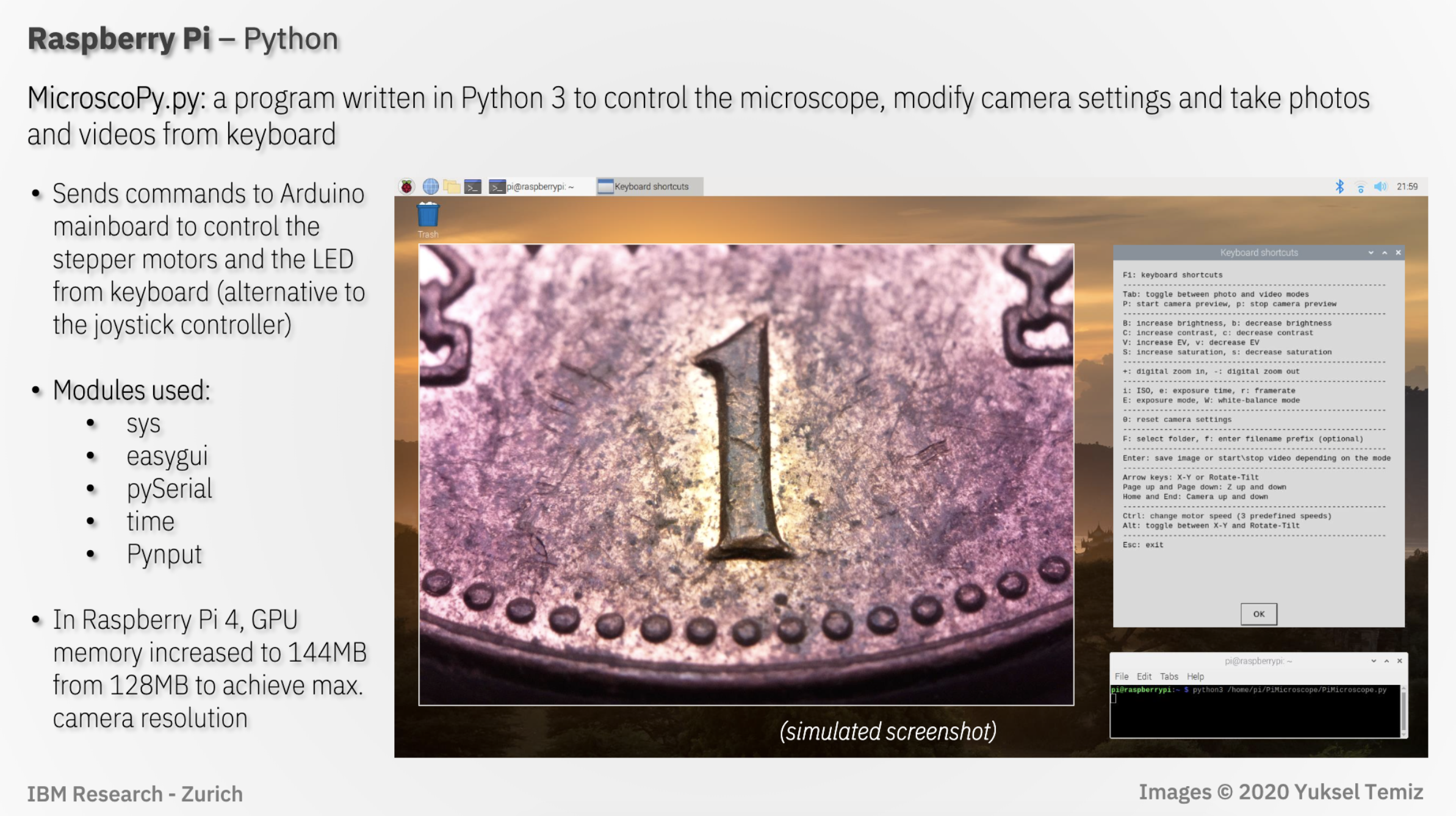
The project uses a program written in Python 3 (MicroscoPy.py) to control the microscope, modify camera settings, and take photos and videos controlled by keyboard input.
Click image to enlarge
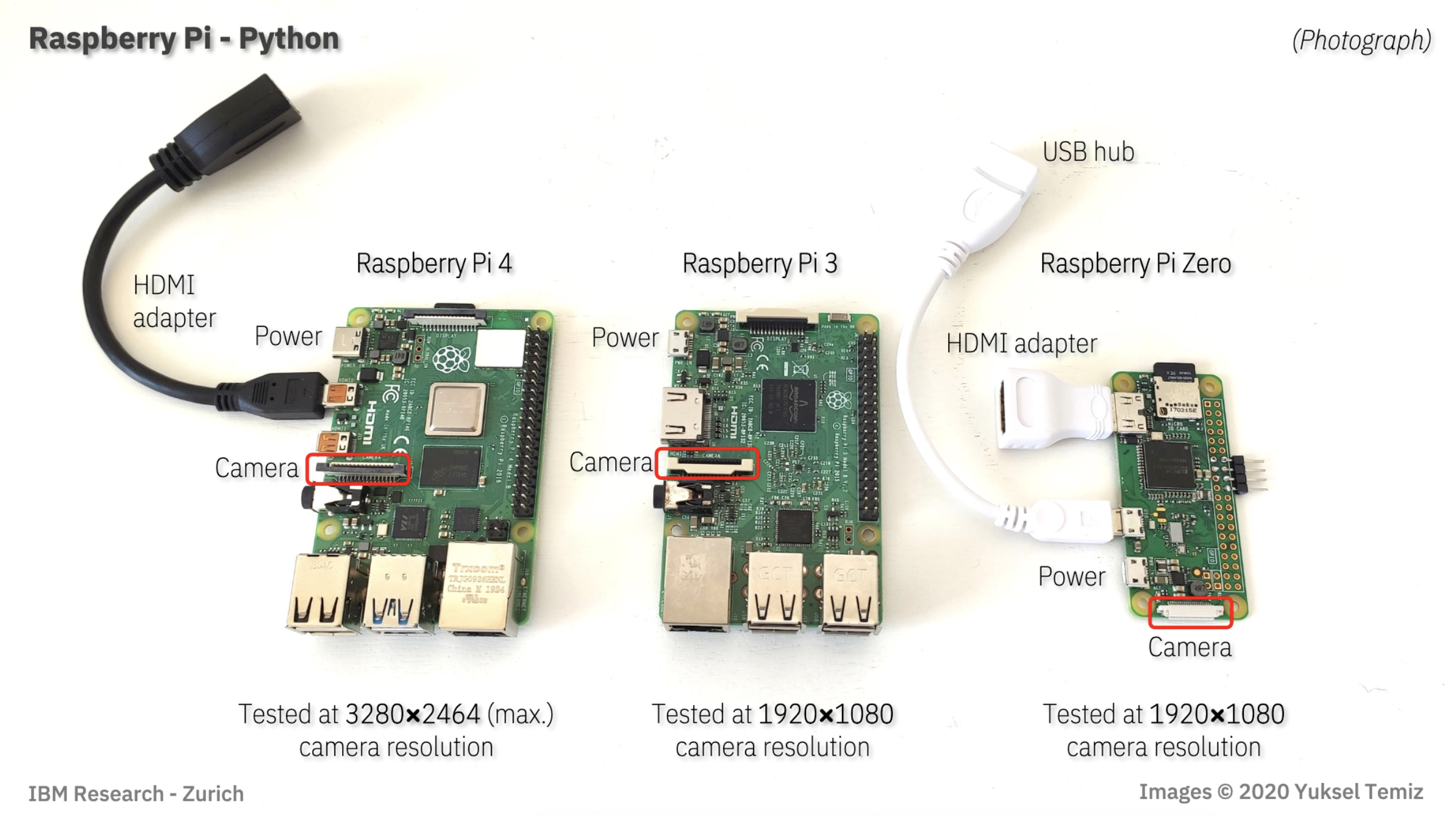
Here is a quick visual to show you the exact ports you need for this project on whatever Raspberry Pi you have:
Click image to enlarge
In the comments of the original reddit post, DIY_Maxwell explains that $10 objective lens used in the project limited the Raspberry Pi High Quality Camera’s performance. They predict you can expect even better images with a heavier investment in the lens.
The project is the result of a team at IBM Research–Europe, in Zurich, who develop microfluidic technologies for medical applications, needing to provide high-quality photos and videos of their microfluidic chips.
In a blog for IEEE Spectrum, IBM team member Yuksel Temiz explains: “Taking a photo of a microfluidic chip is not easy. The chips are typically too big to fit into the field of view of a standard microscope, but they have fine features that cannot be resolved using a regular camera. Uniform illumination is also critical because the chips are often made of highly reflective or transparent materials. Looking at publications from other research groups, it’s obvious that this is a common challenge. With this motivation, I devoted some of my free time to designing a multipurpose and compact lab instrument that can take macro photos from almost any angle.”
Here’s the full story about how the Raspberry Pi-powered creation came to be.
And for some extra-credit homework, you can check out this document comparing the performance of the microscope using our Raspberry Pi Camera Module v2 and the High Quality Camera. The key takeaway for those wishing to upgrade their old projects with the newer camera is to remember that it’s heavier and 50% bigger, so you’ll need to tweak your housing to fit it in.
The post Raspberry Pi High Quality Camera powers up homemade microscope appeared first on Raspberry Pi.
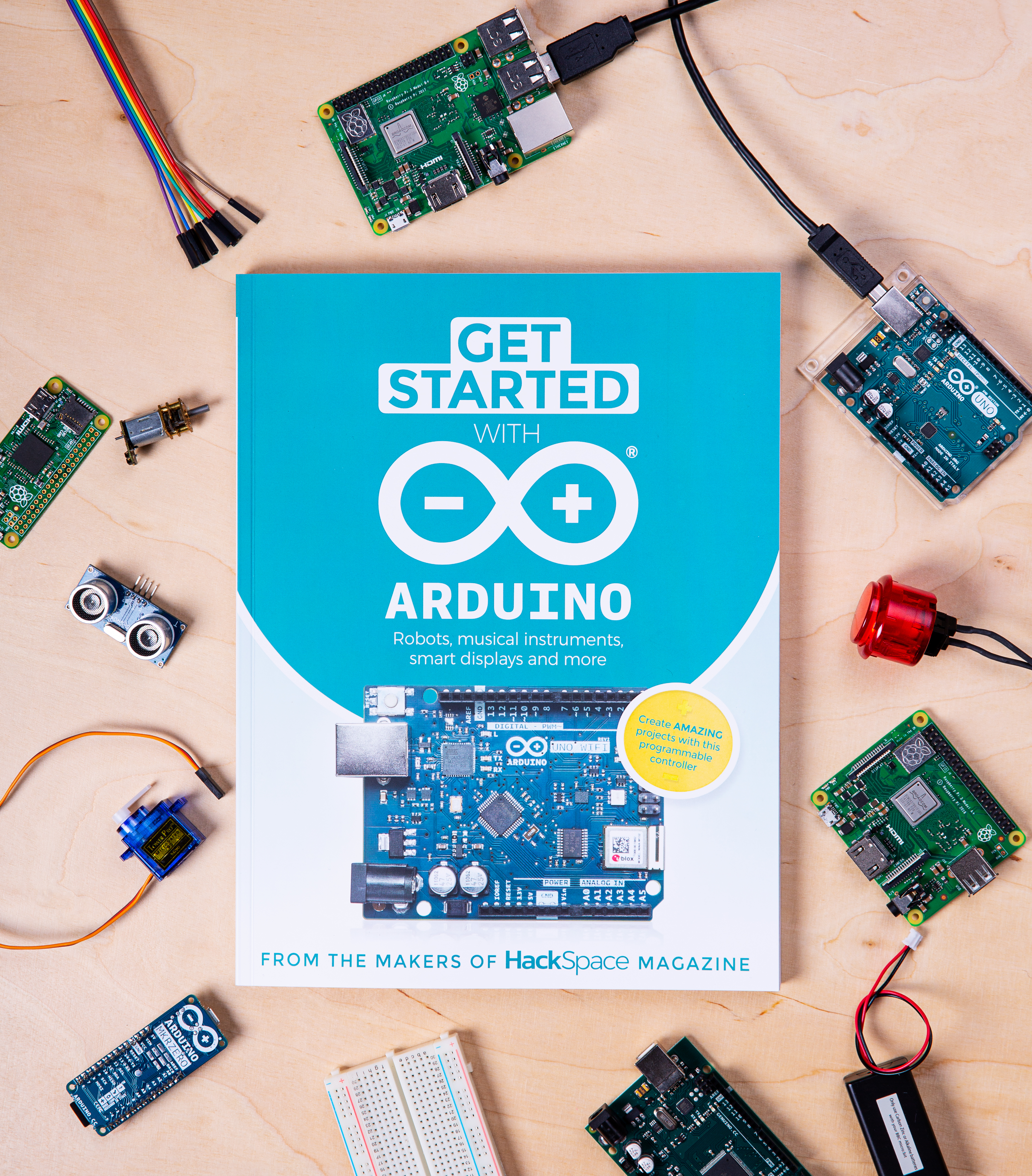
Yes, you read that title right, and no, you haven’t accidentally stumbled upon the Arduino Foundation’s website. Today, we’re pleased to announce a new addition to the Raspberry Pi Press family: Get Started with Arduino, a complete how-to guide to help you get hands on with the other pocket-sized board.

Why not? Our mission is to put the power of computing and digital making into the hands of people all over the world. Whether you’re using a Raspberry Pi, an Arduino, or any other piece of digital making kit, if you’re creating with tech, we’re happy. And Raspberry Pi and Arduino make wonderful project partners for all kinds of build.
Get Started with Arduino is packed full of how-tos and project tutorials to help you get better acquainted with the little blue microcontroller. Whether you’re brand new to digital making, a die-hard Raspberry Pi fan looking to expand your maker skillset, or simply a bit of a bookworm, Get Started with Arduino is a super addition to your bookshelves.
Arduino is a microcontroller, while Raspberry Pi is a full computer. Microcontrollers don’t usually run a mainstream operating system, but they’re extremely power-efficient, so they can be great for projects that can’t stay plugged into the mains. You need to use a separate computer to set up your Arduino, but you can do everything on a Raspberry Pi itself… including setting up an Arduino. As we said, the two work really well together in some projects: for example, you might build a robot where the Raspberry Pi handles intensive processing tasks and provides you with a friendly environment for developing your code, while the Arduino handles precise real-time control of the motors.
Get Started with Arduino is out now! It’s available from the Raspberry Pi Press website with free international shipping, from the Raspberry Pi Store in Cambridge, and from WHSmith in the UK; it’ll reach Barnes & Noble stores in the US in a week or so.
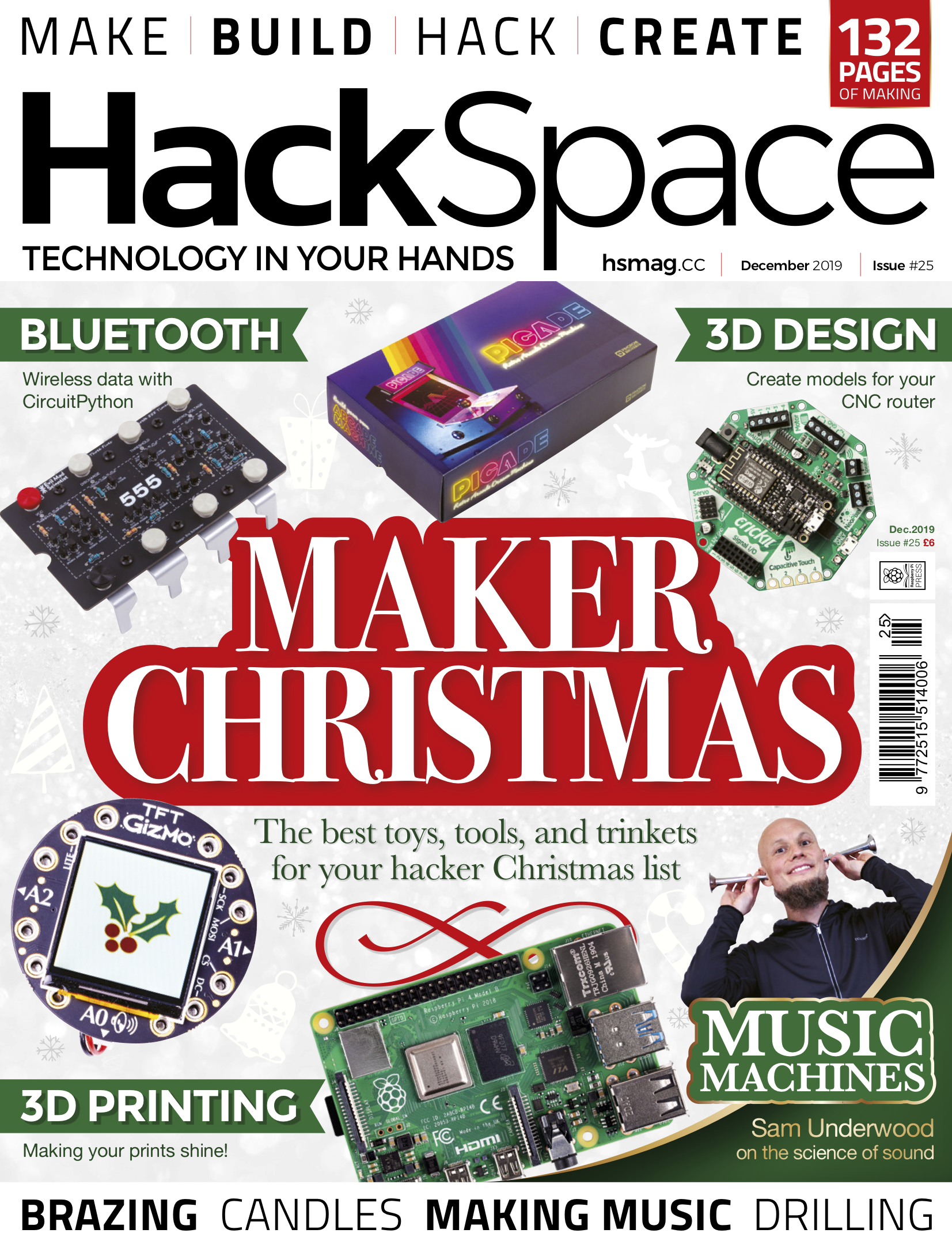
HackSpace magazine issue #25 is also out today, available from the Raspberry Pi Press website, the Raspberry Pi Store in Cambridge, and every newsagent that’s worth its salt.
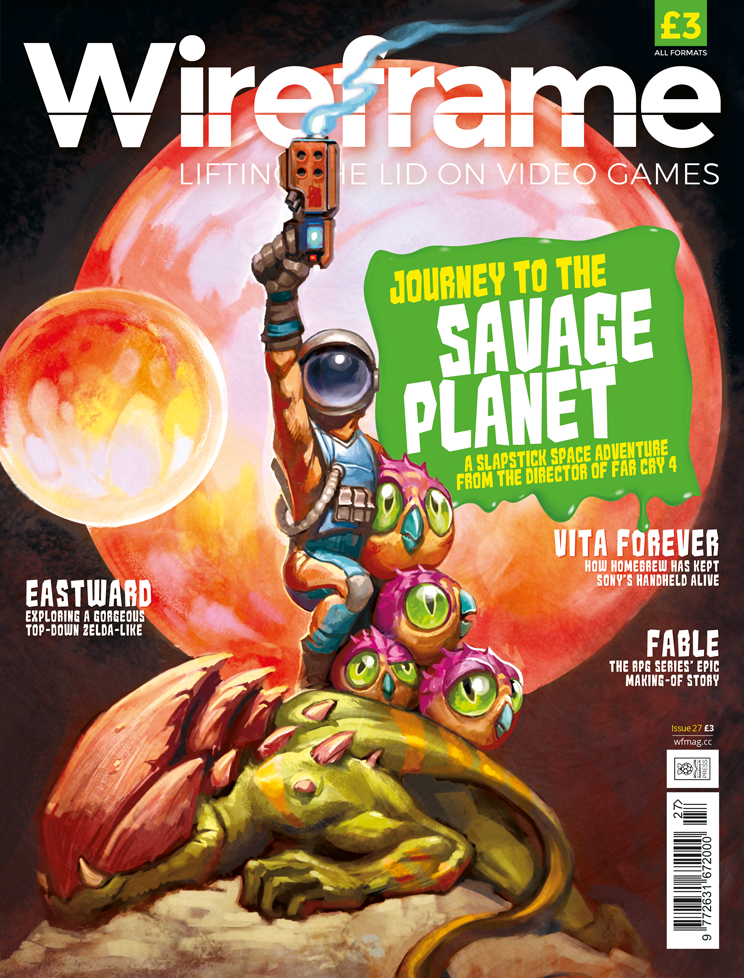
And, if that’s not enough, Wireframe magazine issue 27 is also out today, and it too is available from Raspberry Pi Press, the Raspberry Pi Store, and newsagents across the UK.
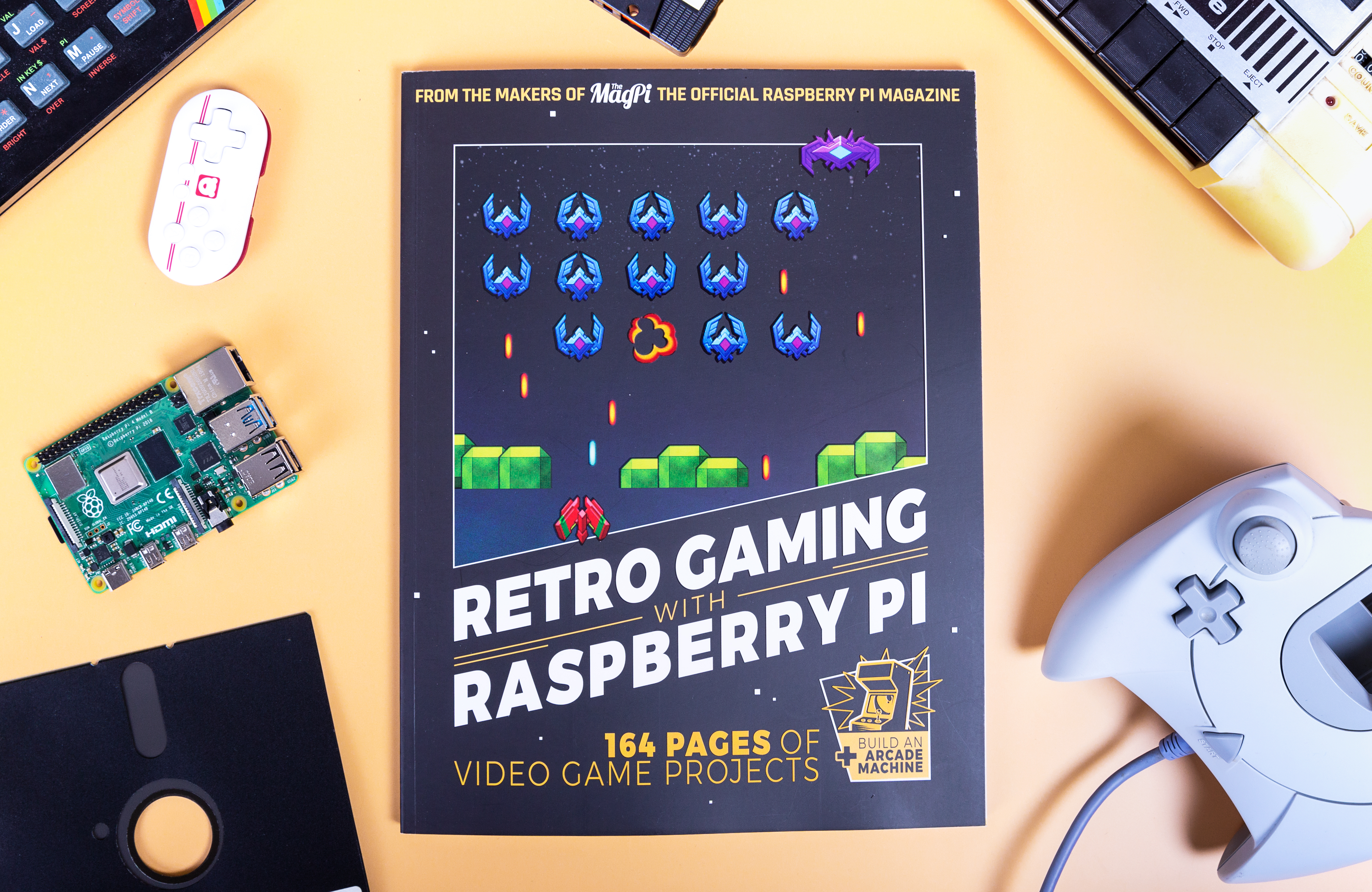
In case you missed it, on Monday we released Retro Gaming with Raspberry Pi, your one-stop guide to creating and playing classic retro games on your Raspberry Pi.
For getting this far in today’s blog, here’s your reward: Get Started with Arduino, HackSpace magazine, Wireframe magazine and Retro Gaming with Raspberry Pi are all available as free PDF downloads. However, when you buy our publications, you’re supporting the work of the Raspberry Pi Foundation to bring computing to everyone, as well as the continued production of even more great magazines and special edition books. So, you know what to do.
The post Get started with… Arduino? appeared first on Raspberry Pi.
Ummm…YES PLEASE!
Cheeseborg: The Grilled Cheese Robot!
More cool stuff at http://www.tabb.me and http://www.evankhill.com Cheeseborg has one purpose: to create the best grilled cheese it possibly can! Cheeseborg is fully automated, voice activated, and easy to move. With Google Assistant SDK integration, Cheeseborg can even be used as a part of your smart home.
Sometimes we’ll see a project online and find ourselves hoping and praying that it uses a Raspberry Pi, just so we have a reason to share it with you all.
That’s how it was when I saw Cheeseborg, the grilled cheese robot, earlier this week. “Please, please, please…” I prayed to the robot gods, as I chowed down on a grilled cheese at my desk (true story), and, by the grace of all that is good in this world, my plea was answered.
Cheeseborg uses both an Arduino Mega and a Raspberry Pi 3 in its quest to be the best ever automated chef in the world. The Arduino handles the mechanics, while our deliciously green wonder board runs the Google Assistant SDK, allowing you to make grilled cheese via voice command.
Saying “Google, make me a grilled cheese” will set in motion a series of events leading to the production of a perfectly pressed sammie, ideal for soup dunking or solo snacking.
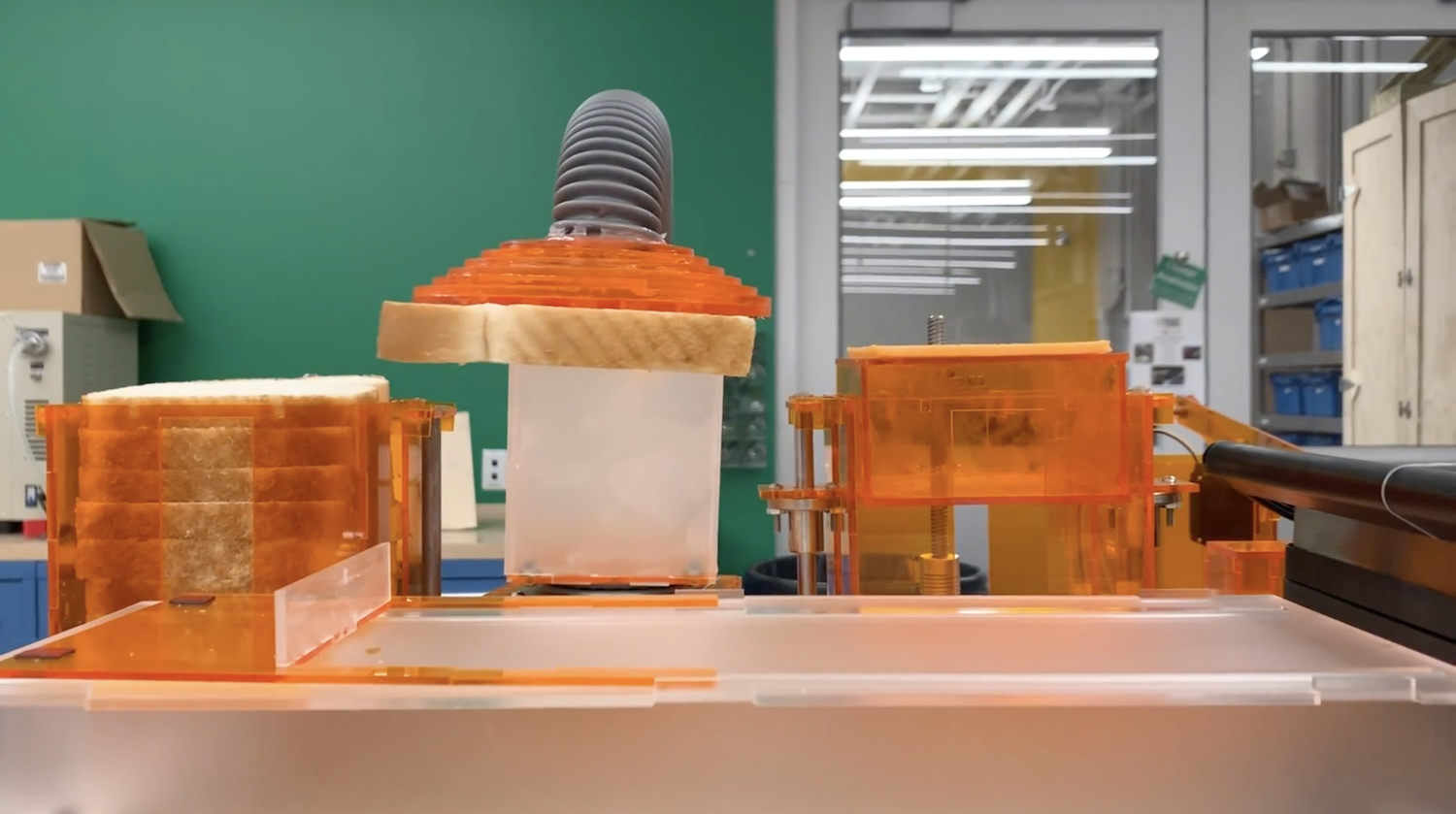
The robot uses a vacuum lifter to pick up a slice of bread, dropping it onto an acrylic tray before repeating the process with a slice of cheese and then a second slice of bread. Then the whole thing is pushed into a panini press that has been liberally coated in butter spray (not shown for video aesthetics), and the sandwich is toasted, producing delicious ooey-gooey numminess out the other side.
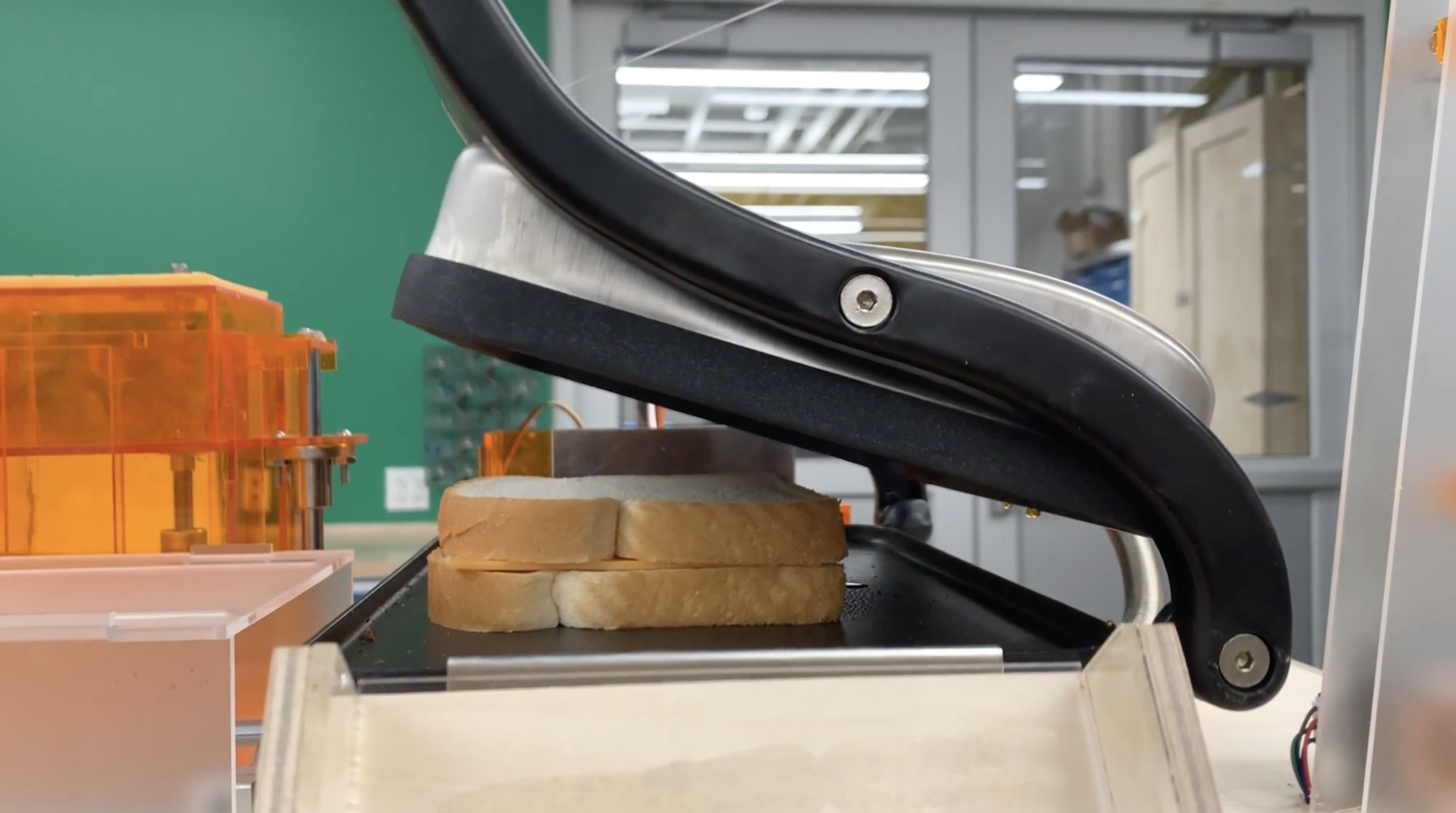
Pareidolia much?
Here at Raspberry Pi, we give the Cheeseborg five slices out of five, and look forward to one day meeting Cheeseborg for real, so we can try out its scrummy wares.
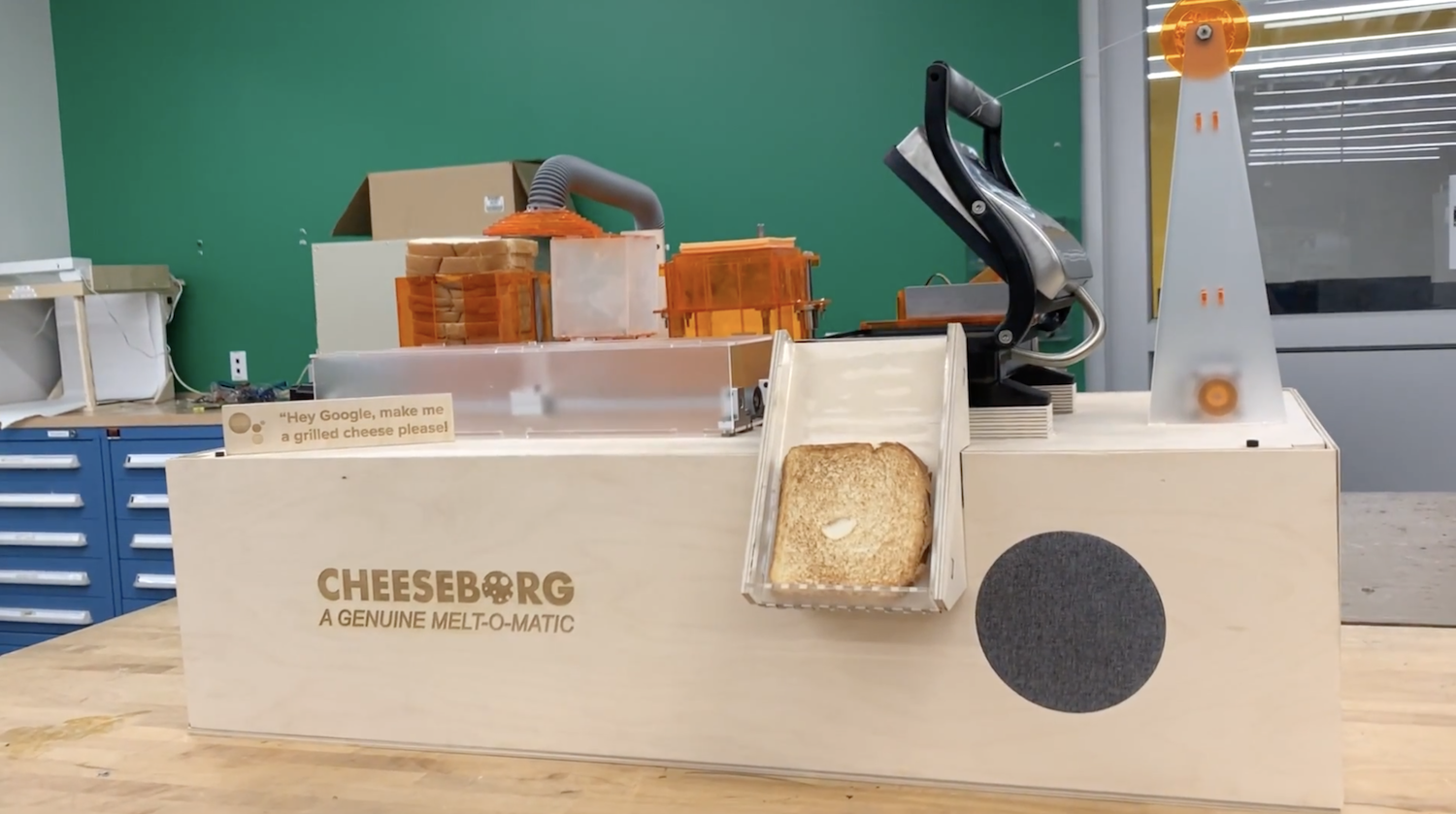
ooooey-gooey numminess
You can find out more about Cheeseborg here.
Yes, there’s a difference: but which do you prefer? What makes them different? And what’s your favourite filling for this crispy, cheesy delight?
The post The grilled cheese-making robot of your dreams appeared first on Raspberry Pi.


 Lateo.net - Flux RSS en pagaille (pour en ajouter : @ moi)