 Connexion


We all know that learning to program, and specifically learning how to debug or fix code, can be frustrating and leave beginners overwhelmed and disheartened. In a recent blog article, our PhD student Lauria at the Raspberry Pi Computing Education Research Centre highlighted the pivotal role that teachers play in shaping students’ attitudes towards debugging. But what about teachers who are coding novices themselves?

In many countries, primary school teachers are holistic educators and often find themselves teaching computing despite having little or no experience in the field. In a recent seminar of our series on computing education for primary-aged children, Luisa Greifenstein told attendees that struggling with debugging and negative attitudes towards programming were among the top ten challenges mentioned by teachers.
Luisa is a researcher at the University of Passau, Germany, and has been working closely with both teacher trainees and experienced primary school teachers in Germany. She’s found that giving feedback to students can be difficult for primary school teachers, and especially for teacher trainees, as programming is still new to them. Luisa’s seminar introduced a tool to help.
To address this issue, the University of Passau has initiated the primary::programming project. One of its flagship tools, LitterBox, offers a unique solution to debugging and is specifically designed for Scratch, a beginners’ programming language widely used in primary schools.
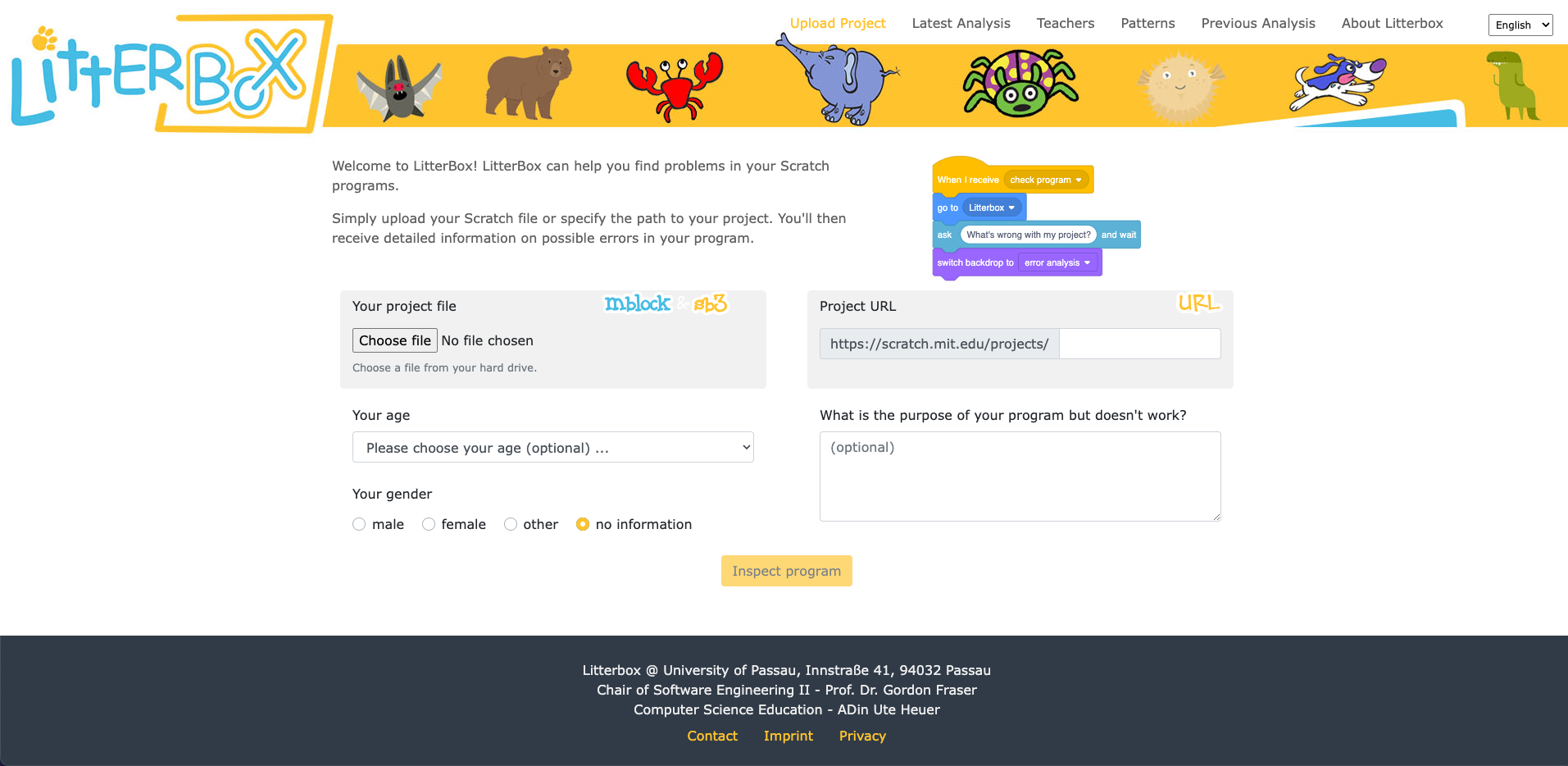
LitterBox serves as a static code debugging tool that transforms code examination into an engaging experience. With a nod to the Scratch cat, the tool visualises the debugging of Scratch code as checking the ‘litterbox’, categorising issues into ‘bugs’ and ‘smells’:
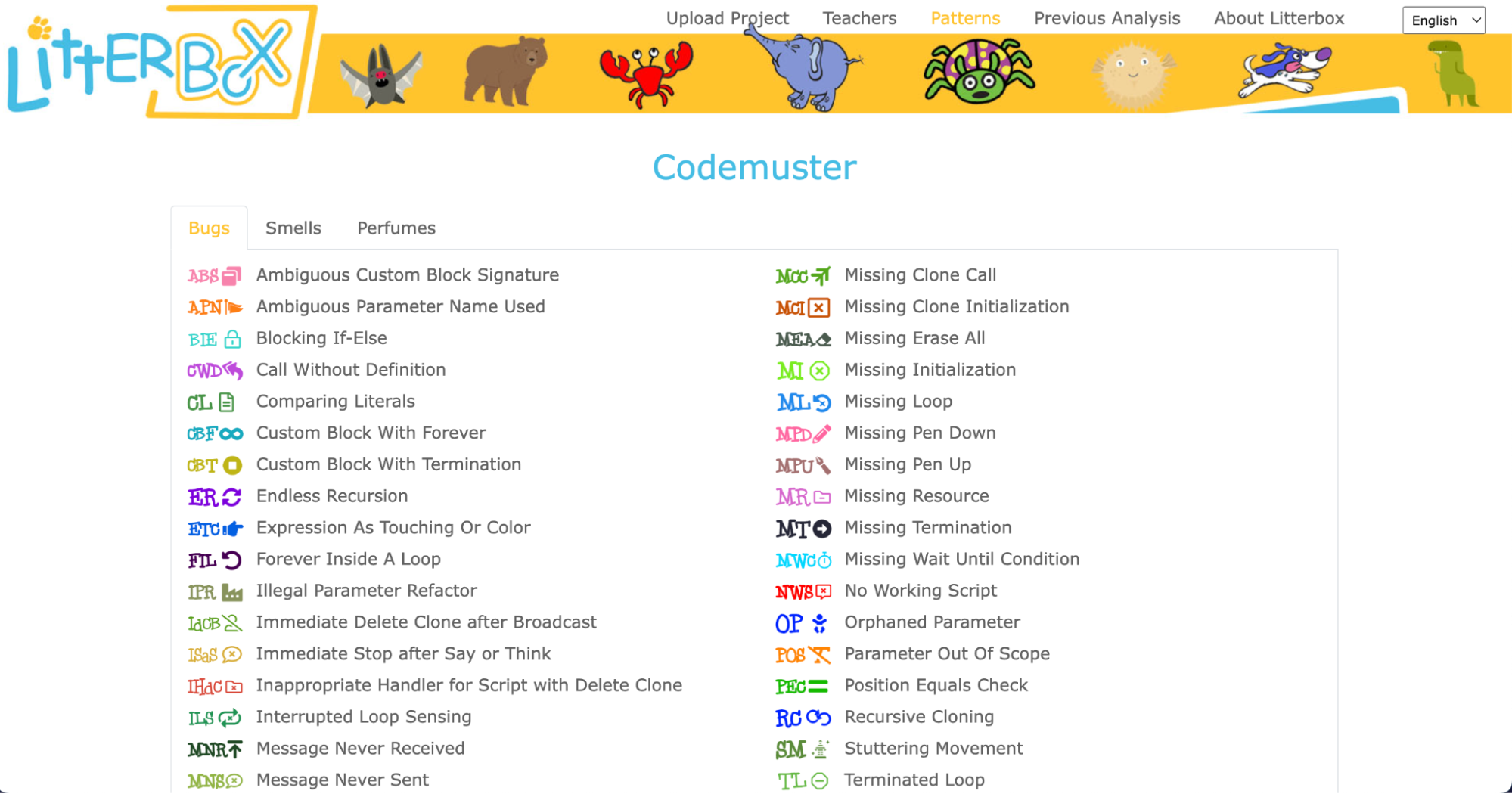
What sets LitterBox apart is that it also rewards correct code by displaying ‘perfumes’. For instance, it will praise correct broadcasting or the use of custom blocks. For every identified problem or achievement, the tool provides short and direct feedback.
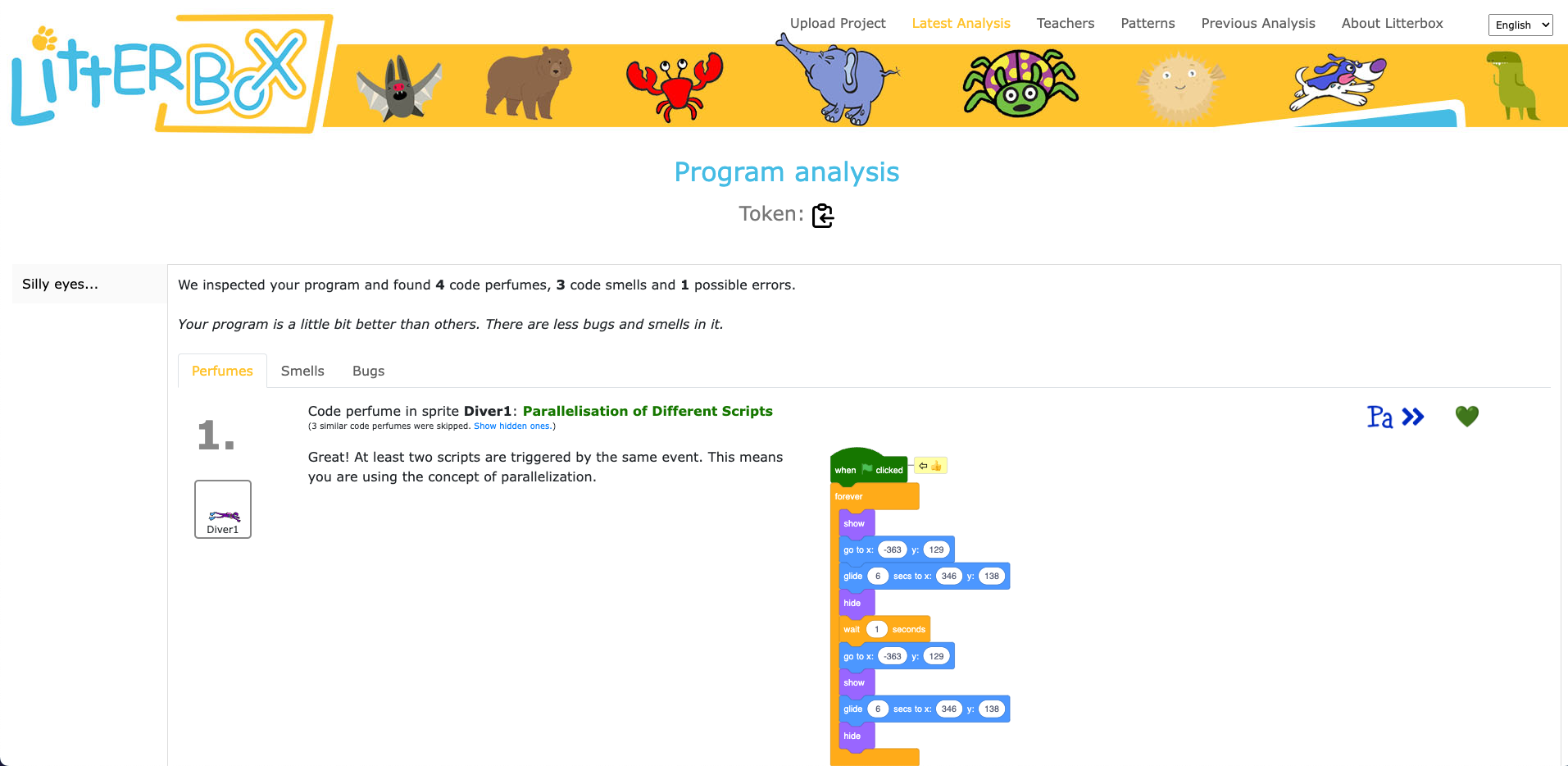
Luisa and her team conducted a study to gauge the effectiveness of LitterBox. In the study, teachers were given fictitious student code with bugs and were asked to first debug the code themselves and then explain in a manner appropriate to a student how to do the debugging.
The results were promising: teachers using LitterBox outperformed a control group with no access to the tool. However, the team also found that not all hints proved equally helpful. When hints lacked direct relevance to the code at hand, teachers found them confusing, which highlighted the importance of refining the tool’s feedback mechanisms.
Despite its limitations, LitterBox proved helpful in another important aspect of the teachers’ work: coding task creation. Novice students require structured tasks and help sheets when learning to code, and teachers often invest substantial time in developing these resources. While LitterBox does not guide educators in generating new tasks or adapting them to their students’ needs, in a second study conducted by Luisa’s team, teachers who had access to LitterBox not only received support in debugging their own code but also provided more scaffolding in task instructions they created for their students compared to teachers without LitterBox.
One important realisation that we had in the Q&A phase of Luisa’s seminar was that many different research teams are working on solutions for similar challenges, and that the impact of this research can be maximised by integrating new findings and resources. For instance, what the LitterBox tool cannot offer could be filled by:
As we navigate the evolving landscape of programming education, it’s clear that innovative tools like LitterBox can make a significant difference in the journey of both educators and students. By equipping educators with effective debugging and task creation solutions, we can create a more positive and engaging learning experience for students.
If you’re an educator, consider exploring how such tools can enhance your teaching and empower your students in their coding endeavours.
You can watch the recording of Luisa’s seminar here:
If you’re interested in the latest developments in computing education, join us at one of our free, monthly seminars. In these sessions, researchers from all over the world share their innovative ideas and are eager to discuss them with educators and students. In our December seminar, Anaclara Gerosa (University of Edinburgh) will share her findings about how to design and structure early-years computing activities.
This will be the final seminar in our series about primary computing education. Look out for news about the theme of our 2024 seminar series, which are coming soon.
The post Support for new computing teachers: A tool to find Scratch programming errors appeared first on Raspberry Pi Foundation.
With changes to school and work around the world, many parents and carers still aren’t sure what to expect over the next few weeks. While some children have returned to school, we know that many young people and families are still learning and working at home. We’re providing lots of free extra resources for young people, and we’re offering free support tutorials for parents who want to help their children understand more about the tools they’ll be using on their coding journey.
In our last blog post for parents, we talked to you about Python, which is a widely used text-based programming language, and about Trinket, a free online platform that lets you write and run your code in any web browser.
This week we talk about the importance of resilience and problem solving as we cover debugging — finding and fixing errors in your code.
When your child embarks on a coding project, expect to hear the phrase “It’s not working!” often. It’s really important to recognise that their code might not work on the first (or fourth) go, and that that’s completely OK. Debugging is a key process for young people who are learning how to code, and it helps them to develop resilience and problem solving skills.
Learning Manager Mac shows you tips and tricks for fixing Python code errors to help you build more confidence while you support your children at home.
Fixing errors in Python code
In this video, Learning Manager Mac will show you some tips and tricks for fixing Python code errors (also known as ‘debugging’) to help you build more confi…
If your child is following one of our online coding projects, the instructions are usually very detailed and precise. Encourage your child to read through the instructions thoroughly and see if they can spot a difference between their code and what’s in the instructions. You should find that many errors can be fixed by doing this!
Coding is iterative: programs are written in stages, with debugging during every stage. Errors in code are normal and very common, so mistakes in your child’s programs are to be expected. As a young person begins to develop coding skills, they start learning to problem-solve and persevere despite the errors, which will help them both on and off the computer. And the more they code, the quicker they’ll become at spotting and fixing errors.
Most of the coding problems your child will come across will be due to tiny mistakes, e.g. one letter or a piece of punctuation that needs changing. So during debugging, it’s helpful for both you and your child to frame the problem in this way: “It’s just one small thing, you are so close.” This helps them build resilience and perseverance, because finding one small error is much more achievable than thinking that the whole program is broken and they need to start over.
When your child encounters a problem with their code, encourage them to talk you through their whole problem, without interrupting them or making suggestions. Programmers call this technique ‘rubber duck debugging’: when they encounter a problem with their code, they explain everything their code does to an inanimate object — such as a rubber duck! — to find the detail that’s causing the problem. For your child, you can play the part of the rubber duck and provide a supportive, listening ear!
To keep young people entertained and learning, we’re running a Digital Making at Home series, which is free and accessible to everyone. New code-along videos are released every Monday, with different themes and projects for all levels of experience. We also stream live code-along sessions on Wednesdays at 14:00 BST at rpf.io/home!
Ben Garside is a Learning Manager at the Raspberry Pi Foundation and also a dad to three children aged between 6 and 8. Ben is currently homeschooling and working (and still smiling lots!). In this video, Ben shares his personal experience of trying to find the best way of making this work for his family, with a bit of trial and error and lots of flexibility.
Parent diary: Adapting to life online
Ben Garside is a Learning Manager at the Raspberry Pi Foundation and also a dad to three children aged between 6 and 8. Ben is currently homeschooling and wo…
You’ve got a Raspberry Pi computer at home and aren’t sure how to use it? Then why not sign up to our new free online course to find out all about how to set up your Raspberry Pi, and how to use it for everyday tasks or for learning to code!
We’ve been asking parents what they’d like to see as part of our initiative to support young people and parents. We’ve had some great suggestions so far! If you’d like to share your thoughts, email us at parents@raspberrypi.org.
Sign up now to start receiving free activities suitable to your child’s age and experience level straight to your inbox. And let us know what you as a parent or guardian need help with, and what you’d like more or less of from us.
PS All of our resources are completely free. This is made possible thanks to the generous donations of individuals and organisations. Learn how you can help too!
The post Learn at home #3: building resilience and problem solving skills appeared first on Raspberry Pi.


 Lateo.net - Flux RSS en pagaille (pour en ajouter : @ moi)