 Connexion


Social media can have a powerful impact on the way we see and experience the world. What we see in our feeds is not random: it is determined by AI-driven systems that collect vast amounts of data, build user profiles, analyse engagement, and generate recommendations. But while young people are prolific users of social media, studies show that many have little understanding of what is happening ‘under the hood’

In our September research seminar, we welcomed back Henriikka Vartiainen and Matti Tedre from the University of Eastern Finland. They introduced Somekone, a social media simulator that is designed to help learners understand some of the fundamental processes behind social media platforms. Their team has been developing AI education materials and tools since 2019, including GenAI Teachable Machine, which they presented at our May research seminar.
Henriikka explained that the development of the Somekone tool emerged from the team’s long-term collaboration with teachers and schools in Finland. They co-developed the tool with the aim of making concepts like data collection, engagement, profiling, recommendations, filter bubbles, and polarisation visible and explainable for students aged 11 to 13 years old.
Henriikka described the pedagogical model that the team follows in all of their AI education interventions. Their goal is not only to support students to develop their understanding of AI concepts, but also to foster ethical awareness and a sense of agency.
Matti then gave a live demonstration of Somekone. Nothing compares to seeing the tool in action, so do check out the video of his demo here!
Students log on to the tool and are presented with an Instagram-style feed of images. They scroll through the feed and like, share, or comment on images that catch their attention or match their interests. For many students this is a very familiar type of environment, and they really enjoy playing with the app!
However, the unique value of Somekone is that it provides students with a real-time view of the way data is collected from every single user interaction, and demonstrates what is done with that data. It also allows students to experiment with a social media tool in the classroom without any data protection issues, as all of the data is stored locally.
Learners explore:
The simulator creates clusters of users with similar interests, which update in real time as students interact with posts on their feeds
The tool provides an explanation for why each post is recommended
Two users’ heatmaps presented side by side, showing their respective filter bubbles
For teachers, the tool has a simple guided interface to make it easy to use in class. There is also a button that teachers can use to pause the app, stopping students from scrolling (much to their dismay!) in order to focus their attention on the teacher when they are explaining concepts.
The research team used pre- and post-tests to evaluate what impact the intervention had on students’ understanding of social media mechanisms and on their sense of agency in relation to data. They conducted the post-test a week after the intervention, and then also did a delayed post-test six months later to see whether any changes were sustained. They found:
The Somekone tool is freely available online — in Finnish, English, German, and French — at somekone.gen-ai.fi. The developer Nick Pope has also made the source code available on GitHub at github.com/knicos/genai-somekone.
However, the supporting materials and teacher resources are currently only available in Finnish and the underpinning pedagogies relate to the Finnish context.
Join us at our next seminar on Tuesday, 11 November from 17:00 to 18:30 GMT to hear Karl-Emil Bilstrup (Copenhagen University) speak about using the micro:bit to explore machine learning practices. We hope to see you there!
To sign up and take part in our research seminars, click below:
You can also view the schedule of our upcoming seminars, and catch up on past seminars on our previous seminars page.
The post How AI shapes your feed: An explainable social media simulator for the classroom appeared first on Raspberry Pi Foundation.
Bradford was buzzing with excitement this May as over 170 young digital makers from across the UK gathered for Coolest Projects UK 2025 at the Life Centre to celebrate the amazing things young people create with technology. Run by the Raspberry Pi Foundation and hosted by BBC science presenter Greg Foot, the free, in-person event brought together budding creators, families, mentors, and even a few troops of Scouts for a fun-filled day.
From AI tools and advanced programming to Scratch games and hardware builds, the showcase featured an incredible range of projects from 113 Coolest Projects participants and 58 scouts. Every young person received thoughtful feedback from industry professionals, the chance to try hands-on coding challenges, and the thrill of sharing what they built with a welcoming crowd and other creators.
Coolest Projects UK 2025 wasn’t just about showcasing finished products; it celebrated every part of the creative journey. Many creators shared works-in-progress or prototypes, sparking conversations around design, problem-solving, and learning through code.
One of the day’s highlights was an interactive escape room designed just for the event, giving attendees a chance to flex their logical thinking and collaboration skills. And for 58 visiting Scouts, the day was a chance to earn their Digital Maker Badge and share their creations with the showcase participants.
Greg Foot is known for BBC Radio 4’s Sliced Bread and other popular science shows. He brought energy and enthusiasm as host, sharing stories and celebrating young people’s creativity on stage.
Many of this year’s participants came from local Code Clubs, CoderDojos, and schools across the UK. Others had worked independently to bring their ideas to life. The event encouraged collaboration and connection, with creators exchanging feedback, learning from each other, and celebrating shared interests.
Earlier this year, young people from Bradford also had the chance to take part in hands-on workshops. Held at the National Science and Media Museum, they were guided on getting started with digital making and developing their own project ideas for the showcase.
Here are a few of the projects that were showcased on the day. Each one demonstrates the power of digital tools and the fun and creativity that young people bring to their Coolest Projects journeys. Here’s what the creators had to say about their work, what inspired them, and their experiences of the day:
Arlo | MUST. EAT. DONUTS., AI
Arlo’s interactive game featured AI models that used face and mouth tracking to make the main character, called Chompy, mirror the movements of the player. Arlo’s game was inspired by a session at his Code Club. He came across a video sensing motion plug-in and realised he could make a game that used the player’s head as the controller.
“It is a fun and silly game for all to play. I also created the artwork myself in my own style, as drawing is another one of my passions, alongside coding. I would love to come back next year, maybe in a different category. I wanted to enter because I got the chance to share my coding and drawing skills, and I was excited to think others may play a game I created.”
Felicia and Francesca | The Silent Forest, Scratch
Felicia and Francesca created a top-down, Zelda-style RPG in Scratch, where the player explores a pixel world and interacts with characters and objects. Instead of using the keyboard, the game is controlled with a Micro:bit. Felicia shared with us why they wanted to showcase the game at Coolest Projects.
“I went to Coolest Projects UK because I love making things with Scratch and wanted to show my game to other people. It was a fun way to share what I built, see what other kids made, and learn new ideas. I wanted to challenge myself and be part of something really cool!”
Eesa, Yahya and Yusha | Let’s Speak Arabic!, Scratch
Let’s Speak Arabic is an interactive program designed to help people learn conversational Arabic. Eesa, Yahya, and Yusha are home educated and study a book called Al Arabiyyah Bayna Yadayk together. This inspired them to think about fun ways to upgrade their study, and the idea for gamifying their learning through Scratch was born. The team shared a little about their experience:
“The event was awesome. Actually, it was even better than we imagined! We loved meeting people from all over the country, really enjoyed playing other people’s games, and got lots of ideas for what we could code in the future. And, our parents were so proud we got judge’s favourite!”
Jay | J Bot, Hardware
Jay is a long-time friend of the Foundation and has been taking part in Coolest Projects online and in person for the past few years. He wowed again this year with his life-sized J Bot and shared with us why he thinks Coolest Projects is such an important event for the young creator community.
“I know it might seem a bit intimidating to come and showcase in front of all these people, but I feel more and more people should try and get involved [in Coolest Projects] because it’s a really good community of people. And they are really supportive as well. So I would just say, give it a go. Don’t be nervous because people are here to help you along the way.”
Coolest Projects UK continues to grow as a platform for the next generation of changemakers. We can’t wait to see what they create next!
Although the online showcase and Foundation-led events are now closed for this year, there are still many more partner events happening globally throughout 2025.
Visit coolestprojects.org to learn more.
Coolest Projects is just one part of the Raspberry Pi Foundation’s work to help young people explore computing. Across the UK and Ireland, over 2000 free Code Clubs offer sessions where young people build digital skills, grow in confidence, and work on creative projects with others. Across the world, there are nearly 6000 more clubs running.To find your local Code Club or get involved as a volunteer, head to codeclub.org.
The post Young tech creators take over Bradford at Coolest Projects UK appeared first on Raspberry Pi Foundation.
Amidst heated discussion of smartphones and their impacts on young people’s lives, it’s become a frequent recommendation to ban phones in schools. Below I summarise the research evidence on smartphone bans (it’s mixed) and share tips for computing educators on how to constructively address the topic with their learners and empower them to think critically about technology design.
2024 was the year the tide turned against smartphones. Across the world, parents, teachers, and governments highlighted the risks of excessive phone use among young people. In the UK, the ‘Smartphone Free Childhood’ movement emerged, quickly growing to 100,000 members who advocate for keeping smartphones away from children due to concerns about addiction, harmful content, and mental health. Jonathan Haidt’s global bestseller The Anxious Generation has further fuelled the movement, linking smartphone use to adolescent mental health issues and recommending phonefree schools. Meanwhile, countries including England, France, and Finland have urged schools to adopt strict phone bans, hoping to reduce classroom distractions and enhance student safety.
Despite widespread support, academic research on phone bans remains limited and inconclusive. Given this situation, computing educators are uniquely positioned to offer an alternative approach.
The rapid spread of school smartphone bans is a straightforward response to complex issues around personal technology use in education. Teachers and parents frequently view phones as inherently disruptive, a perspective supported by studies that show phones can impair students’ focus and engagement in lessons. Concerns about cyberbullying and addiction contribute to this view, with many educators seeing bans as a practical solution to mitigate risks. Surveys in England reveal that nearly half of all secondary schools now enforce all-day bans. This trend was supported by teachers participating in my master’s degree research, who see these policies as necessary to reduce distractions and maintain control in the classroom.
“Calls for outright bans may oversimplify the conversation.”
Yet calls for outright bans may oversimplify the conversation, limiting opportunities to examine both the benefits and the risks of smartphone use in schools. Evidence on the impact of phone restrictions is mixed: while some studies suggest restrictions may benefit learning, especially for students who struggle the most, others indicate no significant impact on academic outcomes. Additionally, recent findings show that cyberbullying is not directly linked to time spent online, with traditional bullying still more prevalent in schools. Even the narrative around smartphone addiction is contested, with some researchers suggesting that concerns about addiction may be overstated. And some schools do not have access to digital devices for learners and then smartphones may play a crucial role in teaching and learning digital literacy skills.
As the debate over smartphone bans continues, educators have an opportunity to move beyond restrictions and engage students in understanding the technology that shapes their lives. This is where computing educators can really make a difference. How can they guide students to understand why technology is designed to capture attention and what lies behind these design choices?
School smartphone bans can feel like a hopeless act that suggests phones and social media are inherently incompatible with learning and student well-being. This approach assumes the only solution is to remove them, rather than considering how these technologies might be better managed or reimagined to support young people. What if, instead of banning phones, educators worked with students to explore why they are so captivating and how they could be designed differently? Computing educators can lead this exploration. With digital literacy as part of their curriculum, computing teachers can help students question the motives behind their devices, fostering a critical understanding of the forces shaping their digital world.
“With digital literacy as part of their curriculum, computing teachers can help students question the motives behind their devices, fostering a critical understanding of the forces shaping their digital world.”
At the heart of how social media platforms are designed is their business models. Tech companies rely on features such as notifications, autoplay, and infinite scrolling to maximise user engagement and revenue. This is part of what the writer Shoshana Zuboff calls “surveillance capitalism”, where companies gather vast amounts of behavioural data by keeping users engaged on their platforms for as long as possible.
In the classroom, educators can open discussions with students on the motives behind technology design, exploring questions such as why platforms want users to stay engaged, and what data they are collecting. Activities might include analysing popular apps to identify which features encourage prolonged use, or debating how social media could be designed to prioritise user wellbeing. By critically examining these design choices, students can better understand the forces driving their digital interactions and consider ways in which technology could be reimagined to serve them, rather than just profiting from them.
Once young people understand why phones and social media are designed the way they are, educators can work with students to create phone policies that reflect shared values and goals. This collaborative approach encourages students to take ownership of their technology use, and computing teachers, drawing on their knowledge of technology design and digital literacy, are ideally positioned to facilitate these discussions.
Research suggests that policies developed with student input are more effective, as they foster responsibility and engagement. By involving students in policymaking, educators can encourage them to consider how phones could support rather than hinder learning. For example, students might agree that phones should stay off during certain times, or in certain spaces, but that they might be useful in other scenarios where access benefits learning. This kind of flexibility ensures that phones are used thoughtfully, allowing for both practical boundaries and opportunities for educational use.
As debate around smartphone use in schools continues, academic research remains inconclusive on the effectiveness of phone bans. This uncertainty presents computing educators with an opportunity to move beyond restrictive policies and foster deeper understanding. By guiding students to explore why phones and social media are designed to capture attention, we can help to equip them with the critical skills needed to navigate their digital world thoughtfully. Involving students in crafting flexible, meaningful phone policies reinforces this understanding, giving them a sense of agency in shaping technology’s role in their lives.
Computing educators are uniquely positioned to empower students, not just as users, but as active challengers of technology design norms. Embracing a collaborative approach allows computing educators to inspire students to envision a future where technology genuinely serves their growth and their learning, rather than commercial interests.
A version of this article appears in the newest issue of Hello World magazine, which is all about teaching digital literacy. Explore issue 26 and download your free PDF copy today.
You can also listen to our recent Hello World podcast episode discussing the myth of the ‘digital native’ and whether today’s young people are tech-savvy or tech-dependent.
The post Beyond phone bans: Empowering students to critically navigate and reimagine technology appeared first on Raspberry Pi Foundation.
Lack of access to devices presents teachers with challenges in any setting. In schools, money is often limited and digital technology may not be the priority when buildings need maintenance or libraries need replenishing. This issue is particularly important when the very subject you teach relies on and relates to devices that you may have limited or no access to.
It must be frustrating for teachers in this situation to see marketing campaigns from companies showing how their curriculum offering will use the very latest in robotics, AI, or media production, when the teachers’ reality is that they don’t have anything like the means or resources to deliver this.
Fortunately there are approaches that can help. Below I outline some of the ways we are working with teachers to make the teaching of computing and digital literacy less resource-heavy and more accessible and equitable.
Our work with Kenyan teachers has brought the access issue into sharp focus for us. We are currently developing free resources to deliver the Kenyan curriculum to schools in Mombasa and the Frontier Counties. There are big contrasts both between and within these two areas of the country. Some schools are well equipped with digital technology, while others have very little access to any computing devices; in these schools, smartphones play a crucial role.
With that in mind, the curriculum resources we develop suggest class activities that make the most of limited devices, such as the use of projected demonstrations. We also provide a step-by-step guide to computing tasks, with screenshots, to guide learners through the tasks conceptually. This ensures learners understand the process and can apply their new knowledge once they gain access to the necessary devices.
We make these resources available online and in downloadable documents. This means the resources can be taken offline and taught in places without stable internet connection. We are also careful to limit file sizes, to make downloads more accessible. Wherever possible, our resources are device-agnostic, so that they can be accessed on a wide range of devices, including personal devices such as mobile phones.
As well as tailoring curriculum resources, we have also adapted our teacher training to make it more accessible for people with less experience of using computing devices. For example, during a recent project coaching community trainers in Mombasa, we emphasised activities that improve digital skills on various devices. This meant that when passing the training on to other teachers, the community trainers had a broader set of skills across a wider range of devices.
Even computing-specific concepts such as a programming construct can, to a degree, be taught with very limited access to devices. Unplugged activities, where no digital technology is required, can be used to introduce fundamental concepts such as sequencing and repetition.
For example, you can ask learners to recognise patterns in repeating sequences of colours and identify how to describe the sequences without repeating the colours many times. While it is good practice to link the learning from an unplugged activity back to a plugged activity, students will still benefit when that is not possible.
There are also a significant number of devices which offer online emulator apps that mirror the functions of the physical device. Consider Bee-Bot floor robots, which can be relatively expensive to purchase and may get damaged in a classroom. If you don’t have the physical device, its emulator app provides a similar experience.
Similarly, the micro:bit, a versatile microcontroller for young people, can be emulated in the MakeCode programming environment, including all its buttons and sensors. There are also numerous emulators which enable you to make and test your own circuits using a variety of hardware platforms.
Sometimes it can be helpful to look up what devices you actually need — they might not be as expensive as you think. General-purpose, single-board computers such as Raspberry Pi can be bought new for less than £25, and more powerful models still under £50.
Similarly, microcontrollers such as Raspberry Pi Pico, micro:bit, or Crumble, range from about £5 to £20 per device. Accessories such as LEDs, jumper leads, motors, and buzzers are also reasonably priced. They can be a relatively low-cost entry into physical computing and robotics, especially if you pair them with craft materials or share devices between students.
However limited your access to devices is, I encourage you to:
If you have your own tips to share with fellow teachers, please comment below.
You can discover our free teacher training and classroom resources, and read about how we’ve integrated digital literacy in The Computing Curriculum.
A version of this article appears in the newest issue of Hello World magazine, which is all about digital literacy. Explore issue 26 and download your free PDF copy today.
You can also listen to our recent Hello World podcast episode exploring three teachers’ digital literacy tips for the classroom.
The post Teaching digital literacy without devices appeared first on Raspberry Pi Foundation.
’Digital literacy’ is a term that seems to pop up everywhere. In the early 2000s, it was the next big thing; some even suggested it might replace traditional literacy and numeracy. But, like many educational trends, it soon faded from the spotlight, and became something that schools ‘should’ do, or something left to the lone teacher who had been handed the role of IT coordinator.
For many teachers, at least in the UK, digital literacy meant booking a set of laptops (and hoping the last class had remembered to charge them) and ticking off history learning objectives by making a PowerPoint about Henry VIII’s wives. It became a bit of an afterthought.
More recently, digital literacy seems to have been rebranded as ‘digital skills’, often framed as the capabilities young people need for the workplace of tomorrow. But I don’t think that tells the full story.
Digital literacy isn’t just about employability; it’s about fairness and access. It’s about more than just learning to use spreadsheets (though my love for Excel remains strong); it’s about ensuring that all young people have the knowledge and confidence to navigate the digital world we live in today.
Digital literacy is about understanding the digital tools we rely on every day, securely accessing online services, making informed decisions about sharing personal information, and critically evaluating the endless stream of news and misinformation online.
It’s also about artificial intelligence: not just playing with the latest tools, but understanding how they work, the biases built into them, and the ways they shape our lives.
True digital literacy empowers young people to engage with technology thoughtfully, critically, and confidently. And that’s something worth making space for. To truly ensure that young people have fair access to the digitally enabled world we live in, we must equip them with the skills to understand and use technology effectively. This means making space for digital literacy within the curriculum and ensuring that all teachers feel confident in delivering it.
Every teacher has a role to play in helping students develop these essential skills. This requires high-quality curriculum resources that integrate digital tools meaningfully into different subjects, as well as comprehensive teacher training to ensure every educator feels empowered to teach digital literacy as part of their everyday practice.
So, let’s not treat digital literacy like that forgotten box of tangled charging cables in the staffroom (important, but nobody is quite sure what to do with it). Instead, let’s make it a core part of teaching, just like reading, writing, and knowing how to keep a straight face when a student asks if they really need to save their work.
If we get this right, we’re not just preparing young people for the jobs of tomorrow, we’re making sure they can navigate today’s digital world safely, confidently, and with the critical thinking skills to tell fact from fiction (because let’s face it, the internet isn’t exactly short on absolute nonsense).
Now, who’s up for making a PowerPoint about Henry VIII’s wives?
You can discover our free teacher training and classroom resources, and read about how we’ve integrated digital literacy in The Computing Curriculum.
A version of this article appears in the newest issue of Hello World magazine, which is all about digital literacy. Explore issue 26 and download your free PDF copy today.
You can also listen to our recent Hello World podcast episode exploring three teachers’ digital literacy tips for the classroom.
The post What do we even mean by digital literacy? appeared first on Raspberry Pi Foundation.
The term ‘digital native’ was coined in 2001 to describe young people who grew up surrounded by technology, implying they possess an almost instinctive understanding of digital tools. But how accurate is that label today? Are they truly tech-savvy, or are they simply fluent in using user-friendly devices without a deeper understanding of how they work?
In our latest podcast episode, we explore this crucial question: does growing up with technology automatically make someone digitally literate, or just digitally dependent?
Host James Robinson (Raspberry Pi Foundation) is joined by colleague Sway Grantham, Anna Lahtinen (Haaga-Helia University), and Nicole O’Connor (Digi Know This) to unpack the complexities of digital skills, access, and education, and to explore how the label of digital native can sometimes hide broader challenges.
This episode wraps up our three-part mini-series on digital literacy. Each episode builds on the conversations from the latest issue of Hello World magazine, offering expert insight and practical ideas from educators driving real change.
We’ve assembled a panel of expert guests to discuss and debate the concept of the digital native.
Anna is an internationally recognised scholar who specialises in the transformative effects of artificial intelligence (AI) on working life, businesses, and careers. In the latest issue of Hello World, Anna and her colleague Antonia O’Connell write about assumptions regarding high digital literacy among youth in the setting of a work environment.
In the podcast, Anna explains that the term ‘digital native’ can be useful for starting conversations about the skills, access, and confidence people need to navigate technology, particularly in the workplace. However, she warns that the term can be misleading, as it often assumes that young people have strong digital skills, when many struggle with the practical demands of using technology at work.
Anna also highlights the importance of supporting young people to use technology responsibly and develop a healthy relationship with it. As she puts it:
“If we instil the right values in students, that will eventually lead to a healthy relationship with technology and ethical use of new tools in both their work and their lives.”
Nicole O’Connor is a two-time female founder who brings her expertise to improving teaching and learning through innovative EdTech, digital literacy, and accessibility.
In the podcast, Nicole challenges the idea of the digital native, calling it both problematic and overly simplistic. She explains that the term overlooks important differences, like access, privilege, and levels of exposure to technology, which all shape a person’s digital skills. For Nicole, it’s a “grey area” that proves we can’t assume young people are automatically tech-savvy just because they grew up with devices.
Nicole sees digital literacy as a journey, not something people are born with. She compares it to learning a language: while young people may be familiar with technology, they still need to develop deeper skills to become critical thinkers, careful users, and aware of issues like data privacy and online safety. As she puts it:
“They might have had some exposure, but over time they need to learn the skills to be digitally literate… They’re not even close to that.”
To hear more, listen to or watch the full episode.
You can watch or listen to each episode of our podcast on YouTube, or listen via your preferred audio streaming service, whether that’s Apple Podcasts, Spotify, or Amazon Music.
We hope this episode, along with the others in the series, inspires you and helps you to engage your students more in computing. In the comments section below, we’d love to hear your thoughts and experience around digital literacy.
The latest issue of Hello World magazine features more insightful articles on digital literacy. Don’t miss out on this discussion — subscribe to Hello World today to ensure you never miss a podcast episode or issue of the magazine.
The post Should we ditch the term ‘digital native’? The latest conversation on the podcast appeared first on Raspberry Pi Foundation.
Are you looking to strengthen digital literacy in your classroom? In the latest episode of the Hello World podcast, three experienced teachers from the USA and the UK share practical tips they’ve used in their classrooms to help their students build digital literacy. Whether you’re just getting started with digital literacy or looking for new ideas, the episode is full of real-world advice you can apply straight away.
The episode also marks the launch of a new mini-series on the Hello World podcast focusing on digital literacy. Throughout the series, which totals three episodes, we’ll continue conversations that feature in the latest issue of the Hello World magazine, sharing expert insights and real-world examples from educators who are integrating digital literacy into their classrooms.
So tune in this week, then stay tuned!
We’ve got tips from three teachers whose articles feature in Hello World’s newest magazine issue.
Get ready for some top tips from Katie Dahlman, a preschool teacher and Digital Learning Specialist in Bloomington Public Schools in Minnesota, USA. With over 16 years of experience as an early childhood educator, Katie has dedicated her time to developing engaging computer science (CS) lessons for young learners.
Katie believes that digital literacy starts with building foundational skills to prepare students for their roles as digital citizens. One of the tips Katie shares in the episode emphasises the importance of integrating computational thinking into the classroom:
“My second tip for enhancing digital literacy in your classroom is to integrate computational thinking skills and vocabulary into your existing curriculum.”
Read Katie’s article ‘Tech tinkering and teamwork’ on pages 52–53 of Hello World, issue 26.
We also hear from Curt Hitchens, a computer science teacher at Saddle Ridge Elementary and Middle School in Rock Spring, Georgia, USA. Since 2018, Curt has been teaching computer science and now serves as a Virtual CS Specialist for the Georgia Department of Education.
Curt explains in the podcast that digital literacy is about equipping students with the necessary skills to use technology effectively in everyday situations and the workplace. He also shares an important tip for teachers, encouraging them to give students regular chances to engage in hands-on learning:
“Make sure that you’re providing consistent opportunities for creation and exploration within your classes.”
Read Curt’s article ‘Computer science opportunities in rural schools’ on pages 46–47 of Issue 26.
The episode also features Halima Bhayat, the Head of Computing and Digital T Levels at Ursuline High School in London, UK. Halima is an Asian Women of Achievement 2021 Finalist, a digit<all> ambassador, an Amazon teacher, and the Computing at School Merton lead for all schools.
With a wealth of experience, she emphasises that digital literacy is more than about using technology — it’s about understanding how the digital world functions, how technology shapes our daily lives, and how it impacts individuals and communities.
One of Halima’s top tips for enhancing digital literacy in the classroom is to focus on touch typing. She believes that students should be equipped with fast and efficient typing skills, as so many tasks today are online.
“My first tip would be to get [your students] touch typing, get them to start becoming faster with their fingers on those keyboards, because lots of things have become online.”
Read Halima’s article ‘From switches to success’ on pages 76–77 of Issue 26.
To hear more practical tips and discover what else our guest teachers have to say, listen to or watch the full episode here.
We hope this episode inspires you and helps you to engage your students in computing. We’d love to hear your thoughts, your feedback, and any of your own tips on the topic of digital literacy in the comments section below.
We hope you enjoy the episode!
Next week, the podcast brings you an insightful conversation featuring Rachel Arthur, Chief Learning Officer at the Raspberry Pi Foundation, Dr Jessica Hamer from King’s College London, and Becky Patel from Tech She Can.
They’ll discuss the current state of girls’ engagement in computing and explore ways to empower young women in computing at school, at university, and onwards into their careers.
You can watch, or listen, to each episode of our podcast on YouTube, or listen via your preferred audio streaming service, whether that’s Apple Podcasts, Spotify, or Amazon Music.
Subscribe to Hello World today to ensure you never miss a podcast episode or issue of the magazine.
The post How to bring digital literacy into your classroom: practical tips from the Hello World podcast appeared first on Raspberry Pi Foundation.
We often believe we understand the meaning of ‘digital literacy’, but it can be a misleading term. Do we mean digital skills? Online safety? Where does AI fit in? As computer science education evolves to meet the needs of our increasingly digital world, we believe that true digital literacy empowers young people to engage with technology thoughtfully, critically, and confidently.
In this issue of Hello World, out today for free, we discuss what digital literacy means, how it is taught in different countries around the world, and how educators are rethinking digital literacy for their students and themselves.
As the use of digital technology grows, a broader view of digital literacy is necessary. Digital literacy is more than knowing how to use software. It’s the ability to use digital technologies effectively, safely, and responsibly.
In Issue 26 of Hello World, we explore this topic in detail and hear insights from educators across the world, including:
This issue also includes inspiring articles from the world of computer science education:
And there is lots more for you to discover in issue 26.
We’re also pleased to announce that the Hello World podcast has returned alongside the magazine with a miniseries also focused on digital literacy.
We asked for your thoughts on the podcast in our previous annual survey, and you kindly sent us lots of helpful feedback. Based on that, we’re trialling new episode formats, welcoming additional hosts, and bringing in more expert voices from around the world.
On Tuesday 15 April we’ll be releasing our first teacher tips episode, a shorter podcast with 3 teachers sharing practical, actionable tips for improving digital literacy in the classroom.
The week after, Tuesday 22 April, you’ll be able to hear a brilliant conversation between the Raspberry Pi Foundation’s Chief Learning Officer, Rachel Arthur, and two special guests: Dr Jessica Hamer from King’s College London’s School of Education, Communication and Society, and Becky Patel from Tech She Can. They’ll be discussing the current state of girls’ engagement in computing — a wide-reaching and important conversation exploring how we can empower more girls in computing through school, university and their careers.
Then on Tuesday 29 April the final episode in the miniseries will be a panel debate about “digital natives” where we’ll be asking, ‘Are young people who grew up with technology around them truly tech-savvy, or are they dependent on digital tools without understanding how they work?’ James Robinson — Senior Learning Manager here at the Raspberry Pi Foundation and regular host of the podcast — will lead this discussion as global educators debate the myth of the “digital native,” uncover how it could overlook complex issues of access, skills, and education, and consider what it really takes to be tech-smart in the modern world.
More information and links to listen can be found inside the magazine.
We hope you enjoy this issue of Hello World, and please get in touch with your article ideas or what you would like to see in the magazine.
Subscribe to Hello World for free to never miss an issue.
The post Hello World #26 out now: Digital Literacy appeared first on Raspberry Pi Foundation.
Earlier this month, young creators gathered at the Sport Ireland Campus National Indoor Training Centre in Dublin for Coolest Projects Ireland 2025, an inspiring showcase of creativity, coding, and problem solving. With more than 80 participants sharing over 60 incredible projects, this year’s event highlighted the passion and innovation of young creators from across Northern Ireland and the Republic of Ireland.
The day offered the chance for young people to share their digital projects, engage with a like-minded community, chat with VIP judges, and take part in exciting coding activities like Astro Pi Mission Zero. The event was once again supported by Meta, who sponsored the new AI category, continuing their commitment to promoting the importance of digital skills to young people.
Coolest Projects is a space for all digital projects, across all levels and categories, from hardware inventions to AI to Scratch. The event celebrates not just the finished products, but also the learning journeys of young creators and skills such as problems solving and creativity.
Helen Gardner, Programme Manager at the Raspberry Pi Foundation, shared her enthusiasm about this year’s showcase:
“Returning to Dublin for Coolest Projects is always such a joy! It’s incredible to see the enthusiasm, creativity, and talent of young creators as they bring their ideas to life. This event is all about celebrating the community and inspiring the next generation of problem-solvers. It’s always so inspiring to witness their amazing projects and the energy they bring to the day!”
Participants at Coolest Projects Ireland included young people from schools, coding clubs such as Code Club and CoderDojo, and independent makers. Many were returning participants, excited to showcase their latest projects and connect with fellow creators. The sense of community and encouragement was felt throughout the event, with mentors, parents, and judges offering valuable support and feedback to support growth and celebrate achievements.
This year, judges were particularly impressed with the originality and impact of the projects. We caught up with four of the creators to find out why being involved in Coolest Projects Ireland was important to them.
Sister duo, Riddhiba and Aarushiba, created Innovaid, a project that uses technology to improve safety at events.
“We wanted to solve a problem that was affecting a large number of people. Having read news articles, and having talked to people who have had bad experiences at concerts and large events, we wanted to solve this problem that has been ongoing for many years. Although technology has advanced rapidly in the past years, there are still flaws in large event management leading to incidents and deaths. We wanted to incorporate safety, medical aid, crowd management, and inclusivity.”
“Coolest Projects Ireland was an amazing experience for both of us, we got the opportunity to meet with so many people that were so passionate about technology and coding. We met many people who also wanted to make a change in society, or wanted to solve problems.”
Coolest Projects also welcomed an AI category, supported by Meta, for the first time, which included Kirsty’s entry, A haon, dó, trí – Learn with me. Kirsty’s entry used machine learning to help learners master the Irish language in an engaging and interactive way. Kirsty shared a little about her journey with the project
“I really enjoyed some of the machine learning with Scratch projects on the Raspberry Pi site. While doing the ‘Alien language’ project, it occurred to me that I could use a similar approach to build a game to help young kids learn Irish.”
“I had to build my own Irish language training data set so I recorded lots of speech samples from my school friends. However, I go to an all-girls school, which would have meant my training data would have been very limited! So I recorded some boys’ voices at my CoderDojo to make my data set more varied and balanced.”
In the Games category, Timi received acknowledgement for his project, Stakes & Laughters Maximus.
“I got the idea from a story my dad told me about when I was younger. I apparently got really upset when I lost a game of Snakes and Ladders. So, I wanted to make a Snakes and Ladders game that wasn’t just about luck. I wanted players to have to think strategically about how to use their luck.”
“There were many challenges! Everything from the character movement to the turn system and the items presented roadblocks. But I broke through them by carefully thinking about what I wanted to achieve and then using code to create the logic for it.”
The Coolest Projects online showcase is open for entries, providing young people worldwide the opportunity to share their digital creations.
We also have upcoming in-person events in the US, UK, and around the world thanks to our partner organisations. You can find out more and get involved with these through the Coolest Projects website.
Finally, we want to say a huge thank you to everyone who made Coolest Projects Ireland 2025 such a fantastic experience! We can’t wait to see what young innovators create next year.
The post Celebrating young tech creators at Coolest Projects Ireland 2025 appeared first on Raspberry Pi Foundation.
This blog post has been written by our Experience AI partners in Romania, Asociatia Techsoup, who piloted our new AI safety resources with Romanian teachers at the end of 2024.
Last year, we had the opportunity to pedagogically test the new three resources on AI safety and see first-hand the transformative effect they have on teachers and students. Here’s what we found.
To say the internet is ubiquitous in Romania is an understatement: Romania has one of the fastest internets in the world (11th place), an impressive mobile internet penetration (86% of the population), and Romania is leading Central and Eastern Europe in terms of percentage of population that is online (89% of the entire population). Unsurprisingly, most of Romania’s internet users are also social media users.
When you combine that with recent national initiatives, such as
one might expect a similar lead in digital skills, both basic and advanced.
But only 28% of the population, well below the 56% EU average, and just 47% of young people between 16 and 24 have basic digital skills — the lowest percentage in the European Union.
Findings from the latest International Computer and Information Literacy Study (ICILS, 2023) underscore the urgent need to improve young people’s digital skills. Just 4% of students in Romania were scored at level 3 of 4, meaning they can demonstrate the capacity to work independently when using computers as information gathering and management tools, and are able, for example, to recognise that the credibility of web‐based information can be influenced by the identity, expertise, and motives of the people who create, publish, and share it.
Furthermore, 33% of students were assessed as level 1, while a further 40% of students did not even reach the minimum level set out in the ICILS, which means that they are unable to demonstrate even basic operational skills with computers or an understanding of computers as tools for completing simple tasks. For example, they can’t use computers to perform routine research and communication tasks under explicit instruction, and can’t manage simple content creation, such as entering text or images into pre‐existing templates.
Add AI — and particularly generative AI — to this mix, and it spells huge trouble for educational systems unprepared for the fast rate of AI adoption by their students. Teachers need to be given the right pedagogical tools and support to address these new disruptions and the AI-related challenges that are adding to the existing post-pandemic ones.
This is why we at Asociația Techsoup have been enthusiastically supporting Romanian teachers to deliver the Experience AI curriculum created by the Raspberry Pi Foundation and Google DeepMind. We have found it to be the best pedagogical support that prepares students to fully understand AI and to learn how to use machine learning to solve real-world problems.
Last year, we had the opportunity to pedagogically test the new three resources on AI Safety and see first-hand the transformative effect they have on teachers and students.
We worked closely with 8 computer science teachers in 8 Romanian schools from rural and small urban areas, reaching approximately 340 students between the ages of 13 and 18.
Before the teachers used the resources in the classroom, we worked with them in online community meetings and one-to-one phone conversations to help them review the available lesson plans, videos, and activity guides, to familiarise themselves with the structure, and to plan how to adapt the sessions to their classroom context.
In December 2024, the teachers delivered the resources to their students. They guided students through key topics in AI safety, including understanding how to protect their data, critically evaluating data to spot fake news, and how to use AI tools responsibly. Each session incorporated a dynamic mix of teaching methods, including short videos and presentations delivering core messages, unplugged activities to reinforce understanding, and structured discussions to encourage critical thinking and reflection.
We then interviewed all the teachers to understand their challenges in delivering such a new curriculum and we also observed two of the lessons. We took time to discuss with students and gather in-depth feedback on their learning experiences, perspectives on AI safety, and their overall engagement with the activities, in focus groups and surveys.
Feedback gathered in this pilot was then incorporated into the resources and recommendations given to teachers as part of the AI safety materials.
It became obvious quite fast for both us and our teachers that the AI safety resources cover a growing and unaddressed need: to prepare our students for the ubiquitous presence of AI tools, which are on the road to becoming as ubiquitous as the internet itself.
Teachers evaluated the resources as very effective, giving them the opportunity to have authentic and meaningful conversations with their students about the world we live in. The format of the lessons was engaging — one of the teachers was so enthusiastic that she actually managed to keep students away from their phones for the whole lesson.
They also appreciated the pedagogical quality of the resources, especially the fact that everything is ready to use in class and that they could access them for free. In interviews, they also appreciated that they themselves also learnt a lot from the lessons:
“For me it was a wake-up call. I was living in my bubble, in which I don’t really use these tools that much. But the world we live in is no longer the world I knew. … So such a lesson also helps us to learn and to discover the children in another context, – Carmen Melinte, a computer science teacher at the Colegiul Național Grigore Moisil in the small city of Onești, in north-east Romania, one of the EU regions with the greatest poverty risk.
Students enjoyed discussing real-world scenarios and admitted that they don’t really have adults around whom they can talk to about the AI tools they use. They appreciated the interactive activities where they worked in pairs or groups and the games where they pretended to be creators of AI apps, thinking about safety features they could implement:
“I had never questioned AI, as long as it did my homework,” said one student in our focus groups, where the majority of students admitted that they are already using large language models (LLMs) for most of their homework.
“I really liked that I found out what is behind that ‘Accept all’ and now I think twice before giving my data,” – Student at the end of the ‘Your data and AI’ activities.
“Activities put me in a situation where I had to think from the other person’s shoes and think twice before sharing my personal data,” commented another student.
This is a good first step: there is an acute need for conversations between young people and adults around AI tools, how to think about them critically, and how to use them safely. School is the right place to start these conversations and activities, as teachers are still trusted by most Romanian students to help them understand the world.
But to be able to do that, we need to be serious about equipping teachers with pedagogically sound resources that they can use in class, as well as training them, supporting them, and making sure that most of their time is dedicated to teaching, and not administration. It might seem a slow process, but it is the best way to help our students become responsible, ethical and accountable digital citizens.
We are deeply grateful to the brave, passionate teachers in our community who gave the AI safety resources a try and of course to our partners at the Raspberry Pi Foundation for giving us the opportunity to lead this pilot.
If you are a teacher anywhere in the world, give them a try today to celebrate Safer Internet Day: rpf.io/aisafetyromania
The post Teaching AI safety: Lessons from Romanian educators appeared first on Raspberry Pi Foundation.
The digital skills gap is one of the biggest challenges for today’s workforce. It’s a growing concern for educators, employers, and anyone passionate about helping young people succeed.
Digital literacy is essential in today’s world, whether or not you’re aiming for a tech career — yet too many young people are entering adulthood without the skills to navigate it confidently and recent research shows that many young people finish school without formal digital qualifications.
Whilst this challenge is a global one, we’re exploring solutions in England where computing has been part of the national curriculum for a decade and the option of studying for a qualification (GCSE) in computer science is available to many 14-year-olds.
The SCARI report shows that GCSE computer science isn’t available in every school in England, and even where it is available, only a fraction of students opt to study it. Where GCSE computer science is offered, the focus is not on broader digital skills, but more on programming and theoretical knowledge which, while important, doesn’t support young people with the knowledge they need to succeed in the modern workplace.
At the Raspberry Pi Foundation, we’re working with the Greater Manchester Combined Authority to tackle this challenge head-on. Together, as part of their Manchester Baccalaureate initiative, we’re developing a self-paced course and certification to tackle the digital skills gap directly.
The Raspberry Pi Foundation Certificate in Applied Computing is designed to be accessed by any pupil, anywhere. It includes a series of flexible modules that students can work through at their own pace. Targeted at young people ages 14 and up, the certificate covers three stages:
We recently visited Oasis Academy Media City to hold a workshop on digital skills and get input on the certificate. We welcomed educators and industry experts to share their insights, and their feedback has been invaluable.
Teachers pointed out a common challenge: while they see the importance of digital skills, they often lack the time and resources to add new material to an already packed curriculum. By offering the certification as bite-sized modules that focus on specific skills, it makes it easier to slot the content into the timetable, and helps students with limited access to school (due to illness, for example) engage with the course.
Educators were particularly excited about the opportunity for students to specialise in areas tied to in-demand roles that are currently being recruited for and our goal is to make the qualification engaging and relevant, helping students see how their learning applies in the real world.
We are currently piloting this qualification in schools throughout Manchester, gathering invaluable feedback from young people as they embark on this learning experience, which will help us refine the course.
Stages 1 and 2 of the qualification will launch later this year, and we can’t wait to help students approach their futures with curiosity and confidence.
The post Addressing the digital skills gap appeared first on Raspberry Pi Foundation.
Coolest Projects is our global technology showcase for young people aged up to 18. Coolest Projects gives young creators the incredible opportunity to share the cool stuff they’ve made using digital technology with a global audience. Everyone who takes part will also receive certificates and rewards to celebrate their achievements.
The Coolest Projects online showcase is open to young people worldwide. Young creators can enter their projects to share them with the world in our online project gallery and join our extra special livestream event to celebrate what they have made with the global Coolest Projects community.
By taking part in Coolest Projects, young people can join an international community of young makers, represent their country, receive feedback on their projects, and get certificates to recognise their achievements.
Coolest Projects is completely free to take part in, and we welcome all digital technology projects, from young people’s very first projects to advanced builds. The projects also don’t have to be completed before they can be submitted.
Projects can be submitted to one of seven categories: Scratch, games, web, mobile apps, hardware, advanced programming, and AI (new for 2025).
We know Coolest Projects has a big impact on young people all over the world, and we can’t wait to see your creations for 2025. You can find out more about the incredible creativity and collaboration from mentors and makers worldwide in our 2024 impact report.
Taking part in Coolest Projects is simple:
Mentors — entering more than one project? Sign up for a group code, and your young people can link their projects to your account.
Submit your coolest projects. Every young person who uses your group code will have their project linked to your account. You can review and edit their projects in your group dashboard and submit them from there. There is no limit to the number of young people who can submit entries using your group code.
For a more detailed run-through of how to use group codes, please see our ‘how-to’ video.
As well as the global online showcase, Coolest Projects in-person events are held for young people locally in certain countries. We encourage creators to take part in both the online showcase and their local in-person event. In 2025, creators can attend the following in-person events, run by the Raspberry Pi Foundation and partner organisations around the world:
More events are on the way, so sign up for the Coolest Projects newsletter to be sure you hear about any in-person events in your country. And if there isn’t an event near you, don’t worry, as the online showcase is open to any young person anywhere in the world.
Coolest Projects welcomes all digital tech projects, from beginner to advanced, and there are loads of great resources available to help you help the young people in your community to take part. If you’re searching for inspiration, take a look at the 2024 showcase gallery, where you can explore the incredible projects submitted by participants last year.
You’ll find everything you need to know about all seven Coolest Projects categories on our category pages, including our brand new AI category. Our projects site is also a great place for participants to begin — there are hundreds of free step-by-step project guides to help young people create their own projects, whether they’re experienced tech creators or just getting started.
We will also be running a series of online webinars for mentors and young people to help participants develop their creations for each Coolest Projects category. Sign up for the sessions here. All sessions will be recorded, so you can watch them back if you can’t join live.
Be sure to check out the Coolest Projects guidance page for resources to help you support young people throughout their Coolest Projects journey, including a mentor guide and session plans.
There’s lots more exciting news to come, from the announcement of our VIP judges to details about this year’s swag, so sign up for updates to be the first to know.
Whether your coders have already made something that they want to share, or they’re inspired to make something new, Coolest Projects is the place for them. We can’t wait to see what they create!
The post Entry is open for Coolest Projects 2025 appeared first on Raspberry Pi Foundation.
We love hearing from members of the community and sharing the stories of amazing young people, volunteers, and educators who are using their passion for technology to create positive change in the world around them.
Prabhath, the founder of the STEMUP Educational Foundation, began his journey into technology at an early age, influenced by his cousin, Harindra.
“He’s the one who opened up my eyes. Even though I didn’t have a laptop, he had a computer, and I used to go to their house and practise with it. That was the turning point in my life.”
This early exposure to technology, combined with support from his parents to leave his rural home in search of further education, set Prabhath on a path to address a crucial issue in Sri Lanka’s education system: the gap in opportunities for students, especially in STEM education.
“There was a gap between the kids who are studying in Sri Lanka versus the kids in other developed markets. We tried our best to see how we can bridge this gap with our own capacity, with our own strengths.”
Recognising the need to close this gap in opportunities, Prabhath, along with four friends who worked with him in his day job as a Partner Technology Strategist, founded the STEMUP Educational Foundation in 2016. STEMUP’s mission is straightforward but ambitious — it seeks to provide Sri Lankan students with equal access to STEM education, with a particular focus on those from underserved communities.
To help close the gap, Prabhath and his team sought to establish coding clubs for students across the country. Noting the lack of infrastructure and access to resources in many parts of Sri Lanka, they partnered with Code Club at the Raspberry Pi Foundation to get things moving.
Their initiative started small with a Code Club in the Colombo Public Library, but things quickly gained traction.
What began with just a handful of friends has now grown into a movement involving over 1,500 volunteers who are all working to provide free education in coding and emerging technologies to students who otherwise wouldn’t have access.
A key reason for STEMUP’s reach has been the mobilisation of university students to serve as mentors at the Code Clubs. Prabhath believes this partnership has not only helped the success of Code Club Sri Lanka, but also given the university students themselves a chance to grow, granting them opportunities to develop the life skills needed to thrive in the workforce.
“The main challenge we see here today, when it comes to graduate students, is that they have the technology skills, but they don’t have soft skills. They don’t know how to do a presentation, how to manage a project from A to Z, right? By being a volunteer, that particular student can gain 360-degree knowledge.”
STEMUP’s impact stretches beyond cities and into rural areas, where young people often have even fewer opportunities to engage with technology. The wish to address this imbalance is a big motivator for the student mentors.
“When we go to rural areas, the kids don’t have much exposure to tech. They don’t know about the latest technologies. What are the new technologies for that development? And what subjects can they study for the future job market? So I think I can help them. So I actually want to teach someone what I know.” – Kasun, Student and Code Club mentor
This lack of access to opportunities is precisely what STEMUP aims to change, giving students a platform to explore, innovate, and connect with the wider world.
STEMUP recently held the first Coolest Projects Sri Lanka, a showcase for the creations of young learners. Prabhath first encountered Coolest Projects while attending the Raspberry Pi Foundation Asia Partner summit in Malaysia.
“That was my first experience with the Coolest Projects,” says Prabhath, “and when I came back, I shared the idea with our board and fellow volunteers. They were all keen to bring it to Sri Lanka.”
For Prabhath, the hope is that events like these will open students’ eyes to new possibilities. The first event certainly lived up to his hope. There was a lot of excitement, especially in rural areas, with multiple schools banding together and hiring buses to attend the event.
“That kind of energy… because they do not have these opportunities to showcase what they have built, connect with like minded people, and connect with the industry.”
Looking ahead, Prabhath sees STEMUP’s work as a vital part of shaping the future of education in Sri Lanka. By bringing technology to public libraries, engaging university students as mentors, and giving kids hands-on experience with coding and emerging technologies, STEMUP is empowering the next generation to thrive in a digital world.
“These programmes are really helpful for kids to win the future, be better citizens, and bring this country forward.”
STEMUP is not just bridging a gap — it’s building a brighter, more equitable future for all students in Sri Lanka. We can’t wait to see what they achieve next!
To find out how you and young creators you know can get involved in Coolest Projects, visit coolestprojects.org. If the young people in your community are just starting out on their computing journey, visit our projects site for free, fun beginner coding projects.
For more information to help you set up a Code Club in your community, visit codeclub.org.
Help us celebrate Prabhath and his inspiring journey with STEMUP by sharing this story on X, LinkedIn, and Facebook.
The post Celebrating the community: Prabhath appeared first on Raspberry Pi Foundation.
Our Coolest Projects 2024 online showcase has come to a close, with 7197 young people from 43 countries sharing the incredible things they have made with code. A huge congratulations to everyone who took part!
Coolest Projects is our annual global celebration of young digital creators and the cool things they make with technology. This year’s showcase featured 4678 amazing projects, from a doughnut clicker game created in Scratch to an app that tracks sunscreen usage and areas with high UV levels for users.
This week, we celebrated each and every young creator and their incredible tech projects in a special livestream:
Every year, we invite some very special VIP judges to choose their favourite projects to highlight. Meet our 2024 judges and find out about the projects they picked.
Azra is the co-founder of MakerGhat, an education nonprofit based in India that aims to nurture underserved youth to become the next generation of entrepreneurs and leaders. MakerGhat has reached around a million youth to date through hands-on making programmes. She is also an Assistant Professor at Emory University, where she directs the CARE Lab (Collective Action & Research for Equity). Azra was named in the Forbes 30 under 30 Asia list, and has previously worked with Google, the Wadhwani Institute for AI, and United Nations Global Pulse. She has a PhD in Human-Centered Computing and Bachelor’s in Computer Engineering from Georgia Tech.
See Azra’s favourite projects:
Greg is an award-winning Science Presenter and Producer who has written and hosted a bunch of stuff on TV, YouTube, radio, and stage over the past 20 years. Greg has a BBC Radio 4 show called Sliced Bread that investigates whether wonder products like face creams and air fryers are indeed ‘the best thing since sliced bread’, or marketing hype. Greg regularly pops up on TV — he’s a regular on the BBC’s Morning Live and was the in-house science guy on Blue Peter and Sunday Brunch for many years. He’s also hosted multiple TV series, made live shows for families on YouTube (Let’s Go Live), and toured science theatre shows around the UK.
Take a look at Greg’s favourite projects:
Natalie is the Executive Director of the App Inventor Foundation, a global nonprofit that has empowered over 20 million inventors of all ages to create over 100 million apps to improve their lives and uplift their communities. She received her PhD in ML and AI education from MIT’s Computer Science and Artificial Intelligence Lab, and currently serves as Expert on Mission at UNESCO to develop the UN’s AI Competency Framework for K-12 Students.
See which projects Natalie chose as her favourites:
Selin is a 17-year-old multi-award winner and changemaker who has been passionate about using tech for good since an early age. She taught herself to code at age 8 and started building robots at 10, and participated in Coolest Projects for many years. She has built seven robots to date, including the social good robot iC4U, a robot guide dog for visually impaired people, and BB4All, an anti-bullying school aid robot. She has also built a stray dog wellbeing app, JAVA, and an AI model for breast cancer diagnosis. Her aim is to inspire young people, especially girls, to see the fun and importance of using tech for good.
Selin’s favourite projects are:
We partnered with Broadcom Foundation to give a special award to young creators using coding and computing to solve real-world problems that matter to their communities. Broadcom Coding with Commitment® is a special recognition for a Coolest Projects creator aged 11–14 who has used computing as an essential problem-solving tool to help those around them.
This year’s Broadcom Coding with Commitment® recipients are Naitik, Shravasti, and Nikita from India in recognition of their project Drainage alert system. Their thoughtful project uses a water flow sensor connected to a Raspberry Pi computer to detect when waste enters the drainage system and causes blockages and send an alert to the local council.
Now you’ve seen the judges’ favourite projects, it’s time to pick your own! Take a look at the Coolest Projects 2024 online showcase gallery to see all the amazing projects from young people all over the world, and get inspired to make your own.
Participants will shortly receive their own unique certificates and the personalised feedback on their projects from our team of judges, to celebrate their achievements.
Support from our Coolest Projects sponsors means we can make the online showcase and celebration livestream an inspiring experience for the young people taking part. We want to say a big thank you to all of them: Amazon Future Engineer, Broadcom Foundation, GoTo, Kingston Technology, Meta, and Qube Research & Technologies.
The post Coolest Projects 2024: 7197 young tech creators showcase their projects online appeared first on Raspberry Pi Foundation.
Today our friends Mitch Resnick and Natalie Rusk from MIT’s Lifelong Kindergarten group tell you about OctoStudio, their free mobile app for children to create with code. Find their companion article for teachers in the upcoming issue of Hello World magazine, out for free on Monday 1 July.
When people see our new OctoStudio coding app, they often say that it reminds them of Scratch, the world’s most popular coding platform for kids. That’s not surprising, since the group of us developing OctoStudio were also involved in creating Scratch, with its distinctive building-block approach to programming. But there’s an important difference.
The difference is that we designed OctoStudio specifically for mobile phones and tablets, based on requests from educators in communities where children and families don’t have access to laptops and desktop computers, but do have access to mobile devices.
OctoStudio takes advantage of special features of mobile phones and tablets, such as built-in sensors, so young people can create projects that respond to shaking or tilting, or even ‘beam’ signals between devices. And because of the small size of mobile devices, children and families can create projects anytime anywhere, and integrate digital coding with physical making.
OctoStudio makes it easy for beginners to start creating. Children can choose a character from a diverse collection of emojis, draw their own in the OctoStudio paint editor, or take and edit a photo. With just a couple coding blocks, they can make their characters move, jump, speak, or glow — and respond to shaking, tilting, or tapping on the phone or tablet:
Since our Lifelong Kindergarten group at the MIT Media Lab launched OctoStudio as a free app in October 2023, we’ve been delighted by the creativity and diversity of projects that children around the world have created with OctoStudio. As examples, we’d like to share with you three different projects from three different continents.
When Xavier, a 10-year-old in Rwanda, started using OctoStudio, he was intrigued with the ‘When I shake’ block. He realized that he could create a step tracker project, by sensing how the phone shook each time he took a step.
From the emoji library in OctoStudio, Xavier selected a rabbit, and he programmed it to grow a little bit each time he took a step. The more steps, the bigger the rabbit. To test the project, Xavier ran around in a circle. When he looked at the rabbit again, he saw how big it had grown and exclaimed: “Now it’s mega huge!” After finishing his project, Xavier made and posted a video tutorial to show others how to make their own step tracker using only 5 coding blocks.
One popular way to get started with OctoStudio is to make a favorite animal out of craft materials, take a photo of it, then bring your creation to life on the screen with OctoStudio coding blocks. As part of the Brazilian Creative Learning Network, educators Renato Barboza and Simone Lederman offer creative learning workshops in which children design creatures using a combination of natural materials and modeling clay. In these ‘fantastical creatures’ workshops, facilitators ask questions to encourage participants to design not only the creatures, but also develop ideas about how their creatures interact within their environment.
For example, two sisters created imaginary creatures, one with long sticks for arms, the other with big eyes and wings made from leaves. The sisters then took photos and made their creatures come to life in OctoStudio, making them jump, glow, and fly. They recorded sounds and explained more about their creatures, including where they live and what they like to eat.
OctoStudio also opens up the possibility of projects involving multiple mobile devices, using the new ‘beam’ block to send signals between the devices (via Bluetooth). For example, children can make a character in a story or game look like it’s jumping from one device to another by sending a beam signal when the character reaches the edge of the screen.
Thawin, an elementary school student in Thailand, decided to use the ‘beam’ block to create a project about caring for the environment. He embedded one tablet in a cardboard cutout of a watering can, and programmed it to beam a signal each time he shook it as if he were sprinkling water. Then, he added a tree emoji to another tablet, and programmed the tree to grow each time it received a beam signal. He proudly shared his project with his classmates: each time someone shook the watering can, the tree grew.
To get started with OctoStudio, you can download it for free from app stores for Android and iOS phones and tablets. The app is translated into more than 25 languages, and comes with sample projects and mini-tutorials.
Here are some resources for learning and exploring more:
You can share your OctoStudio stories, photos, and videos on social media using @octostudioapp or #octostudio. We can’t wait to hear about your and your children’s experiences!
The post Create anytime, anywhere with OctoStudio appeared first on Raspberry Pi Foundation.
At the Raspberry Pi Foundation, we aim to democratise access to digital skills and technologies. One of the ways we do this is via partnerships with youth and community organisations that deliver frontline services to young people experiencing educational disadvantage.
In 2023 we delivered a hybrid training programme to 14 youth organisations in the UK to help youth leaders and educators incorporate coding and digital making activities into their provision to young people. The training programme was supported by Amazon Future Engineer. In this blog, we summarise what we’ve learned from our evaluation of the training and its impact.
In total, 29 youth leaders and educators participated in the training, which consisted of 12 modules delivered across 4 online sessions and one in-person day. We asked participants to complete surveys at several points throughout the programme to enable us to explore their feedback, the training’s impact on their confidence in facilitating computing sessions, and their experiences of running activities with young people.
The educators on this programme were already well motivated to run digital making sessions. But one of the main challenges youth organisations report to us most often is that their staff and volunteers need more confidence in their ability to deliver coding activities on an ongoing basis. It was therefore great to see that, following the training, every participant felt at least moderately prepared to run coding activities, with 2 out of every 5 participants feeling very prepared. Furthermore, we recorded positive impact of the training on participants’ readiness: after the training, 4 out of every 5 participants agreed they had the skills they needed to facilitate activities for young people.
“It was pitched right for the majority of attendees with no knowledge of Scratch[.]” – Karl Nicholson, Manchester Youth Zone
Educators found the training to be high quality and, in almost all cases, beneficial. Participants reported that attending two online sessions in preparation for the in-person training day had improved their experience of the in-person activites.
“It was really great. The online courses are excellent and being in-person to get answers to questions really helped. The tinkering was really useful and having people on hand to answer questions [was] massively helpful.” – Liam Garnett, Leeds Libraries
Some participants told us they struggled with the second online training session. This may be because it contained more challenging content: moving from block-based coding (Scratch) to text-based coding (Python), a transition we know many people new to programming can find difficult.
This feedback has helped inform the next iteration of our training programme for youth and community organisations.
Since the training, attendees across the 14 organisations have reported that, so far, 39 digital making sessions have taken place, reaching 422 young people. Youth leaders and educators who have already run sessions also told us they intend to continue with coding and digital making activities with their young people in the future.
Among these youth leaders was Marie Henry, founder of Breadline London, a grassroots charitable organisation based in Haringey, London, that supports families and young people to break the cycle of poverty through financial education, training, and practical workshops.
Since the training programme, Marie has gone on to start a regular coding club in her local area.
“We are immensely grateful to the Raspberry Pi Foundation team for their encouragement and unwavering support in empowering us to launch our own coding club. Their guidance, expertise, hands-on training workshops, and provision of essential equipment and devices have been instrumental in our journey towards building a positive community for our young coders.
With their help, we’ve gained the confidence, knowledge, and skills needed to inspire the next generation of coders and innovators. We still have a lot to learn, but with them by our side, we are confident that our coding club will be a great success.
Thank you, Raspberry Pi Foundation, for believing in our vision and helping us turn it into reality.” – Marie Henry, Founder of Breadline London
Some of the organisations that participated in the training have not yet run sessions, but plan to start delivery within the next 1 to 3 months. They continue to face some logistical challenges, ranging from staff shortages and volunteer availability, to encouraging local young people with limited prior exposure to computing to join the digital making activities. We are continuing to support these organisations to get up and running as soon as possible.
“Oh my what a great coding after school session I’ve had this afternoon…Scratch not only sets a starting point for children in their ITC learning, but is also a fun way to learn and build on skills they can take with them as they grow. Planting the seeds of aspirations!” – Heather Coultard, Doncaster Children’s University
Our previous blog highlighted the importance of increasing young people’s sense of belonging within a coding club environment, to appeal to marginalised youth. Our findings suggest we are on the right track. Overall, participants felt positive about the training and found it to be of high quality, and it has helped them to deliver digital making sessions to young people in their communities. The organisations’ detailed feedback and impact reporting will continue to inform and improve the development of our training programmes going forward.
We thank Amazon Future Engineer for helping us run this rewarding programme.
For more information about how we can support youth and community organisations in the UK in starting their coding clubs, please send us a message on the subject ‘Partnerships’.
The post Learning from our hybrid training programme for youth and community organisations appeared first on Raspberry Pi Foundation.
Big news for young coders and everyone who supports them: project registration is now open for Coolest Projects 2024! Coolest Projects is our global technology showcase for young people aged up to 18. It gives young creators the incredible opportunity to share the cool stuff they’ve made with digital technology with a global audience, and receive certificates and rewards to celebrate their achievements.
The Coolest Projects online showcase is open to young people worldwide. Young creators can register their projects to share them with the world in our online project gallery, and join our exciting livestream event to celebrate what they have made with the global Coolest Projects community.
By taking part in Coolest Projects, young people can join an international community of young makers, represent their country, receive personalised feedback on their projects, and get certificates and more to recognise their achievements.
Here’s how it works:
Taking part in Coolest Projects is simple:
As well as the global online showcase, Coolest Projects in-person events are held for young people locally in certain countries too, and we encourage creators to take part in both the online showcase and their local in-person event.
In 2024, creators can look forward to the following in-person events, run by us and partner organisations around the world:
More events are coming soon, so sign up to the Coolest Projects newsletter to be sure to hear about any in-person events in your country. And if there isn’t an event near you, don’t worry. The online showcase is open to any young person anywhere in the world.
Coolest Projects welcomes all digital tech projects, from beginner to advanced, and there are loads of great resources available to help you support the young people in your community to take part.
We are running a series of online calls and webinars for mentors and young people to share practical tips and help participants develop their ideas and build their creations. Sign up for the sessions here. All sessions will be recorded, so you can watch them back if you can’t join live.
You can also check out the Coolest Projects guidance page for resources to help you support young people throughout their Coolest Projects journey, including a mentor guide and session plans.
To inspire your coders, encourage them to take a look at the 2023 showcase gallery, where they can explore the incredible projects submitted by participants last year.
Our projects site is also a great place for participants to begin — there are hundreds of free step-by-step project guides to help young people create their own projects, whether they’re experienced tech creators or they’re just getting started.
There’s lots more exciting news to come, from the announcement of our VIP judges to details about this year’s swag, so sign up for email updates to be the first to know. And whether your coders have already made something fun, innovative, or amazing that they want to share, or they’re inspired to make something new, Coolest Projects is the place for them. We can’t wait to see what they create!
The post Registration is open for Coolest Projects 2024 appeared first on Raspberry Pi Foundation.
At the heart of our work as a charity is the aim to democratise access to digital skills and technologies. Since 2020, we have partnered with over 100 youth and community organisations in the UK to develop programmes that increase opportunities for young people experiencing educational disadvantage to engage and create with digital technology in underserved communities.
Youth organisations attempting to start a coding club can face a range of practical and logistical challenges, from a lack of space, to funding restrictions, and staff shortages. However, the three issues that we hear about most often are a lack of access to hardware, lack of technical expertise among staff, and low confidence to deliver activities on an ongoing basis.
In 2023, we worked to help youth organisations overcome these barriers by designing and delivering a new hybrid training programme, supported by Amazon Future Engineer. With the programme, we aimed to help youth leaders and educators successfully incorporate coding and digital making activities as part of their provision to young people.
“Really useful, I have never used Scratch so going [through] the project made it clear to understand and how I would facilitate this for the children[.]” – Heather Coulthard, Doncaster Children’s University
We invited 14 organisations from across the UK to participate in the training, based on:
Attendees included a number of previous Learn at Home partners, including Breadline London, Manchester Youth Zone, and Youth Action. They all told us that the additional support they had received from the Foundation and organisations such as The Bloomfield Trust during the coronavirus pandemic had directly inspired them to participate in the training and begin their own coding clubs.
We started with four online training sessions where we introduced the youth leaders to digital making concepts, programming languages, and recommended activities to run with their young people. This included everything from making their own block-based Scratch games, to running Python programs on our Code Editor and trying out physical computing via our new micro:bit project path.
Alongside digital skills and interactive codealongs, the training also focused on how to be an effective CoderDojo mentor, including classroom management best practice, an explanation of the thinking behind our 3…2…1…Make! project paths, and an overview of culturally relevant pedagogy.
This last part explored how youth leaders can adapt and tailor digital making resources designed for a wide, general audience for their specific groups of young people to aid their understanding, boost their learning outcomes, and increase their sense of belonging within a coding club environment — a common blocker for organisations trying to appeal to marginalised youth.
The training culminated in a day-long, in-person session at our head office in Cambridge, so that youth leaders and educators from each organisation could get hands-on experience. They experimented with physical computing components such as the Raspberry Pi Pico, trained their own artificial intelligence (AI) models using our Experience AI resources, and learned more about how their young people can get involved with Coolest Projects and Astro Pi Mission Zero.
The in-person session also gave everyone the chance to get excited about running digital making activities at their centres: the youth leaders got to ask our team questions, and had the invaluable opportunity to meet each other, share their stories, swap advice, and discuss the challenges they face with their peers.
“Having the in-person immensely improved my skills and knowledge. The instructors were all brilliant and very passionate.” – Awale Elmi, RISE Projects
Finally, thanks to the generous support from Amazon Future Engineer, we were able to equip each participating organisation with Raspberry Pi 400 kits so that the youth leaders can practise and share the skills and knowledge they gained on the course at their centres and the organisations can offer computing activities in-house.
Over the next 12 months, we will continue to work with each of these youth and community organisations, supporting them to establish their coding clubs, and helping to ensure that young people in their communities get a fair and equal opportunity to engage and create with technology, no matter their background or challenges they are facing.
“It was really great. The online courses are excellent and being in-person to get answers to questions really helped. The tinkering was really useful and having people on hand to answer questions [was] massively useful.” – Liam Garnett, Leeds Libraries
For more information about how we can support youth and community organisations in the UK to start their own coding clubs, please send us a message with the subject ‘Partnerships’.
The post Working with UK youth and community organisations to tackle the digital divide appeared first on Raspberry Pi Foundation.
In the rapidly evolving digital landscape, students are increasingly interacting with AI-powered applications when listening to music, writing assignments, and shopping online. As educators, it’s our responsibility to equip them with the skills to critically evaluate these technologies.
A key aspect of this is understanding ‘explainability’ in AI and machine learning (ML) systems. The explainability of a model is how easy it is to ‘explain’ how a particular output was generated. Imagine having a job application rejected by an AI model, or facial recognition technology failing to recognise you — you would want to know why.
Establishing standards for explainability is crucial. Otherwise we risk creating a world where decisions impacting our lives are made by opaque systems we don’t understand. Learning about explainability is key for students to develop digital literacy, enabling them to navigate the digital world with informed awareness and critical thinking.
AI models can have a significant impact on people’s lives in various ways. For instance, if a model determines a child’s exam results, parents and teachers would want to understand the reasoning behind it.
Artists might want to know if their creative works have been used to train a model and could be at risk of plagiarism. Likewise, coders will want to know if their code is being generated and used by others without their knowledge or consent. If you came across an AI-generated artwork that features a face resembling yours, it’s natural to want to understand how a photo of you was incorporated into the training data.
Explainability is about accountability, transparency, and fairness, which are vital lessons for children as they grow up in an increasingly digital world.
There will also be instances where a model seems to be working for some people but is inaccurate for a certain demographic of users. This happened with Twitter’s (now X’s) face detection model in photos; the model didn’t work as well for people with darker skin tones, who found that it could not detect their faces as effectively as their lighter-skinned friends and family. Explainability allows us not only to understand but also to challenge the outputs of a model if they are found to be unfair.
In essence, explainability is about accountability, transparency, and fairness, which are vital lessons for children as they grow up in an increasingly digital world.
Some models, like decision trees, regression curves, and clustering, have an in-built level of explainability. There is a visual way to represent these models, so we can pretty accurately follow the logic implemented by the model to arrive at a particular output.
By teaching students about AI explainability, we are not only educating them about the workings of these technologies, but also teaching them to expect transparency as they grow to be future consumers or even developers of AI technology.
A decision tree works like a flowchart, and you can follow the conditions used to arrive at a prediction. Regression curves can be shown on a graph to understand why a particular piece of data was treated the way it was, although this wouldn’t give us insight into exactly why the curve was placed at that point. Clustering is a way of collecting similar pieces of data together to create groups (or clusters) with which we can interrogate the model to determine which characteristics were used to create the groupings.
However, the more powerful the model, the less explainable it tends to be. Neural networks, for instance, are notoriously hard to understand — even for their developers. The networks used to generate images or text can contain millions of nodes spread across thousands of layers. Trying to work out what any individual node or layer is doing to the data is extremely difficult.
Regardless of the complexity, it is still vital that developers find a way of providing essential information to anyone looking to use their models in an application or to a consumer who might be negatively impacted by the use of their model.
One suggested strategy to add transparency to these models is using model cards. When you buy an item of food in a supermarket, you can look at the packaging and find all sorts of nutritional information, such as the ingredients, macronutrients, allergens they may contain, and recommended serving sizes. This information is there to help inform consumers about the choices they are making.
Model cards attempt to do the same thing for ML models, providing essential information to developers and users of a model so they can make informed choices about whether or not they want to use it.
Model cards include details such as the developer of the model, the training data used, the accuracy across diverse groups of people, and any limitations the developers uncovered in testing.
Model cards should be accessible to as many people as possible.
A real-world example of a model card is Google’s Face Detection model card. This details the model’s purpose, architecture, performance across various demographics, and any known limitations of their model. This information helps developers who might want to use the model to assess whether it is fit for their purpose.
As the world settles into the new reality of having the amazing power of AI models at our disposal for almost any task, we must teach young people about the importance of transparency and responsibility.
As a society, we need to have hard discussions about where and when we are comfortable implementing models and the consequences they might have for different groups of people. By teaching students about explainability, we are not only educating them about the workings of these technologies, but also teaching them to expect transparency as they grow to be future consumers or even developers of AI technology.
Most importantly, model cards should be accessible to as many people as possible — taking this information and presenting it in a clear and understandable way. Model cards are a great way for you to show your students what information is important for people to know about an AI model and why they might want to know it. Model cards can help students understand the importance of transparency and accountability in AI.
This article also appears in issue 22 of Hello World, which is all about teaching and AI. Download your free PDF copy now.
If you’re an educator, you can use our free Experience AI Lessons to teach your learners the basics of how AI works, whatever your subject area.
The post Teaching about AI explainability appeared first on Raspberry Pi Foundation.
Each year, young people all over the world share and celebrate their amazing tech creations by taking part in Coolest Projects, our digital technology showcase. Our global online showcase and local in-person events give kids a wonderful opportunity to celebrate their creativity with their communities, explore other young creators’ tech projects, and gain inspiration and encouragement for their future projects.
Now, visitors to the Young V&A museum in London can also be inspired by some of the incredible creations showcased at Coolest Projects. The museum has recently reopened after a large reimagining, and some of the inspiring projects by Coolest Projects 2022 participants are now on display in the Design Gallery, ready to spark digital creativity among more young people.
Many Coolest Projects participants showcase projects that they created to make an impact and solve a real-world problem that’s important to them, for example to help members of their local community, or to protect the environment.
One example on display in the Young V&A gallery is EleVoc, by 15-year-old Chinmayi from India. Chinmayi was inspired to create her project after she and her family faced a frightening encounter:
“My family and I are involved in wildlife conservation. One time we were charged by elephants even though we were only passing by in a Jeep. This was my first introduction to human–animal conflict, and I wanted to find a way to solve it!” – Chinmayi
The experience prompted Chinmayi to create EleVoc, an early-warning device designed to reduce human–elephant conflict by detecting and classifying different elephant sounds and alerting nearby villages to the elephants’ proximity and behaviour.
Also exhibited at the Young V&A is the hardware project Gas Leak Detector by Sashrika, aged 11, from the USA. Gas Leak Detector is a device that detects if a fuel tank for a diesel-powered heating system is leaking and notifies householders through an app in a matter of second.
Sashrika knew this invention could really make a difference to people’s lives. She explained, “Typically, diesel gas tanks for heating are in the basement where people don’t visit every day. Leakage may be unnoticed and lead to fire or major repair cost.”
As well as projects designed to solve problems, Coolest Projects also welcomes young people who create things to entertain or have fun.
At the Young V&A, visitors can enjoy the fun, fast-paced game project Runaway Nose, by 10-year-old Harshit from Ireland. Runaway Nose uses facial recognition, and players have to use their nose to interact with the prompts on the screen.
Harshit shared the motivation behind his project:
“I wanted to make a fun game to get you thinking fast and that would get you active, even on a rainy day.” – Harshit
We can confirm Runaway Nose is a lot of fun, and a must-do activity for people of all ages on a visit to the museum.
If you are in London, make sure to head to the Young V&A to see Chinmayi’s, Sashrika’s, and Harshit’s projects, and many more. We love seeing the ingenuity of the global community of young tech creators celebrated, and hope it inspires you and your young people.
With that in mind, we are excited that Coolest Projects will be back in 2024. Registrations for the global Coolest Projects online showcase will be open from 14 February to 22 May 2024, and any young creator up to age 18 anywhere in the world can get involved. We’ll also be holding in-person Coolest Projects events for young people in Ireland and the UK. Head to the Coolest Projects website to find out more.
Coolest Projects is for all young people, no matter their level of coding experience. Kids who are just getting started and would like to take part can check out the free project guides on our projects site. These offer step-by-step guidance to help everyone make a tech project they feel proud of.
To always get the latest news about all things Coolest Projects, from event updates to the fun swag coming for 2024, sign up for the Coolest Projects newsletter.
The post Celebrating young Coolest Projects creators at a London museum appeared first on Raspberry Pi Foundation.
In the 2023 Coolest Projects online showcase, 5801 young people from all over the world shared the wonderful, fun, and creative things they had made with technology. But that’s not all we’ve seen of Coolest Projects this year. As well as our worldwide annual online showcase, a number of in-person Coolest Projects events are taking place in countries across the globe in 2023.
Run by us or partner organisations, these exciting events create a space for young people to meet other young tech creators, connect to their community, and celebrate each others’ creations. In-person Coolest Projects events around the world had to pause over the coronavirus pandemic, and we’re delighted to see them return to engage and inspire young people once again.
On 1 July, we were super excited to host Coolest Projects Ireland, our first in-person Coolest Projects event since 2020. 63 young tech creators from Northern Ireland and the Republic of Ireland came together in Dublin for an exciting one-day event where they shared 43 incredible creations, with engineer and STEM communicator Dr Niamh Shaw leading everyone through the day’s celebrations.
One young maker showcasing her project was Charlotte from Kinsale CoderDojo in the Republic of Ireland. Her creative storytelling project ‘Goldicat and the Three Angry Property Owners’ was chosen as a judges’ favourite in the Scratch category.
Charlotte’s story includes different games and three secret endings for the user to discover. She told us: “I know someone who made an animation based off the fairy tale Hansel and Gretel in Scratch. This inspired me to make a game based off a different fairy tale, Goldilocks and the Three Bears.”
Harshit entered the Hardware category with his amazing mini vending machine. Describing his project, he explained, “This is a recreation of a vending machine, but I have added my own twists to it to make it simple to build. You still get the full experience of an actual vending machine, but what makes it special is that it is made fully out of recycled materials.”
Young people at Coolest Projects Ireland were joined and supported by family, friends, and mentors from Code Clubs and CoderDojos. Mentors told us their favourite things about attending a Coolest Projects event in person were “the joy and excitement the participants got from taking part and discussing their project with the judges”, and “the way it was very inclusive to all children and all [were] included on stage for some swag!”
In 2023 we’re partnering with six organisations that are bringing Coolest Projects events for their communities. We’re still looking forward to the exciting Coolest Projects events planned for the rest of the year:
Back in June, more than 30 young creators participated in Coolest Projects Hungary, which was organised in Budapest by the team at EPAM Systems Inc. And April saw our partner CoderDojo Belgium organise Coolest Projects Belgium for 40 young people, who shared 25 projects across different categories from Scratch to Hardware and Advanced Programming.
The CoderDojo Belgium team shared how important the Coolest Projects event is to their community:
“Just like every year, we’ve unlocked the doors to welcome the next generation of tech enthusiasts. And this year, once again, we were absolutely amazed by the projects they brought to the spotlight. From an app predicting stock market evolution, to creatively designed games with unexpected twists, not to mention the incredible robots, and more, their ingenuity knows no bounds.”
CoderDojo Belgium
We’re excited that the Coolest Projects online showcase — open to any young creator anywhere in the world — will return in 2024. And if there isn’t a Coolest Projects in-person event in your country yet, don’t worry. We’re working with more and more partners every year to bring Coolest Projects events to more young people.
To stay up to date with news about the Coolest Projects online showcase, sign up to the newsletter.
And you can celebrate young tech creators with us year round wherever you are by following Coolest Projects on X, Instagram, LinkedIn, or Facebook, where we share inspiring projects from the Coolest Projects online gallery and photos from the in-person events.
We’d like to thank EPAM Systems Inc, Meta, and GoTo for supporting the Coolest Projects Ireland event. If you’re interested in partnering with us for Coolest Projects, please reach out to us via email.
The post Celebrating young tech creators in person: Coolest Projects events 2023 appeared first on Raspberry Pi Foundation.
A couple of months ago we announced that you can test the online text-based Code Editor we’re building to help young people aged 7 and older learn to write code. Now we’ve made the code for the Editor open source so people can repurpose and contribute to it.
You and your learners can try out the Code Editor in our Python project paths. We’ve included a feedback form for you to let us know what you think about the Editor.
Since the Editor lets learners save their code using their Raspberry Pi Foundation account, it’s easy for them to build on projects they’ve started in the classroom or at home, or bring a project they’ve started at home to their coding club.
Python is the first programming language our Code Editor supports because it’s popular in schools, CoderDojos, and Code Clubs, as well as in industry. We’ll soon be adding support for web development languages (HTML/CSS).
We know that starting out with new programming tools can be tricky and add to the cognitive load of learning new subject matter itself. That’s why our Editor has a simple and accessible user interface and design:
We’ll expand the Editor’s functionalities as we go. For example, at the moment we’re looking at how to improve the Editor’s user interface (UI) for better mobile support.
If there’s a feature you think would help the Editor become more accessible and more suitable for young learners, or make it better for your classroom or club, please let us know via the feedback form.
Our vision is that every young person develops the knowledge, skills, and confidence to use digital technologies effectively, and to be able to critically evaluate these technologies and confidently engage with technological change. We’re part of a global community that shares that vision, so we’ve made the Editor available as an open-source project. That means other projects and organisations focussed on helping people learn about coding and digital technologies can benefit from the work.
To support the widest possible range of learners, we’ve designed the Code Editor application to work well on constrained devices and low-bandwidth connections. Safeguarding, accessibility, and data privacy are also key considerations when we build digital products at the Foundation. That’s why we decided to design the front end of the Editor to work in a standalone capacity, with Python executed through Skulpt, an entirely in-browser implementation of Python, and code changes persisted in local storage by default. Learners have the option of using a Raspberry Pi Foundation account to save their work, with changes then persisted via calls to a back end application programming interface (API).
As safeguarding is always at the core of what we do, we only make features available that comply with our safeguarding policies as well as the ICO’s age-appropriate design code. We considered supporting functionality such as image uploads and code sharing, but at the time of writing have decided to not add these features given that, without proper moderation, they present risks to safeguarding.
There’s an amazing community developing a wealth of open-source libraries. We chose to build our text-editor interface using CodeMirror, which has out-of-the-box mobile and tablet support and includes various useful features such as syntax highlighting and keyboard shortcuts. This has enabled us to focus on building the best experience for learners, rather than reinventing the wheel.
Diving a bit more into the technical details:
You can find out more about our Editor’s code for both the UI front end and API back end in our GitHub readme and contributions documentation. These kick-starter docs will help you get up and running faster:
The Editor’s front end is licensed as permissively as possible under the Apache Licence 2.0, and we’ve chosen to license the back end under the copyleft AGPL V3 licence. Copyleft licences mean derived works must be licensed under the same terms, including making any derived projects also available to the community.
We’d greatly appreciate your support with developing the Editor further, which you can give by:
Our work to develop and publish the Code Editor as an open-source project has been funded by Endless. We thank them for their generous support.
If you are interested in partnering with us to fund this key work, or you are part of an organisation that would like to make use of the Code Editor, please reach out to us via email.
The post Our Code Editor is open source appeared first on Raspberry Pi Foundation.
Our ‘Intro to Unity’ educational project path is a big success, sparking lots of young people’s passion for 3D game design and programming. Today we introduce the ‘More Unity‘ project path — the perfect next step for young people who have completed our ‘Intro to Unity‘ path. This new free path is designed to bridge the gap for young people before they start on the tutorials on the Unity learning platform.
Our work to create this path builds on our partnership with Unity, through which we aim to offer any young person, anywhere, the opportunity to take their first steps in creating virtual worlds using real-time 3D.
After young people have tried out the Unity Engine and C# programming through the ‘Intro to Unity’ path, they’re ready for a deeper exploration of 3D game design. ‘More Unity’ helps them build on the foundational skills they learned in the ‘Intro to Unity’ path. After completing this new path, they’ll be able to add complexity, new challenges, and heaps of fun to all their 3D creations.
We’ve prepared a comprehensive Unity Guide to assist with getting ready to start either the ‘Intro to Unity’ or ‘More Unity’ path. To create with Unity, learners need access to a computer with a graphics card, the latest version of the free Unity Games Engine, and a code editor. For the extra Blender-based projects (see below), they need the latest version of the free Blender software.
The project path consists of six projects. Like in ‘Intro to Unity’, each project introduces new skills bit by bit, enabling young people to independently code their own, next-level Unity creation in the final project.
This first project shows how to build an exciting 3D simulation. With ‘Rainbow run’, learners create colourful tracks and guide a marble to race along them. We also offer them an extra project guide where they can customise the look of their marble using Blender.
Next, with ‘Disco dance floor’, learners code an interactive, tilting dance floor that responds to a rolling ball with sound and colour. They can add their own style to the dance floor by following our extra Blender project.
‘Don’t fall through’ is the third project in the path. Here, learners code a two-player game that requires strategy and timing as marbles traverse a vanishing tiled floor.
‘Pixel art reveal’ comes next in the path. It helps learners design unique pixel art on a tiled floor and reveal their awesome artwork by rolling a ball across the surface.
In ‘Track designer’, we invite learners to truly think like game designers. This project empowers learners to design unique tilting tracks filled with obstacles, personalised effects, sounds, and more.
Finally ‘Marble mayhem’ lets young people bring to life all the principles of physics and materials in the Unity Game Engine they’ve learned about while following the ‘More Unity’ path. This is their place to create a one-of-a-kind game or digital toy that truly reflects their creativity.
‘More Unity’ promotes young people’s creativity, problem-solving, and independence. Each project presents them with the chance to create a virtual world of physics, materials, and mechanics. With each project they’ll learn lots of new skills in 3D modeling, gameplay design, and programming.
The path includes a community gallery where young people can share their new 3D creations and see what their peers all over the world have made.
The skills young people gain through the ‘Intro to Unity’ and ‘More Unity’ path provide them with a solid foundation to continue to learn and create with Unity. To follow their passion for 3D worlds, game design, and programming further, they can move on to the hundreds of tutorials available on Unity’s learning platform.
Our detailed Unity guide will help you get everything set up for your young people to start with Unity, and the ‘Intro to Unity‘ path is the place for them to begin before they move on to ‘More Unity‘.
If you or your young people want to get a taste of the fun ‘More Unity’ has in store, there’s the Collision and colours Discover project to try out. This short learning experience showcases the new components the ‘More Unity’ path introduces.
To help our community of CoderDojo and Code Club volunteers bring Unity to their learners, we will host a free Unity-focused webinar on 13 July. Sign up to get a walkthrough of the path from our Learning Manager Mac Bowley, and to ask him any questions you might have.
The post More Unity: Dive deeper into 3D worlds, game design and programming appeared first on Raspberry Pi Foundation.
An absolutely huge congratulations to each and every single young creator who participated in Coolest Projects 2023, our digital technology showcase for young people! 5801 young people from 37 countries took part. This year’s participants made projects that entertained, inspired, and wowed us — creators showcased everything from robotic arms to platformer games.
We celebrated every project and maker in a special livestream event this Tuesday:
Each year, we invite VIP judges to pick their favourite projects. This year they had the difficult job of choosing between 4111 incredible projects young people showcased. Meet the judges and find out which projects were their favourites.
Yewande is a chartered engineer, innovator, and speaker. She has worked on projects in the UK, Africa, the Middle East, and East Asia, and has been named the UK Young Woman Engineer of the Year by the Institution of Engineering & Technology.
See Yewande’s favourites:
Vaishali is an Indian engineer, innovator, and revolutionary educationist. She is the co-founder of Young Tinker Academy and Young Tinker Foundation, started in 2015 to educate the less-privileged students of rural India. Her team at Young Tinker Foundation has impacted the lives of 150,000+ students.
Lella is an award-winning 18-year-old Digital Changemaker and Power of Youth Champion. Since she taught herself to code at age 8, Lella fosters purpose-driven innovation to create global industry opportunities that ensure young people are at the forefront of the ongoing digital transformation.
Lella’s favourite projects are:
Aoife is the Head of Community Development for Meta Data Centres in Europe and Asia. She and her team deliver on Meta’s commitment to playing a positive role and investing in the long-term vitality of Meta Data Centre communities in Ireland, Denmark, Sweden, and Singapore.
See Aoife’s favourite projects:
Broadcom Foundation has partnered with us for Coolest Projects to encourage young people who are solving problems that impact their communities. Broadcom Coding with Commitment™ is a special recognition for a Coolest Projects creator aged 11–14 who has learned basic coding as an essential problem-solving tool in STEM and is “thinking globally while acting locally.”
The Broadcom Coding with Commitment™ recognition goes to Smart Farm, a project by Dang, Chi, and An from Vietnam. They designed Smart Farm to help farmers in their community regulate the temperature of animals, feed them on time, and check them for diseases. The team also built a fish pond model that tests the pH of the water and a vegetable garden model that detects when vegetables are wilting, all with the aim of helping local farmers to care for their livestock and protect their livelihoods. Huge congratulations to the team!
Our judges have chosen their favourite projects — but what about yours? You can explore thousands of incredible projects for 2023 young creators in the Coolest Projects showcase gallery and discover your favourites today.
All young creators who took part will shortly receive their own unique certificate to recognise their amazing achievements. They’ll also be able to log into their Coolest Projects account to find personalised feedback on their projects from our judging team.
Support from our Coolest Projects sponsors means we can make the online showcase and celebration livestream an inspiring experience for the young people taking part. We want to say a big thank you to all of them: Allianz Technologies, Broadcom Foundation, EPAM Systems, Liberty Global, Meta, and Qube Research and Technologies.
The post Celebrating 5801 young people’s digital creations at Coolest Projects 2023 appeared first on Raspberry Pi Foundation.
How do we teach our youngest learners digital and computing skills? Hello World‘s issue 21 will focus on this question and all things primary school computing education. We’re excited to share this new issue with you on Tuesday 30 May. Today we’re giving you a taste by sharing an article from it, written by our own Sway Grantham.
How are you preparing young children for a world filled with digital technology? Technology use of our youngest learners is a hotly debated topic. From governments to parents and from learning outcomes to screen-time rules, everyone has an opinion on the ‘right’ approach. Meanwhile, many young children encounter digital technology as a part of their world at home. For example in the UK, 87 percent of 3- to 4-year-olds and 93 percent of 5- to 7-year-olds went online at home in 2023. Schools should be no different.
As educators, we have a responsibility to prepare learners for life in a digital world. We want them to understand its uses, to be aware of its risks, and to have access to the wide range of experiences unavailable without it. And we especially need to consider the children who do not encounter technology at home. Education should be a great equaliser, so we need to ensure all our youngest learners have access to the skills they need to realise their full potential.
A major aspect of early-years or kindergarten education is about learners sharing their world with each other and discovering that everyone has different experiences and does things in their own way. Using digital technology is no different.
Allowing learners to share their experiences of using digital technology both accepts the central role of technology in our lives today and also introduces them to its broader uses in helping people to learn, talk to others, have fun, and do work. At home, many young learners may use technology to do just one of these things. Expanding their use of technology can encourage them to explore a wider range of skills and to see technology differently.
In their classroom environment, these explorations can first take place as part of the roleplay area of a classroom, where learners can use toys to show how they have seen people use technology. It may seem counterintuitive that play-based use of non-digital toys can contribute to reducing the digital divide, but if you don’t know what technology can do, how can you go about learning to use it? There is also a range of digital roleplay apps (such as the Toca Boca apps) that allow learners to recreate their experiences of real-world situations, such as visiting the hospital, a hair salon, or an office. Such apps are great tools for extending roleplay areas beyond the resources you already have.
Another aspect of a child’s learning that technology can facilitate is their understanding of the world beyond their local community. Technology allows learners to explore the wider world and follow their interests in ways that are otherwise largely inaccessible. For example:
Each of these opportunities gives children a richer understanding of the world while they use technology in meaningful ways.
Beyond helping children to better understand our world, technology offers opportunities to be expressive and imaginative. For example, alongside your classroom art activities, how about using an app like Draw & Tell, which helps learners draw pictures and then record themselves explaining what they are drawing? Or what about using filters on photographs to create artistic portraits of themselves or their favourite toys? Digital technology should be part of the range of tools learners can access for creative play and expression, particularly where it offers opportunities that analogue tools don’t.
Using technology is also invaluable for learners who struggle with communication and language skills. When speaking is something you find challenging, it can often be intimidating to talk to others who speak much more confidently. But speaking to a tablet? A tablet only speaks as well as you do. Apps to record sounds and listen back to them are a helpful way for young children to learn about how clear their speech is and practise speech exercises. ChatterPix Kids is a great tool for this. It lets learners take a photo of an object, e.g. their favourite soft toy, and record themselves talking about it. When they play back the recording, the app makes it look like the toy is saying their words. This is a very engaging way for young learners to practise communicating.
No matter how we feel about the role of technology in the lives of young people, it is a part of their world. We need to ensure we are giving all learners opportunities to develop digital skills and understand the role of technology, including how people can use it for social good.
This is not just about preparing them for their computing education (although that’s definitely a bonus!) or about online safety (although this is vital — see my articles in Hello World issue 15 and issue 19 for more about the topic). It’s about their right to be active citizens in the digital world.
So I ask again: how are you preparing young children for a digital world?
The first experiences children have with learning about computing and digital technologies are formative. That’s why primary computing education should be of interest to all educators, no matter what the age of your learners is. This issue covers for example:
And there’s much more besides. So don’t miss out on this upcoming issue of Hello World — subscribe for free today to receive every PDF edition in your inbox on the day of publication.
The post Preparing young children for a digital world | Hello World #21 appeared first on Raspberry Pi Foundation.
We are building a new online text-based Code Editor to help young people aged 7 and older learn to write code. It’s free and designed for young people who attend Code Clubs and CoderDojos, students in schools, and learners at home.
At this stage of development, the Code Editor enables learners to:
We’ve chosen Python as the first programming language our Code Editor supports because it is popular in schools, CoderDojos, and Code Clubs. Many educators and young people like Python because they see it as similar to the English language. It is often the text-based language young people learn when they take their first steps away from a block-based programming environment, such as Scratch.
Python is also widely used by professional programmers and usually tops at least one of the industry-standard indexes that ranks programming languages.
We will be adding support for web development languages (HTML/CSS/JavaScript) to the Editor in the near future.
We’re also planning to add features such as project sharing and collaboration, which we know young people will love. We want the Editor to be safe, accessible, and age-appropriate. As safeguarding is always at the core of what we do, we’ll only make new features available once we’ve ensured they comply with the ICO’s age-appropriate design code and our safeguarding policies.
We are inviting you to test the Code Editor as part of what we call the beta phase of development. As the Editor is still in development, some things might not look or work as well as we’d like — and this is why we need your help.
We’d love you to try the Editor out and let us know what worked well for you, what didn’t work well, and what you’d like to see next.
You can now try out the Code Editor in the first two projects of our ‘Intro to Python’ path. We’ve included a feedback form for you to let us know which project you tried, and what you think of the Editor. We’d love to hear from you.
Your feedback helps us decide what to do next. Based on what learners, educators, volunteers, teachers, and parents tell us, we will make the improvements to the Editor that matter most to the young people we aim to support.
One of our long-term goals is to engage millions of young people in learning about computing and how to create with digital technologies. We’re developing the Code Editor with three main aims in mind.
We aim to build the Code Editor so it:
Our work on the Code Editor will:
We want to offer a Code Editor that:
We’re also planning on making the Editor available as an open source project so that other projects and organisations focussed on helping people learn to code can benefit. More on this soon.
Our work on the Code Editor has been generously funded by the Algorand Foundation and Endless, and we thank them for their generous support. If you are interested in partnering with us to fund this key work, please reach out to us via email.
The post Test our new Code Editor for young people appeared first on Raspberry Pi Foundation.
We are working in partnership with Amala Education to pilot a vocational skills course for displaced learners aged 16 to 25 in Kakuma refugee camp, Kenya.
Kakuma camp was set up in Kenya in 1992, following a civil war in neighbouring South Sudan in East Africa. The UNHCR estimates that 200,000 people live in the camp today, although other data sources may record larger numbers of residents. 6 out of 10 people living in Kakuma camp are age 18 or younger.
We’ve designed a 100-hour, 10-week course called Using online digital technologies to create change for the Amala learners in Kakuma camp. The course focused on digital skills including making media and websites, with its content we adapted from our Computing Curriculum. The course pilot was delivered alongside Amala’s High School Diploma programme, which is the first internationally accredited course programme enabling refugee and host community youth to complete their education through flexible study.
Our thanks go to the Ezrah Charitable Trust for generously funding our work in this partnership.
We are learning a lot during this pilot, so we are writing a set of three blogs to share these lessons with you.
Today’s blog is Amala Education‘s perspective on their learners in Kakuma Camp, the purpose of digital skills education, and the course design and facilitation. We will also share our approach to adapting learning resources for the context of the Amala learners and using data to assess the course, and what other support we’ve put in place to ensure this educational project is self-sustaining.
By Polly Akhurst (Co-founder and Co-Executive Director, Amala Education), Louie Barnett (Education Lead, Amala Education) & Ajak Mayen Jok (Programme Coordinator, Amala Education)
Our learners wanted a course that develops not just their digital literacy, but one that aligns with Amala’s agency-based learning model, which gives young people the skills to improve their communities. Many of our learners have limited experience of using digital tools but a huge desire to develop these skills, which they see as essential to improving their lives and the lives of their community members.
So we knew we needed a course that not just builds learners’ technical knowledge and skills but can also enrich their lived experience.
How would we do it?
Enter the Raspberry Pi Foundation team. We combined Amala’s agency-based educational approach with the Raspberry Pi Foundation’s experience in pedagogy and teaching about technology and digital literacy to design a course that truly resonates with our learners.
Before developing the course, the Raspberry Pi Foundation team held focus groups with facilitators and learners in Kakuma camp to understand their needs. This helped them to pitch the 100 hours of course materials at the right level for the learners.
We called the course Using online technologies to create change. It takes the learners on a journey, building their foundation elements of computing and digital literacy. Learners start by finding out how digital devices work using input, process, and output. Then they move on to understanding computer networks. The course includes hands-on activities related to creating media, like filming and reviewing content and creating and choosing sounds to use in a podcast. There is also some light-touch web development with HTML and JavaScript. At the end of the course, learners design and deliver a presentation that reflects the work they’ve completed.
“Before I joined the course, I really didn’t know much about how to operate technology, but through the learning and the process, now I am able to learn something that will be beneficial for me and the people in my community.” — Learner in Kakuma refugee camp
Throughout the course, learners use their newly gained skills and knowledge to make their own project aimed at creating positive change. One example project is this website developed by Shyaka Cedric and other learners, which shares how podcasts and remote learning helped their community stay safe and healthy during the pandemic. Another group of learners used their photography and design skills to develop ID cards to keep Amala students safe within the camp. Having an Amala student ID card protects learners because they can prove their identity to their community and the police.
One of the great things about this course is that the Amala facilitators who taught the learners look, speak, and sound like them. Amala facilitators are from within the camp, and that they are relatable is great for learners’ self-confidence.
Having the course facilitated by fellow refugees removes the stigmatisation that the learners are vulnerable and sets the precedent that they can do anything if they put their mind to it.
“It gave me power of… getting involved with new things…Any challenge that comes my way I am willing to take after the Raspberry Pi class now…” — Learner in Kakuma refugee camp
While the Raspberry Pi Foundation team worked to make the course content relevant for the learners, our facilitators further localised the content to ensure its relatability for learners. Local contextualisation helps students to understand what they are learning, and to identify with the content — it’s not something out of the blue for them. Localisation is also important because it helps implement one of Amala’s cornerstones: decolonising the African curriculum.
Because the learners in Kakuma camp lead complex social lives and face high levels of precarity, we decided to make the pilot course optional through our existing Diploma programme. We anticipated a modest enrollment rate, but instead over 100 people within the Amala learner community expressed an interest in this 75-person course. This showed us that the value and urgency of digital literacy in refugee communities is more pertinent than ever.
In a world where a lack of access to technology and digital skills exacerbates existing inequalities, it is critically important for young people who are disadvantaged to access meaningful learning opportunities. As one learner put it:
“I want to study this course because the current world is a digital world and I would like to acquire the skills to boost my computer skills and be able to help myself by getting a job and transforming the community through the digital world.” — Learner in Kakuma refugee camp
We have a blueprint of what works in Kakuma refugee camp, and we are also learning what doesn’t. Bringing these lessons together will help us offer the course to more learners in Kakuma, and adapt the content in other locations, like our site in Amman, Jordan.
Look out for our follow-up blogs about the support we put in place to enable learners in Kakuma camp to participate in the course, and how we worked to create course content that is suitable for them.
The post A vocational digital skills course in Kakuma refugee camp: Connecting to learners’ lives appeared first on Raspberry Pi Foundation.
Young creators, it’s time to share your ideas with the world! Registration for Coolest Projects is now open.
Coolest Projects is an online showcase celebrating all young people who create with digital technology. From today, Monday 6 February, young people can register their projects on the Coolest Projects website. Registered projects will be part of the online showcase gallery, for people all over the world to see.
By entering your digital tech creations into Coolest Projects, you’ll have the chance to get personalised feedback about your project, represent your country in the online showcase, and get fun, limited-edition swag. Your project could even be selected as a favourite by our very special VIP judges.
Coolest Projects is an online celebration of young digital tech creators worldwide, their skills, and their wonderful creative ideas. We welcome all kinds of projects, from big to small, beginner to advanced, and work in progress to completed creation.
Here’s what you need to know:
If you’d like help with your idea or project, take a look at our free, step-by-step Coolest Projects workbook and coding project guides. You can also get inspired by all the creations in the 2022 showcase gallery.
You are also very welcome to register a tech project you’ve already made and want to share with the world this year.
We offer free resources to help mentors and parents support young people through the process of taking part in Coolest Projects, from imagining ideas, to creating projects, to registration.
There are loads more announcements to come, so make sure to subscribe to the Coolest Projects newsletter to be the first to find out about this year’s VIP judges, limited-edition digital swag, and much more.
The post Register your project for Coolest Projects 2023 now appeared first on Raspberry Pi Foundation.
In the final seminar in our series on cross-disciplinary computing, Dr Tracy Gardner and Rebecca Franks, who work here at the Foundation, described the framework underpinning the Foundation’s non-formal learning pathways. They also shared insights from our recently published literature review about the impact that non-formal computing education has on learners.
Tracy and Rebecca both have extensive experience in teaching computing, and they are passionate about inspiring young learners and broadening access to computing education. In their work here, they create resources and content for learners in coding clubs and young people at home.
UNESCO defines non-formal learning as “institutionalised, intentional, and planned… an addition, alternative, and/or complement to formal education within the process of life-long learning of individuals”. In terms of computing education, this kind of learning happens in after-school programmes or children’s homes as they engage with materials that have been carefully designed by education providers.
At the Raspberry Pi Foundation, we support two global networks of free, volunteer-led coding clubs where regular non-formal learning takes place: Code Club, teacher- and volunteer-led coding clubs for 9- to 13-year-olds taking place in schools in more than160 countries; and CoderDojo, volunteer-led programming clubs for young people aged 7–17 taking place in community venues and offices in 100 countries. Through free learning resources and other support, we enable volunteers to run their club sessions, offering versatile opportunities and creative, inclusive spaces for young people to learn about computing outside of the school curriculum. Volunteers who run Code Clubs or CoderDojos report that participating in the club sessions positively impacts participants’ programming skills and confidence.
Rebecca and Tracy are part of the team here that writes the learning resources young people in Code Clubs and CoderDojos (and beyond) use to learn to code and create technology.
Rebecca started the seminar by describing how the team reviewed existing computing pedagogy research into non-formal learning, as well as large amounts of website visitor data and feedback from volunteers, to establish a new framework for designing and creating coding resources in the form of learning paths.
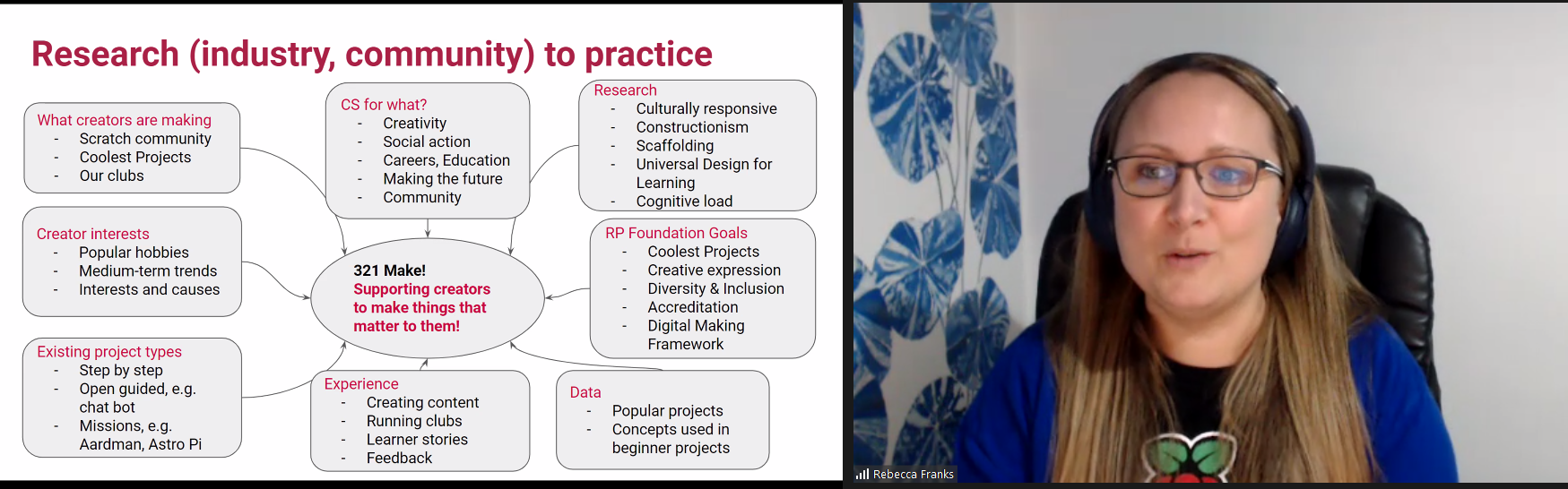
As Rebecca explained, non-formal learning paths should be designed to bridge the so-called ‘Turing tar-pit’: the gap between what learners want to do, and what they have the knowledge and resources to achieve.
To prevent learners from getting frustrated and ultimately losing interest in computing, learning paths need to:
When Rebecca and Tracy’s team create new learning paths, they first focus on the things that learners want to make. Then they work backwards to bridge the gap between learners’ big ideas and the knowledge and skills needed to create them. To do this, they use the 3…2…1…Make! framework they’ve developed.
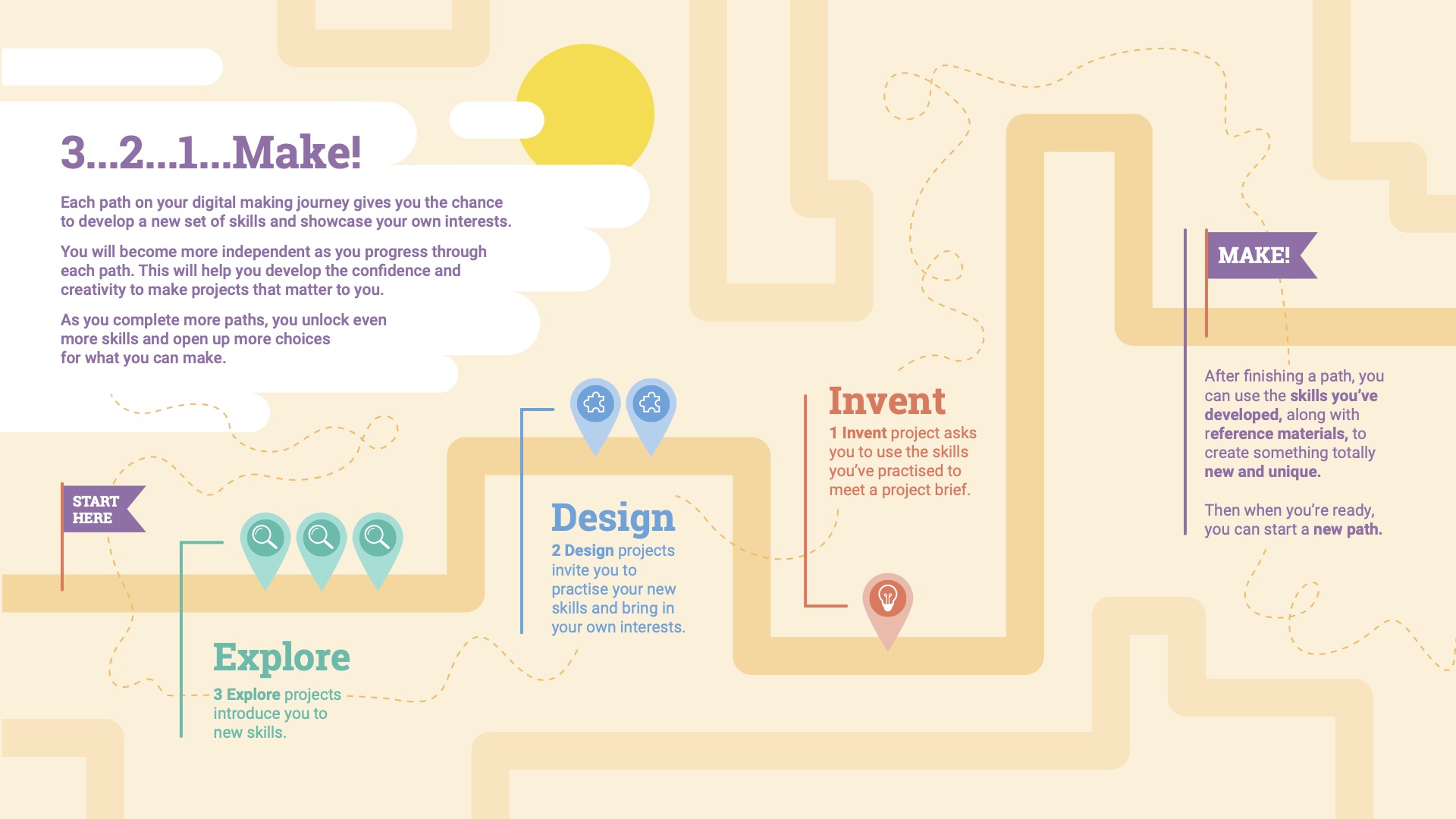
Learning paths designed according to the framework are made up of three different types of project in a 3-2-1 structure:
You can learn more about the framework in this blog post and this guide for adults who run sessions with young people based on the learning paths. And you can explore the learning paths yourself too.
Rebecca and Tracy’s team have created several new learning pathways based on the 3…2…1…Make! framework and received much positive feedback on them. They are now looking to develop more tools and libraries to support learners, to increase the accessibility of the paths, and also to conduct research into the impact of the framework.
In the second half of the seminar, Tracy shared what the research literature says about the impact of non-formal learning. She and researchers at the Foundation particularly wanted to find out what the research says about computing education for K–12 in non-formal settings. They systematically reviewed 421 papers, identifying 88 papers from the last seven years that related to empirical research on non-formal computing education for young learners. Based on these 88 papers, they summarised the state of the field in a literature review.
So far, most studies of non-formal computing education have looked at knowledge and skill development in computing, as well as affective factors such as interest and perception. The cognitive impact of non-formal education has been generally positive. The papers Tracy and the research reviewed suggested that regular learning opportunities, such as weekly Code Clubs, were beneficial for learners’ knowledge development, and that active teaching of problem solving skills can lead to learners’ independence.
Non-formal computing education also seems to be beneficial in terms of affective factors (although it is unclear yet whether the benefits remain long-term, since most existing research studies conducted have been short-term ones). For example, out-of-school programmes can lead to more positive perception and increased awareness of computing for learners, and also boost learners’ confidence and self-efficacy if they have had little prior experience of computing. The social aspects of participating in coding clubs should not be underestimated, as learners can develop a sense of belonging and support as they work with their peers and mentors.
The literature review showed that non-formal computing complements formal in-school education in many ways. Not only can Code Clubs and CoderDojos be accessible and equitable spaces for all young people, because the people who run them can tailor learning to the individuals. Coding clubs such as these succeed in making computing fun and engaging by enabling a community to form and allowing learners to make things that are meaningful to them.
Another thing the literature review made obvious is that there are big gaps in the existing understanding of non-formal computing education that need to be researched in more detail. For example, most of the studies the papers in the literature review described took place with female students in middle schools in the US.
That means the existing research tells us little about non-formal learning:
We would also love to see studies that hone in on:
We’re excited to continue collaborating within the Foundation so that our researchers and our team creating non-formal learning content can investigate the impact of the 3…2…1…Make! framework.
This collaboration connects two of our long-term strategic goals: to engage millions of young people in learning about computing and how to create with digital technologies outside of school, and to deepen our understanding of how young people learn about computing and how to create with digital technologies, and to use that knowledge to increase the impact of our work and advance the field of computing education. Based on our research, we will iterate and improve the framework, in order to enable even more young people to realise their full potential through the power of computing and digital technologies.
From January, you can join our new monthly seminar series on primary (K–5) teaching and learning. In this series, we’ll hear insights into how our youngest learners develop their computing knowledge, so whether you’re a volunteer in a coding club, a teacher, a researcher, or simply interested in the topic, we’d love to see you at one of these monthly online sessions.
The first seminar, on Tuesday 10 January at 5pm UK time, will feature researchers and educators Dr Katie Rich and Carla Strickland. They will share findings on how to teach children about variables, one of the most difficult aspects of computing for young learners. Sign up now, and we will send you notifications and joining links for each seminar session.
We look forward to seeing you soon, and to discussing with you how we can apply research results to better support all our learners.
The post Combining research and practice to evaluate and improve computing education in non-formal settings appeared first on Raspberry Pi.
Young tech creators, get ready: Coolest Projects will be back in 2023, and we want to make this the year of your big idea!
Coolest Projects is the world’s leading online technology showcase for young creators across the world, and we’ll soon be inviting young people to share their creations in the 2023 gallery when project registration opens on 6 February.
For young creators, Coolest Projects is the unique opportunity to share their big ideas with the whole world. All projects in our open online showcase receive personalised feedback from judges, and all creators get some awesome limited-edition swag too. To bring all the participants together, we’ll host a live-streamed celebration event online on 6 June 2023, where we’ll also reveal the favourite projects of our very special VIP judges.
Creators who took part in 2022 told us that the coolest thing about Coolest Projects is that “so many people around the world get to see and appreciate your projects” and that “anyone can have a go”.
Coolest Projects creators make digital tech projects that matter to them and that they want to share with the world. Creators have all different levels of skill — some register their very first coding project, and others have taken part in Coolest Projects for years. We welcome every project from every young person in Coolest Projects. With six project categories from Scratch to hardware, and project topics including environment, health, and fun, creators come up with all kinds of cool ideas.
Take a look at the online showcase gallery to see the projects young makers shared in the most recent showcase, including an app about recycling, a smiley face game, a trash-collecting boat, and a game to help you eat more healthily.
Registration opens on 6 February 2023, and creators can get started on their ideas and make their projects any time.
The post Coolest Projects will be back in 2023 appeared first on Raspberry Pi.
We are so excited to share another story from the community! Our series of community stories takes you across the world to hear from young people and educators who are engaging with creating digital technologies in their own personal ways.
In this story we introduce you to Selin, a digital maker from Istanbul, Turkey, who is passionate about robotics and AI. Watch the video to hear how Selin’s childhood pet inspired her to build tech projects that aim to help others live well.
Selin (16) started her digital making journey because she wanted to solve a problem: after her family’s beloved dog Korsan passed away, she wanted to bring him back to life. Selin thought a robotic dog could be the answer, and so she started to design her project on paper. When she found out that learning to code would mean she could actually make a robotic dog, Selin began to teach herself about coding and digital making.
Thanks to her local CoderDojo, which is part of the worldwide CoderDojo network of free, community-based, volunteer-led programming clubs where young people explore digital technology, Selin’s interest in creating tech projects grew and grew. Selin has since built seven robots, and her enthusiasm for building things with digital technology shows no sign of stopping.
One of Selin’s big motivations to explore digital making was having an event to work towards. At her Dojo, Selin found out about Coolest Projects, the global technology showcase for young people. She then set herself the task of making a robot to present at the Coolest Projects event in 2018.
When thinking about ideas for what to make for Coolest Projects, Selin remembered how it felt to lose her dog. She wondered what it must be like when a blind person’s guide dog passes away, as that person loses their friend as well as their support. So Selin decided to make a robotic guide dog called IC4U. She contacted several guide dog organisations to find out how guide dogs are trained and what they need to be able to do so she could replicate their behaviour in her robot. The robot is voice-controlled so that people with impaired sight can interact with it easily.
Selin and her parents travelled to Coolest Projects International in Dublin, thanks to support from the CoderDojo Foundation. Accompanying them was Selin’s project IC4U, which became a judges’ favourite in the Hardware category. Selin enjoyed participating in Coolest Projects so much that she started designing her project for next year’s event straight away:
“When I returned back I immediately started working for next year’s Coolest Projects.”
Selin
Many of Selin’s tech projects share a theme: to help make the world a better place. For example, another robot made by Selin is the BB4All — a school assistant robot to tackle bullying. And last year, while she attended the Stanford AI4ALL summer camp, Selin worked with a group of young people to design a tech project to increase the speed and accuracy of lung cancer diagnoses.
Through her digital making projects, Selin wants to show how people can use robotics and AI technology to support people and their well-being. In 2021, Selin’s commitment to making these projects was recognised when she was awarded the Aspiring Teen Award by Women in Tech.
Listening to Selin, it is inspiring to hear how a person can use technology to express themselves as well as create projects that have the potential to do so much good. Selin acknowledges that sometimes the first steps can be the hardest, especially for girls interested in tech: “I know it’s hard to start at first, but interests are gender-free.”
“Be curious and courageous, and never let setbacks stop you so you can actually accomplish your dream.”
Selin
We have loved seeing all the wonderful projects that Selin has made in the years since she first designed a robot dog on paper. And it’s especially cool to see that Selin has also continued to work on her robot IC4U, the original project that led her to coding, Coolest Projects, and more. Selin’s robot has developed with its maker, and we can’t wait to see what they both go on to do next.
Help us celebrate Selin and inspire other young people to discover coding and digital making as a passion, by sharing her story on Twitter, LinkedIn, and Facebook.
The post Celebrating the community: Selin appeared first on Raspberry Pi.
A year ago we launched our Introduction to Scratch path of six new coding projects. This was the first path to use our new 3…2…1…Make! approach for prioritising fun and engagement whilst enabling creators to make the things that matter to them. Creators learn how to add code, costumes, and sounds to sprites as they make animations, a game, an app, and a book.
As the first birthday of the Introduction to Scratch path approached, we decided to review and refresh each project. We used input from the community, looked at remixes of the projects, and analysed visitor data to guide us in our review.
We would like to say a massive thank you to everyone who engaged in focus groups, provided input via social channels, or clicked the project feedback buttons. We really appreciate you taking the time to reach out and we hope you will be pleased with the changes.
The updates are split into two parts, those we made specifically to the Introduction to Scratch path, and changes made across all of the 3…2…1…Make! projects.
The first thing you might notice is the revamp of our Introduction step, now called ‘You will make’. This simplified step focuses on setting the scene and encourages creators to play with a completed project example.
Also changed is the Reflection step, replaced by ‘Quick quiz’ — a much neater page that guides creators through three questions before awarding a project badge.
Here is an overview of the Scratch path to tell you more about the projects and the changes we’ve made to the content.
Creators can start using the updated Scratch projects right away!
Our first three projects in the path introduce creators to a set of skills and provide step-by-step instructions to help them develop initial confidence.
In this project, creators design a space scene with characters that emote to share their thoughts or feelings. We received some amazing feedback from a member of the Deaf community to enhance the Nano uses sign language task and include a great new boxout to prompt discussion amongst our creators.
We also heard from a couple of club leaders that the Text to Speech extension in Scratch was a great addition to this project so we added an optional Text to Speech information card to the Upgrade your project step.
The bus in the Catch the bus project is a tour bus, but we originally used the school backdrop as a departure point. We liked how the backdrop looked but now recognise that doing a project about a school bus whilst in a club was probably not the most popular choice. Please forgive us! The project now uses a nighttime city scene.
We also removed the use of the ‘Timer hat block’ from this project — it isn’t needed for the rest of the path and has behaviour that complicates things. The ‘timer hat block’ has been replaced by a ‘wait block’.
We have loved engaging with the community submissions of this project and really enjoyed seeing how quickly we can find the small bugs on each level of the games that have been created. With replicating that enthusiasm in mind, our changes to this project focused on young creators sharing their project and playing projects created by others.
Our new Share and play step has a number of options, including sharing in a club, submitting your project to a shared studio, and experiencing remixes as a user. We have also embedded some community projects into the step to provide upgrade ideas and inspiration.
The next two projects in the path encourage creators to practise the skills they learned in the previous ‘Explore’ projects, and to express themselves creatively while they grow in independence.
The revamped Get ideas task on the first step of each Design project now has a featured community project that will be regularly updated. You may also notice that the inspirational examples have been reordered or changed using analysis from interactions with them.
Additional community submissions can be found in the Share and play steps to provide upgrade ideas and creators are encouraged to look at remixes of the starter project for even more inspiration.
Interacting with remixes of the Silly eyes project is one of our favourite things to do! The project involves creating a character whose eyes follow the mouse pointer. We love seeing how design decisions have shaped each project and how various upgrades have been used.
For this project, we decided to remove the ‘Add stage effects’ step as it was largely a repeat of the earlier ‘Add sprite effects’ step. Stage effects is now an optional upgrade which means creators can get through to the ‘Share and play’ step to look at the design decisions made by others, then use those to choose which ideas to include in their project.
This project consists of creating an animation of a story. We looked at the remixes so far and realised the main steps of the surprise animations were:
Sometimes projects had a reaction in them but others relied on creating a reaction in the user watching the animation. With this in mind we moved the Reaction step and added it as an optional upgrade. We also added graphics to each step to explain the step position in the animation timeline.
A new option to remix one of the example projects was added to this project as a starting point if creators were short of time, needed help with ideas, or had perhaps already thought of an extension to the example animations.
Our final project in the path is where creators use their skills to meet a project brief for a particular audience.
The project brief has been revamped to make it more concise with the Reflection step becoming a checklist to keep track of how the project is meeting the brief.
This project consists of creating a book with multiple pages to tell a story or share facts. The major change to this project is a reorganisation of the steps. The original planning step has now split in two — the first step to decide the high-level purpose and audience for the book and the second step to plan the book in more detail using either the starter Scratch project or our new planning sheet.
The build and test step has also been restructured to break up the skills into categories and make the tasks clearer. At the end of the step, creators are encouraged to ask for feedback then repeat the process to work on their book until it is ready to share.
We will start refreshing another path soon but in the meantime, we hope you and your creators enjoy using the revamped Introduction to Scratch path. We would love to hear your feedback on any of our projects via the feedback button on the bottom of each project page.
We look forward to seeing what your creators make.
The post Introduce young people to coding with our updated projects appeared first on Raspberry Pi.
Launched in 2013, Hour of Code is an initiative to introduce young people to computer science using fun one-hour tutorials. To date, over 100 million young people have completed an hour of code with it.
Although the Hour of Code website is accessible all year round, every December for Computer Science Education Week people worldwide run their own Hour of Code events. Each year we love seeing many Code Clubs, CoderDojos, and young people at home across the community complete their Hour of Code. You can register your 2022 Hour of Code event now to run between 5 and 11 December.
To support your event, we have pulled together a bumper set of our free coding projects, which can each be completed in just one hour. You will find these activities on the Hour of Code website.
There’s something for all ages and levels of experience, so put an hour aside and help young people make something fabulous with code:
For younger creators new to coding, a Scratch project is a great place to start.
With our Space talk project, they can create a space scene with characters that ‘emote’ to share their thoughts or feelings using sounds, colours, and actions. Creators program the character emotes using Scratch blocks to control graphic effects, costume animation, and sound effects.
Alternatively, our Stress ball project lets them code an onscreen stress ball that reacts to user clicks. Creators use the Paint and Sound editors in Scratch to personalise a clickable stress ball, and they add Scratch blocks to control graphic effects, costume animation, and sound effects.
We love this fun stress ball example sent to us recently by young creator April from the United States:
Another great option is to use Code Club World, which is a free tool to help children who are new to coding.
For 7- to 11-year-olds who are more comfortable with block-based coding, our project Broadcasting spells is ideal to choose. With the project, they connect Scratch blocks to code a wand that casts spells turning sprites into toads, and growing and shrinking them. Creators use broadcast blocks to transform multiple sprites at once, and they create sound effects with the Sound editor in Scratch.
We have three exciting projects for trying text-based coding during Hour of Code in this category. The first, Anime expressions, is one of our brand-new ‘Introduction to web development’ projects. With this project, young people create a responsive webpage with text and images for an anime drawing tutorial. They write HTML to structure the webpage and CSS styles to apply layout, colour palettes, and fonts.
For a great introduction to coding with Python, we have the project Hello world from our ‘Introduction to Python’ path. With this project, creators write Python text-based code to create an interactive program that shows text and emojis based on user input. They learn about variables as they use them to store text and numbers, and they learn about writing functions to organise code and do calculations, retrieve the current date and time, and make a customisable dice.
LED firefly is a fantastic physical making project in which young people use a Raspberry Pi Pico microcontroller and basic electronic components to create a blinking LED firefly. They program the LED’s light patterns with MicroPython code and activate it via a switch they make themselves using jumper wires.
For 11- to 14-year-olds who are already comfortable with HTML, the Flip treat webcards project is a fun option. With this, they create a webpage showing a set of cards that flip when a visitor’s mouse pointer hovers over them. Creators use CSS styling and animations to add interactivity, then they customise the cards with fancy fonts and colour gradients.
Young people who have already done some Python coding can try out our project Target practice. With this project they create a game, using the p5 graphics library to draw a colourful target, and writing code so that the player scores points by hitting the target’s rings with arrows. While they create the project, they learn about RGB colours, shape positioning with x and y coordinates, and decisions using if, else-if, and else code statements.
Our project Charting champions is a great introduction to data visualisation and analysis for coders aged 15 and older. With the project, they will discover the power of the Python programming language as they store Olympic medal data in lists and use the pygal library to create an interactive chart.
Teenage coders who feel comfortable with Python programming can use our project Solar system simulator to code an animated, interactive solar system model using the Python p5 graphics library. Their model will be interactive, as they’ll use dictionaries to store planet facts that display when a user clicks on an orbiting planet.
Now is the time to register your Hour of Code event, then decide which project you’d like to support young people to create. You can download certificates for each of the creators from the Hour of Code certificates page.
And make sure to check out our project paths so you know what projects you can help the young people you support to code beyond this one hour of code.
We don’t just create activities so that other people can experience coding and digital making — we also get involved ourselves!
Recently, our teams who support the Code Club and CoderDojo networks got together to make LED fireflies. We are excited to get coding again as part of Hour of Code and Computer Science Education Week.
The post Take part in the Hour of Code appeared first on Raspberry Pi.
With our new free ‘Introduction to web development’ path, young people are able to learn HTML and create their own webpages on topics that matter to them. The path is made up of six projects that show children and teenagers how to structure pages using HTML, and style them using CSS.
Webpage creation has come a long way since the 1990s, but HTML is still the markup language that is used to display almost every page on the World Wide Web. By knowing how it works, you can deepen your understanding of the technology you use every day.
If you want to build your own website today, there are many tools to get you quickly up and running. These tools often involve dragging and dropping predefined elements and choosing from a wide collection of themed looks. Learning HTML and CSS skills is important for web designers, developers, and content creators who want to build unique webpage designs that make their content stand out.
With our new ‘Introduction to web development’ path, we want creators (the young people who use our projects) to be able to quickly make fantastic-looking websites that follow modern best practices, while they also learn how HTML and CSS work together to create a webpage. Creators write their own HTML to develop the content and structure of their webpages. And they customise our pre-built CSS style sheets to get their webpages to look like they imagine.
This really is a fun and unique approach to learning HTML and building a webpage, and we think young people will quickly engage with it. They start by finding out how to structure pages using HTML before applying CSS styles that bring their pages to life. Through the six projects, they build all the skills and independence they need to make webpages that matter to them.
We believe that young people should find out about website accessibility right from the start of their learning journey. That’s why the path for learning HTML shows creators how they can make their websites accessible to all their users regardless of the users’ needs or digital devices.
That’s why our new path uses semantic HTML. Older HTML tutorials might show you how to structure a webpage using tags like <div> and <span>. In contrast, the meaning and purpose of tags in semantic HTML is very clear. For example:
<main> is used to tag the main content for the webpage<footer> is used for content to be displayed in the footer<blockquote> contains a quote and typically the author of the quote<section> contains a portion of content that usually sits within the main part of the webpageSemantic HTML supports accessibility because it allows people who use a screen reader to more easily navigate a webpage and read it in a logical way.
Another element of accessible design that the path introduces is the colour combinations used on webpages. It is really important that contrasting colours are used for the background and the text. High contrast makes the text more readable, which means the webpage is more suitable for visually impaired users.
The path also shows creators the importance of adding meaningful alternative text for images. Good alternative text helps visually impaired users, and users who have a very low bandwidth and therefore turn images off in their web browser.
Finally, our path for learning HTML introduces creators to the concept of responsive web design. Responsive design is helpful because websites can be viewed on thousands of different devices. Some people view pages on large, high-resolution monitors, and others view them on a mobile phone screen. We show learners how they can use HTML and CSS to make their pages responsive so they display in the way that works best for the specific screen on which a user is viewing them.
We have written the projects in this path with young people of around the age from 9 to 17 in mind.
HTML and CSS are text-based markup languages. This means a young person who wants to start learning HTML needs to be familiar with typing on a keyboard. It would also be helpful to have experience of using the copy and paste function, which is useful when changing the layout of a page or copying similar pieces of code.
If a young person is unsure whether they have the right skills to get started with the path, they can first try out a short ‘Discover’ project. With this Discover project, young people can choose between the themes ‘space’, ‘sunsets’, ‘forests’, or ‘animals’ to see how they can create their first webpage in just five steps. (We’re still working on the ‘Discover’ project type, so if you have any feedback about it, let us know.)
Creators will learn how to use HTML and CSS to build webpages that have:
They will also learn about how to make their webpages accessible to all through use of:
We’ve designed the path so young people can complete it in six one-hour sessions, with one hour for each project. Since the project instructions encourage creators to upgrade their projects, they may wish to go further and spend a little more time getting their projects exactly as they imagine them.
Young people only need a standard web browser to follow the project instructions and use an online code editor to create their webpages.
There are 28 other step-by-step projects for creators to choose from on our website. They can browse through these to see what cool things they’d like to make and what new skills they want to learn.
If your kid is proud of the webpage they create with the final ‘Invent’ project in the path, they can share it with a worldwide community of young creators in our free Coolest Projects tech showcase. Project registration will open again in spring 2023. You can sign up to hear news about the showcase on the Coolest Projects homepage.
The post Get kids creating webpages with HTML and CSS appeared first on Raspberry Pi.
This post has been adapted from an article in issue 19 of Hello World magazine, which explores the interaction between technology and sustainability.
We may have had the Coolest Projects livestream, but we are still in awe of the 2092 projects that young people sent in for this year’s online technology showcase! To continue the Coolest Projects Global 2022 celebrations, we’re shining a light on some of the participants and the topics that inspired their projects.
In this year’s showcase, the themes of sustainability and the environment were extremely popular. We received over 300 projects related to the environment from young people all over the world. Games, apps, websites, hardware — we’ve seen so many creative projects that demonstrate how important the environment is to young people.
Here are some of these projects and a glimpse into how kids and teens across the world are using technology to look after their environment.
Has anyone ever told you that a small change can lead to a big impact? Check out these two Coolest Projects entries that put this idea into practice with clever inventions to make positive changes to the environment.
Arik (15) from the UK wanted to make something to reduce the waste he noticed at home. Whenever lots of people visited Arik’s house, getting the right drink for everyone was a challenge and often resulted in wasted, spilled drinks. This problem was the inspiration behind Arik’s ‘Liquid Dispenser’ project, which can hold two litres of any desired liquid and has an outer body made from reused cardboard. As Arik says, “You don’t need a plastic bottle, you just need a cup!”
Amrit (13), Kingston (12), and Henry (12) from Canada were also inspired to make a project to reduce waste. ‘Eco Light’ is a light that automatically turns off when someone leaves their house to avoid wasted electricity. For the project, the team used a micro:bit to detect the signal strength and decide whether the LED should be on (if someone is in the house) or off (if the house is empty).
“We wanted to create something that hopefully would create a meaningful impact on the world.”
Amrit, Kingston, and Henry
We love to see young people invent things to have positive changes in the community, on a local and global level.
This year, Sashrika (11) from the US shared her ‘Gas Leak Detector’ project, which she designed to help people who heat their homes with diesel. On the east coast of America, many people store their gas tanks in the basement. This means they may not realise if the gas is leaking. To solve this problem, Sashrika has combined programming with physical computing to make a device that can detect if there is a gas leak and send a notification to your phone.
Sashrika’s project has the power to help lots of people and she has even thought about how she would make more changes to her project in the name of sustainability:
“I would probably add a solar panel because there are lots of houses that have outdoor oil tanks. Solar panel[s] will reduce electricity consumption and reduce CO2 emission[s].”
Sashrika
Amr in Syria was also thinking about renewable energy sources when he created his own ‘Smart Wind Turbine’.
The ‘Smart Wind Turbine’ is connected to a micro:bit to measure the electricity generated by a fan. Amr conducted tests that recorded that more electricity was generated when the turbine faced in the direction of the wind. So Amr made a wind vane to determine the wind’s direction and added another micro:bit to communicate the results to the turbine.
We’ve also seen projects created by young people to make the world a better place for future generations.
Naira and Rhythm from India have designed houses that are suited for people and the planet. They carried out a survey and from their results they created the ‘Net Zero Home’. Naira and Rhythm’s project offers an idea for homes that are comfortable for people of all abilities and ages, while also being sustainable.
“Our future cities will require a lot of homes, this means we will require a lot of materials, energy, water and we will also produce a lot of waste. So we have designed this net zero home as a solution.”
Naira and Rhythm
Andrea (9) and Yuliana (10) from the US have also made something to benefit future generations. The ‘Bee Counter’ project uses sensors and a micro:bit to record bees’ activity around a hive. Through monitoring the bees, the team hope they can see (and then fix) any problems with the hive. Andrea and Yuliana want to maintain the bees’ home to help them continue to have a positive influence on our environment.
Some young creators use Coolest Projects as an opportunity to educate and inspire people to make environmental changes in their own lives.
Sabrina (13) from the UK created her own website, ‘A Guide to Climate Change’. It includes images, text, graphics of the Earth’s temperature change, and suggestions for people to minimise their waste. Sabrina also received the Broadcom Coding with Commitment award for using her skills to provide vital information about the effects of climate change.
Kushal (12) from India wanted to use tech to encourage people to help save the environment. Kushal had no experience of app development before making his ‘Green Steps’ app. He says, “I have created a mobile app to connect like-minded people who want to do something about [the] environment.”
These projects are just some of the incredible ideas we’ve seen young people enter for Coolest Projects this year. It’s clear from the projects submitted that the context of the environment and protecting our planet resonates with so many students, summarised by Sabrina, “Some of us don’t understand how important the earth is to us. And I hope we don’t have to wait until it is gone to realise.”
Check out the Coolest Projects showcase for even more projects about the environment, alongside other topics that have inspired young creators.
The post Young people’s projects for a sustainable future appeared first on Raspberry Pi.
Congratulations to the thousands of creators from 46 countries who participated in Coolest Projects Global 2022. Their projects awed and inspired us. Yesterday STEM advocate and television host Fig O’Reilly helped us celebrate each and every one of these creators in our online event. Check out the gallery to see all the amazing projects.
During the celebration, Fig also revealed which projects were picked by the special judges as their favourites from among the 2092 projects in this year’s showcase gallery. Let’s meet the special judges and check out their picks!
Ruth Amos is an inventor, entrepreneur, and EduTuber. She co-founded the #GirlsWithDrills movement and ‘Kids Invent Stuff’, a YouTube channel where 5- to 11-year-olds see their invention ideas become reality with the help of engineers.
Here are Ruth’s favourites:
Shawn Brown is an award-winning engineer, designer, and YouTuber. He’s also a practical pioneer for neurodiversity and innovation — raising awareness of learning differences and promoting science, engineering, and invention to young people. Together with Ruth, Shawn co-runs the YouTube channel ‘Kids Invent Stuff.’
Here are Shawn’s favourites:
Richa Shrivastava is the Director of Maker’s Asylum. It is India’s first community makerspace that fosters innovation through purpose-based learning, based on the United Nations Sustainable Development Goals.
Here are Richa’s favourites:
Elaine Atherton is Director of Scratch Education Collaborative. Elaine was first introduced to Scratch as an instructional coach while working with teachers in North Carolina. “It was amazing to see the kids so excited about what they were creating. I wanted to help them transfer that same energy to designing, making, and sharing other things, too — I wanted them to stretch their creativity.”
Here are Elaine’s favourites:
Broadcom Foundation has partnered with us for Coolest Projects Global to encourage young people who are solving problems that impact their communities. Their projects could relate to health, sanitation, energy, climate change, or other challenges set out in the United Nations Sustainable Development Goals. Broadcom Coding with Commitment illuminates how coding is a language, skill set, and invaluable tool for college and careers.
The Broadcom Coding with Commitment recognition goes to A Guide to Climate Change, a website created by Sabrina in the United Kingdom. Sabrina’s site not only provides vital information about the effects of climate change, but also gives users a visual to show how important it is to lower our carbon footprint. Congratulations to Sabrina for using her coding skills to give people a guide to understanding climate change in an easily digestible and stylish project webpage.
You can explore all the young tech creators’ projects — games, hardware builds, Scratch projects, mobile apps, websites, and more — in our showcase gallery now.
All creators who are taking part this year can now log into their Coolest Projects accounts to:
The support of our Coolest Projects Global sponsors has enabled us to make this year’s online showcase the inspiring experience it is for the young people taking part. We want to say a big thank you to all of them!
The post Coolest Projects Global 2022: Celebrating young tech creators & creative ideas appeared first on Raspberry Pi.
All young people deserve meaningful opportunities to learn how to create with digital technologies. But according to UNESCO, as much as 40% of people around the world don’t have access to education in a language they speak or understand. At the Raspberry Pi Foundation, we offer more than 200 free online projects that people all over the world use to learn about computing, coding, and creating things with digital technologies. To make these projects more accessible, we’ve published over 1700 translated versions so far, in 32 different languages. You can check out these translated resources by visiting projects.raspberrypi.org and choosing your language from the drop-down menu.
Most of this translation work was completed by an amazing community of volunteer translators. In 2021 alone, learners engaged in more than 570,000 learning experiences in languages other than English using our projects.
So how do we know it’s important to put in the effort to make our projects available in many different languages? Various studies show that learning in one’s first language leads to better educational and social outcomes.
Education policy specialists Chloe O’Gara and Nancy Kendall describe in a USAID-funded guide document (1996, p. 100) that girls living in multilingual communities are less likely to know the official language of school instruction than boys, because girls’ lives tend to be more restricted to home and family, where they have fewer opportunities to become proficient in a second language. These restrictions limit their access to education, and if they go to school, they are more likely to have a limited understanding of the dominant language, and therefore learn less. Observations in research studies (Hovens, 2002; Benson 2002a, 2002b) suggest that making education available in a local language greatly increases female students’ opportunities for educational access and attainment.
Research studies conducted in Guinea and Senegal (Clemons & Yerende, 2009) suggest that education in a local language, which is more likely to focus on the learner’s circumstances, community, and learning and development needs, increases the learner’s belief in their abilities and skills, compared to education in a dominant language.
Learning in a language other than one’s own has a negative effect on learning outcomes, especially for learners living in poverty. For example, a UNESCO-funded case study in Honduras showed that 94% of pupils learned reading skills if their home language was the same as the language of assessment. In contrast, among pupils who spoke a different language at home, this proportion dropped to 62%. Similarly, a UNESCO-funded case study in Guatemala showed that when students were able to learn in a bilingual environment, attendance and promotion rates increased, while rates of repetition and dropout rates decreased. Moreover, students attained higher scores in all subjects and skills, including the mastery of the dominant language (UNESCO Global Education Monitoring Report, Policy Paper 24, February 2016).
A survey conducted by a researcher from the University of California San Diego showed that non-native English speakers found it challenging to learn programming languages when the majority of instructional materials and technical communications were only available in English (Guo, 2018). Moreover, a computing education research study of the association between local language use and the rate at which young people learn to program showed that beginners who learned to program in a programming language with keywords and environment localised into their primary language demonstrated new programming concepts at a faster rate, compared with beginners from the same language group who learned using a programming interface in English (Dasgupta & Hill, 2017).
It is clear from these studies that in order to achieve the most impact and to benefit disadvantaged and underserved communities, educational initiatives must work to make learning resources available in the language that learners are most familiar with.
By translating our learning resources, we not only support people who have English as a second language, we also make the resources useful for people who don’t speak any English — estimated as four out of every five people on Earth.
If you’re interested in helping us translate our learning resources, which are completely free, you can find out more at rpf.io/translate.
The post Why we translate our free online projects for young people to learn coding appeared first on Raspberry Pi.
Scratch Week is a global celebration of Scratch that takes place from 15 to 21 May this year. Below, we’ve put together some free resources to help get kids coding with this easy-to-use, block-based programming language. If you’re not sure what Scratch is, check out our introduction video for parents.
Code Club World is a great place to start coding for children who have never done any coding or programming before. The Code Club World online platform lets them begin their coding journey with fun activities, starting by creating their own personal avatar.
Then on Scratch Island, kids can code a game to find a hidden bug, design a fun ‘silly eyes’ app, or animate a story. No experience necessary! We’ve just added a parents’ guide to explain how Code Club World works.
For kids who feel ready to move beyond the basics of Scratch this Scratch Week, our Projects site offers a catalogue of projects that further enhance kids’ coding skills as they earn badges and explore, design, and invent.
With the More Scratch path, they will create six projects to make apps, games, and simulations using message broadcasting, if..then and if..then..else decisions, and variables. Then with the Further Scratch path, they can explore the advanced features of Scratch in another six projects to use boolean logic, functions, and clones while creating apps, games, computer-generated art, and simulations.
If you think your kids would like to learn how to build physical projects they can program in Scratch, then take a look at our Physical computing with Scratch and Raspberry Pi path. In these six projects, your young people will learn how to use Scratch on a Raspberry Pi computer to control LEDs, buttons, and buzzers to make interactive games, displays, and instruments.
Be inspired by the amazing things young tech creators worldwide code in Scratch by visiting the Coolest Projects Global 2022 showcase. Young people are showing off Scratch games, stories, art, and more. In our Coolest Projects online gallery, these creations are displayed amongst hundreds of others from around the world — it’s the ideal place to get inspired.
Are you curious about coding too? If you would like to start learning so you can better help young people with their creative projects, our online course Introduction to Programming with Scratch is perfect for you. It’s available on-demand, so you can join at any time and receive four weeks’ free access (select the ‘limited access’ option when you register). This course is a fun, inspiring, and colourful starting point if you have never tried coding before.
If you’re a parent looking for more coding activities to share with your kids, you can sign up to our parent-focused newsletter.
We hope you enjoy exploring these resources during Scratch Week.
The post Celebrate Scratch Week with us appeared first on Raspberry Pi.
Raspberry Pi Pico is a low-cost microcontroller that can be connected to another computer to be programmed using MicroPython. We think it’s a great tool for exploring physical computing in classrooms and coding clubs. Pico has been available since last year, amid school closures, reopenings, isolation periods, and restrictions for students and teachers. Recently, I spoke to some teachers in England about how their reception of Raspberry Pi Pico, and how they have found using it to teach physical computing to their learners.
This blog post is adapted from issue 18 of Hello World, our free magazine written by computing educators for computing educators.
At secondary schools, a key use of Raspberry Pi Pico was in teacher-led lunchtime or after-school clubs. One teacher from a girls’ secondary school in Liverpool described how he introduced it to his Women in Tech club, which he runs for 11- to 12-year-old students for half an hour per week at lunchtime. As this teacher has free rein over the club content and a personal passion for Raspberry Pi, his eventual aim for the club participants was to build a line-following car using Pico.
The group started by covering the basics of Pico, such as connecting it with a breadboard and making LEDs flash, using our ‘Getting started with Raspberry Pi Pico’ project guide. The teacher described how walking into a room with Picos and physical computing kits grabs students’ attention: “It’s massively more engaging than programming Python on a screen… They love the idea of building something physical, like a car.” He has to remind them that phones aren’t allowed at school, as they’re keen to take photos of the flashing lights to show their parents. His overall verdict? “Once the software had been installed, [Picos are] just plug and play. As a tool in school, it gives you something physical, enthuses interest in the subject. If it gets just one person choosing the subject, who wouldn’t have done otherwise, then job done.”
“If it gets just one person choosing the subject, who wouldn’t have done otherwise, then job done.”
Teacher at a Liverpool girls’ secondary school
Another teacher from a school in Hampshire used Picos at an after-school club with students aged 13 to 15. After about six sessions of less than 50 minutes last term, the students have almost finished building motorised buggies. The first two sessions were spent familiarising students with the Picos, making LEDs flash, and using sensors. In the next four sessions, the students made their way through the Pico-focused physical computing unit from our Teach Computing Curriculum. The students worked in pairs, and initially some learners had trouble getting the motors to turn the wheels on their buggies. Rather than giving them the correct code, the teacher gave them duplicate sets of the hardware and suggested that they test each piece in turn to ‘debug’ the hardware. Thus the students quickly worked out what they needed to do to make the wheels turn.
For non-formal learning settings such as computing and coding clubs, we’ve just released a six-project learning path called ‘Introduction to Raspberry Pi Pico’ for beginner digital makers. You can check out the path directly, or learn more about how we’ve designed it to encourage learners’ independence.
Another key theme that came through in my conversations with teachers was how Raspberry Pi Pico can be used to reinforce learners’ existing computing skills. One teacher I interviewed, from a school in Essex, has been using Picos to teach computing to 12- to 14-year-olds in class, and talked about the potential for physical computing as a pedagogical tool for recapping topics that have been covered before. “If [physical computing] is taught well, it enhances students’ understanding of programming. If they just copy code from the board, it becomes about the kit and not how you solve a problem, it’s not as effective at helping them develop their computational thinking. Teaching Python on Pico really can strengthen existing understanding of using Python libraries and subroutines, as well as passing subroutine arguments.”
“If [physical computing] is taught well, it enhances students’ understanding of programming.”
Teacher at an Essex secondary school
Another teacher I spoke to, working at a Waterlooville school and relatively new to teaching, talked about the benefits of using Pico to teach Python: “It takes some of the anxiety away from computing for some of the younger students and makes them more resilient. They can be wary of making mistakes, and see them as a hurdle, but working towards a tangible output can help some students to see the value of learning through their mistakes.”
This teacher was keen for his students to get a sense of the variety of jobs that are available in the computing sector, and not just in software. He explained how physical computing can demonstrate to students how you can make inputs, outputs, and processing very real: “Give students a Pico and make them thirsty about what they could do with it — the device allows them to interact with it and work out how to bend it to what they want to do. You can be creative in computing without just writing code, you can capture information and output it again in a more useful way.”
“Working towards a tangible output can help some students to see the value of learning through their mistakes.”
Teacher at a Waterlooville school
One of the teachers we spoke to was initially a bit cynical about Pico, but had a much better experience of using it in the classroom than expected: “It’s not such a big progression from block-based microcontrollers to Pico — it could be a good stepping stone between, for example, a micro:bit and a Raspberry Pi computer.”
Why not try out Raspberry Pi Pico in your classroom or club? It might be the engagement booster you’ve been looking for!
Teachers at state schools in England can borrow physical computing kits with class sets of Raspberry Pi Picos from their local Computing Hub. We’ve made these kits available through our work as part of the National Centre for Computing Education. The Pico kit is perfect for teaching the Pico-focused physical computing unit from our Teach Computing Curriculum.
Qualified US-based educators can still get their hands on 1 of 1000 free Raspberry Pi Pico hardware kits if they sign up to our free course Design, build, and code a rover with Raspberry Pi Pico. This course shows you how to introduce Pico in your classroom. We’ve designed the course on the Pathfinders Online Institute platform, specifically for US-based educators, thanks to our partners at Infosys Foundation USA. These Raspberry Pi Pico kits are also available at PiShop.us.
For non-formal learning settings, such as Code Clubs and CoderDojos, we’ve created a six-project learning path: ‘Introduction to Raspberry Pi Pico’. This path is for beginner digital makers to follow and create Pico projects, all the while learning the skills to independently design, code, and build their own projects. All of the components for the path are available as a kit from Pimoroni.
The post Teaching with Raspberry Pi Pico in the computing classroom appeared first on Raspberry Pi.
Since the release of the Raspberry Pi Pico microcontroller in 2021, we have seen people all over the world come up with creative Pico-based inventions.
Now, thanks to our brand-new and free ‘Introduction to Raspberry Pi Pico’ learning path, young coders can easily join in and make their own cool Pico projects! This free learning path has six guided projects to help kids to independently develop their coding skills, and their skills in physical computing and electronics.
In this post, I’ll tell you about Raspberry Pi Pico, what kids can make by following our free ‘Intro to Pico’ path, and what skills they will be learning.
Raspberry Pi Pico is a physical computing device that is low-cost and easy to use. It’s much smaller than any Raspberry Pi computer, and it needs much less power. That’s because it’s not a full computer but instead a microcontroller. That means Pico is a device that you program by writing code on any computer, and then sending that code to Pico via a USB cable.
In the ‘Intro to Raspberry Pi Pico’ path, we’ve designed new digital making projects specifically using Pico. By following the projects in the path, young people learn to make things with different electronic components. They’ll bring to life their own LED fireflies; they’ll make music with a sound machine and dial (a potentiometer); they’ll look after themselves and people around them by making a mood indicator and a heart rate visualiser. To find out more, visit the path, or scroll to the bottom of this post and click on ‘Details about the projects’.
The specially designed structure of our learning paths helps kids become confident and independent coders and digital makers. Through this project path, we want to show young people what is possible with Raspberry Pi Pico and inspire them to continue their digital making journey beyond the six projects. Seeing tech creations from our amazing community is super special to us, and we would love to hear about what your young coders have made with Pico. Kids can share their projects in the path gallery, or you can tag us on social media if you post photos!
While young people make all these Raspberry Pi Pico projects, they will learn the skills and independence to make and code their very own, unique creations with a Pico. We have designed our new project paths to help kids become independent digital makers. As they progress through a path, kids gain new skills, practise what they have learnt, and finally write and follow their own project brief.
Our learning paths help kids develop many of the skills that are important to all coders and digital makers, no matter how much experience they have:
The learning paths also encourage kids to make projects about the things that matter to them.
We have written the projects in this path with young people around the age of 9 to 13 in mind.
Programs for Raspberry Pi Pico are written in a text-based language called MicroPython. That means a young person who wants to start the ‘Intro to Pico’ path needs to be familiar with typing on a keyboard.
If your kid has never coded in a text-based language before, they could complete our free ‘Introduction to Python‘ project path first, but this is not a prerequisite.
To help with the programming aspects of the projects, the instructions in the path tell young people about:
One of the great things about this project path is that it helps young people explore physical computing and electronics. In the ‘Intro to Pico’ path, they’ll use:
We’ve designed the path to be completed in around six one-hour sessions, with one hour per project. However, the project instructions encourage kids to upgrade their projects and go further if they wish. This means that they might want to spend a little more time getting their projects exactly as they imagine.
Young people need a web browser so they can follow the project instructions. The first two projects in the path provide detailed instructions for how to install the free software needed for the projects.
The first step of each project lists what components are needed to create the project. You can purchase a kit from Pimoroni that includes all of the components used in the path:
If your young coders enjoy MicroPython, they’ll also love our Python learning paths: ‘Introduction to Python‘ and ‘More Python‘. Both are structured in the same way as our Pico path, and will help young people learn Python while creating their own visual designs.
The post Get kids coding and learning electronics with Raspberry Pi Pico appeared first on Raspberry Pi.
We are excited to announce our second new Python learning path, ‘More Python’, which shows young coders how to add real data to their programs while creating projects from a chart of Olympic medals to an interactive world map. The six guided Python projects in this free learning path are designed to enable young people to independently create their own Python projects about the topics that matter to them.
In this post, we’ll show you how kids use the projects in the ‘More Python’ path, what they can make by following the path, and how the path structure helps them become confident and independent digital makers.
Our ‘Introduction to Python’ learning path is the perfect place to start learning how to use Python, a text-based programming language. When we launched the Intro path in February, we explained why Python is such a popular, useful, and accessible programming language for young people.
Because Python has so much to offer, we have created a second Python path for young people who have learned the basics in the first path. In this new set of six projects, learners will discover new concepts and see how to add different types of real data to their programs.
We have written the projects in this path with young people around the age of 10 to 13 in mind. To code in a text-based language, a young person needs to be familiar with using a keyboard, due to the typing involved. Learners should have already completed the ‘Introduction to Python’ project path, as they will build on the learning from that path.
Young people need access to a web browser to complete our project paths. Each project contains step-by-step instructions for learners to follow, and tick boxes to mark when they complete each step. On top of that, the projects have steps for learners to:
Young people also have the option to sign up for an account with us so they can save their progress at any time and collect badges.
While learners follow the project instructions in this project path, they write their code into Trinket, a free web-based coding platform accessible in a browser. Each project contains a link to a starter Trinket, which includes everything to get started writing Python code — no need to install any additional software.
If they prefer, however, young people also have the option of instead writing their code in a desktop-based programming environment, such as Thonny, as they work through the projects.
To use data in their Python programs, the project instructions show learners how to:
The projects support learners as they explore new concepts of digital visual media and:
In each project, learners reflect and answer questions about their work, which is important for connecting the project’s content to their pre-existing knowledge.
As they work through the projects, learners see different ways to present data and then decide how they want to present their data in the final project in the path. You’ll find out what the projects are on the path page, or at the bottom of this blog post.
The project path helps learners become independent coders and digital makers, as each project contains slightly less support than the one before. You can read about how our project paths are designed to increase young people’s independence, and explore our other free learning paths for young coders
We’ve designed the path to be completed in around six one-hour sessions, with one hour per project, at home, in school, or at a coding club. The project instructions encourage learners to add code to upgrade their projects and go further if they wish. This means that young people might want to spend a little more time getting their projects exactly as they imagine them.
Unity is a free development environment for creating 3D virtual environments, including games, visual novels, and animations, all with the text-based programming language C#. Our ‘Introduction to Unity’ project path for keen coders shows how to make 3D worlds and games with collectibles, timers, and non-player characters.
At the end of the ‘More Python’ path, learners are encouraged to register a project they’ve made using their new coding skills for Coolest Projects Global, our free and world-leading online technology showcase for young tech creators. The project they register will become part of the online gallery, where members of the Coolest Projects community can celebrate each other’s creations.
We welcome projects from all young people, whether they are beginners or experienced coders and digital makers. Coolest Projects Global is a unique opportunity for young people to share their ingenuity with the world and with other young people who love coding and creating with digital technology.
The post Python coding for kids: Moving beyond the basics appeared first on Raspberry Pi.
Over the last ten years, thousands of young people from all over the world have shared their digital creations at a Coolest Projects event. This year, there are a few brand-new and exciting reasons why young people will want to get involved in Coolest Projects Global online tech showcase and share their tech creations in the online gallery, for the worldwide Coolest Projects community to discover them.
Not only will each Coolest Projects Global participant get unique feedback on their project, they’ll also receive a cool piece of limited-edition Coolest Projects swag. And young tech creators have a shot at winning a coveted Coolest Projects medal if their creation is selected as a judges’ favourite. We’ve added all of these new enhancements thanks to the thoughtful feedback we’ve received from participants in previous showcases.
Young people who’ve showcased at an in-person Coolest Projects event know how great it is to see how other people react to their project. This year, creators participating in our online showcase will automatically get reactions and feedback from our Coolest Projects staff and partners who are reviewing projects.
That means each creator will find out what’s great about their project and how they might be able to improve it. All of this feedback will be shown in the creator’s online account on coolestprojects.org after the celebratory livestream in June.
All young creators will also get limited-edition swag: a Coolest Projects poster designed by New York City-based artist Joey Rex. Creators can proudly display this memento of their participation in Coolest Projects Global 2022 on their bedroom wall, and as a digital phone or computer screen background.
The poster design was inspired by all the young makers who have participated in Coolest Projects over the last 10 years. It evokes themes of collaboration, invention, and creativity. Here’s what Joey, the artist, had to say about the design:
“This project was really exciting for me to work on, since I love geeking out over tech and building custom electronics, and I’m really grateful to the Coolest Projects team for trusting me with this vision. I hope my design can inspire the creators to keep up the great work and continue bringing their awesome ideas to reality!”
Artist Joey Rex
To claim their printed poster and backgrounds for their digital devices, creators will receive a link via email after the celebratory livestream in June.
And behold, your first look at the Coolest Projects medal:
As you may already know, VIP judges select their favourite projects in each project category. Creators of projects that are selected as favourites will receive this custom die-cast medal to commemorate their unique accomplishment. The medal hangs on a full color Coolest Projects ribbon and would be the coolest addition to any wall or trophy shelf.
Creators who want to aim for a medal should keep in mind that judges’ favourite projects are selected based on their complexity, presentation, design, and of course their coolness. See the Coolest Projects FAQs for more information.
With all these new enhancements to Coolest Projects Global, there is a multitude of reasons for young tech creators to register a project for the online showcase.
To help young people get involved in Coolest Projects, we have planned two livestreamed codealong events on our YouTube channel:
During these livestreams, you’ll also learn about the new project topics we’ve introduced for the online gallery this year. We’ll especially explore the ‘environment’ topic, sponsored by our friends at EPAM and Liberty Global.
Be sure to sign up for email updates to always be the first to hear what’s new with Coolest Projects Globa;.
That’s all of our latest news. Until next time… be cool.
The post Three new reasons to register for Coolest Projects Global 2022 appeared first on Raspberry Pi.
India’s rapidly digitising economy needs people with IT and programming skills, as well as skills such as creativity, unstructured problem solving, teamwork, and communication. Unfortunately, too many children in India currently do not have access to digital technologies, or to opportunities to learn these technical skills.
Before children and young people in India can even get a chance to learn digital skills, many of them have to overcome numerous roadblocks. India’s digital divide is entrenched due to a lack of access to electricity, to the internet, and to digital devices. In 2017–18, only 47% of Indian households received electricity for more than 12 hours a day. Moreover, only 24% of households have internet access, with the figure dropping as low as 15% in rural regions.
During the coronavirus pandemic, when children in India had to plunge head-first into adapting to restrictions, 29 million students around the country did not have access to a digital device. In addition, only 38% of households in India are digitally literate. At the Raspberry Pi Foundation, we define digital literacy as the skills and knowledge required to be an effective, safe, and discerning user of various computer systems. Digital literacy in rural regions stands far lower at 25%.
We are conscious that we cannot solve these massive access issues. Regardless, we are committed to moving the needle for those young people that need access to digital skills and digital literacy the most.
We partner with organisations around the country that are committed to bringing access to coding and digital skills to the most disadvantaged and digitally excluded young people. Our partnership model includes:
Pratham means ‘first’ in Hindi, and rightly so: Pratham Education Foundation, a non-profit established in 1994, has been at the forefront of addressing gaps in the education system in India. In 2018, we joined hands with Pratham Education Foundation to introduce coding to children in hard-to-reach, disadvantaged communities around the country. We co-designed a Pratham–Code Club programme to provide youth in underserved communities with training and access to devices and learning resources. The goal of the training was to build the youth’s programming confidence so that they could go on to teach children in their communities.
To be effective, it was crucial that the programme be localised. We made adaptations to our learning resources and training content to make them more relevant to the context of the learners, and we worked with volunteer translators to translate the material into Hindi, Kannada, and Marathi.
We also provided the youth with training to use the PraDigi kit — an innovative, lightweight device, developed by Pratham Education Foundation and based on the Raspberry Pi computer — for teaching children to code.
In 2020, when we could no longer implement the programme the same way due to the pandemic and the ensuing disruptions, we made several adaptations:
Firstly, instead of the three-hour in-person training we had previously conducted, we hosted multiple 30-minute online sessions over a week, using cloud-based platforms like Zoom. Secondly, we used familiar apps such as WhatsApp and Facebook Workplace to share the training content.
Finally, since the Pratham staff in the communities could not bring the PraDigi kits to the remote locations during lockdowns, we adapted the training content for smartphones and tablets, using the online Scratch editor and a phone-friendly online code editor called Replit.
Over the course of the pandemic, we trained 300 youth from Pratham’s communities in the basics of programming and digital skills. The impact was:
We also surveyed the youth for what non-technical skills they had learned during the training:
Using a train-the-trainer model, we are now scaling our programme with Pratham Education Foundation to train 3000 youth from underserved communities. Once they have completed the training, we will help these 3000 youth pave the way to programming and digital skills for 15,000 young learners around the country.
We look forward to continuing our partnership with Pratham Education Foundation to make digital skills and coding education accessible to children all over India.
The post Bringing digital skills to disadvantaged children across India appeared first on Raspberry Pi.
It’s time for young tech creators to share with the world what they’ve made! Coolest Projects Global 2022 registration is NOW OPEN. Starting today, young people can register their technology creation on the Coolest Projects Global website, where it will be featured in the online showcase gallery for the whole world to see.
By registering a tech project, you’ll represent your community, and you’ll get the coolest, limited-edition swag. You may even win a prize and earn the recognition of the special project judges.
Now in its 10th year, Coolest Projects is all about celebrating young people and what they create with code. Here’s what you need to know:
Here are just a few of the reasons why young tech creators should register their project for the Coolest Projects Global showcase:
If you don’t have a tech project or an idea for one yet, you’ve got plenty of time to imagine and create, and we’re here to support you. Check out our guides to designing and building a tech creation — one that you’ll be proud to share with the Coolest Projects community in the online showcase gallery. And there’s no shortage of inspiration among the projects that young tech creators shared in last year’s showcase gallery.
We have a lot more exciting stuff to share about Coolest Projects Global in the coming months, so be sure to subscribe for email updates. Until next time… be cool, creators!
The post Share your tech project with the world through Coolest Projects Global 2022 appeared first on Raspberry Pi.
Python is a programming language that’s popular with learners and educators in clubs and schools. It also is widely used by professional programmers, particularly in the data science field. Many educators and young people like how similar the Python syntax is to the English language.
That’s why Python is often the first text-based language that young people learn to program in. The familiar syntax can lower the barrier to taking the first steps away from a block-based programming environment, such as Scratch.
In 2021, Python ranked in first place in an industry-standard popularity index of a major software quality assessment company, confirming its favoured position in software engineering. Python is, for example, championed by Google and used in many of its applications.
Python’s popularity means there are many excellent resources for learning this language. These resources often focus on creating programs that produce text outputs. We wanted to do something different.
Our new ‘Introduction to Python’ project path focuses on creating digital visuals using the Python p5 library. This library is like a set of tools that allows you to get creative by using Python code to draw shapes, edit images, and create frame-by-frame animations. That makes it the perfect choice for young learners: they can develop their knowledge and skills in Python programming while creating cool visuals that they’ll be proud of.
The ‘Introduction to Python’ project path is a set of written coding instructions, designed according to our Digital Making Framework.
Through the Framework, we encourage learners to become independent coders and digital makers by gently removing scaffolding as they progress along the projects in a path. Paths begin with three Explore projects, in which learners are guided through tasks that introduce them to new coding skills. Next, learners complete two Design projects. Here, they are encouraged to practise their skills and bring in their own interests to personalise their coding creations. Finally, learners complete one Invent project. This is where they put everything that they have learned together and create something unique that matters to them.
The structure of our Digital Making Framework means that learners experience the structured development process of a coding project and learn how to turn their ideas into reality. The Framework also supports with finding errors in their code (debugging), showing them that errors are a part of computer programming and just temporary setbacks that you can overcome.
The Explore projects are where the initial learning takes place. The key programming concepts covered in this path are:
Learners also explore aspects of digital visual media concepts:
Learners then develop these skills and knowledge by putting them into practice in the Design and Invent projects, where they add in their own ideas and creativity.
In the first Explore project of this path, learners create an interactive program that uses emoji characters as the visual element.
This is the first step into Python and gets learners used to the syntax for printing text, using variables, and defining functions.
In this Explore project, learners create an archery game. They are introduced to the p5 library, which they use to draw an archery board and create the arrows.
The new programming concept covered in this project is selection, where learners use if, elif and else to allocate points for the game.
The final Explore project gets learners to animate a rocket launching into space. They create an interactive animation where the user is asked to enter an amount of fuel for the rocket launch. The animation then shows if the fuel is enough to get the rocket into orbit.
The new programming concept covered here is repetition. Learners use for loops to animate smoke coming from the exhaust of the rocket.
The first Design project allows learners to unleash their creativity by drawing a face using the Python coding skills that they have built in the Explore projects. They have full control of the design for their face and can explore three examples for inspiration.
Learners are also encouraged to share their drawings in the community library, where there are lots of fun projects to discover already. In this project, learners apply all of the coding skills and knowledge covered in the Explore projects, including selection, repetition, and variables.
In the second Design project, learners code a scrolling game called ‘Don’t collide’, where a character or vehicle moves down the screen while having to avoid obstacles.
Learners can choose their own theme for the game, and decide what will move down the screen and what the obstacles will look like. In this project, they also get to practice everything they learned in the Explore projects.
This project is the ultimate chance for learners to put all of their skills and knowledge into practice and get creative. They design their own unique patterns and create frame-by-frame animations.
The Invent project offers ingredients, which are short reminders of all the key skills that learners have gained while completing the previous projects in the path. The ingredients encourage them to be independent whilst also supporting them with code snippets to help them along.
We have written the projects in the path with young people around the age of 9 to 13 in mind. To code in a text-based language, a young person needs to be familiar with using a keyboard, due to the typing involved. A learner may have completed one of our Scratch paths prior to this one, but this isn’t essential. and we encourage beginner coders to take this path first if that is their choice.
A web browser. In every project, starter code is provided in a free web-based development environment called Trinket, where learners add their own code. The starter Trinkets include everything that learners need to use Python and access the p5 library.
If preferred, the projects also include instructions for using a desktop-based programming environment, such as Thonny.
We’ve designed the path to be completed in around six one-hour sessions, with one hour per project. However, the project instructions encourage learners to upgrade their projects and go further if they wish. This means that young people might want to spend a little more time getting their projects exactly as they imagine them.
Yes, if you or your young person sign up for an account, progress will be saved. The account will also show what other projects on our website the young person has completed.
At the end of the path, learners are encouraged to register a project they’re making with their new coding skills for Coolest Projects Global, our world-leading online technology showcase for young people.
Taking part is free, all online, and beginners as well as more experienced young tech creators are welcome and invited. This is their unique opportunity to share their ingenuity in an online gallery for the world and the Coolest Projects community to celebrate.
Coming very soon is our ‘More Python’ path. In this path, learners will move beyond the basics they learned in Introduction to Python. They will learn how to use lists, dictionaries, and files to create charts, models, and artwork. Keep your eye on our blog and social media for the release of ‘More Python’.
The post Coding for kids: Art, games, and animations with our new beginners’ Python path appeared first on Raspberry Pi.
Are you curious about coding and computer programming but don’t know how to begin? Do you want to help your children at home, or learners in your school, with their digital skills, but you’re not very confident yet? Then our new, free, and on-demand online course Introduction to Programming with Scratch course is a fun, creative, and colourful starting point for you.
Being able to code can help you do lots of things — from expressing yourself to helping others practice their skills, and from highlighting real-world issues to controlling a robot. Whether you want to get a taste of what coding is about, or you want to learn so that you can support young people, our Introduction to Programming with Scratch course is the perfect place to start if you’ve never tried any coding before.
On this on-demand course, Mark and Vasu from our team will help you take your very first steps on your programming journey.
On the course, you’ll use the programming language Scratch, a beginner-friendly, visual programming language particularly suitable for creating animations and games. All you need is our course and a computer or tablet with a web browser and internet connection that can access the online Scratch editor.
You can code in Scratch without having to memorise and type in commands. Instead, by snapping blocks together, you’ll take control of ‘sprites’, which are characters and objects on the screen that you can move around with the code you create.
As well as learning what you can do with Scratch, you’ll be learning basic programming concepts that are the same for all programming languages. You’ll see how the order of commands is important (sequencing), you’ll make the computer repeat actions (repetition), and you’ll write programs that do different things in different circumstances, for example responding to your user’s actions (selection). Later on, you’ll also make your own reusable code blocks (abstraction).
Throughout the course you’ll learn to make your own programs step by step. In the final week, Mark and Vasu will show you how you can create musical projects and interact with your program using a webcam.
Vasu and Mark will encourage you to share your programs and join the Scratch online community. You will discover how you can explore other people’s Scratch programs for inspiration and support, and how to build on the code they’ve created.
The course starts for the first time on Monday 14 February, but it is available on demand, so you can join it at any time. You’ll get four weeks’ access to the course no matter when you sign up.
For the first four weeks that the course is available, and every three months after that, people from our team will join in to support you and help answer your questions in the comments sections.
If you’re a teacher in England, get free extended access by signing up through Teach Computing here.
You can find more free resources here! These are the newest Scratch pathways on our project site, which you can also share with the young people in your life:
The post Get an easy start to coding with our new free online course appeared first on Raspberry Pi.
It’s time to start your countdown! Young people from all over the world will soon be invited to share their digital creations at Coolest Projects Global 2022, our world-leading online technology showcase event for young creators. In mid-February, project registration opens for a new and improved, online-only experience.
Through Coolest Projects Global, young creators can register their digital projects to share them with the world, represent their country, get some free swag, and maybe even win recognition from our special judges. And the best thing: Coolest Projects participants join a global community of awesome young tech creators who celebrate each other’s accomplishments.
Coolest Projects is celebrating its TENTH YEAR of shining a light on young creators, so we have an extra special showcase lined up in 2022. All of these enhancements are the result of incredibly helpful feedback that past creators have shared. Here’s a sneak peek at what you can look forward to:
We asked past creators what they think makes Coolest Projects so cool, and here’s what they had to say:
Last year, creators showcased all kinds of projects, such as an earthquake early warning device, a fun math game made with Scratch, a squirrel detection system, and a website about cybersecurity. Don’t forget, Coolest Projects is for creators who are beginners, advanced, and everything in between.
Project registration opens on 14 February, but creators can start making their projects now. For inspiration, check out last year’s project gallery and then sign up to receive email updates so that you don’t miss a thing about Coolest Projects. We have many more exciting details coming in the next weeks and months, so stay tuned.
Until next time… be cool.
The post Calling all young tech creators: Get ready for Coolest Projects Global 2022 appeared first on Raspberry Pi.
Today we’re releasing an exciting new path of projects for young people who want to create 3D worlds, stories, and games. We’ve partnered with Unity to offer any young person, anywhere, the opportunity to take their first steps in creating virtual worlds using real-time 3D.
The Unity Charitable Fund, a fund of the Tides Foundation, has awarded us a generous grant for $50,000 to help underrepresented youth learn to use Unity, upleveling their skills for future career success.
Our new path of six projects for Unity is a learning journey for young people who have some experience of text-based programming and now want to try out building digital 3D creations.
Unity is the world’s leading platform for creating and operating real-time 3D and is hugely popular for creating 3D video games and virtual, interactive worlds and stories. The best thing about it for young people? While professional developers use Unity to create well-known games such as Pokémon Brilliant Diamond and Shining Pearl and Among Us, it is also free for anyone to use.
Young people who learn to use Unity can do more and more complex things with it as they gain experience. Many successful indie games have been made in Unity — maybe a young person you know will create the next indie game sensation!
For young people, our new project path is the ideal introduction to Unity. The new project path:
After young people have completed the path, they’ll have:
Since Unity is a platform used by professional digital creators, young people who follow our new Unity path gain real-world skills that are sought after in the tech sector. While they learn to express their creativity with Unity, young people improve their coding and problem-solving skills and feel empowered because they get to use their imagination to bring their ideas to life.
“Providing opportunities for underrepresented youth to learn critical tech skills is essential to Unity Social Impact’s mission,” said Jessica Lindl, Vice President, Social Impact at Unity. “We’re thrilled that the Raspberry Pi Foundation’s Unity path will allow thousands of student learners to take part in game design in an accessible way, setting them up for future career success.”
The project path includes instructions for how to download and install all the necessary software to start creating with Unity.
Before they can start, young people will need to:
For club volunteers who support young people attending Code Clubs and CoderDojos with the new path, we are going to run two free online workshops in February. During the workshops, volunteers will be introduced to the path and the software setup, and we’ll try out Unity together. Keep your eyes on the CoderDojo and Code Club blogs for details!
Club volunteers, if your participants are creating Blender projects, they can import these into Unity too.
It’s really exciting for us that we can bring this new project path to young people who dream about creating interactive 3D worlds. We hope to see many of their creations in this year’s Coolest Projects Global, our free online tech showcase for young creators all over the world!
The post New free resources for young people to create 3D worlds with code in Unity appeared first on Raspberry Pi.
This month, the team behind our Code Club programme supported nearly 6000 children across Scotland to “code against climate change” during the United Nations Climate Change Conference (COP26) in Glasgow.
“The scale of what we have achieved is outstanding. We have supported over 5750 young learners to code projects that are both engaging and meaningful to their conversations on climate.”
Louise Foreman, Education Scotland (Digital Skills team)
Working with teams from Education Scotland, and with e-Sgoil, our Code Club team hosted two live online code-along events that saw learners from 235 schools across Scotland come together to code and learn about protecting the environment.
“This type of event at this scale would not have been possible before the pandemic. Now joining and learning through live online events is quite normal, thanks to platforms like e-Sgoil’s DYW Live. That said, the success of these code-alongs has been above even our wildest imaginations.”
Peter Murray, Education Scotland (Developing the Young Workforce team)
Classes of young people aged 8 to 14 across Scotland joined the live online code-along through the national GLOW platform and followed Lorna from our Code Club team through a step-by-step project guide to code creative projects with an environmental theme.
At our first session, for beginners, the coding newcomers explored the importance of pollinating insects for the environment. They first learned that a third of the food we eat depends on pollinators such as bees and butterflies, and that these insects are endangered by environmental crises.
Then the young coders celebrated pollinating insects by coding a garden scene filled with butterflies, based on our popular Butterfly garden project guide. This Scratch project introduces beginner coders to loops while they code their animations, and it allows them to get creative and customise the look of their projects. Above are still images of two example animations coded by the young learners.
The second Code Club code-along event was designed for more confident coders. First, learners were asked to consider the impact of plastic in our oceans and reflect on the recent news that around 26,000 tonnes of coronavirus-related plastic waste (such as masks and gloves) has already entered our oceans. To share this message, they then coded a game based on our Save the shark Scratch project guide. In this game, players help a shark swim through the ocean trying to avoid plastic waste, which is dangerous to its health.
Following on from last weeks’ coding session P4 were able to work collaboratively to code a game. The aim is for the shark to eat the fish and not the plastic. We have been learning about protecting our planet in class. Thank you @CodeClubScot for the detailed instructions! JP pic.twitter.com/3kmsmLFUzA
— St John's RC Academy (@st_johnsacademy) November 10, 2021
These two Scotland-wide code-along events for schools were made possible by the long-standing collaboration between Education Scotland and our Code Club team. Over the last five years, our shared mission to grow interest for coding and computer science among children across Scotland has helped Scottish teachers start hundreds of Code Clubs.
“The code-alongs were the perfect celebration of all the brilliant work we have done together over the years. What better way to demonstrate the importance of computing science to young people than to show them that not only can they use those skills on something important like climate change, but they are also in great company with thousands of other children across Scotland. I am excited about the future.”
Kirsty McFaul, Education Scotland (Technologies team)
We also want to give kudos to the teachers of the 235 schools who helped their learners participate in this Code Club code-along. Thanks to your skills in supporting your learners to participate in online sessions — skills hard-won during school closures — over 5000 young people have been inspired about coding and protecting the planet we all share.
Teachers around the world run Code Clubs for their learners, with the help of our free Code Club resources and support. Find out more about starting a Code Club at your school at www.codeclub.org.
The post 5750 Scottish children code to raise awareness of climate change with Code Club appeared first on Raspberry Pi.
Today we are introducing you to Code Club World — a free online platform where young people aged 9 to 13 can learn to make stuff with code.
In Code Club World, young people can:
When we spoke to parents and children about learning at home during the pandemic, it became clear to us that they were looking for educational tools that the children can enjoy and master independently, and that are as fun and social as the computer games and other apps the children love.
What’s more, a free tool for learning to code at home is particularly important for young people who are unable to attend coding clubs in person. We believe every child should have access to a high-quality coding and digital making education. And with this in mind, we set out to create Code Club World, an online environment as rich and engaging as a face-to-face extracurricular learning experience, where all young people can learn to code.
The Code Club World activities are mapped to our research-informed Digital Making Framework — a coding and digital making curriculum for non-formal settings. That means when children are in the Code Club World environment, they are learning to code and use digital making to independently create their ideas and address challenges that matter to them.
By providing a structured pathway through the coding activities, a reward system of badges to engage and motivate learners, and a broad range of projects covering different topics, Code Club World supports learners at every stage, while making the activities meaningful, fun, and flexible.
We’ve also designed Code Club World to be mobile-friendly, so if a young person uses a phone or tablet to visit the platform, they can still code cool things they will be proud of.
Since we started developing Code Club World, we have been working with a community of more than 1000 parents, educators, and children who are giving us valuable input to shape the direction of the platform. We’ve had some fantastic feedback from them:
“I’ve not coded before, but found this really fun! … I LOVED making the dance. It was so much fun and made me laugh!”
Learner, aged 11
“I love the concept of having islands to explore in making the journey through learning coding, it is fabulous and eye-catching.”
Parent
The platform is still in beta status — this means we’d love you to share it with young people in your family, school, or community so they can give their feedback and help make Code Club World even better.
Together, we will ensure every child has an equal opportunity to learn to code and make things that change their world.
The post Introducing Code Club World: a new way for young people to learn to code at home appeared first on Raspberry Pi.


 Lateo.net - Flux RSS en pagaille (pour en ajouter : @ moi)