 Connexion


I’m excited to announce that we’re developing a new set of Code Editor features to help school teachers run text-based coding lessons with their students.

Last year we released our free Code Editor and made it available as an open source project. Right now we’re developing a new set of features to help schools use the Editor to run text-based coding lessons online and in-person.
The new features will enable educators to create coding activities in the Code Editor, share them with their students, and leave feedback directly on each student’s work. In a simple and easy-to-use interface, educators will be able to give students access, group them into classes within a school account, and quickly help with resetting forgotten passwords.
We’re adding these teaching features to the Code Editor because one of the key problems we’ve seen educators face over the last few months has been the lack of an ideal tool to teach text-based coding in the classroom. There are some options available, but they can be cost-prohibitive for schools and educators. Our mission is to support young people to realise their full potential through the power of computing, and we believe that to tackle educational disadvantage, we need to offer high-quality tools and make them as accessible as possible. This is why we’ll offer the Code Editor and all its features to educators and students for free, forever.
Alongside the new classroom management features, we’re also working on improved Python library support for the Code Editor, so that you and your students can get more creative and use the Editor for more advanced topics. We continue to support HTML, CSS, and JavaScript in the Editor too, so you can set website development tasks in the classroom.
Educators have already been incredibly generous in their time and feedback to help us design these new Code Editor features, and they’ve told us they’re excited to see the upcoming developments. Pete Dring, Head of Computing at Fulford School, participated in our user research and said on LinkedIn: “The class management and feedback features they’re working on at the moment look really promising.” Lee Willis, Head of ICT and Computing at Newcastle High School for Girls, also commented on the Code Editor: “We have used it and love it, the fact that it is both for HTML/CSS and then Python is great as the students have a one-stop shop for IDEs.”
We’re working to have the Code Editor’s new teaching features ready later this year. We’ll launch the setup journey sooner, so that you can pre-register for your school account as we continue to work on these features.
Before then, you can complete this short form to keep up to date with progress on these new features or to get involved in user testing.
The Code Editor is already being used by thousands of people each month. If you’d like to try it, you can get started writing code right in your browser today, with zero setup.
The post Introducing classroom management to the Code Editor appeared first on Raspberry Pi Foundation.
We all know that learning to program, and specifically learning how to debug or fix code, can be frustrating and leave beginners overwhelmed and disheartened. In a recent blog article, our PhD student Lauria at the Raspberry Pi Computing Education Research Centre highlighted the pivotal role that teachers play in shaping students’ attitudes towards debugging. But what about teachers who are coding novices themselves?
In many countries, primary school teachers are holistic educators and often find themselves teaching computing despite having little or no experience in the field. In a recent seminar of our series on computing education for primary-aged children, Luisa Greifenstein told attendees that struggling with debugging and negative attitudes towards programming were among the top ten challenges mentioned by teachers.
Luisa is a researcher at the University of Passau, Germany, and has been working closely with both teacher trainees and experienced primary school teachers in Germany. She’s found that giving feedback to students can be difficult for primary school teachers, and especially for teacher trainees, as programming is still new to them. Luisa’s seminar introduced a tool to help.
To address this issue, the University of Passau has initiated the primary::programming project. One of its flagship tools, LitterBox, offers a unique solution to debugging and is specifically designed for Scratch, a beginners’ programming language widely used in primary schools.
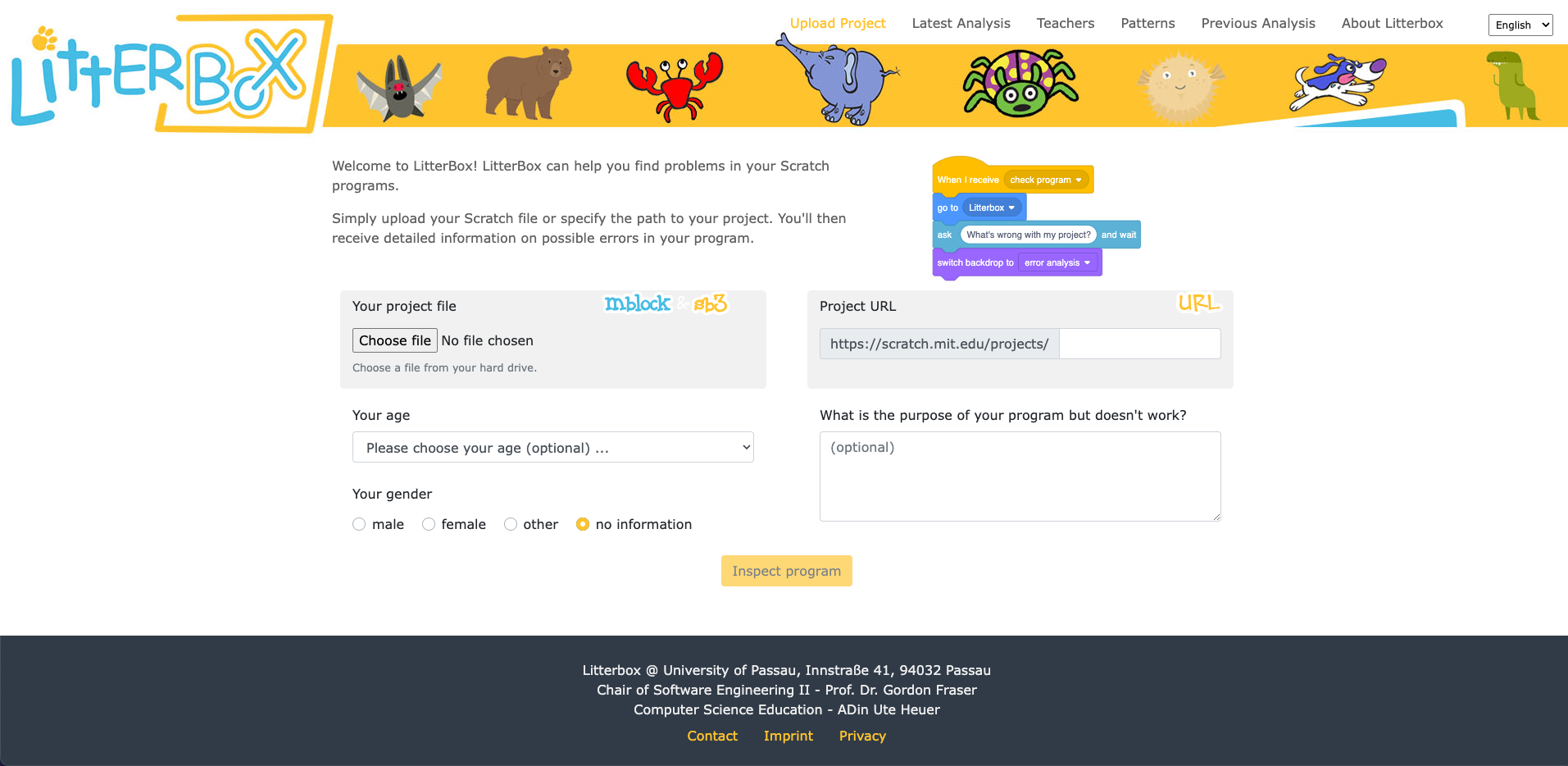
LitterBox serves as a static code debugging tool that transforms code examination into an engaging experience. With a nod to the Scratch cat, the tool visualises the debugging of Scratch code as checking the ‘litterbox’, categorising issues into ‘bugs’ and ‘smells’:
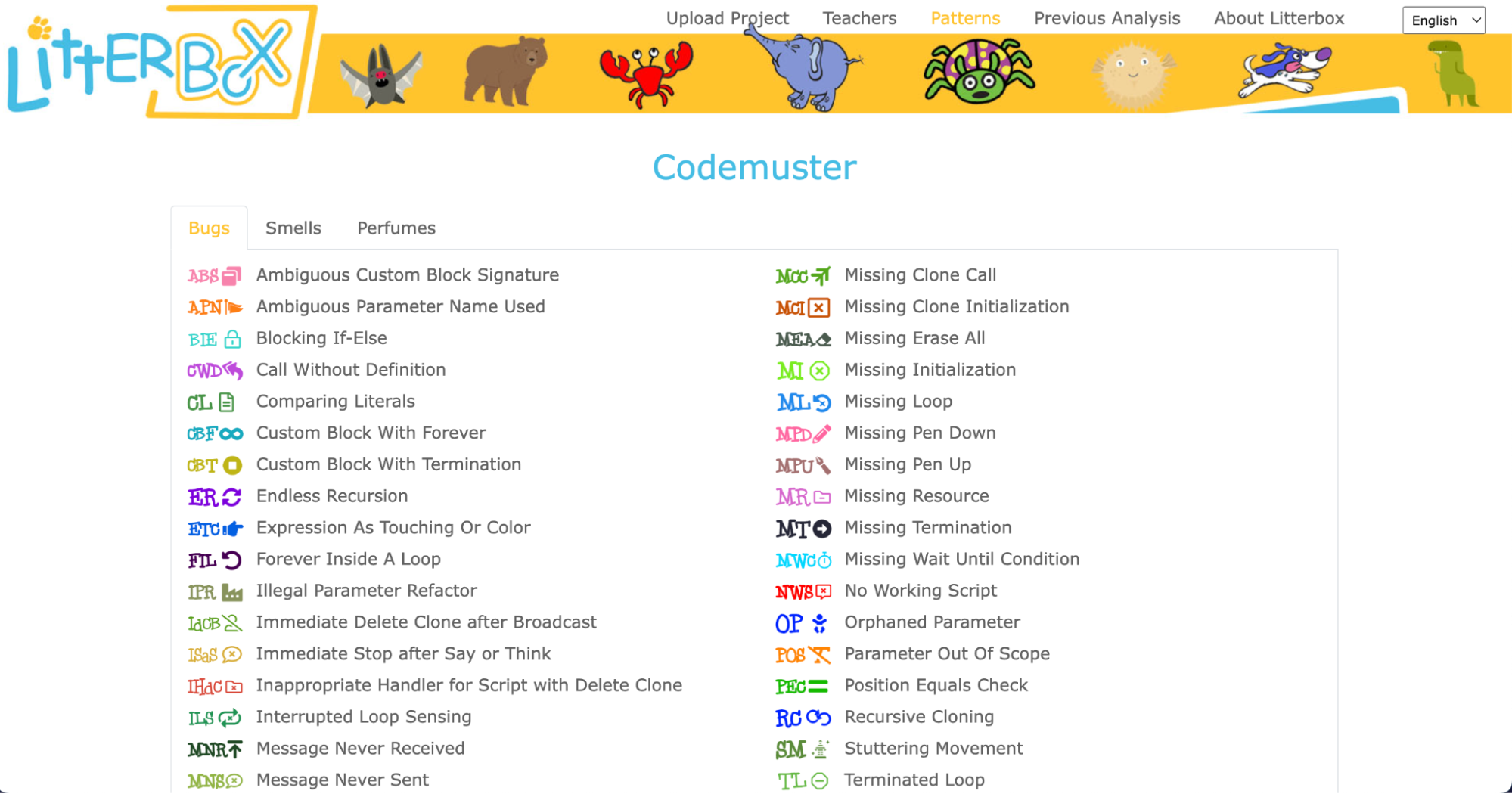
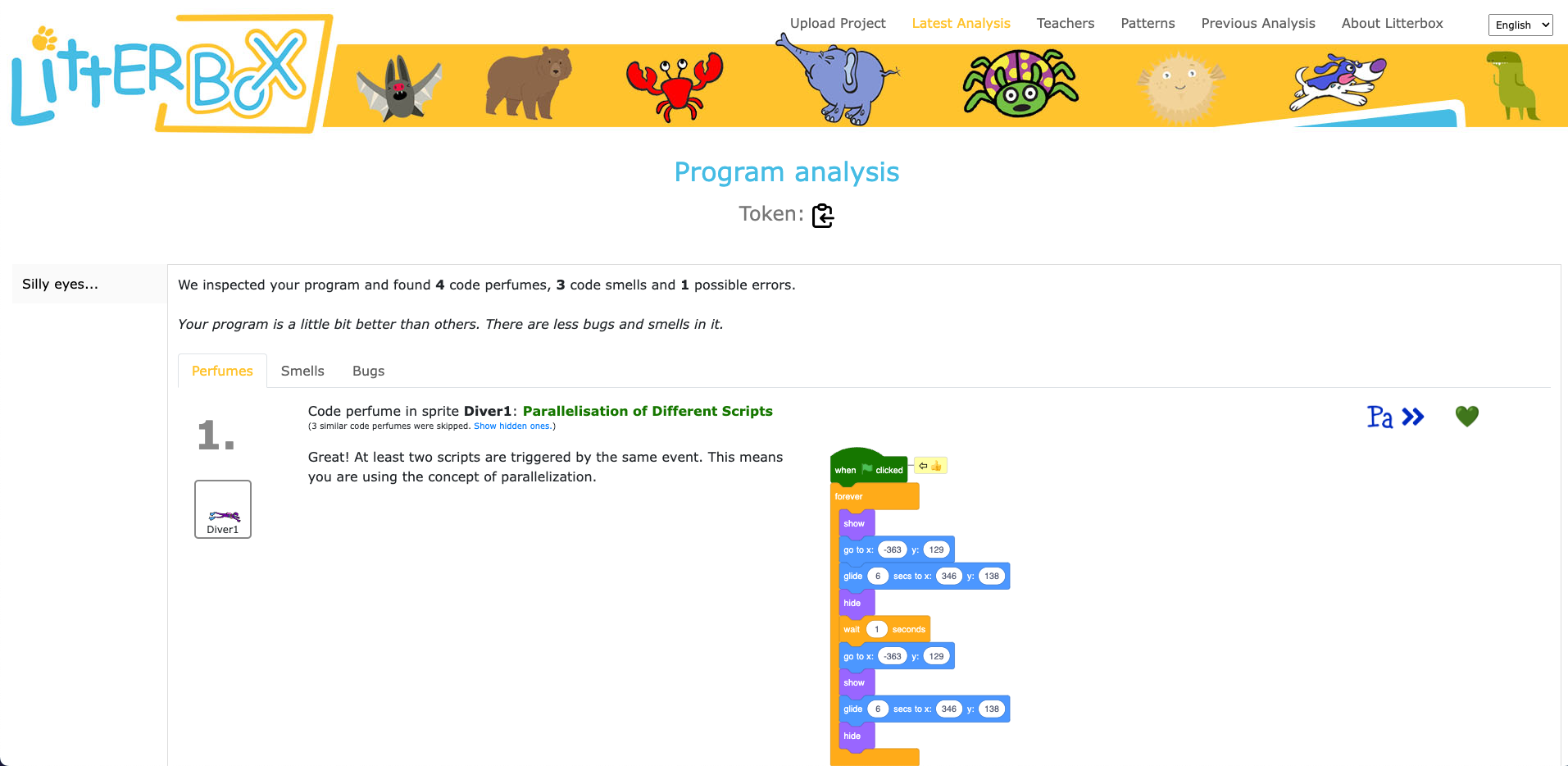
What sets LitterBox apart is that it also rewards correct code by displaying ‘perfumes’. For instance, it will praise correct broadcasting or the use of custom blocks. For every identified problem or achievement, the tool provides short and direct feedback.
Luisa and her team conducted a study to gauge the effectiveness of LitterBox. In the study, teachers were given fictitious student code with bugs and were asked to first debug the code themselves and then explain in a manner appropriate to a student how to do the debugging.
The results were promising: teachers using LitterBox outperformed a control group with no access to the tool. However, the team also found that not all hints proved equally helpful. When hints lacked direct relevance to the code at hand, teachers found them confusing, which highlighted the importance of refining the tool’s feedback mechanisms.
Despite its limitations, LitterBox proved helpful in another important aspect of the teachers’ work: coding task creation. Novice students require structured tasks and help sheets when learning to code, and teachers often invest substantial time in developing these resources. While LitterBox does not guide educators in generating new tasks or adapting them to their students’ needs, in a second study conducted by Luisa’s team, teachers who had access to LitterBox not only received support in debugging their own code but also provided more scaffolding in task instructions they created for their students compared to teachers without LitterBox.
One important realisation that we had in the Q&A phase of Luisa’s seminar was that many different research teams are working on solutions for similar challenges, and that the impact of this research can be maximised by integrating new findings and resources. For instance, what the LitterBox tool cannot offer could be filled by:
As we navigate the evolving landscape of programming education, it’s clear that innovative tools like LitterBox can make a significant difference in the journey of both educators and students. By equipping educators with effective debugging and task creation solutions, we can create a more positive and engaging learning experience for students.
If you’re an educator, consider exploring how such tools can enhance your teaching and empower your students in their coding endeavours.
You can watch the recording of Luisa’s seminar here:
If you’re interested in the latest developments in computing education, join us at one of our free, monthly seminars. In these sessions, researchers from all over the world share their innovative ideas and are eager to discuss them with educators and students. In our December seminar, Anaclara Gerosa (University of Edinburgh) will share her findings about how to design and structure early-years computing activities.
This will be the final seminar in our series about primary computing education. Look out for news about the theme of our 2024 seminar series, which are coming soon.
The post Support for new computing teachers: A tool to find Scratch programming errors appeared first on Raspberry Pi Foundation.
Every young learner needs a successful start to their learning journey in the primary computing classroom. One aspect of this for teachers is to introduce programming to their learners in a structured way. As computing education is introduced in more schools, the need for research-informed strategies and approaches to support beginner programmers is growing. Over recent years, researchers have proposed various strategies to guide teachers and students, such as the block model, PRIMM, and, in the case of this month’s seminar, TIPP&SEE.
We are committed to make computing and creating with digital technologies accessible to all young people, including through our work with educators and researchers. In our current online research seminar series, we focus on computing education for primary-aged children (K–5, ages 5 to 11). In the series’ second seminar, we were delighted to welcome Dr Jean Salac, researcher in the Code & Cognition Lab at the University of Washington.
Jean’s work sits across computing education and human-computer interaction, with an emphasis on justice-focused computing for youth. She talked to the seminar attendees about her work on developing strategies to support primary school students learning to program in Scratch. Specifically, Jean described an approach called TIPP&SEE and how teachers can use it to guide their learners through programming activities.
TIPP&SEE is a metacognitive approach for programming in Scratch. The purpose of metacognitive strategies is to help students become more aware of their own learning processes.
TIPP&SEE scaffolds students as they learn from example Scratch projects: TIPP (Title, Instructions, Purpose, Play) is a scaffold to read and run a Scratch project, while SEE (Sprites, Events, Explore) is a scaffold to examine projects more deeply and begin to adapt them.
TIPP&SEE is inspired by the work of Irene Lee and colleagues who proposed a progressive three-stage approach called Use-Modify-Create. Following that approach, learners move from reading pre-existing programs (“not mine”) to adapting and creating their own programs (“mine”) and gradually increase ownership of their learning.
Proponents of scaffolded approaches like Use-Modify-Create argue that engaging learners in cycles of using existing programs (e.g. worked examples) before they move to adapting and creating new programs encourages ownership and agency in learning. TIPP&SEE builds on this model by providing additional scaffolding measures to support learners.
Jean presented some promising results from her research on the use of TIPP&SEE in classrooms. In one study, fourth-grade learners (age 9 to 10) were randomly assigned to one of two groups: (i) Use-Modify-Create only (the control group) or (ii) Use-Modify-Create with TIPP&SEE. Jean found that, compared to learners in the control group, learners in the TIPP&SEE group:
In another study, Jean compared how learners in the TIPP&SEE and control groups performed on several cognitive tests. She found that, in the TIPP&SEE group, students with learning difficulties performed as well as students without learning difficulties. In other words, in the TIPP&SEE group the performance gap was much narrower than in the control group. In our seminar, Jean argued that this indicates the TIPP&SEE scaffolding provides much-needed support to diverse groups of students.
TIPP&SEE is a multi-step strategy where learners start by looking at the surface elements of a program, and then move on to examining the underlying code. In the TIPP phase, learners first read the title and instructions of a Scratch project, identify its purpose, and then play the project to see what it does.
In the second phase, SEE, learners look inside the Scratch project to click on sprites and predict what each script is doing. They then make changes to the Scratch code and see how the project’s output changes. By changing parameters, learners can observe which part of the output changes as a result and then reason how each block functions. This practice is called deliberate tinkering because it encourages learners to observe changes while executing programs multiple times with different parameters.
You can read more of Jean’s research on TIPP&SEE on her website. There’s also a video on how TIPP&SEE can be used, and free lesson resources based on TIPP&SEE are available in Elementary Computing for ALL and Scratch Encore.
Jean’s talk highlighted the need for computing to be inclusive and to give equitable access to all learners. The field of computing education is still in its infancy, though our understanding of how young people learn about computing is growing. We ourselves work to deepen our understanding of how young people learn through computing and digital making experiences.
In our own research, we have been investigating similar teaching approaches for programming, including the use of the PRIMM approach in the UK, so we were very interested to learn about different approaches and country contexts. We are grateful to Dr Jean Salac for sharing her work with researchers and teachers alike. Watch the recording of Jean’s seminar to hear more:
If you are looking for more free resources to help you structure your computing lessons:
In the next seminar of our online series on primary computing, I will be presenting my research on integrated computing and literacy activities. Sign up now to join us for this session on Tues 7 March:
As always, the seminars will take place online on the first Tuesday of the month at 17:00–18:30 UK time. Hope to see you there!
The post Supporting beginner programmers in primary school using TIPP-SEE appeared first on Raspberry Pi Foundation.


 Lateo.net - Flux RSS en pagaille (pour en ajouter : @ moi)